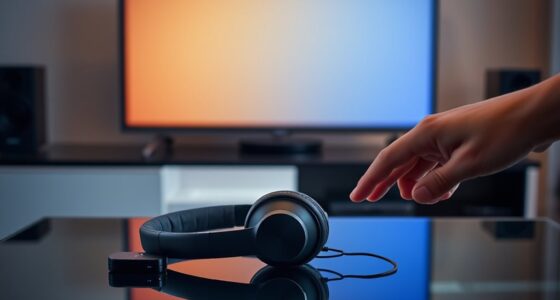
To avoid audio lag with wireless headsets, guarantee your device supports low-latency codecs like aptX Low Latency or AAC, and confirm both your headset and device are compatible. Keep your headset within the recommended distance, stay away from obstacles, and reduce interference from other electronic devices. Regularly update firmware and drivers for peak performance, and create an environment with minimal electronic interference. Implementing these tips can vastly improve your audio sync, and exploring further will help you master this process.
Key Takeaways
- Choose headsets supporting aptX Low Latency or AAC codecs for faster audio transmission.
- Keep devices within the recommended range and free from obstacles to ensure a stable Bluetooth connection.
- Regularly update firmware and drivers to benefit from latency improvements and optimizations.
- Minimize environmental interference by reducing electronic devices and maintaining a clear line of sight.
- Optimize device placement and settings to enhance synchronization between audio and video.

Audio lag can disrupt your viewing or gaming experience, but you can minimize it by taking simple steps. One of the most effective ways is to pay attention to Bluetooth codec selection. Different codecs have varying levels of compression and data transfer speeds, which directly impact latency. For instance, aptX Low Latency and AAC codecs are designed to deliver faster, more synchronized audio, reducing that frustrating delay between what you see and what you hear. When choosing your wireless headset, check if it supports these codecs and ensure your device also has compatible hardware and software. Using a device with the right Bluetooth codec can greatly cut down on lag, giving you a more seamless experience whether you’re gaming or watching movies.
Choosing headsets with aptX Low Latency or AAC codecs minimizes audio lag for seamless gaming and movies.
Device placement also plays a vital role in minimizing audio lag. Wireless signals can be affected by obstacles, distance, and interference, all of which can cause delays or interruptions. To optimize your connection, keep your headset within the recommended range of your Bluetooth source—usually within 10 meters—and avoid placing your device behind thick walls or metal objects that can block signals. Positioning your device closer to the transmitter helps maintain a strong, stable connection, which in turn reduces latency. Additionally, avoid overcrowding your Bluetooth environment with multiple connected devices, as this can create interference and increase lag.
Another tip is to keep your firmware and drivers updated. Manufacturers regularly release updates that improve connectivity and reduce latency issues. Check for updates for both your headset and your device’s Bluetooth drivers; keeping everything current guarantees you’re utilizing the latest optimizations. If your headset supports customizable settings, explore any latency reduction options available in the app or software. Some headsets allow you to tweak settings for lower latency, which can make a noticeable difference during fast-paced gaming or live streaming.
Finally, consider your environment. A quiet, interference-free space will help maintain a better Bluetooth connection. Minimize electronic interference from Wi-Fi routers, microwaves, or other wireless devices that operate on similar frequencies. Also, understanding the importance of psychological research in improving user experience can motivate you to create an optimal environment for your devices. By combining these strategies—selecting the right Bluetooth codec, optimizing device placement, keeping software updated, and managing your environment—you’ll notice a considerable reduction in audio lag. This way, your wireless headset can deliver synchronized sound, enhancing your overall entertainment experience and making sure you’re fully immersed without annoying delays.

Denon AVR-X1700H 7.2 Channel AV Receiver - 80W/Channel, Advanced 8K HDMI Video w/eARC, Dolby Atmos, DTS:X, Built-in HEOS, Amazon Alexa Voice Control
HIGH-PERFORMANCE 7-CHANNEL AMPLIFIER WITH NEXT-GEN MOVIE IMMERSION - Enjoy Denon sound in movies, games, and music with full...
As an affiliate, we earn on qualifying purchases.
Frequently Asked Questions
Do All Wireless Headsets Experience Audio Lag?
Not all wireless headsets experience audio lag. It depends on the audio codec they use and device compatibility. Headsets with advanced codecs like aptX Low Latency or AAC often deliver minimal lag, especially if your device supports these codecs. To avoid lag, check your headset’s specifications and confirm your device is compatible. Choosing the right combination of audio codec and device makes a significant difference in reducing audio delay.
Can Software Updates Reduce Audio Delay?
Yes, software updates can reduce audio delay. When you install firmware improvements and software optimizations, your wireless headset often benefits from enhanced performance and reduced lag. Manufacturers release these updates to fix bugs and improve synchronization between audio and video. To minimize lag, regularly check for updates and apply them promptly. This way, you’ll enjoy a smoother, more responsive audio experience during gaming, calls, or media playback.
Is Wired Connection Always Faster Than Wireless?
Wired connections are generally faster than wireless because they offer better reliability and connection stability. When you use a wired setup, you minimize lag and interference, ensuring smoother audio. Wireless headsets can sometimes experience delays or disruptions, especially in crowded environments, but advances in technology are narrowing this gap. If you want the most consistent and lowest latency experience, a wired connection is usually the better choice.
How Does Bluetooth Version Affect Lag?
Bluetooth version considerably impacts lag because newer versions offer increased Bluetooth bandwidth, which helps transmit data more efficiently. You should also check codec compatibility; advanced codecs like aptX Low Latency reduce audio lag. If your headset supports a higher Bluetooth version combined with compatible codecs, you’ll experience less audio delay. Upgrading your device to the latest Bluetooth version ensures smoother, more synchronized audio, especially during gaming or video calls.
Are There Specific Brands Known for Low Latency?
Imagine slipping on a headset that feels like a seamless extension of yourself, with no noticeable delay. Brands like Sony, Bose, and Sennheiser are renowned for their low latency benchmarks and stellar reputation. These companies prioritize quick response times, ensuring your audio stays synchronized with your actions. When choosing a headset, look for those with proven low latency specs; these trusted brands deliver on their promise of minimal lag for an immersive experience.
![Projector with 5G WiFi and Bluetooth, Native 1080P Projector[Projector Screen Included], Full HD 18000LM Movie Projector, 100" Display Home Theater, Compatible with Phone/Laptop/TV Stick](https://m.media-amazon.com/images/I/51tJ+dTl5qL._SL500_.jpg)
Projector with 5G WiFi and Bluetooth, Native 1080P Projector[Projector Screen Included], Full HD 18000LM Movie Projector, 100" Display Home Theater, Compatible with Phone/Laptop/TV Stick
【2.4G/5G Dual-Band Wifi & Bluetooth Connection】 Roconia projector supports screen mirroring on iOS, Android and Windows devices without...
As an affiliate, we earn on qualifying purchases.
Conclusion
So, next time you’re enjoying your wireless headset, remember that a little attention to your device settings and environment can make all the difference. Sometimes, it’s funny how a simple restart or a quick update lines up just right, reducing that annoying lag. It’s almost like the universe conspired to give you seamless audio. With these tips, you’ll find that perfect sync, making every listen feel natural—exactly as it should be.

HDMI ARC Audio Extractor DAC Audio Converter 192KHz Digital to Analog Converter for PS3 PS4 HDTV DVD Home Systems, HDMI ARC/Optical/Coaxial Input, SPDIF/Optical/RCA/3.5mm Stereo Output(with 4 Cables)
【ARC Function - Check Your TV First】: This hdmi arc audio extractor lets your TV send audio Extractor...
As an affiliate, we earn on qualifying purchases.
![J-Tech Digital 8K HDMI Audio Extractor with eARC ARC 8K 60Hz 4K 120Hz, HDMI to Optical L/R Converter Adapter, HDCP 2.3 HDR CEC EDID [JTECH-8KAE]](https://m.media-amazon.com/images/I/31V94vBBJHL._SL500_.jpg)
J-Tech Digital 8K HDMI Audio Extractor with eARC ARC 8K 60Hz 4K 120Hz, HDMI to Optical L/R Converter Adapter, HDCP 2.3 HDR CEC EDID [JTECH-8KAE]
✅ 8K 60Hz | 4K 120Hz HDMI Audio Extractor: Extract audio from HDMI signal, send to external audio...
As an affiliate, we earn on qualifying purchases.