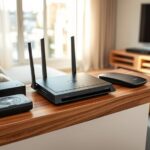
To optimize your router placement for whole-home coverage, position it centrally on the middle floor, elevated on a shelf away from thick walls or metal objects. Keep it in an open space free from interference sources like microwaves and cordless phones. Consider adding mesh nodes or extenders strategically to cover dead zones, especially in larger or multi-story homes. For more tips on setting up your Wi-Fi system effectively, keep exploring to improve your connection everywhere in your house.
Key Takeaways
- Place the router centrally and elevate it to maximize signal distribution throughout the home.
- Avoid enclosed spaces and interference sources like metal objects and electronics for clearer signals.
- Use mesh networks or extenders strategically at midpoints to eliminate dead zones and improve coverage.
- For multi-story homes, position the router on the middle floor to enhance coverage across levels.
- Regularly test signal strength and adjust device placement to optimize overall Wi-Fi performance.

Achieving whole-home Wi-Fi coverage starts with smart router placement. Your goal is to position your router in a central location to guarantee signals reach every corner of your house effectively. If you’re dealing with larger homes or spaces with thick walls, consider the benefits of mesh networks. These systems consist of multiple nodes that work together to distribute Wi-Fi evenly, eliminating dead zones. Instead of relying solely on a single router, mesh networks allow you to place nodes in strategic spots, creating a seamless coverage area. This setup minimizes the need for constant adjustments and offers more reliable connectivity throughout your home.
Smart router placement and mesh networks ensure seamless whole-home Wi-Fi coverage and eliminate dead zones.
If a mesh network isn’t an option, Wi-Fi extenders can be a practical alternative. These devices amplify your existing signal, extending coverage into areas that typically experience weak or no Wi-Fi. When setting up Wi-Fi extenders, avoid placing them too far from your main router, as they’ll only repeat a weak signal and may slow down your network. Instead, position extenders at halfway points between your router and the dead zones. Keep in mind that extenders work best when they’re within a good signal range of your primary router, so you may need to experiment with different locations to find the sweet spot.
Your router’s placement can substantially impact its performance. Keep it away from large metal objects, microwaves, cordless phones, and other electronics that can interfere with signals. Elevating your router on a shelf or high piece of furniture helps ensure signals radiate outward evenly. Avoid placing it in enclosed spaces like cabinets or behind thick walls, which can block or weaken the Wi-Fi signal. Instead, opt for open areas where the signal can spread freely. Proper placement also involves understanding router signal propagation, which can help you position your device for optimal coverage.
Additionally, consider the layout of your home. For multi-story houses, placing the router on the middle floor can help optimize coverage across all levels. For homes with thick walls or unusual layouts, combining a central router with strategically placed Wi-Fi extenders or mesh nodes can fill gaps in coverage. Regularly testing your Wi-Fi with a device or app can help identify weak spots, guiding you to adjust the placement of your equipment for maximum efficiency. By thoughtfully positioning your router and supplementing with extenders or mesh networks, you ensure a strong, reliable Wi-Fi connection everywhere in your home.

Douk Audio BS-1 Bass Shaker: 50W High Power Tactile Transducer - Subwoofer Lows for Home Theater, Car Audio & Gaming Chair Vibration Immersion (1 PC)
The fully upgraded version of Douk Audio BS-1 bass shaker, released in May 2025, the performance is greatly...
As an affiliate, we earn on qualifying purchases.
Frequently Asked Questions
How Can I Improve Wi-Fi Speed in Dead Zones?
To improve Wi-Fi speed in dead zones, consider using a mesh network to extend coverage seamlessly. Place nodes strategically to minimize signal interference from walls or appliances. Avoid interference sources like cordless phones or microwave ovens near your router or mesh nodes. You can also upgrade to a dual-band or tri-band router for better performance. These steps will help eliminate dead zones and boost your Wi-Fi speed throughout your home.
What Is the Ideal Height for Router Placement?
Think of your router like a lighthouse guiding signals through the fog. The ideal placement involves mounting your router about 3 to 6 feet high, ideally on a shelf or wall mount, to maximize coverage. This height ensures the signal travels freely without obstructions, providing stronger Wi-Fi throughout your home. Avoid placing it near metal objects or in the basement, as these can block or weaken the signal.
Can Multiple Routers Reduce Wi-Fi Congestion?
Yes, multiple routers can reduce Wi-Fi congestion. By setting up a mesh network or using signal repeaters, you distribute the network load across several devices, ensuring better coverage and faster speeds. Mesh networks create seamless connectivity throughout your home, while signal repeaters extend the existing signal. Both options help prevent bottlenecks, improve performance, and keep your Wi-Fi stable, even with multiple devices connected.
How Do Walls and Furniture Affect Signal Strength?
Walls and furniture create obstacles interference that weakens your Wi-Fi signal. Material attenuation occurs because certain materials, like thick walls or metal furniture, absorb or reflect wireless signals, reducing their strength. This means your connection may drop or slow down in areas with these obstacles. To improve coverage, position your router away from dense furniture and thick walls, and consider using range extenders or mesh systems to bypass material attenuation.
Is It Better to Place the Router Centrally or Near the Router?
You should place your router centrally in your home for ideal signal coverage. This position reduces signal interference caused by walls and furniture, ensuring a stronger, more consistent connection across rooms. Avoid placing the router near metal objects or electronics that can disrupt the signal. By choosing a central location, you maximize coverage and minimize dead zones, making your whole-home Wi-Fi experience smoother and more reliable.
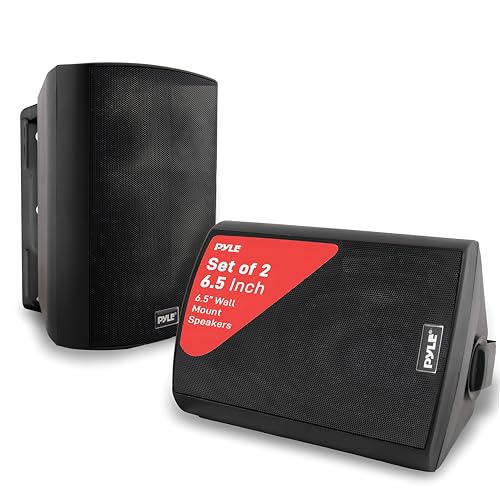
Pyle 6.5-Inch Wall Mount Waterproof Bluetooth Speaker System – Indoor/Outdoor Audio Pair with Built-in Digital Amplifier, Weather-Resistant Housing, High-Power Sound, Easy Installation (Black)
Includes (2) Speakers (Active & Passive Speaker System) - Marine Grade Waterproof Construction.Mounting Type:Wall Mount.Speakers maximum output power:300...
As an affiliate, we earn on qualifying purchases.
Conclusion
By carefully placing your router, you guarantee strong, consistent coverage throughout your home. For example, positioning the router near the center of your house and away from thick walls can markedly boost signal strength. Imagine a family in a multi-story home, where moving the router to a central spot improved streaming and gaming experiences for everyone. Thoughtful placement isn’t just about convenience; it’s about creating a reliable network that keeps all your devices connected seamlessly.

Dayton Audio BST-2 Tactile Bass Shaker 35 Watt
Increase the realism of home theater and gaming systems for a more immersive experience
As an affiliate, we earn on qualifying purchases.

Dayton Audio BST-300EX, 300 Watts RMS,Tactile Bass Shaker, 4 Ohms Impedance - Turn Any Surface into a Speaker System - Generates Subwoofer Lows
Max watts & impedance: With 300 watts of power at 4 ohms, the Dayton Audio BST-300EX Bass Shaker...
As an affiliate, we earn on qualifying purchases.