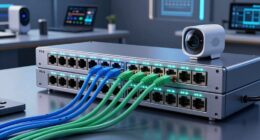
To banish buffering and stream Ultra-HD smoothly, start by evaluating your current network. Upgrade your router to one supporting Wi-Fi 6, MU-MIMO, and beamforming, and position it centrally for better coverage. Use wired connections for critical devices and minimize interference from walls and other gadgets. Manage bandwidth with QoS, prioritize streaming activities, and secure your network with strong passwords and updates. Keep optimizing—there’s more to guarantee flawless streaming.

Get your home office setup delivered free — and shop member deals
- Fast, free delivery on millions of items
- Access to Prime Big Deal Days deals on October 6–7
- Prime Video, Amazon Music and more included
Key Takeaways
- Perform regular speed tests and monitor device connections to identify bottlenecks and coverage gaps.
- Upgrade to a Wi-Fi 6 router and consider wired Ethernet connections for critical devices.
- Place your router centrally, elevated, and free from interference sources for optimal coverage.
- Use QoS settings to prioritize streaming and gaming traffic, reducing buffering during high-demand activities.
- Keep firmware updated, enable security features, and incorporate mesh systems or boosters for stable, secure connectivity.
Assess Your Current Network Setup

Before making any improvements, it’s essential to understand your current network setup. Start by performing a speed test to gauge your internet’s actual performance compared to your plan. This helps identify if your connection is slow or inconsistent. Next, create a device inventory by listing all gadgets connected to your network—smartphones, laptops, smart TVs, and IoT devices. Knowing what’s connected allows you to spot any unnecessary or unknown devices that could be hogging bandwidth. Check your router’s placement and wiring, too, since physical setup impacts speed. Understanding your network’s strengths and weaknesses provides a clear baseline. This assessment helps you decide what needs attention, whether it’s increasing bandwidth, fixing bottlenecks, or planning upgrades for better performance. Additionally, evaluating your network’s hardware capabilities can reveal whether your router supports the latest standards necessary for 4K streaming and high-bandwidth activities. Considering network optimization or tuning options for your hardware can further enhance overall performance and reliability. Moreover, understanding your network’s security features ensures your home network remains protected while optimizing its performance. Conducting regular network monitoring can also help identify ongoing issues and prevent future slowdowns.
Upgrade to a High-Performance Router

Upgrading to a high-performance router can substantially boost your home network’s speed and reliability. A modern router ensures faster data transfer rates, reducing buffering during Ultra‑HD streaming. When choosing a new router, consider device compatibility to guarantee it works seamlessly with all your gadgets. Proper router placement is also vital; position it centrally, away from obstructions, to maximize coverage and minimize dead zones. A high-quality router with advanced features like MU-MIMO and beamforming can handle multiple devices simultaneously, preventing slowdowns. Investing in a router designed for high-bandwidth activities guarantees smoother streaming and gaming experiences. Additionally, knowing network optimization can help plan your purchase visits for new equipment. Understanding security zone info can also assist in protecting your connected devices from cyber threats. By selecting the right router and positioning it correctly, you set a strong foundation for an optimized, buffer-free home network. Improving your AI-powered network management can further enhance device performance and security.
Optimize Wi-Fi Placement and Coverage

To maximize your Wi-Fi coverage, focus on optimizing the placement of your router. Position it centrally in your home, away from thick walls or large metal objects that can block signals. Elevate the router on a shelf or high surface for better distribution. If your coverage is still spotty, consider setting up a mesh networking system, which creates multiple access points for seamless coverage. Signal boosters can also extend your Wi-Fi range, especially in larger or multi-story homes. Avoid placing the router near cordless phones, microwaves, or Bluetooth devices, as these can cause interference. Cookies can help improve your browsing experience and ensure your network functions optimally. Regularly test your signal strength in different areas to identify weak spots, then adjust the placement accordingly. Proper router placement and supplementary devices ensure consistent, high-quality Wi-Fi coverage for your Ultra-HD streaming needs, especially as angel number guidance can help you recognize areas for improvement. Additionally, reviewing your privacy policy settings can help manage cookies and other data collection practices to optimize your browsing experience. Implementing a security protocol can further protect your network from unauthorized access, which is an important aspect of special events and themed breakfasts as community engagement can increase network usage.
Reduce Interference and Manage Bandwidth

Have you noticed your Wi-Fi slowing down during certain activities? This often happens due to interference or bandwidth congestion. To improve performance, start with channel selection—switch your router to the least crowded channel to reduce interference. Many modern routers can automatically select *ideal* channels, but manual adjustment can be more effective in crowded areas. Additionally, use interference mitigation techniques like placing your router away from thick walls, cordless phones, or microwaves that can disrupt signals. Managing bandwidth is equally important; prioritize devices and activities that need the most speed, such as streaming Ultra-HD content. Limit background app usage and set quality of service (QoS) rules if your router supports them. Robot vacuum cleaning schedules and smart features can also contribute to network traffic, so scheduling these tasks during off-peak hours can help keep your network smooth, reducing buffering and lag. To further optimize, consider network security measures to prevent unauthorized device connections that can consume bandwidth. Implementing bandwidth management strategies ensures optimal distribution of your network’s capacity. Additionally, upgrading to a performance-oriented router can provide better handling of multiple devices and high-bandwidth activities, further reducing buffering issues.
Implement Network Security and Parental Controls
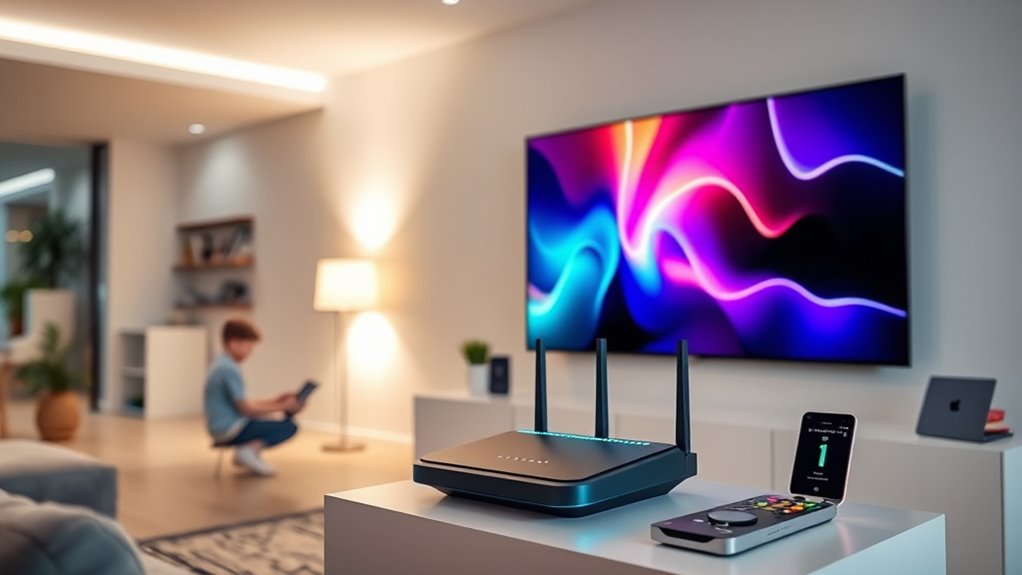
To protect your network and keep your family safe, you should set up parental filters and enable firewall protections. Regular firmware updates are essential to fix security vulnerabilities and keep your devices secure. Taking these steps guarantees your home network remains safe and controlled. Additionally, implementing fraud detection measures can help identify and prevent unauthorized access attempts. Ensuring secure Wi-Fi configuration can further strengthen your network defenses against potential threats. Incorporating advanced security protocols can provide an extra layer of protection against evolving cyber threats. Staying aware of network activity through routine monitoring can also help you spot unusual behavior early. Incorporating body awareness techniques from somatic therapy can also help you stay attentive to unusual activity or signals that indicate security issues.
Set Up Parental Filters
Implementing parental filters is a crucial step in securing your home network and ensuring safe internet usage for your family. By setting up content filtering, you can block inappropriate websites and limit access to certain types of content, keeping your children safe online. Adjusting filters based on age or activity helps you control what your kids see and do. Additionally, managing screen time through parental controls allows you to set daily limits, encouraging healthier digital habits and preventing excessive usage. Most routers and parental control apps offer easy-to-use options for customizing these settings. Regularly review and update filters to adapt to your family’s evolving needs. With these measures in place, you create a safer, more balanced online environment for everyone in your household.
Enable Firewall Protections
Enabling firewall protections is a vital step in securing your home network from unauthorized access and cyber threats. A well-configured firewall acts as a barrier, monitoring incoming and outgoing traffic to prevent malicious activity. Implement network segmentation to isolate devices and limit potential damage if one part of your network is compromised. This strategy enhances security by restricting access between devices and sensitive data. Additionally, enable intrusion detection features on your firewall to identify and alert you to suspicious activity in real-time. These protections help you stay ahead of threats and guarantee your Ultra-HD streaming experience remains smooth. By actively managing firewall settings, you create a safer environment that guards your network against cyber attacks and unauthorized intrusions.
Regular Firmware Updates
Regular firmware updates are indispensable for maintaining your home network’s security and managing parental controls effectively. Keeping your router firmware current ensures you have the latest security patches, protecting your devices from vulnerabilities. Updated firmware also improves device compatibility, allowing your router to support new gadgets and features seamlessly. Manufacturers regularly release firmware updates to fix bugs, enhance performance, and address security loopholes. Neglecting these updates can leave your network exposed to threats or cause compatibility issues with your smart devices. To stay protected, check your router’s admin panel regularly for available updates or enable automatic updates if your device supports it. Staying current with firmware updates is a simple but crucial step in optimizing your home network for both security and smooth operation.
Explore Advanced Technologies for Enhanced Speed

To achieve faster and more reliable home network speeds, exploring advanced technologies is essential. Upgrading to fiber optic connectivity can dramatically boost your bandwidth, reducing buffering during Ultra‑HD streaming. Mesh networking is another powerful option, creating a seamless Wi-Fi coverage throughout your home, eliminating dead zones. These technologies work together to optimize your network’s speed and stability.
| Technology | Benefits |
|---|---|
| Fiber Optic Connectivity | Faster speeds, higher bandwidth, future-proofing |
| Mesh Networking | Whole-home coverage, easy expansion |
| Wi-Fi 6 | Increased capacity, reduced latency |
| QoS (Quality of Service) | Prioritizes streaming and gaming traffic |
| Ethernet Cables | Stable, wired connections for critical devices |
Frequently Asked Questions
How Can I Test My Current Network Speed Accurately?
To test your network speed accurately, start with reliable network speed testing tools like Speedtest.net or Fast.com. Make sure no other devices are using the internet during the test for precise measurements. Connect your device directly to your router via Ethernet if possible, to avoid Wi-Fi interference. Run multiple tests at different times of the day, then compare results to get a clear picture of your true network speed.
What Are the Signs of a Congested Home Network?
You can tell your home network is congested when multiple devices cause slow speeds or buffering. Signs include increased network traffic, which overloads your bandwidth, and device interference, where gadgets compete for the same Wi-Fi channels. If streaming or gaming becomes choppy, or downloads take longer than usual, your network might be overwhelmed. Regularly monitor device activity and minimize interference to keep your network running smoothly.
How Often Should I Update My Router Firmware?
You should update your router firmware regularly to keep your network secure and running smoothly. A good firmware update schedule is at least once every three to six months, or whenever the manufacturer releases a new update. Updating enhances router security, fixes bugs, and improves performance. Don’t skip these updates, as they protect your home network from vulnerabilities while ensuring peak connectivity for Ultra-HD streaming and other demanding activities.
Can Ethernet Cables Improve Streaming Quality Over Wi-Fi?
Sure, because nothing says “cutting-edge streaming” like a wired connection, right? Using Ethernet cables can considerably improve your streaming quality over Wi-Fi, thanks to the Ethernet benefits like stable speeds and reduced lag. A wired connection minimizes interference and guarantees consistent bandwidth, making buffering a thing of the past. So, if you’re serious about Ultra-HD, plugging in with Ethernet cables is the smartest move you can make.
What Are Affordable Options for Expanding Wi-Fi Coverage?
To expand your Wi-Fi coverage affordably, consider mesh networks or Wi-Fi extenders. Mesh networks create a seamless connection across your home, eliminating dead zones and boosting signal strength. Wi-Fi extenders are a budget-friendly option that amplifies your existing network. Both options are easy to set up and improve streaming quality, ensuring you enjoy Ultra-HD content without interruptions. Choose based on your home size and connectivity needs.
Conclusion
Think of your home network as a race car. With the right upgrades and fine-tuning, you’ll leave buffering in the dust and race smoothly through your favorite HD streams. Just like a well-maintained engine, your Wi-Fi needs care and attention to perform at its best. By optimizing your setup today, you’re steering your digital journey toward victory—faster, clearer, and interruption-free. Don’t let lag hold you back; rev up your connection and enjoy the ride!
Fall Picks
fall essentials
As an affiliate, we earn on qualifying purchases.