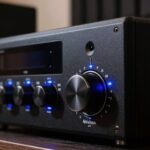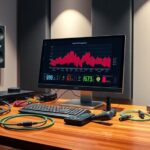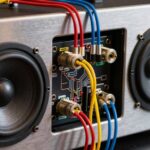
To set crossovers correctly, you need to understand your speakers’ ideal frequency ranges and adjust the crossover points accordingly. Choose a frequency where each speaker handles its best sound quality—like setting the bass range for subwoofers and higher ranges for tweeters. The slope determines how sharply the audio transitions between speakers. Properly configuring these settings prevents overlaps and gaps, creating a cohesive sound. Keep exploring to master how to fine-tune your system for perfect clarity.
Key Takeaways
- Crossovers divide audio signals into specific frequency ranges for different speakers, optimizing sound quality.
- Proper setting of crossover points aligns with speaker capabilities and room acoustics to prevent overlaps or gaps.
- Steeper slopes (12-24 dB/octave) create sharp separation, while gentler slopes (6 dB/octave) allow smoother transitions.
- Calibration tools like microphones and test tones help fine-tune crossover settings for balanced sound.
- Matching crossover frequencies and slopes ensures clear, cohesive audio without muddiness or phase issues.

Understanding speaker frequency settings is essential for optimizing your audio experience. When you fine-tune your system’s crossover slopes, you’re shaping how each speaker handles specific parts of the audio spectrum, ensuring a seamless blend between your tweeters, woofers, and subwoofers. Properly setting these slopes helps prevent overlaps that can cause muddiness or gaps that diminish clarity. Crossover slopes determine how sharply a speaker transitions from full range to filtered output, with steeper slopes (like 24 dB/octave) creating more distinct separation. This precision is paramount in achieving balanced sound, especially in multi-speaker setups where overlapping frequencies can lead to phase issues or distortion.
To get it right, you need to focus on speaker calibration, which involves adjusting your system so each component performs at its best within its designated frequency range. During calibration, you’ll set the crossover points—those specific frequencies where one speaker hands off sound to another—based on your speakers’ capabilities and room acoustics. This process ensures each speaker reproduces only what it’s designed to handle, improving overall clarity and reducing strain on individual drivers. When calibrating, you should consider your listening environment and the type of audio you prefer, whether it’s deep bass, crisp highs, or a balanced mix. Proper calibration often involves using tools like a sound level meter or calibration microphone, along with test tones to precisely measure and adjust levels.
Knowing how to set crossover slopes during speaker calibration can greatly impact your listening experience. For example, a gentle slope (6 dB/octave) provides a gradual transition, which can be useful for speakers with overlapping frequency ranges or in rooms with reflective surfaces. On the other hand, steeper slopes (12-24 dB/octave) deliver more precise separation, helping to eliminate muddiness and ensuring each speaker’s output is clean and distinct. The key is to match the slope to your system’s design and your personal preference, always aiming for a cohesive soundstage without gaps or overlaps.
Additionally, understanding the size of a tiny house can inform how you set up your audio system in a limited space, ensuring optimal sound without overwhelming the room.

Onkyo TX-NR7100 9.2-Channel AV Receiver - 100 Watts Per Channel, Dirac Live Out of Box, Works with Sonos Certified, THX Certified and More
STATE OF THE ART ROOM CORRECTION: Dirac Live take the room out of the equation, automatically calibrating sound...
As an affiliate, we earn on qualifying purchases.
Frequently Asked Questions
How Do I Choose the Right Crossover Frequency for My Room?
To choose the right crossover frequency for your room, start by considering your subwoofer integration and room acoustics. Set your crossover around 80Hz as a good starting point, then listen carefully. Adjust it higher or lower based on how seamless the sound feels and how well your speakers and sub work together. Keep testing until you find a balance that produces clear, full sound without muddy bass or gaps.
Can I Adjust Crossover Settings While Listening to Music?
Imagine fine-tuning a delicate instrument, your speaker calibration and audio tuning are ongoing processes. Yes, you can adjust crossover settings while listening to music, but do so carefully. Turn the knob gradually, like easing a volume dial, and listen for seamless sound. This dynamic adjustment helps optimize your system, ensuring each speaker plays its part perfectly, creating a balanced, immersive listening experience without disrupting your musical enjoyment.
What Are the Signs of Incorrect Crossover Settings Affecting Sound Quality?
When your sound quality suffers, you might notice crossover distortion or an uneven soundstage. Crossover distortion causes a harsh or clipped audio, while uneven sound makes certain frequencies overpower others. If your speakers don’t seem balanced or the music sounds distorted at certain points, your crossover settings could be off. Adjusting the frequency settings properly can fix these issues, giving you clearer, more balanced audio.
Do Different Music Genres Require Different Crossover Adjustments?
Did you know that listener preference often influences crossover adjustments more than the genre itself? Different music genres, like classical or electronic, can benefit from tailored crossover settings to enhance sound clarity and balance. You should tweak your crossover frequencies based on your preferred listening style, ensuring each genre sounds its best. Adjusting for genre helps optimize your audio experience, making every track more immersive and satisfying.
How Do Crossover Frequencies Impact Speaker Lifespan and Performance?
Crossover frequencies directly impact your speaker’s durability and sound clarity. If set too high or low, they can cause strain, risking damage over time, and diminish overall sound quality. Properly adjusting these frequencies ensures your speakers operate within safe limits, maintaining their longevity. When you optimize crossover settings, you help preserve speaker durability while delivering clear, balanced sound, enhancing your listening experience and preventing costly repairs.

Onkyo TX-RZ30 9.2-Channel AV Receiver - 100 Watts Per Channel, Dirac Live Out of Box, Works with Sonos Certified, THX Certified and More
RZ ULTRA-WIDE BANDWIDTH AMPLIFIER: Thanks to custom low-noise power transformers and smoothing capacitors, the TX-RZ30 hits rumbling lows...
As an affiliate, we earn on qualifying purchases.
Conclusion
Now that you know the nuances of steering your speaker’s frequency settings, you’re empowered to perfect your sound. Remember, fine-tuning frequencies fosters fabulous fidelity and flawless focus. So, stay strategic, experiment enthusiastically, and enjoy excellent audio experiences. Setting your speakers just right isn’t just technical — it’s transforming your tunes into a truly triumphant treat. Take charge, tweak thoughtfully, and turn your space into a symphony of stunning sound!

Onkyo TX-RZ50 9.2-Channel 8K/4K Network AV Receiver, 250W Per Channel at 6 Ohms + H&A Speaker Connector Banana Plugs, 12 Pairs
Advanced 9.2-Channel 8K/4K Network AV Receiver for high-definition audio and video playback
As an affiliate, we earn on qualifying purchases.
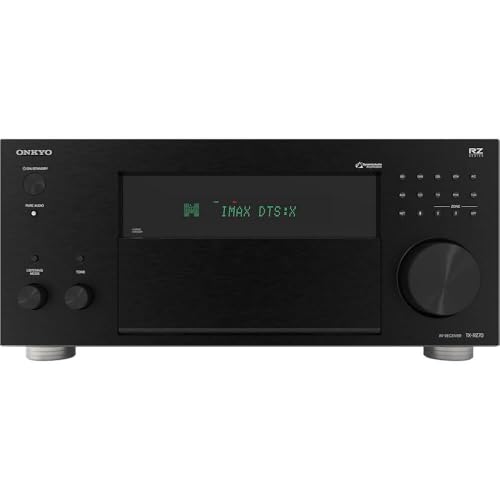
Onkyo TX-RZ70 11.2-Channel AV Receiver - 140 Watts Per Channel, Dirac Live Out of Box, Works with Sonos Certified, THX Certified and More
11 CHANNELS, 140 WATTS: Home theater buffs rejoice! The Onkyo TX-RZ70 is our most powerful AVR yet, giving...
As an affiliate, we earn on qualifying purchases.