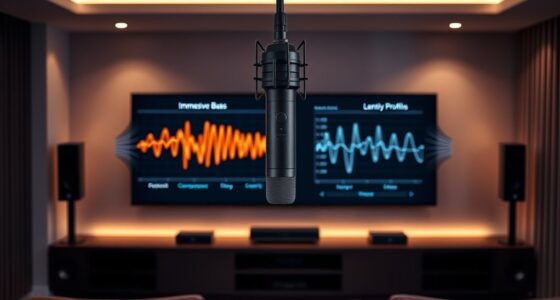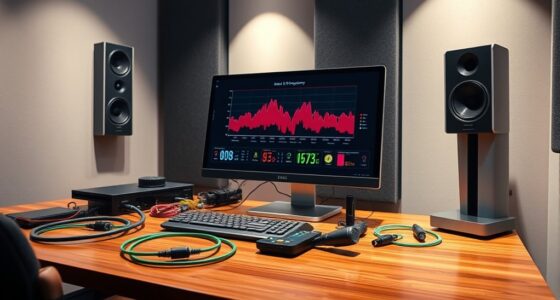

To calibrate for gaming with a focus on dialogue and effects, start by using in-game audio calibration tools to balance dialogue volume and background sounds. Enable spatial audio features if available, so sounds are accurately positioned. Make sure sound effects and dialogue are clear and properly synchronized to avoid confusion. Regularly check and adjust these settings after updates or hardware changes. Keep going to discover more tips on fine-tuning your setup for an immersive experience.

Get business pricing on your home office setup
- Business-only prices and quantity discounts
- Tax-exempt purchasing
- Multiple users, one account, clear invoices
Key Takeaways
- Use in-game audio calibration tools to balance dialogue clarity and background effects for optimal sound mix.
- Adjust volume levels separately for dialogue and effects to ensure important sounds stand out.
- Enable spatial audio features, like Dolby Atmos or Windows Sonic, to enhance directional sound accuracy.
- Regularly revisit and fine-tune audio settings after system or game updates to maintain proper synchronization.
- Test in varied game scenarios to ensure dialogue remains clear without overpowering or being lost among effects.
Have you ever wondered why your gaming experience feels off, even with the best hardware? The answer often lies in how well you’ve calibrated your system, especially when it comes to audio synchronization and controller responsiveness. These elements are essential for immersing yourself fully into the game world, and neglecting them can lead to frustration and a diminished experience. When audio isn’t properly synchronized with the visual cues, it creates a disconnect that pulls you out of the moment. You might notice footsteps or gunfire sounding delayed or out of sync with the on-screen action. This mismatch can cause confusion during gameplay, making it harder to react swiftly to in-game events. Proper calibration ensures that sounds match their sources, making the environment feel real and responsive.
Proper calibration of audio and controls enhances immersion, responsiveness, and overall gaming experience.
Controller responsiveness is equally important. If your controller input isn’t registering precisely or feels delayed, your reactions become sluggish, and you lose that essential edge necessary for competitive gaming. This issue often stems from latency or misconfigured settings. To improve this, you should check your controller’s firmware and make sure it’s updated. Adjusting in-game sensitivity and dead zones can also help fine-tune responsiveness, ensuring your commands translate instantly and accurately. When both audio and controller settings are optimized, your gameplay becomes seamless, allowing you to focus entirely on strategy and reflexes without distraction.
Calibrating for dialogue and effects isn’t just about tweaking settings—it’s about creating a balanced experience where every sound and action aligns perfectly. For example, if a cutscene features dramatic music and dialogue, you want those elements to blend smoothly without one overpowering the other. Many games offer built-in audio calibration tools—use these to set the right balance between dialogue volume and background effects. If your system supports it, consider enabling spatial audio features, which can enhance the realism of directional sounds, making it easier to locate enemies or objects based on sound alone. Additionally, understanding the importance of proper audio calibration can significantly improve your overall gaming immersion.
In addition, investing time in calibrating your audio and controller settings pays off during intense moments when split-second reactions matter. A slight delay in audio or sluggish controller response can mean the difference between winning or losing. Regularly revisit your setup, especially after software updates or hardware changes, to maintain peak performance. When these elements work in harmony, your gaming sessions become more immersive, precise, and enjoyable. So, take the time to calibrate properly—your gameplay will thank you for it.
Frequently Asked Questions
How Do I Balance Dialogue Volume With Game Effects?
To balance dialogue volume with game effects, start by adjusting your audio settings to make certain dialogue is clear and prominent. Use audio ducking to lower background noise and effects when dialogue occurs, making speech easier to understand. Test different levels, ensuring effects don’t overpower dialogue, and tweak until you find a natural balance. This way, you’ll enjoy immersive gameplay while keeping dialogue crisp and audible.
What Settings Optimize Voice Clarity During Intense Scenes?
During intense scenes, dial up voice isolation to diminish distracting ambient noise and boost voice clarity. Adjust your microphone settings to focus on speech, and enable noise suppression features to filter out background sounds. Fine-tune your equalizer to emphasize vocal frequencies, ensuring dialogue pops through powerful effects. With these settings, you’ll hear every word clearly, even amidst chaos, creating a crisp, consistent communication experience during high-stakes gaming moments.
Can Calibration Improve Multiplayer Communication Quality?
Yes, calibration can improve your multiplayer communication. You should adjust your headset’s settings to minimize background noise and enhance voice clarity. Ensuring your headset is comfortable helps you stay focused during long gaming sessions, reducing distractions. Proper calibration filters out ambient sounds, making your teammates’ voices clearer and more distinct. This way, you respond faster and coordinate better, boosting your overall multiplayer experience without sacrificing comfort.
How Often Should I Recalibrate Audio Settings?
You should recalibrate your audio settings whenever your headphone comfort changes or if you notice sound quality issues. Regular calibration ensures your audio remains crisp and clear, especially during intense gaming sessions. Aim for a calibration frequency of every few weeks or whenever you switch headphones. This keeps your dialogue and effects balanced, enhancing overall gaming experience and preventing audio fatigue. Stay attentive to comfort and sound shifts for ideal results.
Are There Specific Tools for Professional Game Audio Calibration?
Yes, there are specific tools for professional game audio calibration. You can use hardware adjustments like audio interfaces and calibration microphones, along with software calibration tools such as Room EQ Wizard or REW. These tools help you fine-tune sound levels, frequency responses, and speaker positioning, ensuring peak audio clarity for dialogue and effects. Regularly using these tools allows you to maintain precise calibration, enhancing your gaming experience with balanced, immersive sound.
Conclusion
Remember, the devil’s in the details. By prioritizing clear dialogue and impactful effects, you enhance your gaming experience and create a more immersive world. Proper calibration makes all the difference, ensuring players stay engaged and immersed. Don’t overlook the small tweaks—they can make a big difference. As the saying goes, “Tiny hinges swing big doors.” Keep refining your game, and you’ll open the door to endless possibilities and unforgettable adventures.
Fall Picks
fall essentials
As an affiliate, we earn on qualifying purchases.