
Choosing among universal projector remote controls comes down to compatibility and how much setup you are willing to do. I rank the Anderic RR3720 first for its broad brand coverage and ability to learn keys from an original remote. The Epson-specific remote is the easiest choice for Epson owners because it requires no programming, while the white Universal Projector Remote offers broad brand support and the longest stated range here.

Get business pricing on your home office setup
- Business-only prices and quantity discounts
- Tax-exempt purchasing
- Multiple users, one account, clear invoices
The tradeoff is straightforward: a brand-focused remote can be simpler to get working, while a broadly compatible model may require configuration and careful model matching. All three use infrared and support one device, so none replaces a multi-device home-theater controller. I focus this comparison on compatibility, setup, button coverage, range, and the limitations that matter when you need a replacement remote rather than a new projector.
Complete the kit


Key Takeaways
- Anderic RR3720: My best overall pick for buyers who want broad projector-brand compatibility and the option to learn keys from an original remote.
- Epson Universal Remote: Best for Epson owners who want a ready-to-use replacement without setup or programming.
- White Universal Projector Remote: Offers the longest stated range at 33 feet, but requires model-specific setup and a clear infrared path.
- All three control one device using infrared, so they need a compatible projector and a reasonably direct line of sight.
- Check your projector’s exact model and required functions before choosing; brand-level compatibility alone may not confirm every button works.
| Anderic RR3720 Universal Projector Remote Control |  | Best Overall — broad compatibility with key-learning flexibility | Brand and model: Anderic RR3720 | Connectivity: Infrared | Compatible devices: Projectors from many major brands | VIEW LATEST PRICE | See Our Full Breakdown |
| Universal Remote Control for Epson Projectors |  | Best for Epson Owners — broad Epson-series coverage without programming | Compatible devices: Epson BrightLink, VS, Home Cinema, PowerLite, EX, EB, and EMP series projectors | Connectivity: Infrared | Maximum supported devices: 1 | VIEW LATEST PRICE | See Our Full Breakdown |
| Universal Projector Remote Control |  | Best for Long-Room Setups — broad brand list and 33-foot stated range | Compatible devices: Projectors from Epson, Optoma, Samsung, Panasonic, ViewSonic, BenQ, Sony, and Hitachi | Connectivity: Infrared | Buttons: 30 | VIEW LATEST PRICE | See Our Full Breakdown |
| universal projector remote control | Connectivity | Compatible devices | Buttons | Maximum range |
|---|---|---|---|---|
| Anderic RR3720 Universal Proje | Infrared | Projectors from many major brands | 26 | 30 feet |
| Universal Remote Control for E | Infrared | Epson BrightLink, VS, Home Cinema, PowerLite, EX, EB, and EMP series projectors | 45 | 15 meters |
| Universal Projector Remote Con | Infrared | Projectors from Epson, Optoma, Samsung, Panasonic, ViewSonic, BenQ, Sony, and Hitachi | 30 | 33 feet |
More Details on Our Top Picks
Anderic RR3720 Universal Projector Remote Control
The Anderic RR3720 is my best overall choice because it balances broad projector-brand compatibility with a feature that can help when a standard code or preset does not cover the button you need: learning keys from an original remote. Its programmable infrared design asks for more setup than the Epson-specific option, but that extra flexibility makes it the strongest all-around pick for someone who does not want to choose a remote limited to one named projector brand.
The learning function is particularly relevant if an existing remote still works partially, or if you want to preserve a specific command. The included programming instructions give buyers a route to configure it, although programming is still a task rather than a no-effort replacement. By comparison, the Epson remote is easier when the projector is a supported Epson model, since it requires no programming; the Anderic is more adaptable but less immediate.
Its 30-foot stated range is shorter than the white universal remote’s 33 feet, yet the small difference should not outweigh the more useful learning capability for most buyers. The RR3720 has 26 buttons, fewer than the Epson remote’s 45, so buyers who depend on a broad set of dedicated controls should check whether its layout covers their routine functions. It operates one device, uses two AAA batteries, and does not claim multi-device control.
I would choose this model when broad compatibility and the possibility of adding commands matter more than a plug-and-play start. I would skip it if you own a supported Epson projector and simply want a replacement that works without configuration, or if you need to control more than one device. Its strongest advantage is flexibility within the limits of a single-device infrared remote—not universal control without compatibility checks.
Pros:- Compatible with many major projector brands
- Can learn keys from an original remote
- Programming instructions are included
- Stated infrared range reaches 30 feet
Cons:- Requires programming rather than immediate no-setup use
- Supports only one device
- Requires two AAA batteries
Best for: Buyers who need a broadly compatible projector remote and value learning commands from an original remote.
Not ideal for: Epson owners seeking a no-programming replacement, or anyone who needs one remote to control multiple devices.
- Brand and model:Anderic RR3720
- Connectivity:Infrared
- Compatible devices:Projectors from many major brands
- Supported devices:1
- Buttons:26
- Maximum range:30 feet
- Batteries:2 AAA batteries required
- Warranty:1-year limited
Our verdict“I recommend the RR3720 as the most versatile pick here when broad compatibility and key learning matter more than instant setup.”
Universal Remote Control for Epson Projectors
For a buyer who already knows the projector is an eligible Epson model, this Epson Universal Remote is the most straightforward option in the group. It is listed for BrightLink, VS, Home Cinema, PowerLite, EX, EB, and EMP series projectors, and it requires no setup or programming. That simplicity is its defining strength: unlike the Anderic and the white universal remote, it does not ask the buyer to configure a broad-brand remote before use.
The 45-button layout is the largest listed here, which may suit owners who want a wider range of dedicated controls rather than relying on a smaller set of keys. The description says it covers the functions of the original remote, but I would still verify the exact projector model before ordering; a series name is helpful, not a guarantee that every generation or function is covered. Compared with the RR3720, it gives up the ability to learn keys, and compared with the white remote, its stated range is shorter.
Its 15-meter stated range is longer on paper than the RR3720’s 30 feet, making it a sensible fit for rooms where the seating position is set back from the projector. As with any infrared remote, the signal still needs a workable path to the projector’s receiver. This model controls one device, so it is not a solution for combining projector, receiver, or media-player commands in one handset.
The main practical drawback is that two AAA batteries are not included. That is a small but relevant preparation detail for a replacement purchase, especially if the original remote has already failed. I would choose this remote over the broader-brand picks when Epson compatibility and easy setup are the priorities. Buyers with another projector brand, or Epson owners who need programmable or learning flexibility, should look at the Anderic instead.
Pros:- Covers a wide range of named Epson projector series
- Requires no setup or programming
- Has 45 buttons and is described as covering original-remote functions
- Stated infrared range is up to 15 meters
Cons:- Supports only one device
- Two AAA batteries are not included
- Compatibility is focused on Epson projectors
Best for: Epson projector owners whose model falls within the listed BrightLink, VS, Home Cinema, PowerLite, EX, EB, or EMP families and who want no-programming operation.
Not ideal for: Owners of non-Epson projectors, buyers needing key-learning flexibility, or anyone who expects batteries to be included.
- Compatible devices:Epson BrightLink, VS, Home Cinema, PowerLite, EX, EB, and EMP series projectors
- Connectivity:Infrared
- Maximum supported devices:1
- Buttons:45
- Maximum range:15 meters
- Battery type:AAA; batteries not included
- Weight:0.07 kg
- Warranty:One year
Our verdict“I would choose this over the broader universal picks when I own a compatible Epson and want the least complicated setup.”
Universal Projector Remote Control
This white Universal Projector Remote Control is the range-focused pick. Its stated maximum reach of 33 feet is the longest among these three, and its compatibility list names Epson, Optoma, Samsung, Panasonic, ViewSonic, BenQ, Sony, and Hitachi. That makes it appealing to buyers whose projector is from a major brand outside Epson, or whose seating area is farther away than the RR3720’s listed 30-foot reach suggests.
That breadth comes with a setup requirement. The remote must be configured for a compatible projector model before use, so it is less convenient than the Epson option, which is described as requiring no programming. It also does not include the RR3720’s stated ability to learn keys from an original remote. Buyers should check the exact model and follow the setup instructions rather than treating a brand name on the compatibility list as confirmation that all commands will work.
The ergonomic design and 30-button layout offer a middle ground between the RR3720’s 26 keys and Epson remote’s 45. Still, a higher button count is not automatically better: what matters is whether the controls you use are available and intuitive for your projector. This model supports one device and needs two AAA alkaline batteries. The supplied information does not say that batteries are included, so I would plan to provide them separately.
Its longer stated range is useful only when the infrared path is unobstructed and the remote is aimed toward the projector. A wall, cabinet, or receiver placement that blocks the sensor can matter more than the extra few feet on the specification. I would pick this model over the Anderic when the listed brand coverage and range fit the setup, but would prefer the RR3720 when learning a command is a priority or when a 30-foot range is already sufficient.
Pros:- Names compatibility with several major projector brands
- Longest stated range in this comparison at 33 feet
- Supports setup for different projector models
- Ergonomic design with 30 buttons
Cons:- Requires setup before use
- Two AAA alkaline batteries are required and are not specified as included
- Infrared control works best with an unobstructed path
- Supports only one device
Best for: Buyers with a listed projector brand who want a stated 33-foot range and are comfortable configuring the remote for their model.
Not ideal for: People who want no-setup operation, need learning from an original remote, or use a projector with a blocked infrared receiver.
- Compatible devices:Projectors from Epson, Optoma, Samsung, Panasonic, ViewSonic, BenQ, Sony, and Hitachi
- Connectivity:Infrared
- Buttons:30
- Maximum supported devices:1
- Maximum range:33 feet
- Battery type:2 AAA alkaline batteries required
- Color:White
- Additional feature:Ergonomic
Our verdict“I recommend this model when its listed brand coverage and longer stated range suit the room and setup is an acceptable tradeoff.”
How We Picked
I ranked these remotes by how directly they solve the problem implied by the search: replacing or supplementing a projector remote with a model that can work across projector models. I gave weight to stated compatibility, setup burden, and useful flexibility. That puts the Anderic RR3720 at the top because it pairs broad brand coverage with a key-learning feature, while the Epson remote earns a distinct place for simple, no-programming use within a wide but brand-specific family.
I also compared the listed control range, button count, battery requirements, and device limit. A greater stated range can help when the projector is mounted far away, but infrared still depends on a usable signal path. I treat advertised compatibility as a reason to check the exact projector model, not as proof that every feature is supported. The third remote offers broad brand coverage and the greatest stated range, but its required setup makes it less immediate than the Epson option.
These products are not interchangeable in every household. All three support only one device, operate by infrared, and require AAA batteries. I distinguish them by what a buyer is prioritizing: learning flexibility, a straightforward Epson replacement, or a longer stated range with setup. I do not assume unlisted functions, compatibility with every model, or features beyond the provided specifications.
| universal projector remote control | Compatible devices |
|---|---|
| Anderic RR3720 Universal Proje | Projectors from many major brands |
| Universal Remote Control for E | Epson BrightLink, VS, Home Cinema, PowerLite, EX, EB, and EMP series projectors |
| Universal Projector Remote Con | Projectors from Epson, Optoma, Samsung, Panasonic, ViewSonic, BenQ, Sony, and Hitachi |
Factors to Consider When Choosing Universal Projector Remote Controls
I would choose a projector remote by matching the exact projector model first, then comparing setup effort and everyday control needs. The word universal signals broader intended coverage, not guaranteed compatibility with every projector or every command.
Confirm compatibility by exact projector model
Start with the projector’s full model number, usually printed on the case or available in its settings or documentation. Then compare it with the remote’s listed coverage. The Epson option names several series, while the Anderic and white universal model describe broader brand compatibility. Those descriptions give useful direction, but a specific model match is more reliable than relying on a brand name alone.
Think about the functions you actually need, too. If you mainly need power, input, menu, and navigation controls, a replacement may be adequate even if its layout differs from the original. If you depend on a less common function, check that it is supported before choosing. The Anderic’s learning feature gives it an advantage when an original remote remains available to supply a command, but it does not remove the need for compatible projector operation.
Choose between no setup and programming
The Epson remote is the clear fit for a supported Epson projector when you want to avoid configuration: its description says no setup or programming is required. That simplicity is a stronger reason to choose it than its button count alone. The Anderic includes programming instructions and can learn keys, while the white universal remote requires setup for a compatible projector model. Those options ask for more effort but are intended to address a wider range of brands or commands.
Before ordering a programmable model, decide whether you are comfortable following instructions and entering or learning commands. If the original remote is lost and you are not sure which code or procedure applies, a no-programming option matched to your projector can reduce uncertainty. If brand-specific replacements do not fit your model, the Anderic’s learning capability may be worth the extra configuration.
Treat infrared range as a room-layout factor
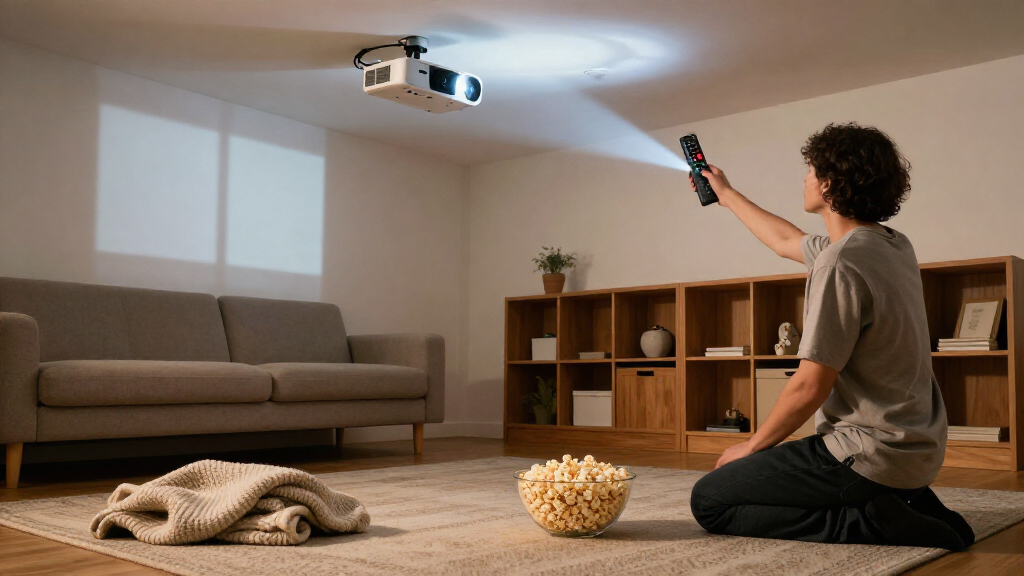
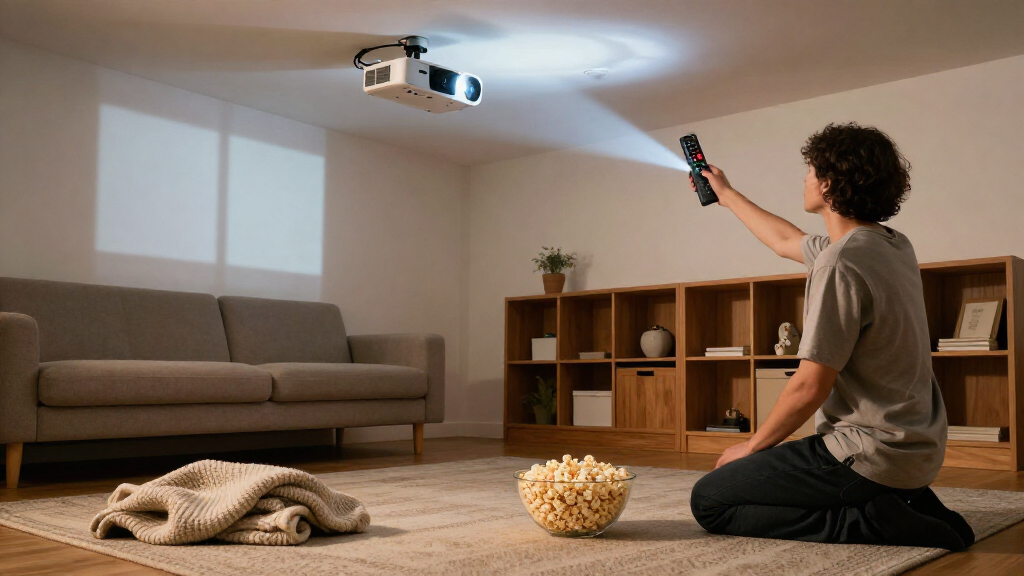
The listed ranges are 30 feet for the Anderic, 15 meters for the Epson remote, and 33 feet for the white universal model. These are useful comparison points, not a guarantee that the remote will work from every position in a room. Each relies on infrared, which means the projector’s receiver needs to receive the signal. Furniture, a cabinet door, or an awkward projector position can interfere even when the nominal range is ample.
If your seating position is far from a ceiling-mounted projector, the white model’s stated range is the longest on this list. The Epson option also lists a substantial distance in meters. For a compact room, range may matter less than model compatibility and setup. Aim the remote toward the projector’s receiver and consider where that receiver sits before treating range as the deciding factor.
Match button layout to your routine
The Epson remote lists 45 buttons, the white universal remote 30, and the RR3720 26. More buttons can make dedicated controls available without cycling through menus, but a button count does not confirm the exact functions or layout. A smaller remote may be easier to keep simple; a larger layout may suit someone who regularly adjusts a wider set of projector functions.
Compare the replacement with the original remote or the projector’s control needs. If you rely on a specific shortcut, verify its presence or compatibility rather than assuming it follows from the total number of buttons. The RR3720’s learning feature is a meaningful distinction here; the Epson remote’s stated original-function coverage may be more useful for supported Epson owners who want a direct replacement.
Account for batteries and device limits
All three options use AAA batteries and control a single device. The Anderic requires two AAA batteries, the Epson remote uses AAA batteries that are not included, and the white model requires two AAA alkaline batteries without a stated inclusion. I would have batteries ready before relying on the remote, particularly when replacing a failed handset.
The one-device limit also matters in a home theater. These are projector remotes, not listed multi-device controllers for a projector, streaming player, and receiver. If you want one handset to run several components, none of the three is described as meeting that need. Choose among them for projector control and treat other equipment separately.
Weigh warranty and listed details carefully
The Anderic lists a one-year limited warranty, and the Epson remote lists a one-year warranty. No warranty information is provided for the white universal remote in the supplied specifications, so I would not assume it has the same coverage. Warranty details do not substitute for compatibility, but they can help when two candidates otherwise fit your projector and setup.
Also distinguish stated information from assumptions. The Epson model is specifically described as requiring no programming; the other two require setup or programming. The white model’s listed range is a stated maximum, and the Anderic’s learning feature depends on access to an original remote for copying keys. Keeping those conditions in view helps prevent a broad compatibility description from sounding like a promise that every projector function will work.
Frequently Asked Questions
Will a universal projector remote work with any projector?
No. Compatibility depends on the projector model and the commands the remote supports. The Anderic and white universal remotes list broad brand coverage, while the Epson option names several Epson series. I would check the exact projector model and any required functions before ordering rather than assuming that the word universal means unrestricted compatibility.
Which of these remotes is easiest to set up?
The Universal Remote Control for Epson Projectors is the easiest option for a compatible Epson because it is described as requiring no setup or programming. The Anderic RR3720 includes programming instructions and can learn keys from an original remote, while the white Universal Projector Remote requires setup for a compatible model. If the projector is not a supported Epson, the simplest option may instead be the model that clearly matches your exact projector.
Can these remotes control more than one device?
No multi-device operation is listed for these products. Each supports one device, so I would treat them as projector remotes rather than a single controller for a projector and other home-theater components. If you need to operate several devices from one handset, these three do not match that requirement based on the supplied specifications.
Do infrared projector remotes need a clear line of sight?
Infrared works best when the signal can reach the projector’s receiver without an obstruction. A wall or closed cabinet can block the path, and even the longer stated ranges do not remove that limitation. Check where the projector’s infrared sensor is located, then aim the remote toward it from your usual seating position.
Are batteries included with these projector remotes?
The Epson remote explicitly says its AAA batteries are not included. The Anderic requires two AAA batteries, and the white universal model requires two AAA alkaline batteries; the supplied descriptions do not state that either includes them. I would plan to provide batteries for all three rather than depend on them being in the package.
Conclusion
My overall pick is the Anderic RR3720 for buyers who want broad projector-brand coverage and the option to learn keys from an original remote. It asks for programming, but that flexibility separates it from a basic replacement. If your projector is a supported Epson model and you want the simplest route, choose the Epson Universal Remote; its no-programming setup is its clearest advantage. For buyers who need a longer stated range and own a projector from one of its listed brands, the white Universal Projector Remote is a reasonable fit if model setup and an unobstructed infrared path work for the room.
Before choosing, match the exact projector model, confirm the functions you need, and account for two AAA batteries and the one-device limit. Those checks matter more than a broad compatibility label or a small difference in listed range. I would not choose any of these as a multi-device home-theater remote, but each has a distinct role as a projector-control replacement.