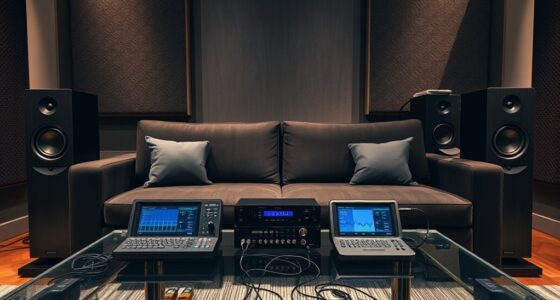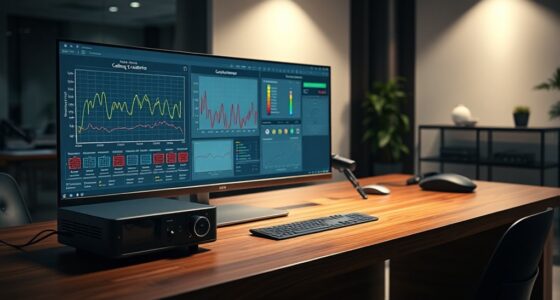
To fine-tune EQ settings on your AV receiver, start by listening to a variety of content and identify any frequency issues, like muffled dialogue or excessive bass. Make small, gradual adjustments—boost or cut by 1-2 dB—focusing on problem areas. Use the receiver’s built-in calibration as a foundation, then refine the sound to suit your room and preferences. For more detailed tips and techniques, keep exploring how precise tweaks can optimize your audio experience.

Get your home office setup delivered free — and shop member deals
- Fast, free delivery on millions of items
- Access to Prime Big Deal Days deals on October 6–7
- Prime Video, Amazon Music and more included
Key Takeaways
- Use the receiver’s built-in test microphone and calibration to establish a baseline before manual adjustments.
- Make small, incremental EQ adjustments (1-2 dB) to avoid unnatural sound alterations.
- Focus on midrange frequencies to improve dialogue clarity and overall sound balance.
- Re-calibrate and adjust EQ after changing seating arrangements or room setup.
- Trust your ears over visual meters; listen to diverse content to identify and correct frequency anomalies.

Adjusting EQ settings on your AV receiver can substantially enhance your home theater experience by tailoring sound to your room’s acoustics and personal preferences. The key to achieving ideal audio performance starts with understanding how room acoustics influence sound quality. Every room has unique characteristics—such as size, shape, construction materials, and furniture placement—that affect how sound waves behave. These factors can cause certain frequencies to become muffled or overly emphasized, leading to a less balanced listening experience. Proper speaker calibration combined with precise EQ adjustments helps compensate for these acoustic quirks, ensuring that what you hear is clear, detailed, and true to the original recording.
Room characteristics greatly impact sound; proper calibration and EQ adjustments create a balanced, clear listening experience.
When you begin fine-tuning your EQ settings, start by performing a thorough speaker calibration. Most AV receivers include built-in calibration microphones and auto-calibration routines that analyze your room’s acoustics and automatically adjust speaker levels and delay times. This process provides a solid foundation for further manual tweaks. Once calibration is complete, listen to a variety of content—music, movies, dialogue—to identify any frequencies that still sound off. For example, if dialogue sounds muffled or overwhelmed by background noise, you might need to boost midrange frequencies or cut certain bass or treble bands. Conversely, if certain sounds are piercing or overly sharp, reducing specific high frequencies can make listening more comfortable.
When adjusting EQ, it’s essential to be subtle. Small, incremental changes often produce the most natural results. Instead of large boosts or cuts, aim for slight adjustments of 1-2 dB. Use your ears as the ultimate guide—trust what sounds best to you rather than relying solely on visual meters or presets. Remember, room acoustics can cause certain frequencies to be exaggerated or diminished, so your goal is to balance these anomalies for a cohesive soundstage. Additionally, consider your listening position. Your seat or couch’s location relative to the speakers influences how sound interacts with your room. If possible, move your seating to find the spot where the sound feels most balanced, then re-calibrate and adjust your EQ accordingly. Keep in mind that some AV receivers allow for multiple user profiles or scene settings, so you can customize EQ adjustments for different listening scenarios. This flexibility ensures you get ideal sound whether you’re watching a movie, enjoying music, or gaming. Moreover, understanding how Volkswagen Tuning can optimize vehicle performance highlights the importance of precise adjustments—whether in audio or automotive tuning—to achieve the best results.
Frequently Asked Questions
How Often Should I Recalibrate My AV Receiver’s EQ Settings?
You should recalibrate your AV receiver’s EQ settings whenever you notice a change in your room’s acoustics or after moving furniture or equipment. Generally, doing a calibration every 6 to 12 months is a good practice. Use calibration frequency as a guide, but trust your ears. For EQ adjustment tips, keep the bass and treble balanced and avoid over-boosting frequencies to maintain natural sound quality.
Can I Use Room Correction Presets Instead of Manual EQ Adjustments?
Yes, you can use room correction presets instead of manual adjustments. Room correction automatically analyzes your space and adjusts EQ settings for ideal sound, saving you time and effort. However, manual adjustments allow you to fine-tune specific preferences or address unique acoustics. For the best experience, try room correction first, then make manual tweaks if needed to customize your audio to your liking.
Do Different Speaker Brands Require Unique EQ Tuning?
Yes, different speaker brands often need unique EQ tuning because of their distinct sound profiles, construction, and frequency responses. You should consider custom calibration techniques to guarantee each brand’s performance, rather than relying solely on generic presets. By tailoring EQ settings to each speaker’s characteristics, you ensure a balanced, accurate sound across your system, enhancing your overall listening experience.
How Do EQ Settings Affect Overall Sound Quality and Clarity?
You might think EQ settings only tweak volume levels, but they actually shape your sound’s frequency response, boosting clarity and reducing muddiness. Proper EQ tuning enhances overall sound quality by emphasizing the right frequencies, making dialogue clearer and music more detailed. Don’t overlook this step—small adjustments can markedly improve sound clarity, ensuring you enjoy a richer, more immersive listening experience every time.
Is It Necessary to Adjust EQ Settings for Different Audio Sources?
Yes, you should modify EQ settings for different audio sources to optimize sound. Speaker placement and acoustic treatments influence how each source sounds in your space, so customizing EQ helps balance frequencies. For example, streaming music may need different adjustments than movies or gaming. Fine-tuning EQ ensures clear dialogue, balanced bass, and overall better sound quality, regardless of the source, enhancing your listening experience.
Conclusion
As you fine-tune your AV receiver’s EQ settings, you’ll notice how small adjustments can dramatically improve your sound experience. It’s almost like the perfect balance was waiting to be discovered—sometimes, the tiniest tweak makes all the difference. Coincidentally, the more you experiment, the closer you’ll get to that ideal sound. So trust your ears, stay patient, and enjoy the journey—because great audio is often just a few settings away from perfection.
Halloween Picks
halloween
As an affiliate, we earn on qualifying purchases.