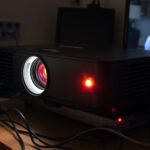

Common causes of projector overheating include inadequate lamp cooling, poor ventilation, and high ambient temperatures that trap heat inside. Dust buildup inside the device can block airflow and hamper cooling fans, while faulty thermal sensors might prevent the system from activating cooling mechanisms properly. If vents are blocked or the projector is placed in a warm environment, overheating becomes more likely. Keep these factors in mind for better performance and longevity; explore further to uncover more solutions.
Key Takeaways
- Inadequate lamp cooling due to faulty fans or dust buildup impairs heat dissipation.
- Ventilation blockages from placement near walls or debris restrict airflow and cause overheating.
- High ambient temperatures increase the workload on cooling systems, raising overheating risk.
- Malfunctioning or faulty thermal sensors may fail to trigger proper cooling, leading to overheating.
- Dust accumulation and internal component degradation hinder airflow and thermal management inside the projector.

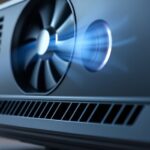
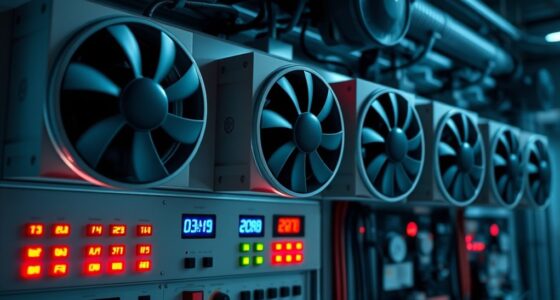
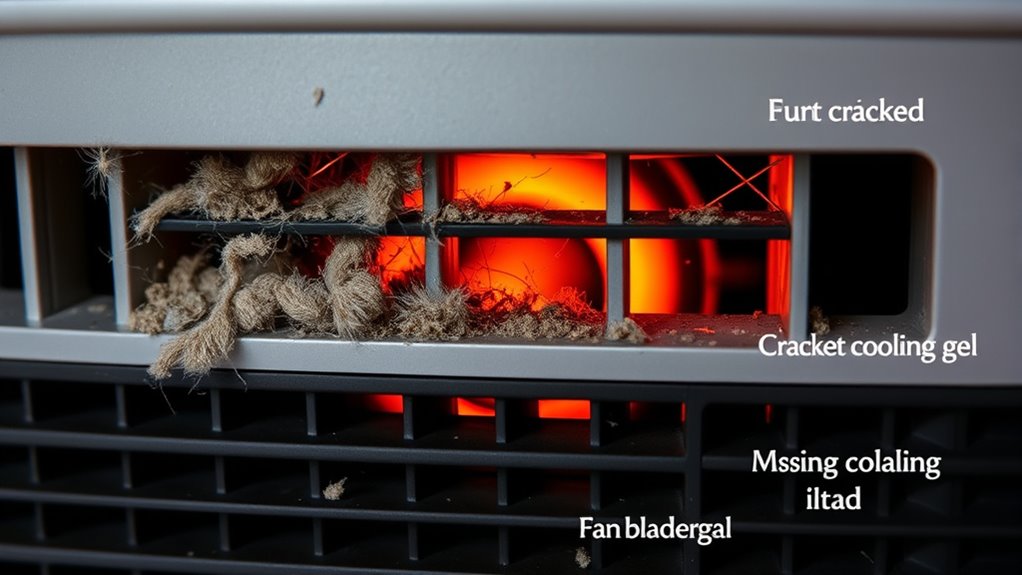
Projectors can overheat for several reasons, and understanding these causes is key to preventing damage and ensuring ideal performance. One common culprit is inadequate lamp cooling. Projector lamps generate a lot of heat during operation, and if the cooling system isn’t functioning properly, temperatures can rise quickly. The lamp cooling system relies on fans and heat sinks to dissipate heat efficiently. If the cooling fans fail or become clogged with dust and debris, heat builds up inside the projector. Over time, dust accumulation can considerably hinder airflow, making it harder for the cooling system to do its job. Regularly cleaning or replacing filters and ensuring the cooling fans operate smoothly can help prevent overheating caused by poor lamp cooling.
Regular cleaning of filters and fans prevents overheating from dust buildup in projectors.
Ventilation issues also play a major role in projector overheating. Many projectors are designed with ventilation grills to allow air to flow freely in and out of the device. If these vents are blocked or obstructed—say, by placing the projector in a confined space or covering the vents—air cannot circulate properly. When airflow is restricted, heat can’t escape, leading to a rapid temperature increase inside the projector. This is especially problematic in poorly ventilated rooms or when the projector is placed too close to walls or other objects that impede airflow. Proper placement and ensuring that vents are clear of obstructions are essential steps to avoid ventilation issues that cause overheating.
Another aspect to contemplate is the ambient temperature of the environment where you use your projector. High room temperatures put additional stress on the cooling system, making it harder for the projector to maintain safe operating temperatures. If the room is too warm, the cooling fans may run at maximum capacity constantly, which can still be insufficient if airflow is restricted. Using the projector in a cooler, well-ventilated area helps maintain ideal temperatures and reduces the risk of overheating. Additionally, some projectors have built-in thermal sensors that shut down the device if temperatures reach dangerous levels. If these sensors are faulty or overly sensitive, they might cause the projector to shut down prematurely, or conversely, fail to shut down when overheating occurs. Keeping the internal components clean, ensuring proper ventilation, and operating the projector within recommended environmental conditions can help avoid thermal shutdowns and extend its lifespan. Moreover, understanding industry trends and advancements in cooling technology can aid in selecting projectors with more efficient thermal management features.
Frequently Asked Questions
How Can I Prevent My Projector From Overheating?
To prevent your projector from overheating, guarantee proper cooling system maintenance by regularly cleaning air filters and vents. Improve ventilation around your device by placing it in a well-ventilated area, avoiding enclosed spaces. Keep the projector’s fan unobstructed and consider using external cooling fans if necessary. These steps help maintain ideal airflow, reduce heat buildup, and prolong your projector’s lifespan.
What Are the Signs of an Overheating Projector?
You’ll notice your projector overheating through signs like excessive fan noise, a sudden shutdown, or a warm exterior. You might also see reduced image quality or error messages. Ventilation issues and power surges can worsen these signs. Keep an eye out for these indicators, and check that airflow isn’t blocked, filters are clean, and power supplies are stable to prevent further damage.
Does Ambient Temperature Affect Projector Overheating?
Yes, ambient temperature affects projector overheating. When the room is too hot, your projector struggles to stay cool because poor air circulation and inadequate room ventilation trap heat. Make sure the room is well-ventilated and maintain a comfortable temperature to help your projector operate efficiently. Improving airflow around the device prevents overheating, reduces noise, and extends its lifespan. Keep the environment cool and ventilated for best performance.
Can Using a Projector in a Small Room Cause Overheating?
Yes, using a projector in a small room can cause overheating if ventilation issues exist. A cramped space limits airflow, trapping heat around the projector. Make sure you place it properly, avoiding obstructed vents and ensuring adequate ventilation. Proper projector placement and keeping vents clear improve airflow, helping prevent overheating. Keep the room cool and well-ventilated for ideal performance and to extend your projector’s lifespan.
How Often Should I Clean My Projector’s Cooling Vents?
You should clean your projector’s cooling vents every 1 to 3 months to prevent a dust buildup that could block airflow and cause it to overheat. Neglecting vent cleaning can turn your projector into a mini fire hazard! Regular airflow maintenance keeps it running smoothly and extends its lifespan. Think of it as giving your device a fresh gust of air—don’t wait until it’s struggling to breathe!
Conclusion
So, next time your projector starts acting like a furnace, maybe it’s just trying to tell you it’s tired of the spotlight. Overheating isn’t just a technical glitch; it’s your device’s way of saying, “Hey, I need a break or better ventilation!” Don’t ignore the signs—give your projector some breathing room before it throws a hissy fit and leaves you in the dark. After all, even projectors deserve a cool, drama-free life.