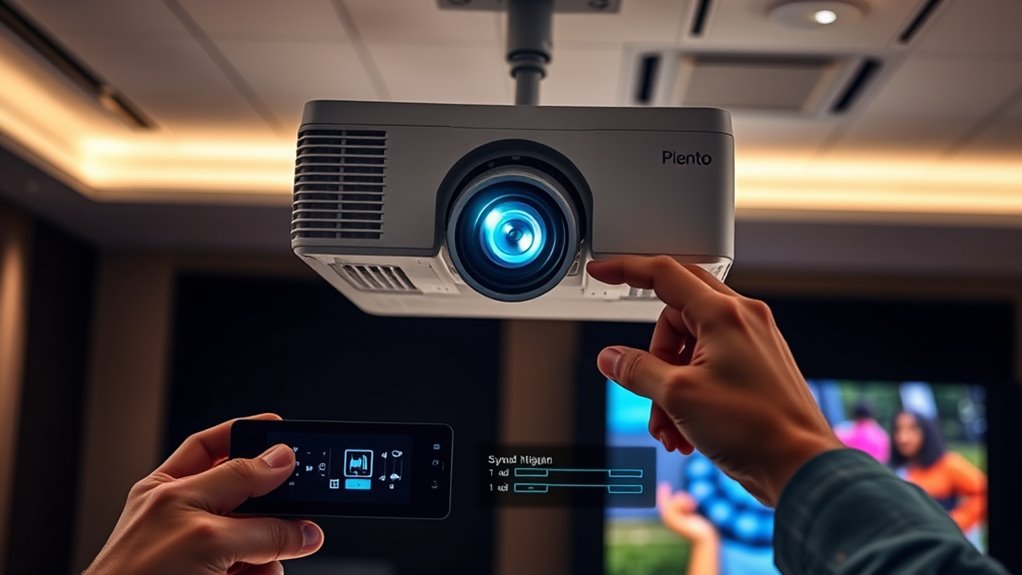

To fix audio out of sync issues with your projector, check if it has a built-in lip sync or audio delay setting. Adjust this feature gradually until the audio matches the video perfectly. If you’re using wireless connections, reducing interference or switching to wired HDMI can help. Updating your projector’s firmware or adding an external audio delay device might also improve sync. For more detailed solutions, you’ll find helpful tips if you explore further.

Get business pricing on your home office setup
- Business-only prices and quantity discounts
- Tax-exempt purchasing
- Multiple users, one account, clear invoices
Key Takeaways
- Use the projector’s built-in lip sync or audio delay settings to manually adjust audio timing.
- Reduce wireless interference by relocating the router or switching Wi-Fi channels to improve sync.
- Switch from wireless to wired connections like HDMI to eliminate latency issues.
- Update the projector’s firmware, as updates can fix known audio sync problems.
- If available, utilize external audio processors with delay controls for precise synchronization.
If your audio is out of sync with the video, it can disrupt your viewing experience and cause frustration. This issue is especially common when using projectors that rely on wireless connectivity. Wireless connections introduce latency, which can cause the sound to lag behind or precede the picture. Thankfully, many projectors come with built-in options to perform a lip sync adjustment, allowing you to fine-tune the audio timing. This feature is designed to compensate for transmission delays specific to wireless setups, helping you restore synchronization quickly and easily.
To start fixing the problem, check your projector’s settings menu for a lip sync adjustment or audio delay feature. This setting allows you to shift the audio forward or backward in small increments. If you’re using a wireless audio transmitter or a Bluetooth speaker, the delay might be caused by the transmission process itself. In such cases, adjusting the lip sync manually can be the most effective solution. You might need to experiment with small adjustments, testing each time until the audio aligns perfectly with the on-screen action. Some projectors offer a visual or audio cue to help you pinpoint the ideal setting.
Wireless connectivity is convenient but can introduce latency because signals take a little longer to travel between devices. This delay can vary depending on your network environment, interference, or the quality of your wireless transmitter. If you notice persistent lag, consider reducing interference by placing your router closer or switching to a less congested Wi-Fi channel. Alternatively, switching to a wired connection, like an HDMI cable, can eliminate latency altogether, providing a more stable and synchronized audio-visual experience. Additionally, understanding how wireless technology works can help you troubleshoot and optimize your setup for better performance.
If your projector doesn’t have a dedicated lip sync adjustment, you can try updating its firmware or using an external audio processor. Some modern audio devices and soundbars have built-in delay settings that let you tweak synchronization independently. When using external devices, make sure they’re configured correctly, and test different delay settings until the audio matches the video. Keep in mind that the goal is to find a balance where speech and sound effects align seamlessly with the visuals, so take your time testing different adjustments.
Frequently Asked Questions
Can Audio Sync Issues Occur With All Projector Brands?
Yes, audio sync issues can occur with all projector brands. Wireless interference and power fluctuations often cause these problems, regardless of the brand. When your projector experiences signal disruptions or inconsistent power, it can lead to audio lag or desynchronization. To fix this, guarantee your setup minimizes wireless interference and uses a stable power source. Regular updates and proper connections also help maintain sync across different projector brands.
Do Cable Types Affect Audio Out of Sync Problems?
Did you know that 60% of audio sync issues are caused by poor cable quality or signal interference? Cable types definitely affect audio out of sync problems. Low-quality or incompatible cables can introduce delays, making audio lag behind video. To fix this, opt for high-quality HDMI or optical cables, and keep them away from sources of interference like power cords or wireless devices. This guarantees a clearer, synchronized sound-visual experience.
Is There a Way to Prevent Audio Delay During Setup?
You can prevent audio delay during setup by performing thorough audio calibration and sound optimization. Start by adjusting your audio settings to sync sound with the video, using calibration tools or built-in menu options. Make certain your cables and connections are secure, and test playback to identify any delays. Regularly calibrating audio levels helps maintain sync, preventing delays and providing a seamless viewing experience during setup and use.
How Does Room Acoustics Impact Audio Synchronization?
Room acoustics substantially impact audio synchronization because sound reflection and reverberation can cause delays. When your space has hard, reflective surfaces, sound waves bounce around, making audio reach your ears later than expected. This delay can make audio appear out of sync with video. To improve synchronization, you should optimize room acoustics by adding soft furnishings, curtains, or acoustic panels to absorb excess sound reflection and reduce echo.
Can Audio Sync Problems Be Fixed With Firmware Updates?
Yes, audio sync problems can often be fixed with firmware updates. These updates can address issues like audio delay caused by software bugs or hardware compatibility problems. By installing the latest firmware, you improve your projector’s ability to process audio and video signals simultaneously, reducing out-of-sync issues. Always check your manufacturer’s website for updates, and follow their instructions to guarantee your projector runs smoothly with minimal audio delay.
Conclusion
Don’t let dissonance dampen your viewing experience. By diligently applying these simple, straightforward fixes, you’ll restore synchronization swiftly and smoothly. Stay steadfast, and you’ll soon savor seamless sound and stunning visuals, transforming your projector setup into a superb spectacle. Remember, consistent care and quick corrections conquer chaos, creating clarity and confidence in every cinematic celebration. So, stay sharp, stay spirited, and enjoy every spectacular second without a single sound slipping out of sync!
Fall Picks
fall essentials
As an affiliate, we earn on qualifying purchases.