To reduce fan noise and heat in your projector, guarantee proper ventilation by positioning vents strategically and keeping them clear of obstructions. Use models with heat dispersion features and regularly clean filters and vents to maintain airflow. Avoid placing your projector near heat sources or in enclosed spaces. Adjust fan speeds for quieter operation when possible, and consider external cooling accessories if needed. Keep exploring for more tips to keep your projector cool and quiet.

Get business pricing on your home office setup
- Business-only prices and quantity discounts
- Tax-exempt purchasing
- Multiple users, one account, clear invoices
Key Takeaways
- Regularly clean filters and vents to ensure unobstructed airflow and efficient cooling.
- Use external cooling accessories like fans or cooling pads to assist heat dissipation.
- Position projectors in well-ventilated areas away from heat sources and direct sunlight.
- Adjust fan settings or update firmware to operate at lower speeds during less demanding use.
- Optimize ventilation design by proper placement and airflow pathways to reduce fan workload and noise.
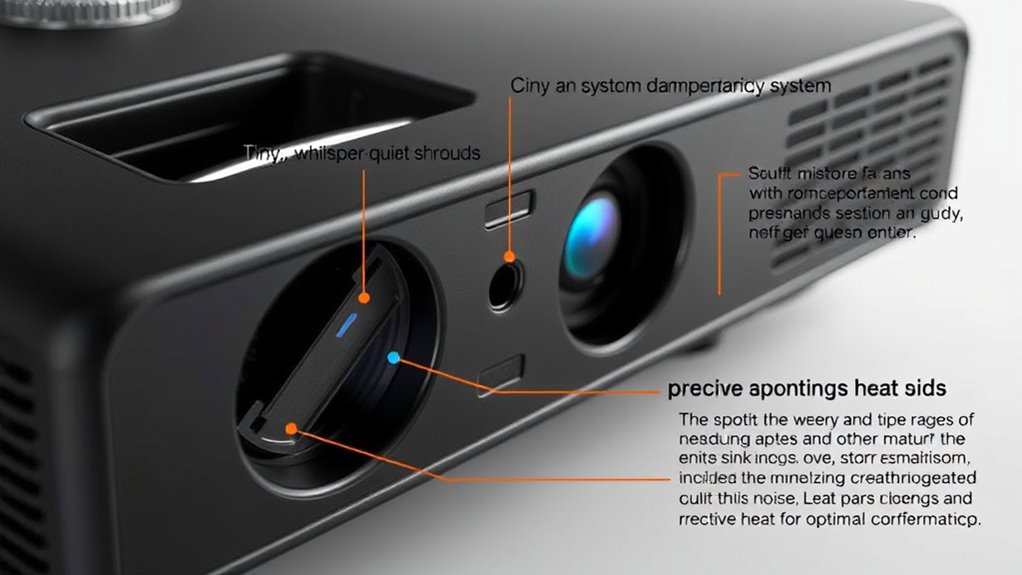
If you’ve ever been distracted by a noisy projector or worried about overheating, you’re not alone. Excessive fan noise and heat are common issues that can interfere with your viewing experience and potentially damage your equipment. Luckily, understanding how to improve ventilation design and enhance thermal management can make a noticeable difference. Proper ventilation design ensures that air flows efficiently through your projector, removing heat effectively while minimizing noise. This involves positioning vents strategically, avoiding obstructions, and using airflow pathways that promote smooth circulation. When airflow is well-planned, the fans don’t need to work as hard, reducing both noise levels and heat buildup.
Thermal management goes hand-in-hand with ventilation design. It involves controlling and directing heat away from critical components to maintain ideal operating temperatures. You can achieve this by selecting a projector with effective heat dispersion features, such as heatsinks or heat pipes, which help spread heat evenly and prevent hotspots. Additionally, cleaning filters and vents regularly keeps airflow unobstructed, ensuring that thermal management systems function efficiently. If your projector has adjustable fan speeds, setting them to a lower, quieter setting during less demanding use can further reduce noise without risking overheating.
Another key aspect of reducing heat and noise is the placement of your projector. Keep it in a well-ventilated area, away from direct sunlight or heat sources, as excess ambient heat adds to the thermal load. Elevating the projector from surfaces that trap heat, like carpets or enclosed cabinets, allows for better air circulation. Using external cooling accessories, such as cooling pads or fans, can also help manage heat more effectively, especially in high-temperature environments or when operating for extended periods. These tools support the existing ventilation design, ensuring your projector stays cool and quiet.
Finally, consider upgrading your projector’s firmware or software if updates are available. Manufacturers often release improvements that optimize fan operation and thermal management, leading to quieter performance. Regular maintenance, including dust removal and filter replacement, plays a critical role in sustaining this efficiency. Additionally, understanding the thermodynamics involved in heat transfer can help you choose better cooling solutions and placement strategies for your projector. When you combine good ventilation design, effective thermal management, proper placement, and regular upkeep, you considerably cut down on fan noise and heat. This not only prolongs your projector’s lifespan but also creates a more enjoyable viewing experience—quiet, cool, and hassle-free.
Frequently Asked Questions
Can Ambient Temperature Affect Projector Fan Noise?
Yes, ambient temperature can affect your projector fan noise. When the environment is warmer, the projector works harder to cool itself, increasing fan noise and potentially impacting overall projector performance. Cooler ambient temperatures help keep the device running efficiently with less noise. To maintain peak performance, ensure the room is well-ventilated and avoid placing the projector in hot or enclosed spaces.
Are There Silent Fan Options for Projectors?
Yes, silent fans do exist for projectors. You can find models with advanced cooling technology that incorporate silent fans, greatly reducing noise during operation. These fans use innovative designs and materials to minimize sound without compromising cooling efficiency. When shopping, look for projectors specifically marketed with silent fan features or enhanced cooling technology, ensuring a quieter viewing experience while keeping your projector cool and functioning ideally.
How Often Should Projector Filters Be Cleaned?
You should clean your projector filters every 100 to 200 hours of use or at least once every three to six months, depending on your environment. Regular filter maintenance helps keep dust out, ensuring ideal airflow and cooling. Follow your manufacturer’s cleaning schedule, and use a soft brush or compressed air to remove dust buildup. Proper filter cleaning maintains performance, reduces fan noise, and prevents overheating.
Does Projector Placement Impact Heat Buildup?
Absolutely, your glamorous projector’s placement can turn it into a heat monster or a cool customer. If you overlook ventilation design and airflow optimization, heat will build up faster than a gossip column. Keep it in a well-ventilated spot, away from heat sources and obstacles. Positioning it properly ensures airflow isn’t blocked, helping your projector stay cool, quiet, and happy. Don’t turn it into a fiery diva!
Can Software Updates Reduce Fan Noise?
Yes, software updates can reduce fan noise by improving fan control. Manufacturers often release updates that optimize the projector’s cooling system, adjusting fan speeds based on temperature. By keeping your projector’s software current, you allow it to manage heat more efficiently, resulting in quieter operation. Regular updates ensure your device uses the latest fan control algorithms, helping to minimize noise while maintaining proper cooling performance.
Conclusion
By taking these simple steps, you can markedly reduce your projector’s fan noise and heat, ensuring a quieter, cooler performance. Regular maintenance, proper placement, and keeping vents clear make a big difference. Don’t you want your projector to operate smoothly without constant distractions? Staying proactive not only prolongs its lifespan but also enhances your viewing experience. So, why settle for loud, overheating projectors when a few easy adjustments can make all the difference?
Fall Picks
fall essentials
As an affiliate, we earn on qualifying purchases.