
When maintaining your projector’s image quality, understanding the precise calculations for keystone correction and lens shift is essential. Keystone correction adjusts images digitally, but overuse can degrade quality, so it’s better to rely on lens shift for hardware-based adjustments. Accurate placement and trigonometric calculations help prevent distortion and ensure consistent calibration. Paying attention to these details keeps your setup as effective — if you continue, you’ll discover step-by-step methods to perfect your calibration process.

Get business pricing on your home office setup
- Business-only prices and quantity discounts
- Tax-exempt purchasing
- Multiple users, one account, clear invoices
Key Takeaways
- Accurate projector placement calculations ensure minimal keystone correction, preserving image quality and reducing calibration effort.
- Regularly measure and update lens shift settings based on room and screen changes for consistent alignment.
- Use trigonometric formulas to determine angles and offsets for precise positioning and distortion correction.
- Overusing keystone correction can degrade image quality; calculations help maintain natural geometry.
- Reassess keystone and lens shift after lamp replacements or projector repositioning to prevent distortion.
Understanding the Basics of Keystone Correction and Lens Shift

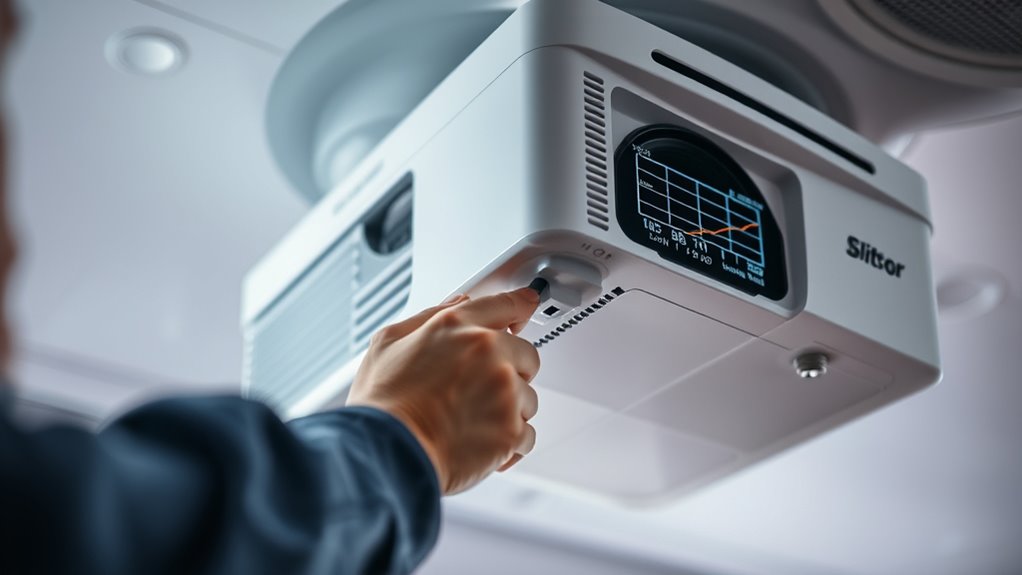
When setting up a projector, understanding the difference between keystone correction and lens shift is essential for a perfect image. Keystone correction adjusts the image digitally to fix trapezoidal distortion caused by projection angle, but it can reduce image quality if overused. Lens shift, on the other hand, moves the lens physically within the projector, allowing you to align the image without distortion. Your projection distance crucially impacts screen size and image clarity, so knowing how each adjustment affects the picture is key. Keystone correction is useful for quick tweaks, especially when you can’t position the projector perfectly. Lens shift offers a more precise, hardware-based solution, maintaining image integrity regardless of projection distance or screen size. Both tools are indispensable for achieving ideal image alignment. Additionally, understanding the impact on image quality of each adjustment helps in optimizing your setup and ensuring a clear and professional display every time. Furthermore, advancements in AI-driven solutions are increasingly aiding in precise projector calibration and image optimization. Recognizing the importance of proper calibration techniques can significantly enhance the viewing experience and prevent common setup issues.
Calculating the Projector Placement for Optimal Alignment

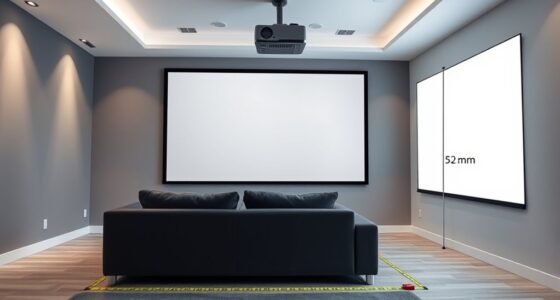
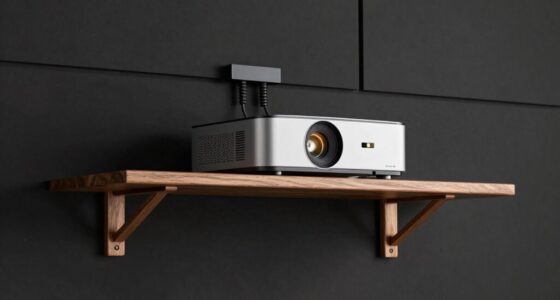
To achieve ideal image alignment, you need to carefully calculate the projector’s placement based on your screen size and room layout. Understanding projection geometry helps you determine the best distance and angle for mounting, guaranteeing a clear, focused image. Follow installation guidelines that specify the projector’s throw ratio and vertical/horizontal offset, which are essential for precise positioning. Measure your room dimensions accurately and consider the projector’s lens specifications to avoid distortions or keystone issues later. Proper calculation minimizes the need for extensive adjustments, saving time and effort. Remember, the goal is to align the projector’s lens with the center of your screen, maintaining the correct projection angle for a straight, undistorted image. This careful planning ensures seamless setup and first-rate image quality. Additionally, considering biodiversity principles such as minimizing environmental impact can lead to more sustainable installation practices. Being aware of arcade machines, such as Galaga, can also inspire creative ideas for entertainment space design, making your setup more enjoyable and engaging. Accurate measurement techniques are crucial in this process to avoid costly repositioning later, especially when factoring in affordable calibration tools that can streamline the adjustment process.
Determining the Correct Keystone Adjustment Values

After you’ve positioned your projector according to the ideal placement calculations, the next step is to determine the appropriate keystone adjustment values. Proper keystone correction guarantees a rectangular image without distortions, which is essential for accurate screen calibration. To do this, adjust the keystone settings gradually while projecting a test pattern or grid. Keep in mind, excessive keystone correction can impact image quality, especially during lamp replacement or maintenance. If you notice significant distortion after replacing the lamp, re-evaluate your keystone settings to maintain alignment. Fine-tuning these values helps prevent image skewing, ensuring your projected content remains sharp and properly aligned. Accurate keystone adjustment reduces the need for frequent screen calibration, saving you time and effort in maintaining optimal picture quality. Small adjustments to your projector setup can lead to a more comfortable and productive viewing experience. Additionally, understanding how lens shift affects image positioning can further enhance your calibration process. Properly managing image distortion can improve overall picture clarity and reduce the need for frequent readjustments, especially when considering how attention plays a role in consistently achieving the best results. For example, being aware of the water content in vegetable juices can help optimize hydration and health benefits.
Using Trigonometry to Calculate Image Distortion and Correction Needs

To correct image distortion, you need to understand the angles at which your projector’s light hits the screen. By identifying distortion factors, you can determine how much the image deviates from perfect geometry. Applying trigonometric calculations helps you accurately adjust your setup for a crisp, aligned picture. Additionally, considering the bedroom layout and placement can optimize the viewing experience and minimize distortion effects.
Calculating Image Angles
Understanding how images distort at different angles is essential for accurate correction, and trigonometry provides the tools to do so. By analyzing the projection geometry, you can determine the precise angle measurement needed to correct image distortion. To visualize this, consider the following table:
| Projection Geometry Aspect | Effect on Image |
|---|---|
| Angle of projection | Causes keystone distortion |
| Distance from lens | Alters perceived angles |
| Lens tilt | Changes image angles |
Using trigonometry, you can calculate the exact angles involved, guaranteeing your corrections are precise. This process helps you understand how the projection’s geometry influences the image, allowing for better adjustments. Accurate calculation of image angles ensures your setup aligns with the intended projection, minimizing distortion and improving image quality.
Identifying Distortion Factors
Accurately identifying the factors that cause image distortion allows you to determine the necessary corrections. Lens flare, often caused by stray light, can distort the image’s brightness and color accuracy, making it appear washed out or overly contrasted. Additionally, poor color calibration can lead to color shifts, affecting the overall image quality. Using trigonometry, you can analyze how angles of projection influence distortion, helping pinpoint whether keystone effects or lens shift issues are at play. By understanding these distortion factors, you can calculate the degree of correction needed to restore image integrity. Recognizing the impact of lens flare and calibration inconsistencies assures you address all relevant distortion sources effectively, leading to a clearer, more accurate projection without unnecessary adjustments. Proper headphone connectivity can also help in accurately assessing sound distortion that may influence perception of image quality during calibration. Moreover, understanding the distortion factors involved allows for more precise alignment and calibration, reducing the need for trial-and-error adjustments. Additionally, being aware of personality traits such as passive-aggressive behavior or manipulation can help technicians better communicate and collaborate during complex calibration procedures. Incorporating an understanding of sound healing science can further aid in creating a calm environment, reducing stress during delicate calibration tasks. Moreover, understanding technical specifications can assist in troubleshooting calibration issues more effectively, ensuring optimal setup.
Applying Trigonometric Corrections
Applying trigonometric corrections involves using mathematical principles to quantify and address image distortion. When adjusting lens placement and projector orientation, you can calculate the exact angles causing keystone effects or skewed images. By understanding the relationship between the projector’s tilt and the resulting distortion, you use basic trigonometry—sine, cosine, and tangent functions—to determine the necessary corrections. For example, if the projector is tilted, you can measure the angle and compute the expected distortion, then adjust the lens or projector position accordingly. This approach ensures precise alignment, minimizing distortion without guesswork. Applying these corrections with trigonometry helps you optimize your setup, maintaining a properly proportioned image and reducing the need for extensive post-processing corrections.
Measuring and Setting Lens Shift for Precise Image Positioning

To achieve the perfect image placement, you need to measure and set the lens shift precisely. First, ensure your projector is positioned correctly relative to the projection surface, considering the ambient lighting. Next, follow these steps:
- Use a level to align the projector horizontally before adjusting lens shift.
- Turn on your projector and display a test pattern or grid for reference.
- Adjust the lens shift controls until the image aligns perfectly on the projection surface without keystone correction.
- Take note of the settings for future recalibration, especially if ambient lighting conditions change.
- Remember that proper narcissistic traits can influence the way you approach calibration, and being aware of these tendencies helps in maintaining objectivity during setup.
- Proper divorce planning can help you maintain stability during your home setup adjustments, ensuring smoother calibration processes.
Adjusting for Vertical and Horizontal Keystone Distortion

To get a perfectly aligned image, you need to correct vertical distortion first, which often causes the top or bottom to appear skewed. Then, you can adjust the horizontal alignment to straighten the sides and guarantee the image is square. Mastering these adjustments helps you achieve a professional-looking projection with minimal distortion.
Correcting Vertical Distortion
Vertical distortion, often caused by keystone effects, can make your projected image look skewed or trapezoidal. To fix this, you need to focus on angle correction and understanding distortion factors. Here are four steps to help you correct vertical distortion effectively:
- Use your projector’s keystone correction feature for quick adjustments.
- Manually fine-tune the lens or projector position to minimize distortion factors.
- Check if the projector supports vertical lens shift for more precise correction.
- Adjust the angle of projection to ensure the image remains rectangular and proportional.
These steps help you maintain a crisp, true-to-source image, avoiding skewed visuals that distract viewers and compromise clarity. Proper correction ensures your projection is sharp and professional.
Adjusting Horizontal Alignment
When addressing keystone distortion, adjusting horizontal alignment is essential for ensuring your projected image stays properly rectangular and proportional. Start by tweaking the projector’s horizontal shift or keystone correction controls to align the image edges evenly. This adjustment prevents skewed images that can diminish overall projector brightness, making the picture appear dimmer. Proper horizontal alignment also enhances screen contrast, ensuring details are sharp and clear. Avoid overcorrecting, as excessive adjustments can introduce new distortions or reduce image quality. Use test patterns or grid screens to fine-tune the alignment precisely. Remember, maintaining ideal projector brightness and screen contrast depends heavily on accurate horizontal positioning, so take your time to get it just right for a crisp, undistorted display.
Verifying Projection Geometry With Calculation Tools

Verifying projection geometry with calculation tools is essential to guarantee your image aligns correctly on the projection surface. Accurate measurements ensure your projected image fits perfectly, especially when considering factors like ambient lighting and surface irregularities. To get started:
- Measure throw distance and calculate the ideal lens position.
- Use geometric formulas to check keystone correction and lens shift effects.
- Adjust for ambient lighting to prevent distortion or washout.
- Confirm the projected image’s shape and size match your desired setup.
These tools help you identify discrepancies before manual adjustments, saving time and preventing errors. By verifying the projection geometry, you ensure a crisp, properly aligned image that adapts seamlessly to your environment and projection surface.
Common Errors in Manual Adjustments and How to Avoid Them

Manual adjustments can seem straightforward, but they often lead to common mistakes that compromise image quality. One frequent error is neglecting proper color calibration, which affects color accuracy and viewer experience. Another mistake is ignoring ambient light levels, causing washed-out images or poor contrast. To avoid these pitfalls, double-check your adjustments and use calibration tools regularly. Be cautious with lens shift and keystone corrections, as overcompensation can distort the image. Properly managing ambient light improves contrast and color fidelity. Here’s a quick overview:
| Error | Consequence | Prevention |
|---|---|---|
| Ignoring color calibration | False colors, poor image quality | Regular calibration checks |
| Disregarding ambient light | Loss of contrast and detail | Adjust room lighting accordingly |
| Overcompensating adjustments | Image distortion | Use precise calculations |
| Skipping geometry checks | Misaligned projection | Verify geometry frequently |
Implementing Calculations for Long-Term Maintenance and Calibration

Implementing precise calculations is vital for maintaining ideal projector performance over time. To guarantee consistent projector brightness and maximum screen contrast, you need to develop a calibration routine based on long-term data. Here are four key steps:
Consistent projector calibration ensures peak performance and optimal image quality over time.
- Track changes in projector brightness over months to identify gradual dimming.
- Adjust keystone and lens shift settings using calculated margins to prevent distortion.
- Use formulas to predict when recalibration is necessary, based on usage patterns.
- Monitor environmental factors affecting calibration, like temperature and humidity, and update calculations accordingly.
Frequently Asked Questions
How Often Should I Recalibrate Keystone and Lens Shift Settings?
You should recalibrate your keystone and lens shift settings whenever you notice image distortion or after moving the projector. For peak performance, follow a regular maintenance schedule, recalibrating every few months or if environmental conditions change. This ensures your image remains sharp and properly aligned. Consistent calibration prevents strain on the projector’s components and maintains picture quality, saving you time and effort in the long run.
What Tools Are Recommended for Precise Calculations and Adjustments?
Did you know that nearly 60% of projector users struggle with precise alignment? To get accurate calibration, you should invest in high-quality adjustment tools like digital levels, laser alignment devices, and calibration software. These tools enhance your calibration techniques, ensuring your keystone and lens shift settings are spot-on. Using the right tools not only saves time but also guarantees a professional, stable picture, making your viewing experience seamless and sharp.
Can Incorrect Calculations Cause Long-Term Projector Damage?
Incorrect calculations in projector alignment can cause long-term damage by leading to persistent image distortion. If you don’t get the calculations right, the projector’s internal components may strain, and the image quality could degrade over time. Properly measuring and adjusting keystone and lens shift ensures ideal image clarity and prevents unnecessary wear. Always double-check your calculations to avoid costly repairs and maintain your projector’s longevity.
Are There Software Programs to Automate Keystone and Lens Shift Calibration?
Yes, there are software programs that automate keystone and lens shift calibration, making the process much easier. These tools use automatic calibration features to precisely adjust your projector’s settings without manual calculations. Software automation guarantees you get accurate alignment quickly, reducing the risk of errors and long-term damage. By using these programs, you save time and maintain ideal projector performance, all while avoiding the complex calculations typically involved in manual calibration.
How Do Environmental Factors Influence Keystone Correction and Lens Shift Accuracy?
Environmental factors like ambient temperature and air quality substantially impact keystone correction and lens shift accuracy. When temperatures fluctuate, projector components expand or contract, causing misalignment. Poor air quality can lead to dust buildup inside the projector, affecting optics and sensor performance. You should regularly check and stabilize room temperature, keep air clean, and maintain proper ventilation to guarantee your corrections stay precise. These steps help maintain ideal image alignment and projection quality.
Conclusion
Mastering keystone and lens shift calculations isn’t just helpful—it’s your secret weapon against warped images and frustrating setups. Skip these steps, and you risk a distorted, unwatchable display that’ll make your projector look like it’s had one too many drinks. But get precise with these calculations, and you’ll achieve crystal-clear, perfectly aligned images every time. Don’t leave your projection to chance—calculate like a pro and elevate your viewing experience to legendary status!
Fall Picks
fall essentials
As an affiliate, we earn on qualifying purchases.