
Your screen’s color temperature can strongly influence your mood by affecting how alert, relaxed, or focused you feel. Cooler tones mimic daylight, boosting energy and concentration, while warmer hues create a cozy, calming atmosphere that promotes relaxation. Adjusting these settings allows you to control your emotional state and optimize your environment for different activities. If you want to discover how to tailor your display for better well-being, keep exploring how light impacts your mood.
Key Takeaways
- Cooler color temperatures mimic natural daylight, increasing alertness and focus, thereby boosting mental clarity and productivity.
- Warm hues create a cozy, relaxing atmosphere, promoting calmness and reducing stress during screen use.
- Brightness levels influence emotional states; proper adjustments prevent glare and eye strain, supporting mood stability.
- Screen tones affect circadian rhythms by regulating melatonin, impacting sleep quality and overall emotional well-being.
- Customizing color temperature enhances comfort, reduces fatigue, and aligns visual environments with desired emotional responses.

ViewSonic LS740W 5500 Lumens WXGA Laser Projector with 1.3X Optical Zoom, H/V Keystrone, 360 Degrees Projection for Auditorium, Conference Room, and Education
High Brightness Laser Projector: WXGA (1280x800p) resolution with a 1.2-1.5 throw ratio and 5,500 ANSI lumens for clear,...
As an affiliate, we earn on qualifying purchases.
Understanding Color Temperature and Its Measurement
Understanding color temperature and its measurement is essential for knowing how different screen hues affect your mood and environment. Color temperature units, such as Kelvin (K), quantify the warmth or coolness of a display’s light. This measurement helps you determine whether a screen emits a warm, cozy glow or a cool, energizing tone. To assess this, measurement tools like colorimeters or spectrophotometers are used. These devices accurately gauge the hue and brightness of your screen’s light output. Recognizing these units and tools allows you to choose settings that align with your desired atmosphere. Whether creating a calming environment or boosting alertness, understanding how color temperature is measured gives you control over how your screen influences your mood and surroundings. Additionally, understanding the contrast ratio of a projector can further enhance your viewing experience by improving image depth and clarity. Knowing how color accuracy affects your display can help you select the best calibration settings for a more natural image. Moreover, awareness of security system effectiveness can inform decisions about home safety to ensure peace of mind in your environment. Being aware of color temperature variations can also help you prevent eye strain during prolonged screen use.

2000 ANSI 4K Decoding Projector with WiFi and Bluetooth, HAPPRUN Movie Home Theater with Auto Focus, 300'' Display for Indoor/Outdoor, Smart Proyector Compatible with Phone/TV Stick/PC/PS5
[EASIER OPERATION: AI Smart Screen Adjustment] HAPPRUN projector comes with auto focus and 6D auto-keystone technology, enjoy a...
As an affiliate, we earn on qualifying purchases.
The Impact of Cool Tones on Alertness and Focus

Cool tones, characterized by higher color temperatures, are known to enhance alertness and improve focus. When considering color psychology, these tones stimulate your brain, making you feel more energized and attentive. When your screen emits cooler light, it mimics natural daylight, which can help you stay alert during work or study sessions. This effect is closely linked to environmental lighting, as cooler hues increase your visual clarity and reduce fatigue. By adjusting your screen to cooler tones, you create an environment that promotes concentration and mental sharpness. Keep in mind that the right balance of cool tones can boost productivity, especially in settings where sustained focus is essential. Overall, cool color temperatures influence your mood by aligning with natural cues that foster alertness.

NexiGo Aurora Pro MKII, 4K Tri-Color Laser UST Projector, 30000:1 Contrast Ratio, Dynamic Iris & Laser Dimming, 0.21:1 Throw Ratio, Dolby Vision & Atmos, HDR10+, 3D, 4.2ms ~ 8ms Low Latency (Renewed)
【Scene Adapt Engine】Enjoy higher-contrast visuals with our Scene Adapt Engine (SAE), the technology behind Dynamic Iris and Dynamic...
As an affiliate, we earn on qualifying purchases.
Warm Hues and Their Role in Promoting Relaxation
Warm hues, characterized by lower color temperatures, naturally create a cozy and soothing atmosphere that encourages relaxation. Regarding color psychology, these tones evoke feelings of comfort and calm, helping you unwind after a busy day. When used as ambient lighting on screens, warm hues reduce visual strain and promote a tranquil environment. This gentle lighting can make your space feel more inviting, making it easier to relax and destress. Additionally, understanding how emotional responses are triggered by color can help you design spaces that foster relaxation and peace. Research also shows that light temperature impacts mood and comfort levels, emphasizing the importance of choosing the right screen settings. Incorporating environmental considerations like gentle lighting practices can enhance overall well-being. Moreover, selecting appropriate lighting techniques can optimize the calming effects of warm hues and improve your overall environment. Recognizing the influence of minimalist design principles can further enhance a serene and clutter-free atmosphere that supports relaxation.
NexiGo Aurora Pro MKII, 4K Tri-Color Laser UST Projector, 30000:1 Contrast Ratio, Dynamic Iris & Laser Dimming, 0.21:1 Throw Ratio, Dolby Vision & Atmos, HDR10+, 3D, 4.2ms ~ 8ms Low Latency
【Scene Adapt Engine】Enjoy higher-contrast visuals with our Scene Adapt Engine (SAE), the technology behind Dynamic Iris and Dynamic...
As an affiliate, we earn on qualifying purchases.
How Screen Settings Influence Emotional Responses

Your screen’s color settings can markedly influence your emotions. Warm tones tend to promote relaxation, while cool shades can boost your alertness. Additionally, the brightness level can directly impact your mood and overall feelings while using your device. Proper application timing of screen settings can enhance your comfort and emotional well-being during prolonged use. Being mindful of visual comfort can also help prevent eye strain and fatigue, contributing to a more positive digital experience. Adjusting paint sprayer ergonomics and settings to match your environment can further improve your overall experience. Incorporating resilience in managing your screen habits can help you adapt and maintain a healthy balance. Understanding the key components of sound design can also inform how visual and auditory elements work together to influence mood and perception.
Warm Tones Promote Calm
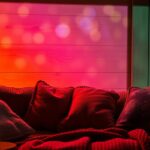
Because our brains are naturally attuned to certain color cues, screen settings with warm tones can instantly evoke a sense of calm and relaxation. Warm colors, like soft oranges and gentle reds, create a soothing atmosphere that promotes emotional comfort. When your screen adopts these tones, it enhances color harmony, making visuals feel cohesive and inviting. This aesthetic appeal encourages you to unwind and reduces stress, helping you feel more at ease during long screen time. Warm hues stimulate a peaceful mood, making your environment feel cozy and safe. By adjusting your display to warmer settings, you foster a tranquil space that supports relaxation and emotional balance, reinforcing the calming effect that these tones naturally produce. Additionally, understanding how color psychology influences mood can help you optimize your screen environment for emotional well-being. Incorporating digital environment management strategies can further enhance your overall mental state while using screens. Recognizing the impact of visual cues can also guide you in creating a more conducive atmosphere for relaxation, especially when considering lighting conditions that complement warm tones.
Cool Shades Boost Alertness
When screen settings incorporate cool shades like blues and teals, they can notably enhance alertness and focus. The cooler color temperature influences your visual perception, making you feel more awake and attentive. These shades stimulate the brain’s alertness centers, improving concentration during work or study.
| Color Shade | Effect on Mood |
|---|---|
| Blue | Boosts alertness, focus |
| Teal | Enhances mental clarity |
| Cyan | Promotes wakefulness |
Choosing a screen with cool shades can help you stay alert, especially during long tasks. Your perception of the display’s warmth or coolness directly impacts emotional responses, making cool tones ideal for productivity.
Brightness Affects Mood
Brightness levels on your screen can substantially influence your emotional state, shaping how you feel during prolonged use. High brightness can cause screen glare, making it harder to focus and increasing frustration or anxiety. Conversely, lowering brightness reduces glare and makes viewing more comfortable, helping you stay calm. Brightness also impacts color saturation; overly bright screens can wash out colors, dulling visuals and affecting your mood negatively. On the other hand, appropriate brightness enhances color vibrancy, boosting engagement and positivity. Adjusting your screen’s brightness to match ambient lighting prevents eye strain and promotes a balanced emotional response. By fine-tuning brightness, you create a more pleasant viewing experience, which in turn can improve your overall mood during extended screen time. Additionally, understanding how visual ergonomics influence your emotional health can help you develop healthier screen habits. Incorporating features like auto-brightness can also aid in maintaining optimal lighting conditions automatically, reducing the need for manual adjustments. Maintaining proper screen settings is crucial for long-term comfort and well-being.
Adjusting Your Display for Different Activities and Moods
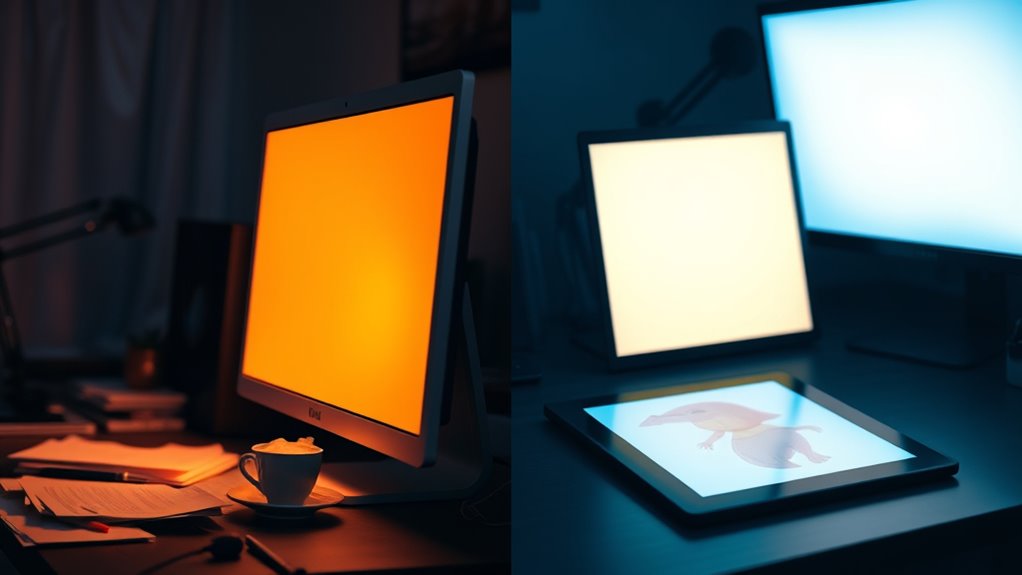
Adjusting your display’s color temperature can substantially influence your mood and productivity, especially as you switch between different activities. For tasks like reading or writing, warmer tones promote relaxation and reduce eye strain, aligning with principles of color therapy that enhance visual comfort. When working on detailed projects or during late hours, cooler temperatures help keep you alert and focused. Conversely, for casual browsing or winding down, softer, warmer hues create a cozy environment. Tailoring your screen’s color temperature based on your activity can improve comfort and efficiency. This intentional adjustment allows your display to support your mood and task at hand, making your digital experience more harmonious and less fatiguing. Additionally, screen calibration tools can help you fine-tune your settings for optimal results. Ultimately, it’s a simple way to optimize your environment for different moments.
The Science Behind Light and Human Circadian Rhythms

Light plays a essential role in regulating your body’s internal clock, known as the circadian rhythm, which governs sleep-wake cycles and other physiological processes. Your brain responds to light exposure, especially blue wavelengths, influencing melatonin production and alertness. Effective lighting design considers this, helping synchronize your internal clock with natural day-night patterns. When your visual perception detects different light temperatures, it signals your body to adjust hormone levels and activity levels accordingly. Bright, cool light mimics daylight, boosting alertness, while warmer tones promote relaxation and prepare you for sleep. Understanding how light influences circadian rhythms underscores the importance of proper lighting choices in both natural environments and screen settings. This science explains why screen color temperature impacts your mood and overall well-being.
Practical Tips for Customizing Screen Color Temperature
To optimize your screen’s color temperature for comfort and well-being, start by exploring your device’s built-in settings or using dedicated apps that allow you to customize tones easily. Proper color calibration ensures your display shows accurate colors and reduces eye strain. Adjust the warmth or coolness of your screen to match your environment and activity, whether working or relaxing. Keep display ergonomics in mind by setting the brightness and contrast to comfortable levels, preventing fatigue. Many apps offer automatic adjustments based on the time of day, promoting healthier viewing habits. Regularly calibrate your display to maintain consistent color quality. These simple tweaks help improve your visual comfort, support better focus, and contribute to a more balanced mood throughout your day.
Frequently Asked Questions
Can Changing Screen Color Temperature Reduce Eye Strain?
Changing screen color temperature can definitely reduce eye strain. By adjusting to warmer tones, you minimize blue light exposure, which helps with blue light reduction. This makes your eyes feel more comfortable during extended screen time. You’ll notice less fatigue and irritation, especially in low-light conditions. Overall, tweaking your screen’s color temperature enhances eye comfort and can protect your eyes from strain caused by prolonged use.
Is There an Optimal Color Temperature for Gaming or Entertainment?
Imagine your screen as a window into a vibrant world; the right color temperature acts like the perfect lighting, making every scene pop. For gaming or entertainment, you’ll want a warmer tone for comfort and vividness, balancing visual clarity and eye comfort. Your color temperature preferences influence how immersive and relaxing your experience feels, so consider visual comfort considerations and adjust settings to create the ideal ambiance that keeps you engaged without strain.
How Does Screen Color Temperature Affect Sleep Quality?
Your screen’s color temperature impacts your sleep quality because blue light suppresses melatonin, disrupting your circadian rhythm. When you use a screen with a high color temperature, it emits more blue light, making it harder to fall asleep. Lowering the color temperature reduces blue light exposure, helping your body maintain its natural sleep cycle. To improve sleep, consider using warmer screen settings in the evening.
Can Adjusting Color Temperature Improve Productivity During Work?
Did you know that adjusting your screen’s color temperature can boost your productivity? When you lower blue light and optimize for visual comfort, you reduce eye strain and stay focused longer. Cooler temperatures stimulate alertness, while warmer tones promote relaxation. By customizing your screen’s color temperature, you create an environment that supports your work pace, helping you stay sharp and engaged throughout your tasks.
Are There Health Risks Associated With Improper Screen Color Settings?
You should be aware that improper screen color settings can pose health risks. Excessive blue light exposure, especially late at night, can disrupt your circadian rhythms, leading to sleep issues and eye strain. To protect your health, adjust your screen’s color temperature to warmer tones in the evening, reducing blue light. Doing so helps maintain healthy sleep cycles and minimizes eye fatigue, keeping you comfortable and alert during your day.
Conclusion
By tweaking your screen’s color temperature, you hold the brush to paint your mood on your digital canvas. Cool tones sharpen your focus like a blade, while warm hues wrap you in comfort. When you understand how light influences your emotions and circadian rhythms, you can craft the perfect atmosphere for any activity. So, take control of your screen settings—let your display be the soundtrack to your mood, not the noise.