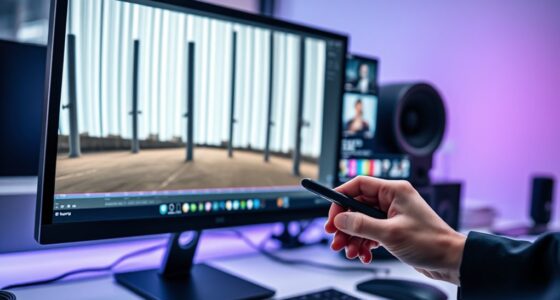

To calibrate your projector, you should use test patterns and calibration discs to check color accuracy, geometric alignment, and overall performance. These tools display color gradients, grids, and geometric shapes that help you adjust settings precisely. By following step-by-step instructions, you can correct distortions, guarantee true-to-life colors, and improve image sharpness. Keep exploring to discover how these tools can transform your viewing experience and ensure professional-quality results at home or work.

Get your home office setup delivered free — and shop member deals
- Fast, free delivery on millions of items
- Access to Prime Big Deal Days deals on October 6–7
- Prime Video, Amazon Music and more included
Key Takeaways
- Test patterns display color gradients, grayscale ramps, and geometric shapes to assess and adjust projector color accuracy and geometric alignment.
- Use calibration discs that combine color, geometry, brightness, and contrast tests for comprehensive projector calibration.
- Follow step-by-step instructions with test patterns to systematically fine-tune color settings and correct distortions.
- Geometric test patterns help identify keystone distortion, skewed edges, and focus issues for precise image alignment.
- Combining test patterns and calibration discs ensures consistent, high-quality image reproduction for professional and home use.

Projector calibration tools are indispensable for guaranteeing your projector displays images accurately and consistently. When you’re setting up a projector, especially for professional presentations or home theater use, achieving ideal image quality is essential. Two key aspects of this process are color accuracy and geometric alignment. Accurate colors make the image look natural and true to life, while proper geometric alignment ensures that the image isn’t distorted or skewed. Calibration tools like test patterns and calibration discs help you fine-tune these elements with precision.
Test patterns are specially designed images that display various color gradients, grayscale ramps, and geometric shapes. These patterns allow you to assess how well your projector reproduces colors, making it easier to identify any color inaccuracies. When you project a test pattern, you can compare the displayed colors to known standards and make adjustments to your projector’s color settings. This process guarantees that reds, greens, blues, and other hues are rendered correctly, avoiding overly saturated or washed-out images. Proper calibration of color accuracy enhances viewing comfort and image fidelity, especially when watching movies or viewing detailed graphics.
Geometric alignment, on the other hand, involves adjusting the shape and positioning of the projected image so it appears perfectly rectangular and correctly aligned on the screen. Test patterns that include grid lines or geometric shapes play an indispensable role here. By projecting these patterns, you can spot keystone distortion, skewed edges, or uneven focus. Using calibration discs or on-screen controls, you can tweak lens settings or digital adjustments to straighten the image and ensure that all parts of the picture are proportionate. Correct geometric alignment prevents the image from looking stretched or compressed, creating a more immersive and professional viewing experience.
Calibration discs also serve as comprehensive tools because they often combine test patterns for color, geometry, and even brightness and contrast adjustments. These discs are straightforward to use: you simply project the disc and follow the instructions to make necessary adjustments on your projector’s menu. Many advanced calibration discs include step-by-step guides, helping you systematically optimize your projector’s settings without requiring professional assistance. This makes calibration accessible and practical for both enthusiasts and professionals aiming to maintain consistent image quality.
Frequently Asked Questions
Can Calibration Tools Fix All Projector Color Issues?
Calibration tools can profoundly improve your projector’s color accuracy, but they can’t fix all color issues. Limitations in calibration equipment, the projector’s inherent capabilities, and environmental factors may restrict perfect results. While test patterns and calibration discs help fine-tune colors, some problems like hardware flaws or aging components might persist. So, calibration tools are valuable, but they aren’t a complete solution for every projector color issue.
How Often Should I Calibrate My Projector?
Think of your projector like a car that needs regular tune-ups. You should calibrate it every 6 to 12 months to maintain ideal color accuracy. If you notice colors looking off or images seeming dull, it’s a sign to recalibrate sooner. Regular calibration keeps your display sharp and true to life, preventing color drift over time. Staying consistent ensures your visuals stay vibrant and accurate, no matter how often you use it.
Do Calibration Discs Work With All Projector Models?
Calibration discs generally work with most projector models, but you should check model compatibility first. High-quality discs tend to be more effective, providing accurate calibration results. Some projectors may require specific formats or software, so verify the disc’s compatibility with your model before purchasing. If your projector is newer or has unique features, consult the manufacturer to guarantee the calibration disc will work seamlessly and deliver the best results.
Is Professional Calibration Necessary for Home Projectors?
While professional calibration isn’t always essential, it can markedly enhance your home theater’s image quality. If you notice dull or uneven visuals, a professional touch might be worth considering. Otherwise, using test patterns and calibration discs with your projector can do a great job of improving color accuracy, contrast, and sharpness. For casual viewing, DIY calibration often suffices, but professionals can fine-tune settings for the best possible experience.
Can Calibration Improve Projector Lifespan?
Calibration can improve your projector’s lifespan by optimizing lamp longevity and reducing unnecessary wear. When you calibrate regularly, you ensure proper brightness and color balance, which lessens strain on the lamp. Additionally, maintaining filters and cleaning components prevent overheating and dust buildup. This proactive approach helps extend your projector’s life, saving you money and keeping your picture quality sharp over time. Proper calibration truly benefits your device’s durability and performance.
Conclusion
By embracing the right projector calibration tools, you subtly enhance your viewing experience, allowing every image to truly shine. Test patterns and calibration discs act as gentle guides, helping you refine your setup without overwhelming. Remember, perfection isn’t always about grand changes—sometimes, small adjustments make the brightest differences. With patience and care, you’ll discover that a well-calibrated projector quietly elevates your space, turning ordinary moments into something truly special.
Halloween Picks
halloween
As an affiliate, we earn on qualifying purchases.