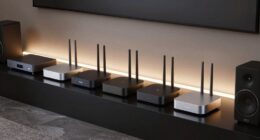
To secure your connected home theater, start by enabling your router’s built-in firewall and applying custom access rules. Keep your router firmware updated to patch vulnerabilities, and change default passwords to strong, unique ones. Consider enabling two-factor authentication and removing any unfamiliar devices. Organize your equipment securely and create separate networks for guests and smart devices. Following these foundational steps helps protect your devices and data; explore further tips to strengthen your home network defenses.
Enable and regularly review your router’s firewall settings to control traffic and block unauthorized access.
Keep your router firmware updated to patch security vulnerabilities and maintain optimal protection.
Change default passwords to strong, unique credentials for all connected devices, including your home theater system.
Segment your network by creating a separate guest network for visitors and smart devices to limit access.
Physically secure your network equipment and keep it organized to prevent tampering and accidental security lapses.
As more homes incorporate connected home theaters, ensuring their network security becomes essential. These systems often connect multiple devices—smart TVs, streaming devices, gaming consoles, and even smart speakers—creating a web of interconnected technology. Without proper security measures, this network becomes vulnerable to hacking, data breaches, and unauthorized access. To protect your entertainment setup and your personal information, understanding and managing key security elements like firewall settings and password management is crucial.
First, you should familiarize yourself with your network’s firewall settings. Firewalls act as gatekeepers, monitoring and controlling incoming and outgoing traffic based on predetermined security rules. Many routers come with built-in firewalls that can be enabled or customized through your router’s admin interface. Take the time to access these settings and ensure the firewall is activated. You might also want to configure specific rules that restrict access to certain devices or services that aren’t necessary for your home theater, reducing the risk of malicious intrusions. Regularly updating your router’s firmware is equally vital, as manufacturers often release security patches that fix vulnerabilities. Keeping these updated guarantees your firewall is functioning at its best against emerging threats.
Familiarize yourself with your firewall settings and keep your router’s firmware up to date for optimal security.
Alongside firewall settings, password management plays a pivotal role in safeguarding your connected home theater network. Default passwords on routers or IoT devices are often easy for cybercriminals to guess or find online. Change these default passwords to strong, unique combinations that include a mix of uppercase and lowercase letters, numbers, and special characters. Avoid using predictable passwords like “password123” or “admin,” and instead, opt for complex phrases or random strings. Using a reputable password manager can help you generate and store these passwords securely, so you don’t have to remember each one. It’s also wise to update your passwords periodically and avoid reusing passwords across multiple devices or accounts. This practice minimizes the risk of a single compromised password granting access to your entire network.
Beyond individual device security, consider enabling two-factor authentication (2FA) where available. This adds an extra layer of protection, requiring a second verification step beyond just a password. Regularly reviewing connected devices and removing any unfamiliar or unused ones can also prevent unauthorized access. Additionally, segmenting your network—setting up a separate guest network for visitors or smart devices—limits exposure in case one device is compromised. Implementing multi-functional furniture or other organizational strategies can also help keep your network equipment tidy and secure, reducing clutter that might hide vulnerabilities.
Amazon Echo Hub, 8” smart home control panel, Designed for Alexa+, Compatible with thousands of devices
Echo Hub — An easy-to-use Alexa-enabled control panel for your smart home devices—just ask Alexa or tap the...
As an affiliate, we earn on qualifying purchases.
Frequently Asked Questions
How Can I Detect Unauthorized Devices on My Home Network?
To detect unauthorized devices on your home network, start by regularly monitoring your connected devices through your router’s device monitoring feature. Look for unfamiliar names or IP addresses. Implement network segmentation to isolate your main devices from guest or IoT devices, making it easier to identify suspicious activity. Also, change default passwords and enable strong encryption to prevent unauthorized access, keeping your network secure and monitored effectively.
What Are the Signs of a Compromised Connected Home Theater System?
You notice strange device anomalies like unexpected reboots or unfamiliar network activity, and suddenly, your home theater system behaves oddly. These signs point to unauthorized access, possibly compromised. Maybe your remote controls stop responding or you see unknown devices connected. Don’t ignore these clues; they’re your warning signs. Act quickly to secure your system before more damage occurs, ensuring your entertainment remains safe and private.
How Often Should I Update My Network Security Settings?
You should update your network security settings at least once a month. Regular updates help make certain your router encryption stays strong and your passwords maintain high complexity, making it harder for hackers to gain access. Also, check for firmware updates and change passwords periodically. By staying proactive, you protect your connected home theater from vulnerabilities and keep your network secure against emerging threats.
Can I Use a VPN to Protect My Home Theater Network?
Sure, you can use a VPN to protect your home theater network—because nothing says “secure” like hiding your streaming secrets behind encryption strategies. VPN benefits include encrypting your data and masking your IP address, making hackers think twice. It’s like giving your network a digital invisibility cloak. So, go ahead, activate that VPN and enjoy your binge-watching sessions with a little extra peace of mind!
What Are the Best Practices for Securing Smart TV Firmware Updates?
To secure your smart TV firmware updates, always guarantee firmware integrity by downloading updates only from official sources. Enable update authentication if your device supports it, which verifies the update’s authenticity before installation. Regularly check for firmware updates and install them promptly to patch security vulnerabilities. Keep your network secure to prevent tampering during the update process, and consider using a VPN for added protection during downloads.
Official Licensed Google TV Smart Projector, HAPPRUN 4K UHD Home Theater with Dolby Sound, Wi-Fi & Bluetooth, Built-in Streaming Apps, Compatible with Games Consoles & Smartphone, Indoor & Outdoor Use
[ Built-in Official Licensed Google TV ] - Without additional equipment, the smart projector can directly access Netflix,...
As an affiliate, we earn on qualifying purchases.
Conclusion
By mastering the basics, you protect your prized playback and personal privacy. Don’t delay; diligently defend your devices, data, and digital domain. A secure setup keeps your connected home theater safe, sound, and smoothly streaming. Remember, vigilance and vigilance alone fortify your fortress against cyber threats. Stay savvy, stay secure—because safeguarding your space ensures stellar sound and seamless streaming for years to come.
Aeotec Smart Home Hub, Works as a SmartThings Hub, Z-Wave, Zigbee, Matter Gateway, Compatible with Alexa, Google Assistant, WiFi
Connect & control your smart home — Easily link thousands of compatible devices from leading brands to create...
As an affiliate, we earn on qualifying purchases.
SmartThings Hub 3rd Generation [GP-U999SJVLGDA] Smart Home Automation Hub Home Monitoring Smart Devices - Alexa Google Home Compatible - Zigbee, Z-Wave, Cloud to Cloud Protocols – White
Monitor and control compatible devices in your home using a single smartphone app for your phone
Aiming for flawless, long-distance high-definition transmission? Discover when fiber HDMI cables are truly essential and why they might be the perfect choice.
How to Share Your Projector Across Multiple Devices
Getting your projector to work seamlessly across multiple devices can be challenging—discover the simple steps to connect effortlessly and enjoy seamless sharing.
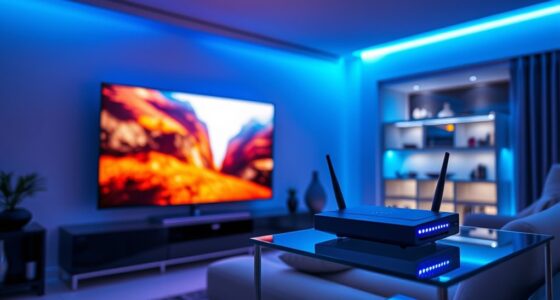
Optimize your streaming experience with Wi-Fi 6’s advanced features that ensure smoother, more reliable connections—discover how it transforms your wireless entertainment.





![SmartThings Hub 3rd Generation [GP-U999SJVLGDA] Smart Home Automation Hub Home Monitoring Smart Devices - Alexa Google Home Compatible - Zigbee, Z-Wave, Cloud to Cloud Protocols – White](https://m.media-amazon.com/images/I/21hChu0ounL._SL500_.jpg)