TL;DR

Get business pricing on your home office setup
- Business-only prices and quantity discounts
- Tax-exempt purchasing
- Multiple users, one account, clear invoices
You can produce a full publishing kit from just one video using local tools. This approach offers faster, private, and more controlled content creation, avoiding cloud dependency and its overhead.
Imagine finishing a video and instantly having a full suite of promotional assets ready to go. No waiting for uploads, no cloud subscriptions, just your raw content transforming into everything you need for a launch or campaign. That’s the promise of a local-first workflow — a way to create an entire publishing kit from one source, all on your own machine.
This approach isn’t just about convenience. It’s about privacy, speed, and control. You keep your content safe, avoid cloud fees, and streamline your process. In this article, I’ll show you how a system like ChannelHelm makes this possible and what it really takes to turn a single video into a full publishing package.
Key Takeaways
- You can generate a complete media kit from one video without relying on cloud services, keeping everything private and fast.
- A local-first workflow involves analyzing audio, visuals, and meaning simultaneously, producing more accurate and relevant assets.
- Hardware requirements are modest—modern PCs with good GPU handle full processing in minutes, not hours.
- Comparing cloud and local workflows shows local is faster, more private, and more cost-effective for solo creators and small teams.
- Building your own offline publishing system is straightforward with the right tools, like ChannelHelm, which provides all-in-one automation.
How a single video becomes a full media kit—step by step
Creating a media kit from one video sounds complex, but it’s really a matter of smart automation. Here’s how it works in four clear steps:
- Ingest and analyze: Drop your video file or paste a link. The system immediately starts transcribing, detecting scene changes, reading on-screen text, and understanding what’s visually happening. This step is crucial because it lays the foundation for all subsequent asset creation. The accuracy of transcription and scene detection directly influences the relevance and quality of the generated assets, impacting how well your promotional materials resonate with your audience.
- Fuse and interpret: The audio and visuals are aligned into a single timeline. The AI identifies key moments, topics, and hooks, forming a structured understanding of your content. This interpretation allows the system to generate assets that are contextually appropriate. For example, it can pick out a compelling quote or highlight a visual hook, which enhances the effectiveness of your promotional snippets and headlines. For more insights on optimizing your content, visit our gardening and outdoor equipment reviews.
- Draft assets automatically: Titles, descriptions, social snippets, thumbnails, and even a press-ready one-sheet are generated based on the analysis. You review and refine them in the interface. This automation accelerates your workflow but also shifts some responsibility onto you to verify and customize assets for tone and accuracy. The benefit is speed, but the tradeoff is that automated suggestions may not always perfectly match your brand voice or campaign goals, so human oversight remains essential.
- Distribute and track: Once approved, all assets are dispatched to their destinations—YouTube, social media, blogs—while you keep full control of edits and updates. This step consolidates your workflow, ensuring consistency across platforms. The implication is that you can rapidly adapt your marketing materials without the delays typical of manual creation, but it also requires a well-organized system to manage revisions and updates efficiently.
For example, a 20-minute webinar can produce a catchy YouTube title, a Twitter thread, a LinkedIn article, vertical clips for TikTok, and a media kit—all within minutes, without ever leaving your machine. The speed and integration reduce the risk of errors and ensure your assets are aligned, but it’s important to remember that human judgment is still key to polishing and contextualizing the final output.

What’s included in a complete publishing kit from one video?
A publishing kit is more than just a collection of assets; it’s a strategic package designed to maximize your content’s reach and impact. When generated locally, it includes not only the obvious items like titles and images but also the underlying insights that make those assets effective. For example, the titles and headlines are scored for relevance and engagement potential, allowing you to choose options that best fit your target audience’s preferences. This scoring process considers trending keywords, platform-specific language, and emotional hooks, which can significantly boost your content’s visibility and click-through rates.
Descriptions and summaries are crafted with SEO in mind, but they also reflect an understanding of your content’s core message. This dual focus helps your content rank better and resonate more deeply with viewers. For more tips on content optimization, check out home improvement and interior design ideas.
Metadata and tags are tailored to improve discoverability, but their effectiveness hinges on accurate keyword research and an understanding of platform algorithms. Media kit components like high- and low-res images, press releases, and author bios are assembled to create a cohesive narrative, which can be customized to suit different outreach goals. The key here is that the automation accelerates production and ensures consistency, but strategic oversight and customization remain essential to maximize impact and alignment with your overall branding and messaging goals.

Why doing it all offline makes a real difference
Most publishing tools rely on the cloud. But doing it offline offers clear advantages: For more on outdoor and poolside lifestyle topics, visit free-floating.com.
- Privacy: Your content stays on your machine, no risk of leaks or breaches. This is especially critical for sensitive or proprietary material, where even a minor security lapse can have serious repercussions. Offline workflows eliminate the exposure window entirely, giving you peace of mind that your assets are secure at every stage.
- Speed: No waiting for uploads or server processing—everything runs locally, often in minutes. This rapid turnaround is vital when you need to respond quickly to market trends or client demands. The tradeoff is that local processing might require more initial setup and hardware investment, but the long-term gains in efficiency often outweigh these upfront costs.
- Control: You see exactly how assets are created, with full provenance and version tracking. This transparency helps you maintain brand consistency and ensures you can revert or modify assets as needed. It also reduces dependency on external platforms, which can change their policies or algorithms unexpectedly, potentially disrupting your workflow. The implication is a more resilient and adaptable content pipeline that aligns with your strategic priorities.
- Cost savings: No cloud subscriptions or API fees pile up over time. While there is an initial hardware investment, ongoing costs are minimized, making this approach more sustainable in the long run. For creators with large volumes of content, these savings can be substantial, freeing up budget for other areas like content development or marketing.
Imagine working on a sensitive project, like a political campaign or a proprietary training video. You don’t want your content floating around in the cloud, vulnerable to breaches or leaks. With a local system, you’re in the driver’s seat, with everything stored and processed on your own hardware. This control over your assets not only enhances security but also streamlines compliance with privacy regulations, which is increasingly important in today’s data-conscious environment.

The hardware and tools you need to run this workflow
Running a full, local content pipeline doesn’t mean you need a data center. A modern, mid-range PC or Mac can handle the tasks—especially with optimized AI models. For example, a machine with:
- 16 GB of RAM
- SSD storage
- Dedicated GPU (like an NVIDIA RTX 3060 or better)
- Fast processor (Intel i7 or AMD Ryzen 7)
This setup can process a 30-minute video in under 10 minutes, producing all assets locally. The key implication is that you don’t need specialized or expensive hardware to get started—just a reasonably capable machine. Moreover, tools like [ChannelHelm](https://channelhelm.com/) support this hardware setup seamlessly, allowing you to build an efficient, private pipeline without cloud dependencies. Investing in good hardware ensures your workflow remains fast and reliable, minimizing bottlenecks and maximizing productivity.
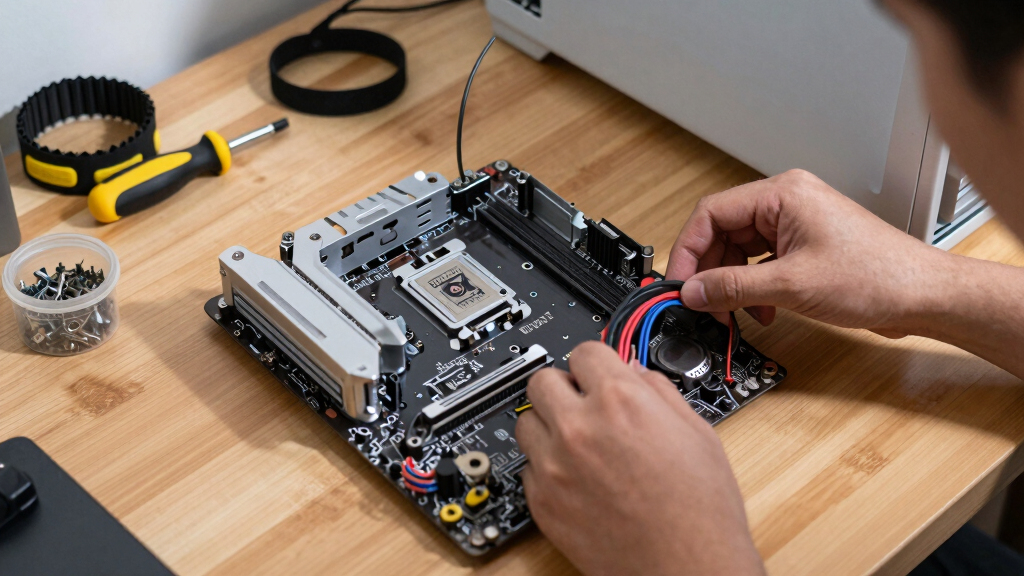
Comparing cloud vs. local publishing workflows — which wins?
| Feature | Cloud Workflow | Local Workflow |
|---|---|---|
| Speed | Depends on upload speeds and server load | Typically faster, as processing is on your machine |
| Privacy | Shared across servers; risk of leaks | Complete control; content stays on your device |
| Cost | Ongoing API and storage fees | One-time hardware investment, no recurring fees |
| Flexibility | Easy collaboration and cloud access | Requires local setup; no internet needed |
| Reliability | Dependent on internet connection | Independent; works offline |
While cloud tools excel in collaboration, local workflows shine in speed, privacy, and cost control—making them ideal for solo creators or small teams who prioritize security and efficiency over real-time collaboration. The tradeoff is that local setups may require a bit more initial configuration and manual management, but they reward users with faster turnaround times and greater control over their assets.

How to set up your own offline publishing system
Getting started isn’t as complicated as you might think. Here’s a quick step-by-step:
- Choose your hardware: A decent PC or Mac with sufficient RAM, SSD, and a GPU.
- Install local or paid tools: Look into options like [ChannelHelm](https://channelhelm.com/), which runs locally and supports all these features.
- Prepare your media: Organize your videos and assets in folders for easy access.
- Configure your workflow: Set up scripts or automation to process videos, generate assets, and export to your preferred destinations.
- Test and refine: Run a few test videos to see how long processing takes and what assets are produced. Fine-tune parameters as needed.
By establishing a clear and repeatable process, you can ensure consistent quality and efficiency. Automation tools and scripting allow you to handle bulk content without sacrificing accuracy, freeing you to focus on creative and strategic tasks. Over time, this setup becomes a reliable backbone for your content pipeline, enabling rapid deployment and iteration—especially valuable when managing multiple projects or tight deadlines.
Frequently Asked Questions
What exactly is included in a publishing kit generated from one video?
A publishing kit typically includes titles, descriptions, thumbnails, social clips, metadata, and press-ready assets—all generated automatically from your video analysis. It’s a complete package for distribution and promotion.
Is this workflow fully offline, or does it still use some cloud services?
This workflow is designed to be fully offline, running entirely on your local hardware. No uploads or external servers are needed, providing maximum privacy and control.
What hardware do I need to run this system smoothly?
A modern PC or Mac with at least 16 GB RAM, an SSD, and a dedicated GPU like an NVIDIA RTX 3060 is enough to process typical videos in under 10 minutes. Tools like ChannelHelm support this setup seamlessly.
Can it produce promotional assets for all kinds of content—like webinars, courses, or interviews?
Yes. As long as your content is video, the system analyzes visual and audio cues to generate tailored assets—titles, snippets, thumbnails—suitable for a variety of genres and formats.
How does this approach compare cost-wise to cloud-based tools?
While cloud tools often charge ongoing API or storage fees, a local setup involves a one-time hardware investment. Over time, this can be much cheaper, especially if you produce content frequently.
Conclusion
Taking control of your content pipeline means working faster, safer, and more affordably. With a local system, you turn one video into a full publishing kit—ready to deploy across platforms—without ever leaving your desk.
It’s a simple shift that puts you in charge, reduces dependencies, and accelerates your creative flow. Why wait for cloud processing when you can have your entire publishing engine right on your machine? Embrace the power of offline automation and watch your content reach the world in a fraction of the time.

Halloween Picks
halloween
As an affiliate, we earn on qualifying purchases.