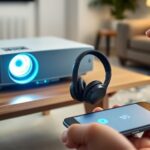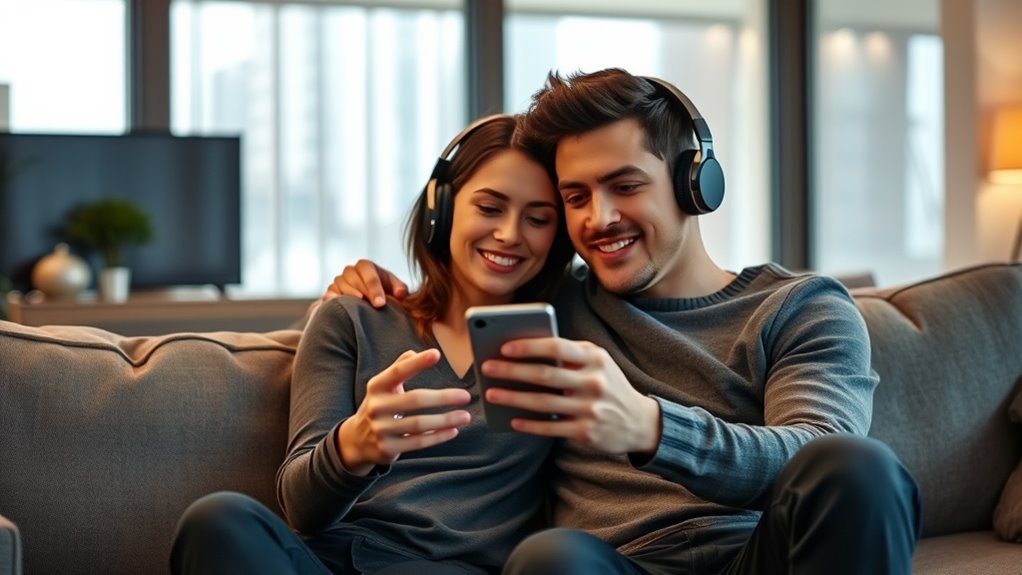

Sharing audio with two Bluetooth headphones at once can be tricky because most devices don’t natively support dual audio output. You might need a Bluetooth splitter or transmitter designed for sharing, or some newer smartphones with built-in dual audio features. Keep in mind, latency and synchronization issues may occur, but using devices that support aptX Low Latency or AAC can help. Curious about how to set this up smoothly? There’s more to explore below.
Key Takeaways
- Many devices lack native dual audio support; specialized hardware or apps are often needed.
- Bluetooth splitters or transmitters can connect two headphones simultaneously to a single source.
- Using aptX Low Latency or AAC codecs reduces audio lag and improves synchronization.
- Compatibility varies; ensure both headphones and device support the same low-latency codecs.
- Environmental interference and distance can affect connection stability and audio sync.

Sharing audio with two pairs of Bluetooth headphones sounds simple in theory, but in practice, Bluetooth limitations can make it tricky. Bluetooth was originally designed for one-to-one connections, so streaming the same audio to two devices simultaneously isn’t always straightforward. Many devices don’t natively support this feature, which means you might face compatibility issues or need special hardware or apps to make it work smoothly. Even if you find a way to connect two headphones, audio synchronization can become a real challenge. When the sound isn’t perfectly aligned, you and your friend might notice a slight delay or lag, which can ruin the shared experience, especially during movies or fast-paced music.
One of the main Bluetooth limitations is latency. Bluetooth audio often has some delay, and when you try to connect two headphones, that delay can vary between devices. The result? You might find that one person hears the audio a split second earlier than the other. This disparity can be distracting, making it feel like you’re out of sync and spoiling the enjoyment. Some Bluetooth adapters and newer devices have lower latency features, but they aren’t always compatible with all headphones. To combat this, you should look for headphones or adapters that support aptX Low Latency or AAC codecs, which can dramatically reduce lag and improve audio synchronization. However, even with these, perfect sync isn’t guaranteed unless both devices support the same low-latency codecs.
Another key factor is the type of device you’re using. Smartphones, tablets, and laptops each handle Bluetooth connections differently. Many devices don’t natively support dual audio output, so you might need to explore third-party apps or hardware solutions like Bluetooth splitters or transmitters. These devices act as intermediaries, allowing you to connect two headphones to a single source. Keep in mind, though, that even with these tools, audio synchronization might still be imperfect, and the connection stability can vary depending on distance and interference. Additionally, some newer smartphones now include a built-in dual audio feature, which can simplify this process for compatible devices.
Ultimately, sharing audio with two Bluetooth headphones requires some compromise. You’ll want to invest in the right hardware, choose compatible devices, and be aware of Bluetooth’s inherent limitations. While it’s not always perfect, with the right setup, you can enjoy watching movies or listening to music together without disturbing others—and without feeling out of sync. Just remember, patience and a bit of technical know-how go a long way in making sure your shared audio experience is fun and frustration-free.

【2200ANSI & Officially-Licensed APP】Smart 4K Projector with WiFi and Bluetooth, VISSPL 3D Dolby Audio and Auto Focus Portable Outdoor Projector, Movie Home Theater Proyector with 360° Adjustable Stand
[ Netflix Ready - No Extra Devices Needed ] – VISSPL Smart Projector: No TV stick, no casting,...
As an affiliate, we earn on qualifying purchases.
Frequently Asked Questions
Can I Use Different Brands of Bluetooth Headphones Simultaneously?
Yes, you can use different brands of Bluetooth headphones simultaneously, but brand compatibility can influence your experience. Some devices support multiple connections, while others may struggle with connection stability. To guarantee smooth audio sharing, check if your device explicitly supports multi-device pairing and if the headphones are compatible. Keep in mind that even with compatible brands, connection stability may vary, so test beforehand for the best listening experience.
Is There a Lag or Delay When Sharing Audio With Two Headphones?
Ever wonder if sharing audio causes lag? Usually, yes, there’s some latency, especially with Bluetooth. You might notice audio sync issues or delays between the sound and what you see on screen. It depends on the devices and technology used, like Bluetooth version or codecs. To minimize latency issues, choose headphones with low-latency features or use wired options for perfect sync, ensuring your listening experience stays seamless.
Do All Smartphones Support Dual Bluetooth Audio Output?
Not all smartphones support dual Bluetooth audio output. Many newer devices use Bluetooth multiplexing to enable audio sharing, but compatibility varies. If your phone supports Bluetooth multiplexing, it can send synchronized audio to two headphones, minimizing lag and ensuring good audio synchronization. However, older models might not support this feature, leading to potential delays or audio mismatch. Always check your device’s specifications for dual audio or Bluetooth multiplexing capabilities.
How Does Sharing Audio Affect Battery Life on Devices?
Sharing audio is like pouring water into a second glass; it increases your device’s workload. As a result, your battery drain speeds up, and power consumption rises because the device works harder to maintain a stable connection with two headphones. This extra effort can cause your device to heat up and deplete its battery faster, meaning you’ll need to recharge sooner than usual.
Are There Any Legal Restrictions for Sharing Audio With Multiple Devices?
You should be aware that sharing audio with multiple devices may have legal restrictions, especially regarding copyright compliance. Some platforms or content providers restrict sharing to protect intellectual property rights, so you could face legal issues if you circumvent these restrictions. Always ensure you’re following legal compliance and respect copyright restrictions when sharing audio, especially with multiple devices, to avoid potential legal consequences.

2000 ANSI 4K Decoding Projector with WiFi and Bluetooth, HAPPRUN Movie Home Theater with Auto Focus, 300'' Display for Indoor/Outdoor, Smart Proyector Compatible with Phone/TV Stick/PC/PS5
[EASIER OPERATION: AI Smart Screen Adjustment] HAPPRUN projector comes with auto focus and 6D auto-keystone technology, enjoy a...
As an affiliate, we earn on qualifying purchases.
Conclusion
Now you can be the maestro of shared sound, conducting your favorite tunes to two pairs of headphones like a symphony in perfect harmony. With a little tech magic, your music becomes a bridge, connecting you and your friend in a private concert no one else can hear. Embrace this seamless dance of sound, where every beat flows freely between you, turning ordinary moments into a duet of shared experience—music that binds, not divides.

HAPPRUN Native 1080P Projector, Bluetooth Home Theater Movie Projector with Built-in Speaker, Compatible with Smartphone, HDMI, Fire Stick, PS5, Indoor & Outdoor Use -With Google TV System
[ Built-in Official Licensed Google TV ] - Without additional equipment, the smart projector can directly access Netflix,...
As an affiliate, we earn on qualifying purchases.

GooDee Video Projector With Wifi And Bluetooth, Smart Portable Projector Movie System Compatible With Netflix/Dolby Audio/Auto Focus & Keystone, 4k Video Decode & 1080p Native For Home Theater/Outdoor
「Smart TV Projector」The Goodee AC321 4K projector is officially licensed by mainstream streaming platforms such as Netflix/YouTube/Prime Video,...
As an affiliate, we earn on qualifying purchases.