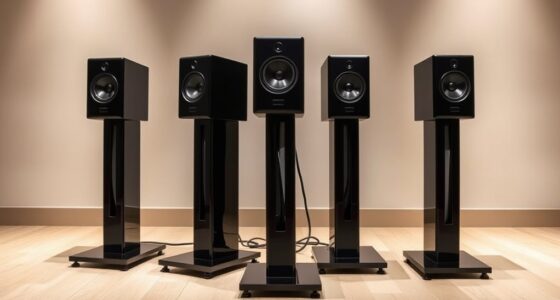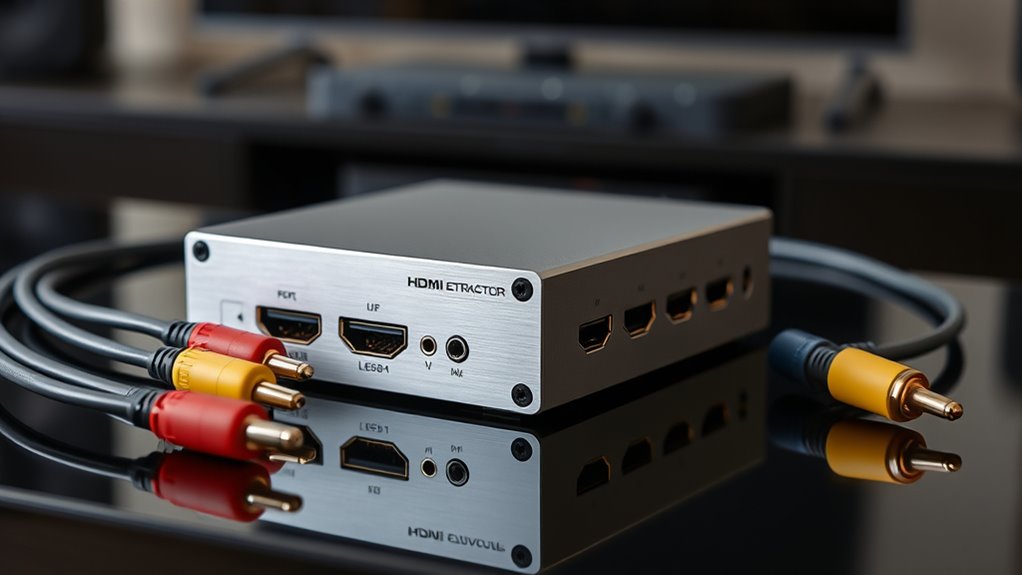
If you’re trying to connect modern HDMI sources to an older receiver that lacks HDMI inputs or ARC support, HDMI audio extractors become essential. The best options balance audio quality, compatibility, and ease of use, but tradeoffs include price, feature set, and potential signal latency. The J-Tech Digital 4K 60Hz HDMI Audio Extractor stands out with versatile support for Dolby Digital and DTS, making it ideal for home theaters. Meanwhile, the OREI HDMI ARC/eARC to Analog Audio Extractor offers reliable analog output for legacy equipment. Other models may excel in specific features like 4K pass-through or multi-channel support but might sacrifice simplicity or compatibility. Keep reading to see how these options compare and which is right for your setup.

Get business pricing on your home office setup
- Business-only prices and quantity discounts
- Tax-exempt purchasing
- Multiple users, one account, clear invoices
Complete the kit


Key Takeaways
- Top picks balance 4K compatibility with legacy audio outputs like RCA and optical for broader device support.
- Support for ARC/eARC varies, impacting how well the extractor integrates with modern soundbars and receivers.
- Price often correlates with features such as HDCP compliance, multi-channel support, and high-fidelity audio output.
- Compatibility with older receivers hinges on whether the extractor supports analog, optical, or both types of outputs.
- Ease of setup and build quality are critical, as cheaper models sometimes lack durability or user-friendly interfaces.
| HDMI ARC Adapter 4K60Hz HDMI ARC Audio Extractor with 3.5mm and Stereo Output |  | Best Overall for ARC-Enabled TVs with Basic Audio Needs | Resolution Support: 4K60Hz | Sampling Rate: 192 KHz | Audio Output: L/R stereo and 3.5mm | VIEW ON AMAZON | See Our Full Breakdown |
| Upgrade HDMI Audio Extractor 4K 60Hz & eARC/ARC, HDMI to RCA Optical |  | Best for Versatile Audio Outputs with 4K Support | Resolution Support: 4K@60Hz | Audio Output: Optical TOSLINK, RCA, 3.5mm | HDMI Version: HDMI 2.0 | VIEW ON AMAZON | See Our Full Breakdown |
| J-Tech Digital 4K 60Hz HDMI Audio Extractor Converter with SPDIF Optical and Legacy Support |  | Best for Customizable Audio with High-Resolution Video | Resolution Support: 4K @ 60Hz | Audio Outputs: SPDIF Optical, RCA | EDID Modes: TV/Pass, 2-Channel Stereo, 5.1 Surround | VIEW ON AMAZON | See Our Full Breakdown |
| J-Tech Digital 4K@60Hz HDMI Audio Extractor with ARC, HDMI to RCA & Optical Converter, Dolby Digital/DTS Support |  | Best for High-Quality Audio with Surround Sound Support | Video Resolution: 4K@60Hz | Audio Support: Stereo, 5.1 channel | HDMI Version: 1.4 | VIEW ON AMAZON | See Our Full Breakdown |
| OREI HDMI ARC/eARC to Analog Audio Extractor Converter, PCM to 2CH HDMI 1.4 |  | Best for High-Resolution Stereo from ARC/eARC | Input: HDMI ARC/eARC | Outputs: RCA L/R and 3.5mm | Audio Support: Stereo PCM/LPCM 192kHz / 24-bit | VIEW ON AMAZON | See Our Full Breakdown |
| eSynic Professional 192KHz eARC & ARC to Optical Audio Extractor – No CEC |  | Best for Upgrading Modern TVs without Complex Setup | Mounting Type: Plug & Play / Easy to Setup | Number of Pins: 20 | Interface: From HDTV ARC/eARC Ports to Soundbar Optical Port | VIEW ON AMAZON | See Our Full Breakdown |
| 4K 60Hz HDMI Audio Extractor Converter SPDIF + 3.5MM Output by J-Tech Digital |  | Best for 4K HDR Content with Digital Audio Pass-Through | Resolution: 4K 60Hz | Audio Support: Dolby Digital, DTS Passthrough | Outputs: SPDIF, 3.5mm | VIEW ON AMAZON | See Our Full Breakdown |
| OREI 4K@60Hz HDMI Audio Converter Extractor – SPDIF & 3.5mm Output, HDCP 2.2 |  | Best for 4K HDR Video with Versatile Audio Options | Supported Resolution: Up to 4K @ 50/60Hz | Audio Support: LPCM 2/5.1/7.1CH, Dolby Digital, DTS 5.1, Dolby Digital+, Dolby TrueHD, DTS-HD Master Audio, Dolby Atmos, DTS:X | Bandwidth: 18Gbps | VIEW ON AMAZON | See Our Full Breakdown |
| VPFET HDMI Audio Extractor 4K HDMI to Optical 3.5mm AUX Audio Adapter Splitter Converter |  | Best for Compact, Low-Power HDMI Audio Extraction | Maximum Supply Voltage: 5 volts | Minimum Supply Voltage: 4.5 volts | Mounting Type: Freestanding | VIEW ON AMAZON | See Our Full Breakdown |
| Avedio Links HDMI Audio Extractor 4K@30Hz Optical & 3.5mm Output, HDCP 1.4 |  | Best for 4K Video with Basic Audio Extraction at 30Hz | Maximum Supply Voltage: 5 volts | Number of Pins: 41 | Interface: HDMI | VIEW ON AMAZON | See Our Full Breakdown |
| J-Tech Digital HDMI Audio Extractor 4K 60Hz & ARC Support, HDMI to RCA Optical, Compatible with Dolby Digital DTS Stereo | 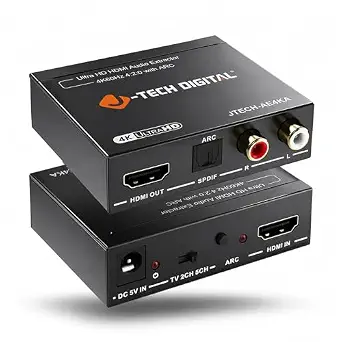 | Best Overall for Versatile High-Resolution Audio and Video | Resolution Support: up to 4K@60Hz (4:2:0), 4K@30Hz (4:4:4) | Compatibility: HDMI 1.4, HDCP 1.4 | Audio Outputs: RCA stereo, Optical (SPDIF) | VIEW ON AMAZON | See Our Full Breakdown |
| eSynic Professional 192KHz eARC & ARC Audio Extractor – 3.5mm AUX and L/R Out | 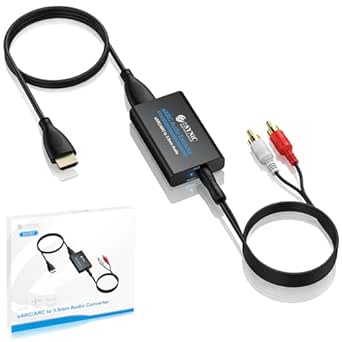 | Best for High-Resolution Audio from eARC/ARC TVs | Supported Sampling Rate: 192KHz | Audio Formats: PCM & PCM 2.0 | Power Supply: USB | VIEW ON AMAZON | See Our Full Breakdown |
| HDMI 2.0 Audio Extractor 4K60Hz HDMI to Optical + 3.5mm Analog Audio Splitter Support Dolby Vision, Dolby Atmos, HDR10, HDCP 2.2 |  | Best for Flexible Audio Output with Advanced Format Support | Video Resolution: 4K@60Hz | Audio Formats: 2CH LPCM, PCM, Dolby Digital, DTS, Dolby Atmos | HDMI Version: 2.0 | VIEW ON AMAZON | See Our Full Breakdown |
More Details on Our Top Picks
HDMI ARC Adapter 4K60Hz HDMI ARC Audio Extractor with 3.5mm and Stereo Output
This HDMI ARC adapter stands out for its straightforward approach to extracting high-quality audio from ARC-enabled TVs, supporting 4K at 60Hz and offering both stereo and 3.5mm outputs. Compared with the OREI HDMI ARC/eARC to Analog Audio Extractor, it provides a more durable aluminum build and plug-and-play convenience, but it doesn’t support advanced surround formats like Dolby Atmos or DTS. It’s a solid choice for those who primarily need stereo audio from their smart TVs without complex setup or high-end surround sound requirements.
Pros:- Supports 4K resolution at 60Hz for crisp video and audio clarity
- Dual outputs—L/R stereo and 3.5mm—offer connection flexibility
- Durable aluminum construction and plug-and-play design
Cons:- Requires TV to support ARC and PCM output for proper operation
- Cannot handle surround sound formats like Dolby Atmos
Best for: Owners of ARC-enabled TVs who want easy, reliable stereo audio extraction without fuss.
Not ideal for: Users needing surround sound formats or multi-channel audio, as it doesn’t support Dolby Atmos or DTS.
- Resolution Support:4K60Hz
- Sampling Rate:192 KHz
- Audio Output:L/R stereo and 3.5mm
- Material:Aluminum metal
- Compatibility:ARC-enabled TVs, PS4, PS5, Xbox, Blu-ray players
Our verdict“This adapter is best for those who want simple, high-quality stereo audio from ARC-enabled TVs without extra features.”
Upgrade HDMI Audio Extractor 4K 60Hz & eARC/ARC, HDMI to RCA Optical
This model makes a strong case for users with multiple external audio devices, supporting 4K@60Hz and offering optical, RCA, and 3.5mm outputs. Compared to the J-Tech Digital 4K 60Hz HDMI Audio Extractor Converter, it provides broader compatibility with ARC/eARC TVs, but it lacks CEC support, so volume control must be handled separately. It’s ideal for those who need flexible audio connections from a single source, especially when connecting to older sound systems.
Pros:- Supports 4K resolution at 60Hz for sharp video quality
- Multiple audio outputs—optical, RCA, and 3.5mm—cover various devices
- Compatible with ARC/eARC-enabled TVs for simplified setup
Cons:- Lacks CEC support, so remote volume control isn’t possible
- Requires PCM/stereo setting for optical and RCA outputs
Best for: Home theater enthusiasts with multiple legacy audio devices looking for flexible output options.
Not ideal for: Users wanting integrated remote control or CEC functionality, as it doesn’t support remote volume control.
- Resolution Support:4K@60Hz
- Audio Output:Optical TOSLINK, RCA, 3.5mm
- HDMI Version:HDMI 2.0
- ARC/eARC Support:Yes
- Video Format Support:1080p, 720p, 576i, 480p
Our verdict“Best suited for users who prioritize multiple audio outputs over integrated control features.”
J-Tech Digital 4K 60Hz HDMI Audio Extractor Converter with SPDIF Optical and Legacy Support
Compared with the Upgrade HDMI Audio Extractor, this J-Tech model excels with customizable EDID modes, enabling flexible audio formats from 2-channel stereo to 5.1 surround sound, making it suitable for complex home theater setups. While it offers excellent video support at 4K 60Hz, its setup requires some technical knowledge, and it’s limited to HDMI sources. This device is perfect for those comfortable with configuration who want detailed control over their audio output.
Pros:- Supports 4K video at 60Hz with high-quality output
- Multiple audio outputs including SPDIF optical and RCA
- Customizable EDID modes for precise audio setup
Cons:- Requires some technical knowledge for optimal setup
- Limited to HDMI sources; not compatible with analog inputs
Best for: Tech-savvy users aiming for tailored audio configurations in home theaters or custom systems.
Not ideal for: Casual users or those unfamiliar with EDID settings, as setup can be complex.
- Resolution Support:4K @ 60Hz
- Audio Outputs:SPDIF Optical, RCA
- EDID Modes:TV/Pass, 2-Channel Stereo, 5.1 Surround
- Warranty:1 year
Our verdict“Ideal for experienced users needing flexible, customizable audio extraction from HDMI sources.”
J-Tech Digital 4K@60Hz HDMI Audio Extractor with ARC, HDMI to RCA & Optical Converter, Dolby Digital/DTS Support
This J-Tech model stands out for its support of Dolby Digital and DTS, making it suitable for users wanting surround sound from their smart TVs. It supports 4K@60Hz video pass-through and offers both RCA and Optical outputs, similar to the Upgrade HDMI Audio Extractor, but with added audio format compatibility. Its inclusion of ARC functionality makes it attractive for those with compatible smart TVs seeking an all-in-one solution, though it’s limited by HDMI 1.4 and HDCP 1.4 constraints.
Pros:- Supports 4K@60Hz video pass-through
- Includes multiple audio outputs (RCA and Optical)
- Supports Dolby Digital and DTS for surround sound
Cons:- Limited to HDMI 1.4 and HDCP 1.4, restricting newer device compatibility
- Does not support downmixing 5.1 to stereo
Best for: Home entertainment fans aiming for surround sound compatibility without sacrificing high-resolution video.
Not ideal for: Those with newer HDMI 2.0 or HDCP 2.2 devices requiring latest standards, as it’s limited to older HDMI versions.
- Video Resolution:4K@60Hz
- Audio Support:Stereo, 5.1 channel
- HDMI Version:1.4
- HDCP Version:1.4
- Outputs:RCA stereo, Optical
Our verdict“Best for users who need reliable surround sound output from HDMI sources with high-resolution video support.”
OREI HDMI ARC/eARC to Analog Audio Extractor Converter, PCM to 2CH HDMI 1.4
This OREI converter excels in providing simple stereo audio extraction from HDMI ARC/eARC signals, supporting up to 192kHz / 24-bit PCM. Compared to the HDMI ARC Adapter 4K60Hz, it’s designed specifically for stereo output, making it a straightforward choice for users with basic sound systems. However, it doesn’t support multi-channel formats or surround sound, limiting its use to stereo setups. It’s ideal for those who want clear, high-res stereo audio without complexity.
Pros:- Supports high-resolution stereo PCM/LPCM up to 192kHz
- Easy plug-and-play setup with no drivers needed
- Compatible with ARC/eARC signals for straightforward extraction
Cons:- Limited to stereo audio; no support for Dolby or DTS
- RCA, 3.5mm, and HDMI cables are sold separately
Best for: Individuals with stereo sound systems seeking high-resolution audio from their smart TV’s ARC/eARC output.
Not ideal for: Users needing multi-channel surround sound or formats like Dolby Atmos, which this device cannot handle.
- Input:HDMI ARC/eARC
- Outputs:RCA L/R and 3.5mm
- Audio Support:Stereo PCM/LPCM 192kHz / 24-bit
- Power:On/off switch, LED indicator
Our verdict“Best for those wanting high-quality stereo audio from HDMI ARC/eARC sources without extra features.”
eSynic Professional 192KHz eARC & ARC to Optical Audio Extractor – No CEC
This eARC to optical audio extractor excels at converting high-quality audio from your TV’s eARC or ARC port into optical output, making it ideal for connecting legacy soundbars or headphones that lack HDMI inputs. Compared with other options like the J-Tech Digital HDMI Audio Extractor, it offers a straightforward plug-and-play setup without requiring drivers or complicated configuration. However, it does not support volume control via the TV remote, which can be inconvenient for users seeking integrated volume management. Its compact design and support for multiple formats, including Dolby and DTS, make it a strong choice for those with modern TVs but older audio gear. The tradeoff is that it solely relies on the TV’s ARC/eARC feature, so incompatible TVs or incorrect settings can limit functionality.
Pros:- Plug-and-play setup with no drivers needed
- Supports multiple high-quality audio formats including Dolby and DTS
- Compact and minimizes cable clutter
Cons:- No volume control via TV remote
- Requires TV’s ARC or eARC port and correct settings
Best for: Homeowners with recent TVs and legacy sound systems needing simple audio extraction without additional software
Not ideal for: Users with non-ARC or non-eARC TV ports or those requiring volume control via remote
- Mounting Type:Plug & Play / Easy to Setup
- Number of Pins:20
- Interface:From HDTV ARC/eARC Ports to Soundbar Optical Port
- Volume Control:No
- Number of Channels:6
- Audio Output Mode:PCM 2.0 / Dolby 5.1 / DTS 5.1
Our verdict“This pick is perfect for users who want a quick, straightforward upgrade path for legacy audio systems linked to modern TVs with ARC/eARC ports.”
4K 60Hz HDMI Audio Extractor Converter SPDIF + 3.5MM Output by J-Tech Digital
This HDMI audio extractor supports 4K at 60Hz with HDR10, making it well-suited for high-resolution setups. Unlike the OREI 4K@60Hz HDMI Audio Converter, which offers broader compatibility, it emphasizes pass-through of Dolby Digital and DTS audio formats for a seamless digital connection. However, it lacks analog output options and cannot decode audio for external speakers, limiting its use for users with older audio gear. Its support for HDR10 and high bandwidth ensures excellent picture quality, but the absence of volume control or analog output makes it less suitable for those needing integrated audio adjustments. This model is better suited for digital-only systems focused on high-res video and audio pass-through.
Pros:- Supports 4K HDR at 60Hz with high bandwidth
- Passes Dolby Digital and DTS audio formats cleanly
- Includes SPDIF and 3.5mm outputs for digital audio
Cons:- No analog decode or volume control
- Incompatible with some older devices like Apple TV 3rd Gen
Best for: Home theater enthusiasts with modern 4K HDR TVs and digital sound systems
Not ideal for: Users with older audio equipment or those needing analog outputs or volume control
- Resolution:4K 60Hz
- Audio Support:Dolby Digital, DTS Passthrough
- Outputs:SPDIF, 3.5mm
- HDMI Version:HDMI 2.0
- HDCP:2.2
- Note:Passes Dolby Digital/DTS, does not decode for analog output
Our verdict“Ideal for viewers prioritizing high-resolution video with pure digital audio pass-through, but not for those needing analog or volume control features.”
OREI 4K@60Hz HDMI Audio Converter Extractor – SPDIF & 3.5mm Output, HDCP 2.2
The OREI 4K@60Hz HDMI Audio Converter stands out for enabling 4K HDR video transmission while offering multiple audio outputs, including optical and 3.5mm. Compared with simpler extractors like the Avedio Links HDMI Audio Extractor, it supports a wider range of surround sound formats like Dolby Atmos and DTS:X, making it suitable for high-end setups. Its support for HDCP 2.2 and HDR pass-through ensures it handles the latest content protections and visual enhancements. The tradeoff is that it doesn’t support ARC, so it can’t automatically send audio back to the source device, limiting its use with certain setups. It’s a good fit for those focused on high-quality video and flexible audio outputs but not for setups requiring audio return channels.
Pros:- Supports 4K HDR at 60Hz with high bandwidth
- Multiple audio outputs including optical and analog
- Handles Dolby Atmos and DTS:X for immersive sound
Cons:- No ARC support for audio back to source
- Limited to specific resolutions and refresh rates
Best for: Advanced home theater users with 4K HDR sources and multiple audio output needs
Not ideal for: Users with older devices or setups that require ARC support or simpler configurations
- Supported Resolution:Up to 4K @ 50/60Hz
- Audio Support:LPCM 2/5.1/7.1CH, Dolby Digital, DTS 5.1, Dolby Digital+, Dolby TrueHD, DTS-HD Master Audio, Dolby Atmos, DTS:X
- Bandwidth:18Gbps
- HDMI Version:2.0b
- HDCP Version:2.2
- Compatibility:Blu-ray, PS5, Xbox, streaming devices
Our verdict“Designed for high-end home theaters demanding high-resolution video and diverse audio outputs, but not suitable for ARC-enabled setups.”
VPFET HDMI Audio Extractor 4K HDMI to Optical 3.5mm AUX Audio Adapter Splitter Converter
The VPFET HDMI Audio Extractor offers a compact, low-energy design capable of extracting 4K HDMI signals into optical or 3.5mm outputs. Compared with bulkier models like the J-Tech Digital HDMI Audio Extractor, it excels in space-constrained setups. Its aluminum construction and minimal footprint make it ideal for discreet installations. However, it does not support ARC or eARC, limiting its ability to handle return channel audio from your TV. It supports 5.1 channels but cannot handle 7.1 surround sound, making it suitable for basic home theater needs but not for advanced surround configurations or future-proofing. Its external power requirement via USB may be inconvenient for some users.
Pros:- Supports 4K Ultra-HD resolution
- Small and lightweight for tight spaces
- Low power consumption with USB power
Cons:- Does not support ARC or eARC
- Limited to 5.1 channels, no 7.1 support
Best for: Users with limited space needing a straightforward 4K audio extractor for basic surround sound
Not ideal for: Audiophiles or advanced setups requiring ARC or 7.1 channel support
- Maximum Supply Voltage:5 volts
- Minimum Supply Voltage:4.5 volts
- Mounting Type:Freestanding
- Number of Pins:4
- Interface:Coaxial, Optical
- Number of Channels:5
Our verdict“A solid choice for space-conscious users seeking basic 4K HDMI audio extraction without the need for ARC or high-channel surround sound.”
Avedio Links HDMI Audio Extractor 4K@30Hz Optical & 3.5mm Output, HDCP 1.4
The Avedio Links HDMI Audio Extractor supports 4K at 30Hz, making it suitable for standard streaming and gaming setups where ultra-high refresh rates aren’t essential. Compared with the eSynic ARC to Optical Extractor, which focuses on ARC/eARC conversion, this model emphasizes stable 4K pass-through for devices limited to 30Hz, like some older gaming consoles. It offers multiple audio outputs, including optical and RCA, but lacks support for ARC and volume control, which limits its integration with modern AV systems. Its plug-and-play design and compatibility with various HDMI sources make it a good choice for basic needs, but it isn’t future-proof for high-refresh-rate gaming or advanced surround sound formats.
Pros:- Supports 4K at 30Hz with decent detail
- Multiple audio outputs including optical and RCA
- Simple setup with no drivers required
Cons:- Limited to 30Hz, not suitable for high-refresh-rate gaming
- No ARC or volume control support
Best for: Budget-conscious users with 4K sources at 30Hz needing simple audio extraction
Not ideal for: Gamers or home theater users requiring 4K at higher refresh rates or ARC support
- Maximum Supply Voltage:5 volts
- Number of Pins:41
- Interface:HDMI
- Audio Output Mode:PASS, 2CH, 5.1CH
- HDCP:1.4
Our verdict“A practical choice for basic 4K 30Hz setups that need straightforward audio extraction without extra features.”
J-Tech Digital HDMI Audio Extractor 4K 60Hz & ARC Support, HDMI to RCA Optical, Compatible with Dolby Digital DTS Stereo
This J-Tech Digital model stands out for supporting 4K@60Hz video, making it suitable for modern home theater setups. Its dual outputs—RCA and Optical—offer flexible audio options, but the RCA only supports stereo PCM, which limits multi-channel sound. Compared with the HDMI 2.0 Audio Extractor, it provides ARC support, simplifying audio routing from smart displays, though it requires manual reconfiguration after power cycles. Its EDID modes improve compatibility across different devices, yet it’s primarily designed for straightforward point-to-point connections rather than complex multi-device systems. This makes it a solid choice for users who want high-res video and basic audio extraction without complex setup hurdles.
Pros:- Supports high-resolution 4K@60Hz video for crisp visuals
- Includes both RCA and Optical outputs for flexible audio options
- ARC support simplifies audio connection from smart displays
- Built-in EDID modes improve device compatibility
Cons:- RCA outputs only support stereo PCM, not multi-channel audio
- ARC mode requires manual setup and reactivation after power loss
- Limited to point-to-point connections, not suitable for complex systems
Best for: Home theater enthusiasts needing 4K video and multi-output audio from a simple device.
Not ideal for: Users seeking multi-channel surround sound over HDMI or complex multi-device setups, as the RCA outputs are stereo only.
- Resolution Support:up to 4K@60Hz (4:2:0), 4K@30Hz (4:4:4)
- Compatibility:HDMI 1.4, HDCP 1.4
- Audio Outputs:RCA stereo, Optical (SPDIF)
- ARC Support:Yes
- EDID Modes:TV, 2CH, 5CH
- Material:Plastic
- Number of Channels:6
Our verdict“This model fits users who prioritize high-res video and straightforward audio extraction in a simple home theater setup.”
eSynic Professional 192KHz eARC & ARC Audio Extractor – 3.5mm AUX and L/R Out
The eSynic eARC/ARC extractor is tailored for users who want to maximize sound quality from compatible HDTVs, supporting high sampling rates up to 192KHz. Unlike other models, such as the J-Tech Digital HDMI Audio Extractor, it focuses solely on eARC/ARC signals, providing a clean stereo output via 3.5mm or L/R ports. Its plug-and-play design makes setup simple, but it’s limited to eARC/ARC interfaces, excluding compatibility with other HDMI sources or multi-channel formats like Dolby Atmos. This device makes the most sense for those with high-end TVs that support eARC, aiming for the best stereo sound without complex configurations, but it’s not suited for users needing multi-channel surround sound or broader HDMI device compatibility.
Pros:- Supports high-resolution audio up to 192KHz for rich stereo sound
- Plug-and-play design requires no drivers or software
- Provides clear, immersive stereo output for compatible HDTVs
- Simple connection via HDMI eARC/ARC for minimal setup
Cons:- Limited to eARC/ARC signals, not compatible with all HDMI devices
- Supports only PCM audio, excluding Dolby Digital or multi-channel formats
- Requires proper TV setup to function correctly
Best for: Owners of high-end HDTVs with eARC that want high-quality stereo audio output with minimal fuss.
Not ideal for: Users with non-eARC HDMI devices or those seeking multi-channel surround sound, as this device only supports PCM stereo and eARC/ARC signals.
- Supported Sampling Rate:192KHz
- Audio Formats:PCM & PCM 2.0
- Power Supply:USB
- Compatibility:Only with HDTV eARC/ARC interfaces
- Connection Type:HDMI ARC/eARC to 3.5mm & L/R Out
- Material:Plastic
Our verdict“Ideal for owners of eARC-compatible HDTVs aiming for high-quality stereo audio without complicated configurations.”
HDMI 2.0 Audio Extractor 4K60Hz HDMI to Optical + 3.5mm Analog Audio Splitter Support Dolby Vision, Dolby Atmos, HDR10, HDCP 2.2
This HDMI 2.0 extractor offers the ability to pass through 4K@60Hz video with HDR support, making it well-suited for gamers and home theater enthusiasts. Its support for Dolby Atmos, DTS HD, and HDR10 aligns with the capabilities of high-end sources like gaming consoles and Blu-ray players, similar to the J-Tech Digital HDMI Audio Extractor 4K 60Hz & ARC Support. Unlike the eSynic model, it doesn’t require eARC compatibility, but it also lacks ARC support, limiting its use in routing audio directly from smart displays. Its dual outputs—optical and 3.5mm—offer versatility, yet it cannot extract audio from TV HDMI ports, which may be a drawback for some. This makes it an excellent choice for users who want high-quality audio from dedicated sources but don’t rely on ARC or eARC features.
Pros:- Supports 4K@60Hz with HDR and Dolby Atmos for vivid visuals and immersive sound
- Flexible outputs including optical and 3.5mm for diverse audio setups
- Compatible with a wide range of HDMI devices and gaming consoles
- Supports advanced audio formats like Dolby Atmos and DTS HD
Cons:- Lacks ARC or eARC support, limiting direct TV audio routing
- Cannot extract audio from TV HDMI ports, only from source devices
- Limited to HDMI 2.0; does not support HDMI 2.1 features
Best for: Gamers and home theater users needing 4K HDR video and multi-format audio extraction from sources like gaming consoles or Blu-ray players.
Not ideal for: Those seeking ARC or eARC support for simplified TV audio routing, as this device only extracts audio before the display and lacks ARC capabilities.
- Video Resolution:4K@60Hz
- Audio Formats:2CH LPCM, PCM, Dolby Digital, DTS, Dolby Atmos
- HDMI Version:2.0
- HDR Support:Yes
- HDCP Version:2.2
- Outputs:Optical SPDIF, 3.5mm analog
- Compatibility:Roku, Fire TV, Apple TV, PS5, PS4, Xbox, Nintendo Switch, Blu-ray players, cable boxes
Our verdict“This extractor suits gamers and home theater enthusiasts who need high-quality audio from dedicated sources but don’t require TV-based audio extraction via ARC or eARC.”

How We Picked
These products were evaluated based on their ability to deliver reliable audio extraction from HDMI sources to legacy audio devices. Key criteria included support for common audio formats like Dolby Digital and DTS, compatibility with 4K signals at 60Hz, and whether they support ARC or eARC for seamless integration. Ease of installation and build quality also factored into the rankings, alongside value for money. The products were compared to identify those offering the best combination of performance, versatility, and durability, with a focus on models that address common issues faced by users with older receivers.Factors to Consider When Choosing Hdmi Audio Extractors For Older Receivers
Choosing the right HDMI audio extractor involves understanding your existing equipment and desired features. Consider compatibility with your receiver’s inputs, the types of audio formats you need, and whether support for advanced features like ARC or 4K passthrough is necessary. Paying attention to these factors helps avoid mismatch issues that can cause noise, lag, or no audio at all. Balancing cost with these features ensures you get an extractor that fits your setup without overspending on unnecessary capabilities.Compatibility with Your Receiver
Older receivers often lack HDMI inputs or ARC support, making compatibility the top priority. Ensure the extractor supports analog (RCA, 3.5mm) or optical outputs, as these are common legacy interfaces. Some models also support HDMI 1.4 or 2.0, which is vital if you want 4K at 60Hz. Confirm your receiver’s input options before purchasing to avoid costly mismatches or the need for additional adapters.
Supported Audio Formats
Not all extractors support the same audio formats. If you want surround sound like Dolby Digital or DTS, verify that the device explicitly supports these formats, especially if you’re connecting to a soundbar or home theater system. Cheaper models might only handle stereo PCM, limiting your audio experience. For immersive audio, prioritize extractors with multi-channel support and compatibility with the formats your equipment can process.
Support for ARC and eARC
ARC and eARC support simplifies connections by allowing audio to travel both ways over HDMI. If your setup relies on these features, choose an extractor explicitly supporting ARC or eARC, or it might not function correctly with your existing equipment. However, note that some models with ARC support may have limited eARC functionality, affecting bandwidth for high-quality audio streams like Dolby Atmos.
4K and HDR Passthrough
If you use premium sources or want future-proofing, ensure your extractor supports 4K at 60Hz and HDR formats like Dolby Vision. Cheaper models often only handle 1080p or 30Hz, which can limit visual quality. Remember, supporting high-resolution passthrough often comes with a higher price tag but guarantees compatibility with modern content sources.
Build Quality and Ease of Use
An extractor with sturdy construction and simple setup can save frustration over time. Look for models with clear labeling, straightforward cables, and reliable connectors. Cheaper units may develop issues or be more prone to noise interference, which impacts audio clarity. A well-designed device also minimizes signal latency, important if you watch fast-paced content or play games.
Frequently Asked Questions
Will a HDMI audio extractor work with my older receiver that only has RCA inputs?
Yes, most HDMI audio extractors designed for legacy support include RCA outputs, making them compatible with older receivers lacking HDMI inputs. When choosing, verify that the extractor explicitly lists RCA or analog outputs, as some may only provide optical or HDMI pass-through. These models typically convert digital signals to analog, ensuring you can still enjoy high-quality audio without upgrading your receiver.
Can I get surround sound like Dolby Atmos from these extractors?
Most HDMI audio extractors for older receivers cannot pass through Dolby Atmos or DTS:X signals unless they explicitly support multichannel formats and eARC. Cheaper models often only deliver stereo or basic surround sound, so if Atmos is a priority, look for extractors with advanced support for high-bitrate audio formats and eARC compatibility. Keep in mind that your receiver must also support these formats for full benefit.
Is it worth paying more for a model with 4K HDR passthrough?
Paying extra for 4K HDR passthrough can be worthwhile if you plan to keep your setup long-term or use high-resolution content. These models prevent bottlenecks, allowing you to enjoy crisp visuals alongside high-quality audio, especially with modern streaming sources. Cheaper options may limit you to 1080p or SDR, which might be acceptable if your current equipment is HD only. Consider your future needs before investing in higher-end models.
Will using an extractor introduce audio lag or delay?
Most HDMI audio extractors introduce minimal latency, but some cheaper or poorly designed units can cause noticeable audio delay, especially in fast-paced content or gaming. To avoid this, opt for models that specify low latency operation or are compatible with audio synchronization features. Testing your setup after installation helps ensure seamless audio-video sync, critical for a good viewing experience.
Are there any compatibility issues I should watch for?
Compatibility issues often stem from mismatched standards, such as trying to use an extractor that doesn’t support the video resolution or audio formats your source device outputs. Some extractors may not support HDCP 2.2, which can prevent certain streaming content from playing. Always verify the specifications against your source device and desired output to prevent surprises during setup or playback.
Conclusion
For users with a tight budget or simple audio needs, models like the OREI HDMI ARC/eARC to Analog Audio Extractor offer reliable legacy support without breaking the bank. Those seeking a balance of features and affordability should consider the J-Tech Digital 4K 60Hz HDMI Audio Extractor, which provides versatile format support and easy setup. If you want the best overall performance and future-proofing, the HDMI 2.0 Audio Extractor supporting Dolby Atmos and HDR is ideal. Beginners should prioritize models with straightforward installation, while home theater enthusiasts may prefer units supporting advanced formats and eARC. Tailoring your choice to your specific setup and future plans will ensure satisfying audio and video performance.
Halloween Picks
halloween
As an affiliate, we earn on qualifying purchases.