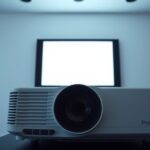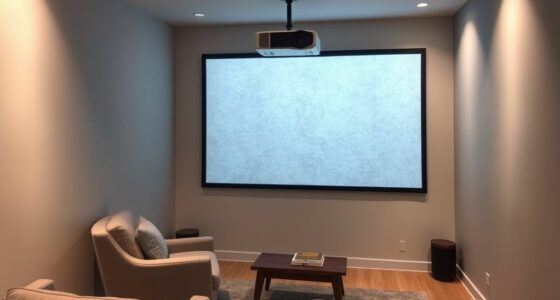
Adjusting lens shift moves the projector’s lens physically to change the image’s position without affecting quality, allowing for precise adjustments, especially in cluttered setups. Digital zoom, on the other hand, enlarges or reduces the image electronically, which can cause distortion or loss of sharpness if overused. While lens shift is ideal for maintaining image clarity, digital zoom offers quick, convenient adjustments. To learn how each method works best for your setup, keep exploring.
Key Takeaways
- Lens shift physically moves the lens for precise, distortion-free image positioning, while digital zoom electronically crops and enlarges the image.
- Lens shift preserves image quality and clarity; digital zoom can cause distortion and reduce sharpness.
- Lens shift requires manual adjustments and calibration; digital zoom is controlled via the projector menu for quick, easy changes.
- Lens shift is ideal for maintaining original image integrity; digital zoom is suitable for minor, temporary adjustments.
- Proper calibration of lens shift ensures optimal image quality; excessive digital zoom can degrade picture clarity.

When it comes to resizing or repositioning your projected image, understanding the difference between adjusting lens shift and using digital zoom is essential. Both methods help you fine-tune your display, but they serve different purposes and come with unique considerations. Lens shift involves physically moving the lens within the projector to shift the image vertically or horizontally without distorting it. This adjustment allows you to project an image onto your screen without repositioning the projector itself, which is especially useful if you want to avoid clutter or obstacles in your setup. On the other hand, digital zoom enlarges or reduces the image electronically, often by cropping and scaling the image signal. While digital zoom can be handy for quick adjustments, it’s important to recognize that it can introduce image distortion, reducing picture quality and sharpness.
One of the main advantages of lens shift is that it preserves image integrity. Since you’re physically shifting the lens, the image remains true to its original proportions, avoiding the common issue of image distortion associated with digital zoom. This means your picture stays crisp and clear, maintaining accurate colors and details. However, the setup complexity of using lens shift can vary. Some projectors feature manual lens shift mechanisms that are straightforward to operate, but others may require precise calibration and more careful installation. If your setup isn’t perfectly aligned, you might need to experiment with different positions or consult the user manual to achieve the best results. Despite this, once properly adjusted, lens shift offers a seamless viewing experience without compromising image quality. Additionally, proper calibration ensures optimal performance of lens shift features.
Digital zoom, in contrast, is simpler to execute because it’s typically controlled through the projector’s menu system. You can quickly adjust the zoom level without physically moving the projector, making it a convenient option for minor tweaks. However, this convenience comes at a cost. Digital zoom often leads to image distortion, especially if you zoom in considerably, resulting in a loss of clarity and sharpness. Additionally, excessive digital zoom can degrade the overall picture quality, making it less suitable for high-resolution content or presentations where detail matters. The setup complexity is minimal—just select the zoom function and adjust—but keep in mind that this method isn’t a substitute for proper placement or physical adjustments if you want the best possible image.

ViewSonic LS740W 5500 Lumens WXGA Laser Projector with 1.3X Optical Zoom, H/V Keystrone, 360 Degrees Projection for Auditorium, Conference Room, and Education
High Brightness Laser Projector: WXGA (1280x800p) resolution with a 1.2-1.5 throw ratio and 5,500 ANSI lumens for clear,...
As an affiliate, we earn on qualifying purchases.
Frequently Asked Questions
Does Lens Shift Affect Image Quality Like Digital Zoom?
Lens shift doesn’t affect image quality like digital zoom does. When you adjust lens shift, it moves the image without causing image distortion or losing color accuracy, maintaining clarity. Digital zoom, however, enlarges the image digitally, which can lead to pixelation, image distortion, and reduced color accuracy. So, using lens shift preserves your picture’s quality, while digital zoom can compromise it.
Can Lens Shift Be Used During Live Presentations?
Yes, you can use lens shift during live presentations, offering you greater projection flexibility without needing to reposition the projector. This feature makes setup more convenient and allows quick adjustments to guarantee your image stays aligned, even if the projector shifts slightly. You won’t experience image quality loss, unlike digital zoom, so your presentation remains sharp and professional. Lens shift enhances your overall setup experience, making live presentations smoother and more adaptable.
Is Digital Zoom Suitable for Large Screen Displays?
Digital zoom isn’t ideal for large screen displays because it can cause significant image distortion, reducing clarity. With a 4K projector, digital zoom might crop the image, making details blurry. For bigger screens, adjusting lens shift maintains image quality without distortion, ensuring sharp visuals. So, if you want a clear, professional presentation on a large display, avoid digital zoom and rely on lens shift instead.
How Does Lens Shift Impact Projector Placement Options?
Lens shift greatly enhances your mounting flexibility, allowing you to adjust the projector’s image vertically or horizontally without moving its position. This reduces installation complexity, as you don’t need precise alignment with the screen or ceiling mount. With lens shift, you can place the projector off-center or at an angle, making setup easier and more versatile, especially in challenging spaces where traditional mounting options are limited.
Are There Any Long-Term Maintenance Issues With Lens Shift Systems?
You might find that lens shift systems generally don’t have major long-term issues, but slight changes in alignment stability can occur over time. Mechanical wear is minimal if you handle your projector carefully, avoiding frequent adjustments. Regular gentle maintenance helps preserve smooth operation. Overall, lens shift systems are designed for durability, so with proper care, they should serve you well without significant long-term concerns.

2000 ANSI 4K Decoding Projector with WiFi and Bluetooth, HAPPRUN Movie Home Theater with Auto Focus, 300'' Display for Indoor/Outdoor, Smart Proyector Compatible with Phone/TV Stick/PC/PS5
[EASIER OPERATION: AI Smart Screen Adjustment] HAPPRUN projector comes with auto focus and 6D auto-keystone technology, enjoy a...
As an affiliate, we earn on qualifying purchases.
Conclusion
Diving into display details, you can confidently choose between adjusting lens shift and digital zoom. Remember, lens shift lets you leverage longer-lasting, lossless adjustments, while digital zoom offers quick, convenient changes but with potential quality compromise. By balancing these benefits and barriers, you’ll better bring your picture preferences into perfect placement. So, whether you’re shifting smoothly or zooming zealously, mastering these methods makes your projection pristine and powerful. Play with precision, and perfect your projector’s performance!

Epson Home Cinema 980 3-Chip 3LCD 1080p Projector 4,000 Lumens Color and White Brightness, Streaming/Gaming/ Media Room, Built-In Speaker, Auto Picture Skew, 16000:1 Contrast, 2 HDMI Ports
Exceptional Picture Quality — Provides stunning, detailed 1080p images and fast data processing that’s optimized for fast-action sports,...
As an affiliate, we earn on qualifying purchases.

NexiGo Aurora Pro MKII, 4K Tri-Color Laser UST Projector, 30000:1 Contrast Ratio, Dynamic Iris & Laser Dimming, 0.21:1 Throw Ratio, Dolby Vision & Atmos, HDR10+, 3D, 4.2ms ~ 8ms Low Latency (Renewed)
【Scene Adapt Engine】Enjoy higher-contrast visuals with our Scene Adapt Engine (SAE), the technology behind Dynamic Iris and Dynamic...
As an affiliate, we earn on qualifying purchases.