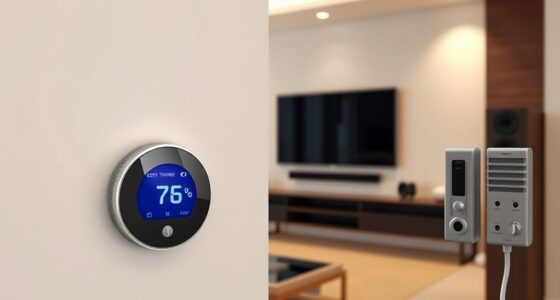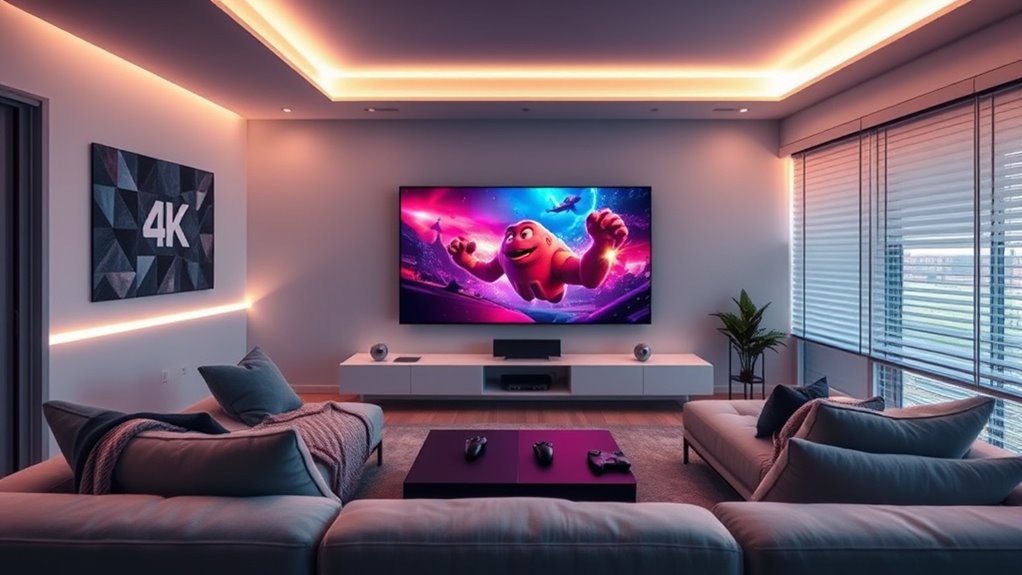

Creating automated scenes for movie night and gaming makes your entertainment setups easy and immersive. You can program your lights to dim and set the perfect color, activate your sound system, and turn on your TV with a simple voice command or tap on your phone. These scenes save time, eliminate manual adjustments, and create the ideal environment instantly. Keep exploring how to customize your scenes further and make your entertainment experience even more seamless.

Get business pricing on your home office setup
- Business-only prices and quantity discounts
- Tax-exempt purchasing
- Multiple users, one account, clear invoices
Key Takeaways
- Program lighting to warm, dim settings for movie nights or dynamic colors for gaming to enhance mood and immersion.
- Use smart home platforms to create and customize scenes with specific device configurations for each activity.
- Integrate voice commands to activate scenes instantly, such as “Start movie night” or “Begin gaming session.”
- Automate multiple devices—TV, lights, sound systems—into single scenes for seamless setup and transition.
- Continuously refine scenes by adjusting device settings and adding new effects to match evolving entertainment preferences.

Setting up automated scenes for movie night and gaming can transform your entertainment experience into something seamless and immersive. Instead of manually adjusting your lights, sound, and devices each time you want to settle in, you can create customized scenes that activate with a simple voice command or a tap on your smartphone. Voice control makes this process effortless, allowing you to initiate your preferred scene without interrupting your activity. Imagine saying, “Hey smart home, start movie night,” and watching your lights dim to the perfect level, your TV switch to your favorite input, and your sound system set to the ideal volume. These voice-activated scenes streamline your setup, making it quick and effortless to get into the right mood for movies or gaming.
Lighting scenes are a critical part of creating an immersive environment. You can program your smart lights to adjust to specific colors and brightness levels that complement your activity. For movie night, soft, warm lighting can mimic the cozy atmosphere of a theater, reducing glare and enhancing the picture quality on your screen. For gaming, you might prefer dynamic lighting scenes that change colors and intensity based on in-game action, heightening your excitement and focus. These lighting scenes can be triggered automatically when you start a movie or game, or activated through voice commands. The ability to customize lighting scenes gives you control over your space, making every viewing or gaming session feel tailored to your mood. Additionally, understanding smart home automation principles can help you optimize these scenes for maximum convenience and performance.
Integrating automated scenes into your home setup also means you can combine multiple devices into a single command. For example, a single voice instruction can turn on your smart TV, adjust the lighting to your preferred scene, and start your gaming console or streaming service. This level of automation removes the hassle of juggling multiple remotes or manually configuring each device. Plus, setting up these scenes is straightforward with most smart home platforms; you just need to define your desired settings for each scene and link them to voice commands or app controls. Over time, you can refine these scenes, adding new lighting colors, sound effects, or device configurations to suit your evolving entertainment preferences.
Frequently Asked Questions
How Do I Integrate Multiple Smart Devices Into a Single Scene?
You can integrate multiple smart devices into a single scene by using a compatible smart home hub or app that supports device compatibility. First, guarantee all your devices work with the same platform. Then, customize your scene by selecting and grouping devices like lights, speakers, and TVs. Save the scene, and with a tap or voice command, enjoy seamless control, making your setup perfect for movie nights or gaming sessions.
Can I Customize Scenes for Different Types of Movies or Games?
You can absolutely customize scenes for different movies or games. With custom scene options, you tailor settings like lighting, sound, and device configurations to match each experience. Imagine watching a horror flick with dim, eerie lighting and suspenseful music, then switching to an action game with bright lights and powerful sound effects—all at your command. Your smart system adapts seamlessly, creating movie-specific settings that elevate your entertainment.
What Security Measures Should I Consider When Automating Home Entertainment?
When automating your home entertainment, prioritize security by addressing privacy concerns and ensuring device compatibility. Use strong, unique passwords for your smart devices, and keep firmware updated to prevent vulnerabilities. Limit access to your automation system, and consider network segmentation to isolate entertainment devices from sensitive data. Regularly review privacy settings, and choose compatible devices that support secure protocols, so your setup stays safe without sacrificing convenience.
How Do I Troubleshoot Connectivity Issues With Automated Scenes?
Imagine your scene suddenly stalls, leaving you puzzled. To troubleshoot connectivity issues, start with network diagnostics—check your Wi-Fi signal strength and verify your devices are within range. Next, update device firmware to fix bugs and improve compatibility. If problems persist, restart your router and devices. These steps can reveal hidden issues, restoring seamless automation and keeping your movie night or gaming session uninterrupted.
Is There a Way to Automate Scene Activation Based on Voice Commands?
Yes, you can automate scene activation with voice command integration. Set up automation triggers within your smart home system that respond to specific voice commands. For example, saying “Movie time” can trigger your scene to dim the lights, close the blinds, and turn on your TV. Make sure your voice assistant is properly linked to your automation platform, and customize your commands for seamless scene activation whenever you want.
Conclusion
Now that you’ve set up automated scenes for movie night and gaming, your space becomes a trusty sidekick, ready to set the mood with a simple tap or voice command. Imagine your home transforming effortlessly, like a well-rehearsed symphony, into the perfect environment for relaxation or excitement. With these smart scenes, you’ll enjoy more time unwinding and less time fiddling, turning your entertainment nights into seamless adventures—because a smarter home makes for happier you.
Fall Picks
fall essentials
As an affiliate, we earn on qualifying purchases.