
“4K supported” often just means a device can handle 4K signals, not that it displays true 4K resolution. It may upscale lower-resolution content or only be compatible with 4K input without offering native 4K quality. Many labels are misleading because there’s no standard certification, making it tricky to distinguish real 4K from supported or upscaled content. To avoid confusion, it’s important to understand what true 4K actually involves—and there’s more to know if you want to get the best quality.
Key Takeaways
- “4K supported” often means compatibility, not actual native 4K resolution.
- Many devices claim 4K support but operate at lower resolutions or use upscaling.
- Lack of standardized certification leads to misleading labels and regional inconsistencies.
- True 4K requires a resolution of 3840 x 2160 pixels, which not all “4K supported” devices deliver.
- Upscaling lower-resolution content creates the illusion of 4K without genuine pixel-for-pixel detail.

Epson Home Cinema 2350 4K PRO-UHD Smart Gaming Projector with Android TV, 3-Chip 3LCD, HDR10, HLG, 2,800 Lumens, Low Latency, 10 W Speaker, Bluetooth, Streaming Capability
4K PRO-UHD (1) — An amazing 4K experience utilizing advanced processing for resolution enhancement, color and image processing;...
As an affiliate, we earn on qualifying purchases.
What Does “4K Supported” Actually Mean?

When a device or display claims to be “4K supported,” it doesn’t necessarily mean it delivers true 4K resolution. Instead, it might only support a resolution close to 4K, which can affect your viewing experience. Color accuracy is also essential; a device labeled “4K supported” may not reproduce colors faithfully, impacting image quality. Additionally, refresh rate plays a role in smooth motion, especially during fast-paced scenes. Some devices claim 4K support but have low refresh rates, causing motion blur or choppiness. Basically, “4K supported” often indicates compatibility rather than actual native 4K resolution or high-quality performance. To truly enjoy 4K content, look beyond the label and consider true resolution, color fidelity, and refresh rate specifications. Moreover, understanding the contrast ratio is vital for assessing overall image quality, especially in dark scenes. Recognizing the native resolution of a display can help set realistic expectations for your viewing experience. A resolution standard defines the specific parameters for what constitutes true 4K, and being familiar with these standards can help you make informed choices. Being aware of industry terms can also guide you in making informed choices about device capabilities. A clear understanding of these industry terms helps ensure you’re getting the quality you expect.

BenQ W4100i 4K HDR Smart Home Theater Projector, 3200 Lumens, 100% DCI-P3, Rec.709, Factory-Calibrated, Android TV with Netflix, 4-Way Lens Shift, HDR10+ & HLG Support, LED Long Lifespan
PROJECTOR-OPTIMIZED TRUE 4K UHD and HDR: HDR-PRO technology exclusive Local Contrast Enhancer and Tone Mapping for perfect details...
As an affiliate, we earn on qualifying purchases.
Is “4K Supported” the Same as Native 4K Resolution?
Many devices labeled as “4K supported” don’t actually have native 4K resolution. Instead, they often use marketing tactics to suggest higher quality, but the resolution clarity isn’t true 4K. Native 4K resolution means the display has 3840 x 2160 pixels, providing sharp, detailed images. When a device isn’t truly 4K, it may upscale lower resolutions, which can degrade picture quality. Additionally, electric dirt bikes demonstrate the importance of understanding the true specifications behind claims, as features like horsepower or speed are often exaggerated or misunderstood. Remember:
- “4K supported” can mean different things across brands
- Many devices use upscaling, not true 4K
- Resolution clarity diminishes without native 4K pixels
- Marketing tactics often oversell capabilities
- Always check the actual resolution specs before buying
Understanding how upscaling technology works helps you better assess whether a device truly meets your resolution expectations. It’s also helpful to consider display calibration settings, as they can impact perceived image quality even on true 4K displays. Being aware of display resolution distinctions allows consumers to make more informed choices and avoid misconceptions about picture quality.

1500 ANSI Official Licensed Google TV Smart Projector, HAPPRUN 4K Full HD Home Theater with Auto Focus, Dolby Sound, Wi-Fi Bluetooth, Built-in Apps, Compatible with Phone & PC, Indoor & Outdoor Use
[ Built-in Officially Licensed Google TV ]-Enjoy the reliability of an officially certified Google TV projector. Stream Netflix,...
As an affiliate, we earn on qualifying purchases.
How Do Devices Handle 4K Signals Without True 4K Displays?
When your device receives a 4K signal, it often uses compression techniques to reduce the data size for transmission. If the display isn’t true 4K, the device might downscale or upscale the image to fit the screen. Understanding these processes helps clarify how devices handle 4K content without genuine 4K resolution. Additionally, compression techniques can impact the overall image quality and clarity. To optimize viewing, some devices incorporate upscaling algorithms that attempt to enhance lower-resolution images to appear closer to 4K quality.
Signal Compression Techniques
Devices that support 4K signals often rely on advanced compression techniques to deliver high-resolution content without requiring true 4K displays. These methods reduce data size while maintaining visual quality, but often involve compromises in color depth and HDR standards. Compression algorithms like HEVC or AV1 analyze and encode video data to optimize bandwidth. This process can lead to slight reductions in detail or color accuracy, especially if the compression is aggressive. Understanding these techniques helps you realize why the image might not match true 4K quality.
- Lossy compression impacts color depth and detail
- HDR standards may be downgraded during compression
- Bitrate adjustments affect overall image quality
- Chroma subsampling reduces color information
- Compression artifacts can appear in fast-moving scenes
Downscaling and Upscaling
Even if your display isn’t true 4K, your device can still process 4K signals by employing downscaling and upscaling techniques. Downscaling reduces higher-resolution images to fit a lower-resolution screen, which can impact color accuracy, making images appear less sharp or vibrant. Conversely, upscaling enlarges lower-resolution content to match a 4K display, often adding algorithms to preserve detail and color fidelity. These processes rely on hardware compatibility, ensuring your device handles different resolutions smoothly. While they help deliver a 4K-like experience, they don’t replace true 4K displays, and visual quality may vary. Understanding how these techniques work can help you better evaluate what “4K supported” really means for your viewing experience. Additionally, mythology-inspired names can symbolize strength and wisdom in branding or product naming, adding a layer of powerful meaning.

Official Licensed Google TV Smart Projector, HAPPRUN 4K UHD Home Theater with Dolby Sound, Wi-Fi & Bluetooth, Built-in Streaming Apps, Compatible with Games Consoles & Smartphone, Indoor & Outdoor Use
[ Built-in Official Licensed Google TV ] - Without additional equipment, the smart projector can directly access Netflix,...
As an affiliate, we earn on qualifying purchases.
Common Myths About “4K Supported” Labels
Many devices claim to support “4K,” but their certification standards are often vague or inconsistent. You might see a label that suggests full 4K support, yet the actual resolution limits are much lower. It’s important to understand what these labels really mean before trusting them. Some labels may also refer to Free Floating capabilities, which do not necessarily guarantee true 4K resolution. Additionally, understanding how device specifications are tested can help consumers better evaluate the authenticity of the “4K Supported” claim. Recognizing regional differences, such as those seen across the fifty states, can also influence the standards and certifications used in different markets. Being aware of certification standards can further clarify what a “4K Supported” label truly signifies. Moreover, testing procedures can vary significantly between manufacturers, further complicating straightforward assessments of support claims.
Vague Certification Standards
While a “4K supported” label might suggest full compatibility with the latest resolution standards, the certification standards behind these labels are often vague and inconsistent. Industry standards vary between manufacturers and regions, leading to certification ambiguity. This means that just because a device bears a “4K supported” badge, it doesn’t guarantee true 4K performance or quality. You might encounter products that meet minimal criteria or use outdated benchmarks. Additionally, without clear testing procedures, some products may only claim 4K support without delivering it in real-world scenarios.
Actual Resolution Limits
Just because a device claims to support 4K doesn’t mean it actually displays or processes true 4K resolution. Many devices have limitations in their image resolution, often falling short of the full 3840 x 2160 pixels that define true 4K. Sometimes, they upscale lower-resolution content, giving the illusion of 4K without real pixel accuracy. Additionally, aspect ratio plays a vital role; some screens may support 4K labels but maintain different aspect ratios, resulting in stretched or letterboxed images that don’t utilize the full resolution. This means the content you see might not be as sharp or detailed as genuine 4K, undermining the label’s promise. Always check the actual image resolution and aspect ratio support before trusting a “4K supported” claim.
Why Is Native 4K Resolution Better Than Just Supported?
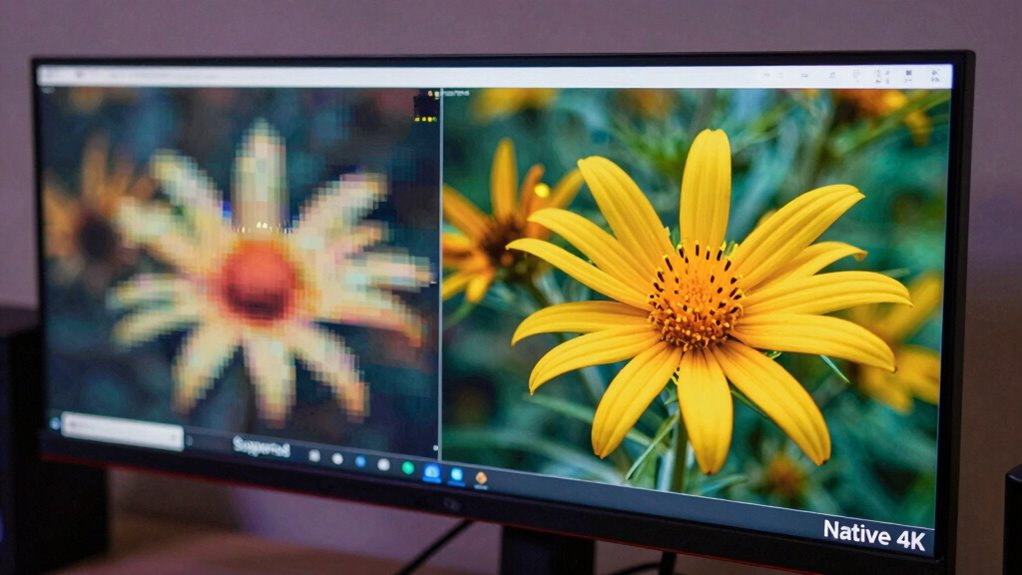
Native 4K resolution provides a true, pixel-for-pixel display of the content, ensuring the image is as detailed and sharp as possible. When your device displays native 4K, you get consistent video quality and ideal clarity, without relying on upscaling or digital tricks. Supported 4K, on the other hand, often involves lower actual resolution, which can degrade image sharpness and detail. Native 4K also requires higher bandwidth, but it guarantees the full resolution is delivered without compression artifacts. This results in a more immersive viewing experience. Additionally, style differences between true and supported 4K can significantly impact the overall visual quality.
How Can You Tell if Your Device Displays True 4K?
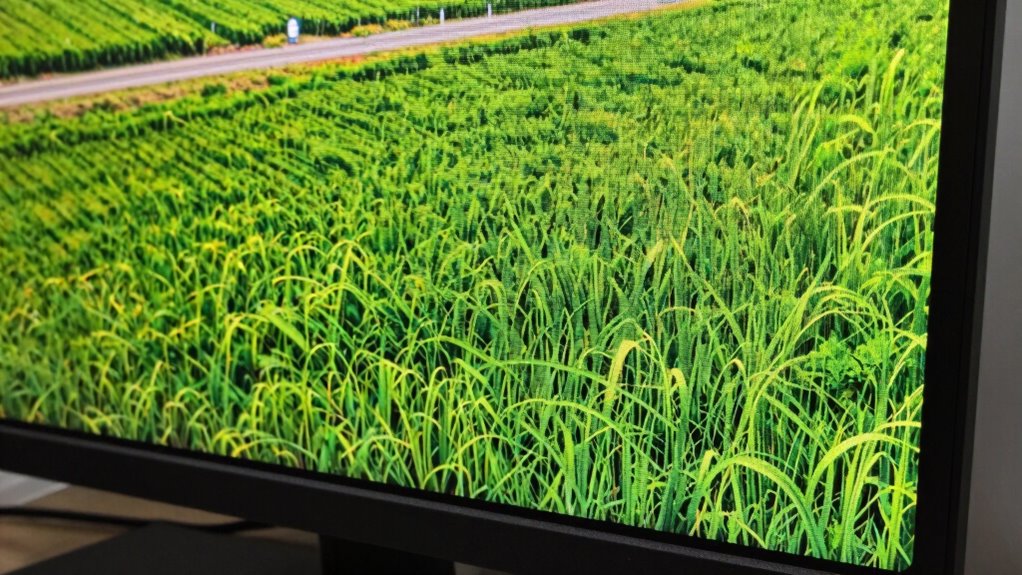
To determine if your device truly displays 4K resolution, you need to look beyond marketing labels and check the actual image quality. Focus on resolution clarity—can you see fine details clearly? True 4K offers sharp, crisp images with high pixel density, meaning more pixels per inch, which enhances overall detail. One way to test this is by viewing a high-resolution image or video, preferably with fine text or intricate patterns. If the text appears sharp and the details are crisp without blurring, your display likely supports genuine 4K. Also, check your device specifications or settings to confirm the native resolution. Remember, a true 4K display maintains high resolution clarity across the entire screen, not just in specific areas. Additionally, understanding pixel density can help you better assess the quality of your display. To accurately judge display quality, consider viewing content that challenges the resolution and detail capabilities of your device. Evaluating image sharpness can further assist in distinguishing true 4K displays from lower-resolution screens. Moreover, screen calibration plays a role in ensuring that what you see accurately reflects the display’s capabilities. Being aware of visual artifacts can also help identify if a display is genuinely 4K or if compression or other issues are affecting image clarity.
Should You Prioritize Native 4K When Choosing a Display?
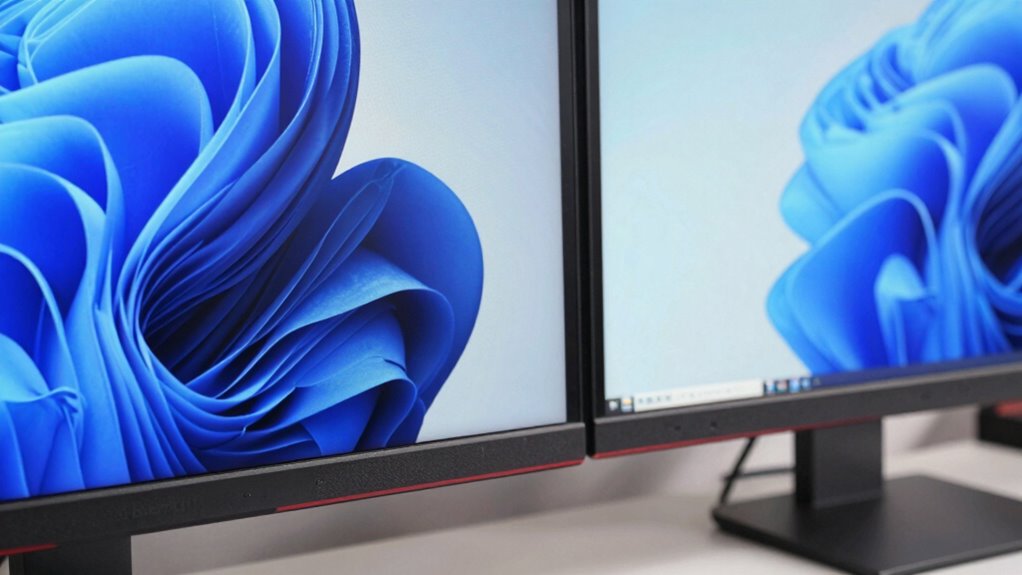
While a higher resolution might seem like the obvious choice, prioritizing native 4K isn’t always necessary for a satisfying viewing experience. Focusing solely on native 4K can overlook other vital factors like content quality and technical accuracy. Many modern displays upscale lower resolutions effectively, providing good image quality without true 4K. When choosing a display, consider these points:
- Color accuracy and contrast often matter more than resolution alone
- Upscaling technology can improve non-4K content to look sharper
- Screen size and viewing distance influence perceived sharpness
- HDR support enhances overall picture quality
- Panel quality impacts color, black levels, and longevity
Prioritizing native 4K isn’t the only way to ensure great content quality; other features can deliver a better viewing experience.
Final Tips: Making Sure You Get Genuine 4K Quality

Ensuring you get genuine 4K quality requires careful attention to detail and verification. Start by checking your display calibration—accurate color, brightness, and contrast settings help reveal true 4K clarity. Avoid relying solely on marketing labels; instead, verify the resolution settings directly on your device or through trusted sources. Content optimization also matters; streaming services often compress videos, so look for sources that offer true 4K streams with high bitrate. Use native 4K content whenever possible, and watch out for upscaled videos that may look similar but lack genuine 4K detail. Regularly update your display’s firmware and calibration settings to maintain superior quality. These steps ensure you’re truly experiencing the crispness and depth that genuine 4K offers.
Frequently Asked Questions
Can a Device Support 4K Without Having a 4K Display?
Yes, a device can support 4K without having a 4K display. You might enjoy 4K content on a lower-resolution screen, but your display’s compatibility limits the viewing experience. Keep in mind, content limitations also come into play; if your device’s output isn’t tailored for 4K, you won’t see the full quality. So, while support exists, actual display compatibility and content quality determine your real 4K experience.
Do All “4k Supported” Devices Deliver the Same Quality?
Not all “4K supported” devices deliver the same quality because content consistency varies, and brand reliability plays a big role. Some devices upscale lower-resolution content, which can look less sharp, while others provide true 4K playback. You’ll notice differences in picture clarity, color accuracy, and motion handling. To get the best experience, choose reputable brands known for consistent 4K support and quality, ensuring your viewing matches the promised resolution.
How Does Upscaling Affect Perceived 4K Quality?
Imagine you’re in the 80s, dreaming of holograms—upscaling uses resolution enhancement and pixel interpolation to improve perceived 4K quality. It sharpens images, filling in missing details, but it can’t match true 4K clarity. So, while upscaling makes your content look better on lower-resolution screens, it’s still a simulation—your eyes won’t get the full crispness of real 4K, just a convincing illusion.
Are There Specific Certifications for Genuine 4K Support?
Yes, there are specific certifications for genuine 4K support. Look for certification standards like UHD Premium or HDMI licensing requirements, which verify the device meets strict resolution, color, and HDR criteria. These certifications guarantee your device adheres to licensing requirements, providing authentic 4K quality. Always check for official logos or labels from recognized organizations to confirm your device’s compliance and avoid misleading “4K supported” claims.
What Impact Does HDMI Version Have on “4k Supported” Devices?
The HDMI version directly impacts a device’s “4K supported” capabilities by determining HDMI bandwidth and compatibility standards. If your device uses an older HDMI version, like 1.4, it might not handle higher resolutions or refresh rates, limiting true 4K performance. Upgrading to HDMI 2.0 or higher guarantees enough bandwidth for smooth 4K at 60Hz, making your device genuinely capable of supporting advanced 4K content.
Conclusion
So, next time you see “4K supported,” ask yourself—are you truly getting the crisp, detailed picture you expect? Don’t settle for a blurry approximation when genuine 4K can elevate your viewing experience. By understanding what to look for, you guarantee your device delivers the true clarity you deserve. After all, isn’t your entertainment worth seeing in its finest, most detailed form? Make sure you’re not just supported—make sure you’re truly seeing 4K.