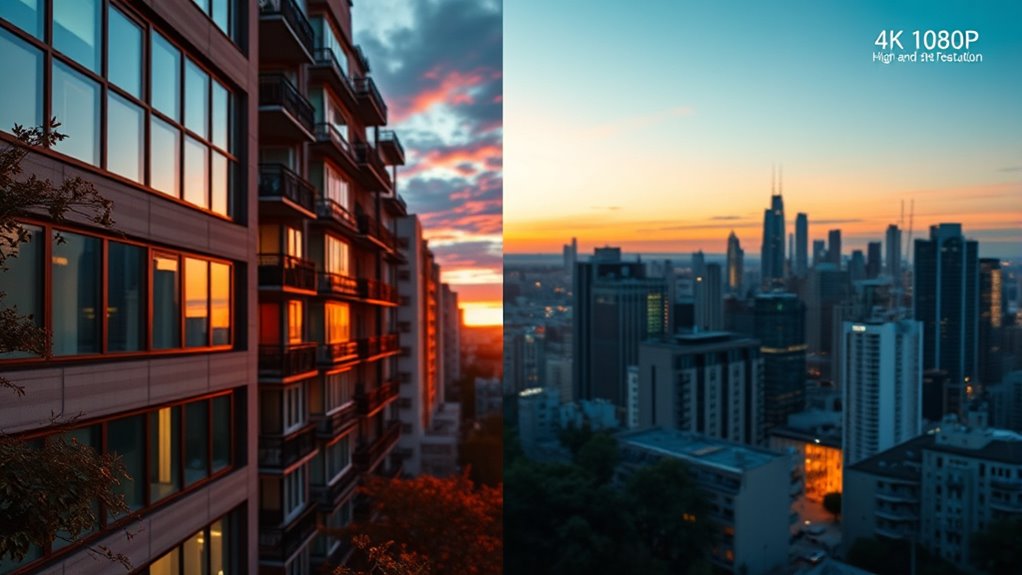

Advanced 4K offers more pixels, higher pixel density, and better color accuracy than 1080P, making images sharper and more vibrant. It also supports HDR and wider color ranges, creating a more lifelike experience. However, your setup and content availability matter—4K needs powerful hardware and compatible streams. If you want to understand how these details impact your viewing, there’s more to explore about what truly makes 4K stand out for professionals.
Key Takeaways
- 4K offers higher resolution and pixel density, revealing more fine textures and vibrant colors compared to 1080P.
- Larger screens and close viewing distances benefit more from 4K for sharper, clearer images.
- Content availability and hardware compatibility are often more limited for 4K due to licensing and processing requirements.
- HDR and higher bit depth in 4K provide richer colors and better contrast than standard 1080P displays.
- Optimal viewing experience depends on matching resolution to screen size, viewing distance, and hardware capabilities.
Understanding Resolution: The Basics of 4K and 1080P

Understanding resolution is key to grasping the differences between 4K and 1080P. Resolution impacts not just sharpness but also how accurately colors appear on your screen. Higher resolutions like 4K typically deliver better color accuracy because they offer more pixels to display subtle color variations, making images look more vibrant and true-to-life. Screen refresh rates also play a role in your viewing experience, especially during fast-moving scenes; higher refresh rates reduce motion blur and provide smoother visuals. While 1080P has fewer pixels, it can still offer impressive color fidelity if your display supports good color accuracy and high refresh rates. Knowing these basics helps you understand what to look for when choosing a display, beyond just pixel count.
The Impact of Pixel Count on Image Sharpness and Detail

You’ll notice that higher pixel density results in sharper, clearer images with more detail. When the pixel count increases, fine textures and subtle nuances become more visible. This means your viewing experience improves as the image quality becomes more lifelike and precise. Additionally, understanding visual and auditory elements can help you appreciate how immersive soundscapes complement high-resolution visuals. For example, selecting appropriate display settings can maximize the benefits of increased pixel counts, allowing you to enjoy stunning clarity and depth. Ensuring your appliances connection setup can enhance how your devices display and reproduce these detailed images and sounds, ensuring an optimal entertainment environment. Moreover, proper maintenance and troubleshooting of your equipment can help maintain consistent performance and image quality over time.
Pixel Density and Clarity
Pixel density directly affects how sharp and detailed an image appears on your screen. Higher pixel density means more pixels per inch, which enhances image clarity and reduces blurriness. When comparing 4K and 1080P displays, the greater pixel density of 4K provides crisper visuals, especially on larger screens. To understand this better:
- Increased pixel density improves the perceived sharpness of images.
- It minimizes pixelation, making details stand out.
- Higher pixel density enhances color accuracy and depth.
- The overall experience becomes more immersive with better image clarity.
- Additionally, the increased pixel density can influence visual perception, making images appear more lifelike and engaging. This improvement in pixel quality is a key reason why 4K displays often deliver a noticeably superior viewing experience compared to 1080P screens. The resolution also plays a crucial role in defining how detailed and authentic the images seem.
Fine Detail Resolution
The total number of pixels in a display directly influences how much fine detail your eyes can perceive. With higher pixel counts, like 4K, you gain sharper images that reveal subtle textures and intricate details. This improvement enhances color accuracy, making images look more vibrant and true to life. Additionally, finer detail resolution benefits viewing angles, as details remain clear and consistent even when you’re not directly in front of the screen. Higher pixel density ensures that images maintain their sharpness across different viewing positions. In contrast, lower resolutions like 1080p may lose clarity at wider angles, reducing the perceived sharpness. Overall, increased pixel count helps you see more precise details, better color fidelity, and consistent image quality regardless of your viewing position, making it essential for an immersive and accurate viewing experience. Supporting natural materials in display construction can also contribute to better visual quality and environmental sustainability. Incorporating advanced pixel technology can further optimize display performance and longevity. Paying attention to display calibration can also significantly enhance image clarity and color accuracy, especially in high-resolution screens.
Screen Size and Viewing Distance: When Resolution Matters Most

When choosing between 4K and 1080P screens, the size of your display and how close you sit to it play crucial roles in determining which resolution offers the best experience. Larger screens demand higher resolution to maintain sharpness, especially when you’re close. If you sit farther away, the difference between resolutions becomes less noticeable. Consider these points:
- For screens over 65 inches, 4K enhances detail at close viewing distances.
- When sitting within 4-6 feet of a 55-inch screen, 4K prevents pixelation.
- For smaller screens under 50 inches, 1080P may suffice from typical viewing distances.
- Adjust viewing distance based on screen size to optimize clarity and avoid seeing pixel structure.
Matching screen size and viewing distance ensures you get the most out of your resolution choice.
Content Availability and Compatibility for 4K and 1080P

You might find that not all your devices support 4K playback, which can limit your options for enjoying high-resolution content. Additionally, 4K content isn’t as widely available as 1080P, especially on older platforms or streaming services. This means you’ll need to check compatibility and content selection before upgrading your setup. For optimal performance, consider the content availability and compatibility of your devices and sources. Being aware of resolution standards can help you make more informed decisions about your viewing options. Also, keep in mind that hardware limitations may affect the overall viewing experience when choosing between 4K and 1080P. Moreover, understanding the essential specifications of your hardware can ensure you get the best possible quality from your setup.
Device Compatibility Range
While 4K content offers stunning detail, its compatibility depends on your devices’ capabilities, making it less universally accessible than 1080P. Your device compatibility hinges on hardware and software support, which varies widely. For ideal 4K playback, your device needs:
- A 4K-capable display
- Compatible graphics hardware
- Updated software support for 4K streaming or playback
- Adequate processing power
Older devices or budget models may not support 4K, limiting your options. Conversely, 1080P tends to have broader device compatibility due to lower hardware requirements. This means you’re more likely to find software support across a wider range of devices, from smartphones to budget TVs. Additionally, display technology influences how well 4K content performs on your device, affecting overall viewing quality. Understanding these factors helps you choose devices that maximize your viewing experience without compatibility issues, especially if you prefer a cost-effective setup.
Content Availability Limitations
Content availability for 4K and 1080P varies considerably, affecting how easily you can access your preferred videos. Content licensing plays a significant role, determining which videos are offered in each resolution and on which platforms. Some content may only be available in 1080P due to licensing agreements, limiting your options for higher-quality streams. Regional restrictions further complicate access, as licensing rights differ across countries. You might find certain 4K content blocked or unavailable outside specific regions, forcing you to rely on 1080P versions instead. These limitations mean that even if your device supports 4K, you may not always find the content you want in that resolution. Understanding these restrictions helps you set realistic expectations about what’s accessible in both 4K and 1080P.
Color Depth and HDR: Enhancing Visual Quality Beyond Resolution

Color depth and HDR substantially boost visual quality beyond just resolution by enriching the range of colors and contrast you see on screen. Higher bit depth allows for more precise color gradations, reducing banding and creating smoother images. HDR enhancements amplify contrast and brightness, revealing details in both shadows and highlights that standard displays can’t show. By increasing bit depth, you get richer, more nuanced colors; with HDR, you experience a more dynamic picture. Additionally, understanding visual perception can help you appreciate how these enhancements create a more immersive viewing experience. Consider these key points: 1. Higher bit depth (e.g., 10-bit vs. 8-bit) enables more color shades. 2. HDR improves contrast, making images appear more lifelike. 3. HDR enhancements highlight details in dark and bright areas. 4. Together, they create a more immersive and visually stunning experience. Moreover, advancements like on-device AI capabilities are paving the way for smarter display technology that adapts content in real-time for even better visual quality. For example, color processing algorithms are increasingly sophisticated, allowing displays to optimize visuals dynamically for enhanced clarity and realism. Incorporating color calibration techniques can further refine the display output, making sure colors stay true to the original content.
Hardware Requirements and Performance Considerations

To enjoy 4K or 1080P content at its best, your hardware needs to be up to the task. Powerful graphics cards are essential for smooth playback, especially at higher resolutions like 4K. You might need hardware upgrades if your current setup struggles with frame rates or image quality. Consider the following:
| Resolution | Recommended GPU | Hardware Upgrades Needed |
|---|---|---|
| 1080P | Mid-range GPU | None or minor upgrades |
| 1440P | High-end GPU | Major GPU upgrade |
| 4K | Top-tier GPU | Significant hardware upgrade |
Choosing the right hardware guarantees you avoid lag, stuttering, and poor visuals, making your viewing experience seamless and immersive.
The Role of Compression and Streaming Quality

Since compression and streaming quality directly impact how clear and smooth your viewing experience is, understanding their roles is essential. Video compression reduces file sizes, enabling faster streaming without sacrificing too much detail. Streaming quality depends on how well this compression balances clarity and bandwidth. To optimize your experience, consider these key points:
Understanding compression and streaming quality helps improve your viewing clarity and smoothness.
- Efficient video compression minimizes data without losing critical details.
- Higher streaming quality requires better bandwidth and stable connections.
- Over-compression can cause pixelation and blurriness, especially in 4K.
- Streaming services adjust video quality dynamically based on your network speed.
Future Trends: Why 4K Is Becoming the Standard
Advancements in compression technology and improvements in streaming infrastructure are making 4K increasingly accessible and appealing to viewers. As technology evolves, resolution differences between 4K and 1080P become more noticeable, especially on larger screens. This trend indicates that 4K is poised to become the standard for both content creators and consumers. The evolution in streaming services and hardware supports higher resolutions, reducing buffering and enhancing picture quality. To understand this shift better, consider the factors below:
| Factor | Impact |
|---|---|
| Resolution Differences | Clearer, sharper images on larger screens |
| Technology Evolution | Faster streaming, better compression, increased accessibility |
| Consumer Expectations | Higher demand for quality and immersive viewing experiences |
Frequently Asked Questions
How Does 4K Impact Gaming Performance and Latency?
Playing in 4K can increase gaming latency if your hardware isn’t up to par, leading to potential lag and slower response times. Higher resolution demands more from your GPU and CPU, which can create hardware bottlenecks. To maintain smooth performance, verify your hardware can handle 4K gaming, or you might experience decreased performance and increased latency, affecting your overall gaming experience. Upgrading your components helps mitigate these issues.
Can Older Devices Support 4K Content Without Upgrades?
While your older device might seem like it’s holding up fine, supporting 4K content usually requires newer hardware. Device compatibility can be a bit finicky due to hardware limitations, meaning some older gadgets may struggle or simply can’t handle the higher resolution without upgrades. To enjoy 4K content smoothly, consider upgrading your device or checking if it meets the necessary specifications, preventing frustration and ensuring the best viewing experience.
What Are the Environmental Impacts of 4K Vs 1080P Production?
You should know that 4K production has higher environmental impacts than 1080p, mainly due to increased energy consumption and material waste. Creating 4K content requires more powerful equipment, larger storage, and more processing power, which all use more energy. Additionally, higher-quality devices and larger storage media generate more waste over time. So, if reducing environmental impact matters, sticking with 1080p can be a more eco-friendly choice.
How Do Different Display Technologies Affect Perceived Resolution Quality?
Imagine the gentle glow of your screen, where display technology shapes your viewing experience. Different display types, like OLED or LCD, influence perceived sharpness, making images appear crisper or softer. You’ll notice that high-quality display tech enhances perceived resolution quality, even if the actual resolution stays the same. Your choice of display technology can evoke a sense of immersion, making your content look stunning and vivid, elevating your entire viewing pleasure.
Is 4K More Energy-Consuming Than 1080P During Use?
Yes, 4K displays generally use more energy than 1080p screens during use. This is because 4K screens have more pixels, which require more power to drive. However, newer models often include power-efficient technology that helps reduce energy consumption. If power efficiency matters to you, look for 4K monitors with advanced energy-saving features, as they can help balance high resolution with lower energy use.
Conclusion
Understanding the differences between 4K and 1080p helps you make smarter viewing choices. Did you know that by 2025, over 80% of streaming content is expected to be 4K? This shows how quickly 4K is becoming the new standard, offering sharper images and better overall quality. So, whether you’re upgrading your setup or just curious, knowing these details helps you stay ahead in the evolving world of screen technology.