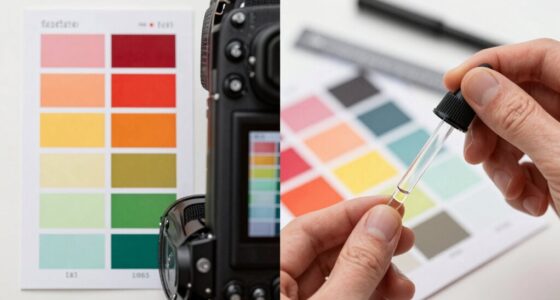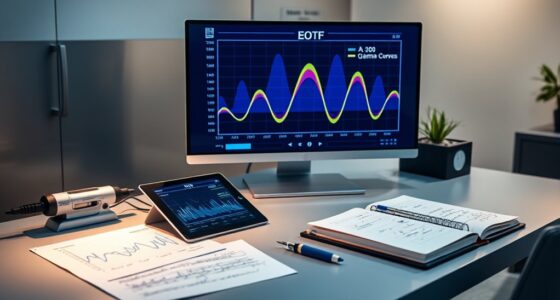

Motion interpolation can make videos look smoother and more lifelike by filling in extra frames, improving clarity during fast scenes like sports or action movies. However, it can also introduce artifacts such as ghosting or the “soap opera effect,” which may feel unnatural. When used properly, it enhances your viewing experience without losing the original quality. Keep exploring to discover how to optimize settings and avoid common pitfalls for the best results.

Get business pricing on your home office setup
- Business-only prices and quantity discounts
- Tax-exempt purchasing
- Multiple users, one account, clear invoices
Key Takeaways
- Motion interpolation creates smoother video playback by inserting extra frames, improving fluidity in fast-moving scenes.
- It can cause the soap-opera effect, making motion appear artificial and less natural.
- Proper adjustment of interpolation settings balances smoothness and avoids artifacts like ghosting or blurring.
- AI advancements enhance algorithms to reduce artifacts and improve natural motion reproduction.
- Compatibility with native formats and regular software updates ensure seamless, high-quality interpolation performance.
Understanding What Motion Interpolation Is

Motion interpolation is a technique used to make fast-moving scenes appear smoother on your TV or monitor. It works by creating additional frames between the original ones, enhancing the fluidity of motion. This process interacts with display technology by adjusting the refresh rate and inserting these extra frames, which can sometimes cause a soap-opera effect. Video compression plays a role here, as it reduces data to stream content efficiently, but it can also introduce artifacts that affect how motion interpolation appears. By understanding how display technology and video compression work together, you can better grasp why motion interpolation can improve clarity in fast scenes. Additionally, AI advancements have contributed to developing more sophisticated motion interpolation algorithms that aim to minimize these artifacts and unnatural effects. These developments help in reducing the soap-opera effect, making motion smoother without compromising image quality. Furthermore, ongoing research in display calibration techniques helps optimize the balance between smoothness and natural appearance. Incorporating personalized settings can further enhance viewing experiences by tailoring motion smoothing to individual preferences.
The Benefits of Smoother Video Playback

When fast-moving scenes lack smoothness, viewers often experience a choppy or jittery image that can detract from the overall viewing experience. Motion interpolation helps deliver smoother video playback, reducing issues like frame skipping that cause stuttering. By inserting intermediate frames, it creates a more fluid motion, making action scenes and fast pans look more natural. This reduces video artifacting, such as tearing or blurring, which can occur during rapid movements. As a result, your viewing becomes more immersive and less distracting. Smoother playback enhances the clarity of motion, allowing you to follow fast-paced sequences effortlessly. Whether watching sports, action movies, or gaming content, motion interpolation offers a significant benefit by providing a seamless visual experience that keeps you engaged. Community-driven innovations in video technology continue to refine these techniques, making smoother playback more accessible and reliable for viewers everywhere. Additionally, ongoing advancements in video processing hardware have contributed to more effective and affordable solutions for consumers, further improving the overall image quality. The integration of AI in entertainment is also playing a role in optimizing these enhancements and personalizing viewing experiences. Moreover, understanding regional video standards can help ensure compatibility and optimal performance of these technologies across different devices and locations.
When Motion Interpolation Enhances Cinematic Quality

Motion interpolation can make fast action scenes feel more fluid, capturing every detail clearly. When used thoughtfully, it helps preserve the director’s original vision for dynamic sequences. Understanding when it’s beneficial can improve your viewing experience considerably.
Smoother Action Sequences
Smoother action sequences can substantially enhance cinematic quality when motion interpolation is used effectively. By improving frame rate conversion, fast-paced scenes appear more fluid and engaging. This technique reduces choppiness, making action more immersive. However, be aware of ghosting effects, which can occur if the interpolation isn’t seamless, causing distracting trails or artifacts. To understand how motion interpolation impacts your viewing experience, consider this:
| Effect | Benefit |
|---|---|
| Smoother motion | Enhances realism and clarity |
| Ghosting effects | Can distract from the scene |
| Frame rate conversion | Creates seamless transitions |
Balancing these elements helps you enjoy smoother action sequences without compromising cinematic quality. Additionally, selecting the right top mattress toppers can improve overall viewing comfort during long movie sessions. For those interested in customizing their viewing experience further, understanding the motion interpolation settings on your device can help optimize performance.
Preserving Director’s Vision
While motion interpolation can improve the visual fluidity of fast-paced scenes, it’s essential to contemplate the director’s original intent. When used thoughtfully, it can preserve the cinematic essence by maintaining proper color grading and ensuring accurate audio synchronization. This technique helps avoid unintended artifacts that might distort the mood or tone. To truly respect the director’s vision, consider how motion interpolation affects the overall atmosphere, especially in scenes where realism is vital.
- Maintain consistent color grading to match the creative tone
- Synchronize audio precisely to avoid dissonance
- Avoid overusing interpolation to preserve stylistic choices
- Use it selectively to enhance storytelling without compromising authenticity
Common Artifacts and How to Spot Them

Have you ever noticed strange distortions or unnatural movements in interpolated footage? These are common artifacts that can ruin the viewing experience. One telltale sign is unnatural motion, such as a “soap opera effect,” caused by excessive judder reduction. You might also see ghosting or trailing images, which indicate poor artifact detection. Sometimes, edges appear overly smooth or smeared, making scenes look artificial. Fast-moving objects can blur or leave behind artifacts that are hard to ignore. To identify these issues, watch for inconsistent frame-to-frame motion and unnatural sharpness. Recognizing these artifacts helps you decide whether motion interpolation improves your footage or needs adjustment. Being aware of common artifacts ensures you can fine-tune settings for smoother, more natural results. Additionally, understanding how digital literacy influences the perception of video quality can help you better evaluate and troubleshoot motion interpolation artifacts. Moreover, awareness of video processing techniques can assist in understanding how these artifacts are generated and how to mitigate them. A deeper understanding of Glycolic Acid benefits can also improve your approach to skin care, similar to how recognizing video artifacts enhances your visual experience. Furthermore, knowledge of Bitcoin IRA strategies can help you better manage your investments during market fluctuations.
Best Settings for Different Types of Footage

To get the best results, you need to match the frame rate of your footage, which helps motion look natural. Adjust the motion blur settings to reduce artifacts or enhance smoothness as needed. Fine-tuning the interpolation parameters guarantees your footage stays sharp and avoids unwanted artifacts, no matter the content type. For those working with footage of vehicles like the Honda Civic or Accord, understanding how vehicle dynamics influence motion can further improve interpolation quality. Additionally, being aware of the tuning options available for Hyundai models can help optimize vehicle performance and handling, which may also affect how motion interpolation appears in automotive videos. Exploring dog training guides can provide insights into movement patterns that might be useful when capturing dynamic footage of active dogs or pets. Moreover, understanding motion behavior in different scenarios can assist in selecting the most appropriate settings for various types of footage.
Match Frame Rate
Matching the frame rate of your footage is essential for achieving smooth motion interpolation results, but the best settings depend on the type of footage you’re working with. When you align your display’s frame rate with your source, you reduce judder and improve overall fluidity. This minimizes the need for excessive frame blending, which can introduce ghosting, and enhances judder reduction. For cinematic footage shot at 24 fps, matching the frame rate preserves the original aesthetic and minimizes artifacts. Sports or fast-paced scenes often benefit from higher frame rates like 60 fps for smoother motion. Adjusting your settings accordingly ensures your footage looks natural, with minimal interpolation artifacts, while maintaining sharpness and clarity. Additionally, understanding all waterparks can inspire creative ways to incorporate smooth, fluid motion into themed attractions or visual effects in multimedia projects.
Adjust Motion Blur
Wondering how to set motion blur for different types of footage? Adjusting motion blur helps create natural-looking interpolation, but improper settings can cause ghosting artifacts or unwanted frame blending. For fast-paced action scenes, increase the motion blur to smooth out rapid movements, but be cautious—too much can produce ghosting artifacts that distract viewers. For cinematic footage or slow movements, reduce the blur to maintain clarity and avoid a soft, smeared look. If you notice ghosting artifacts, lower the motion blur intensity or disable it entirely. Conversely, if frame blending makes the footage look unnatural, tweak the settings to find a balance that preserves sharpness without sacrificing smoothness. Proper adjustment guarantees your interpolation looks seamless and professional.
Fine-Tune Interpolation
Choosing the right interpolation settings depends on the type of footage you’re working with. To fine-tune your results, consider adjusting pixel interpolation and frame rate to match the scene’s motion characteristics. For fast-moving scenes, increase the frame rate to reduce artifacts and ghosting. Use lower pixel interpolation for footage with less detail to avoid unnatural smoothing. For cinematic footage, a moderate setting preserves natural motion, while high settings work better for sports or action shots. Monitoring the balance between smoothness and realism guarantees the best outcome. Remember, overly aggressive interpolation can introduce artifacts, so dial settings carefully. Fine-tuning these parameters helps you achieve natural, visually pleasing motion, no matter the footage type.
Compatibility With Editing Software and Workflow

Compatibility with editing software and workflow can considerably impact how smoothly you incorporate motion interpolation into your projects. If your software supports the necessary file compatibility, you’ll experience a seamless editing workflow, reducing delays and frustrations. Conversely, incompatible formats may force you to convert files or switch tools, disrupting your process. To visualize, consider this table:
| Software Compatibility | Workflow Impact |
|---|---|
| Supports native files | Faster editing, fewer errors |
| Requires conversions | Time-consuming, potential quality loss |
| Integrated plugins | Streamlined process |
| Limited format options | Reduced flexibility |
| Frequent updates | Maintains compatibility, smooth operation |
Ensuring your tools work together efficiently saves time and maintains the integrity of your project.
Limitations and Situations Where It Falls Short

While motion interpolation can enhance footage, it has notable limitations that can hinder its effectiveness. One major issue is frame rate conversion, which can cause inconsistent motion or choppiness in scenes with rapid movement. Ghosting artifacts are another common problem, appearing as overlapping or blurry images during fast motion, disrupting immersion. It also struggles with certain content types, like fast-paced sports or action scenes, where added frames may introduce unnatural motion. Additionally, in low-quality sources or compressed videos, interpolation can exaggerate imperfections, making them more noticeable. You might find that, despite its benefits, motion interpolation sometimes creates distracting visual artifacts or misrepresents motion, especially in complex scenes. These shortcomings highlight where the technology still has room for improvement.
Tips for Choosing the Right Motion Interpolation Tool

Selecting the right motion interpolation tool depends on understanding your specific viewing needs and the types of content you watch. If you’re sensitive to motion sickness, look for tools with adjustable settings or options to disable motion smoothing entirely. Compatibility is essential—ensure your hardware supports the feature without causing lag or artifacts. Check if your TV or monitor’s firmware offers native motion interpolation options, or if you need an external device. Consider the level of frame interpolation you prefer; some tools offer subtle enhancements, while others produce a soap opera effect. Testing different settings helps find the balance between smooth motion and natural imagery. Ultimately, choosing a tool that aligns with your hardware and comfort level provides a better viewing experience.
Real-World Examples of Effective Use Cases

Motion interpolation is widely used to improve sports broadcasts, making fast-paced action appear smoother and more engaging. It also plays a key role in creating cinematic visual effects, enhancing the overall viewing experience. Understanding these real-world applications helps you see how the technology can be effective in different contexts.
Sports Broadcast Enhancements
Sports broadcasters often rely on motion interpolation to deliver smoother and more visually engaging coverage. This technique enhances fast-paced action, making plays easier to follow. Frame blending helps create seamless motion, but it can sometimes cause ghosting artifacts that distract viewers. Effective use of motion interpolation demands balancing smoothness with clarity. For example, during fast breaks or replays, broadcasters may enable interpolation to show fluid movement without sacrificing detail. However, if not fine-tuned, ghosting artifacts may appear, obscuring the action. Understanding when and how to apply motion interpolation ensures a better viewing experience. Key considerations include adjusting settings for clarity and avoiding excessive smoothing that compromises image integrity.
- Enhances slow-motion replays
- Improves clarity of fast-paced action
- Risks ghosting artifacts with improper settings
- Requires real-time fine-tuning
Cinematic Visual Effects
Cinematic visual effects often leverage motion interpolation to create seamless and immersive scenes. Frame rate conversion allows filmmakers to deliver higher frame rates, enhancing realism and fluidity. Artificial smoothing helps blend complex CGI elements smoothly into live-action footage, reducing jarring transition. For example, when converting 24 fps film to higher frame rates like 60 fps, motion interpolation produces smoother, more lifelike motion, making scenes feel more natural. This technique is especially effective in action sequences or slow-motion shots, where clarity and fluidity are crucial. Studios use motion interpolation to enhance visual storytelling, providing viewers with a cinematic experience that feels both authentic and captivating. However, careful application is vital—overuse can lead to unnatural artifacts, diminishing the overall effect.
Future Trends and Developments in Motion Interpolation

As technology advances, motion interpolation is poised to become more sophisticated and seamlessly integrated into various display systems. You can expect AI integration to enhance motion prediction, reducing artifacts and improving image quality. Hardware advancements will lead to faster processing speeds and more efficient algorithms, making real-time interpolation smoother. Future developments may also include adaptive systems that automatically adjust settings based on content type or viewer preferences. Additionally, increased focus on reducing motion sickness and eye strain will improve user comfort. These innovations will make motion interpolation more natural and less intrusive, helping you enjoy crisp, clear visuals across all your devices. Staying ahead means embracing these trends to optimize your viewing experience and minimize drawbacks.
Frequently Asked Questions
How Does Motion Interpolation Impact Energy Consumption on Playback Devices?
Motion interpolation increases energy consumption on playback devices because it requires additional processing power to generate intermediate frames. When you enable this feature, your device works harder, which uses more electricity. This can lead to higher energy bills and quicker battery drain on portable devices. If you’re mindful of energy use, turning off motion interpolation can help reduce power consumption while still enjoying good picture quality.
Can Motion Interpolation Be Used Effectively for Live Broadcasts?
Think of motion interpolation as a double-edged sword for live broadcasts. It can smooth out motion, but you risk frame skipping and visual artifacts that mar the viewing experience. While some broadcasters use it effectively, it often introduces lag and artifacts that disrupt real-time action. So, unless you’re willing to accept these imperfections, it’s better to rely on traditional broadcast methods for live events.
Does Motion Interpolation Affect Audio Synchronization?
Yes, motion interpolation can affect audio synchronization, especially if it introduces frame blending or ghosting artifacts. When the video processing creates unnatural motion, it can cause slight delays or mismatches with the audio. You might notice this more during fast scenes, where the interpolation strains the system, leading to sync issues. To minimize this, choose settings carefully and avoid excessive interpolation, ensuring your audio stays perfectly synchronized with the visual.
Are There Industry Standards Governing Motion Interpolation Quality?
Yes, industry standards do govern motion interpolation quality, ensuring consistent performance across devices. You should look for certifications like VESA DisplayHDR or HDMI standards that include motion handling criteria. Manufacturers aim to meet these guidelines to deliver smooth, artifact-free images. By checking product specs and reviews for compliance with industry standards, you can confidently choose a display with high interpolation quality that minimizes judder and ghosting effects.
How Does Motion Interpolation Influence File Sizes and Storage Requirements?
You might think motion interpolation magically expands your video files, but it actually increases storage needs. As you chase that buttery visual smoothness, files grow larger because of extra frames, risking compression artifacts. So, while your videos look slicker, they demand more space, making you wonder if the cost of perfect motion is a bigger, messier digital footprint. Guess it’s a trade-off: smoothness or storage sanity.
Conclusion
Motion interpolation is like a double-edged sword—offering silky-smooth videos but sometimes cutting into cinematic magic. When you understand its strengths and limitations, you can wield it wisely, enhancing your viewing experience without falling into artifacts or distortions. With the right settings and tools, you’re the captain steering through a sea of motion, harnessing technology to make every frame feel alive. Embrace the journey, and let your videos flow seamlessly like a river in full spate.
Columbus Day / Indigenous Peoples' Day Picks
long weekend sales
As an affiliate, we earn on qualifying purchases.