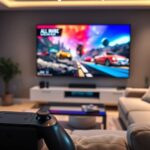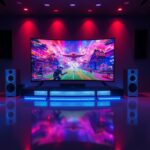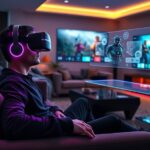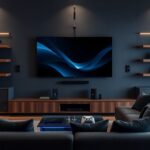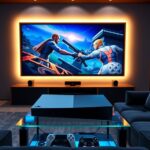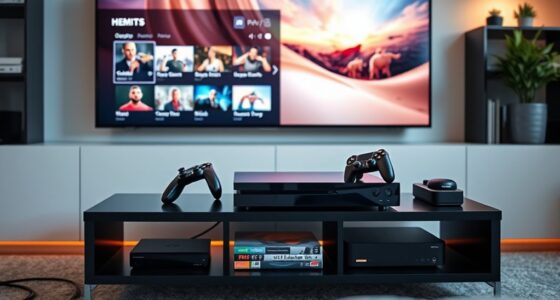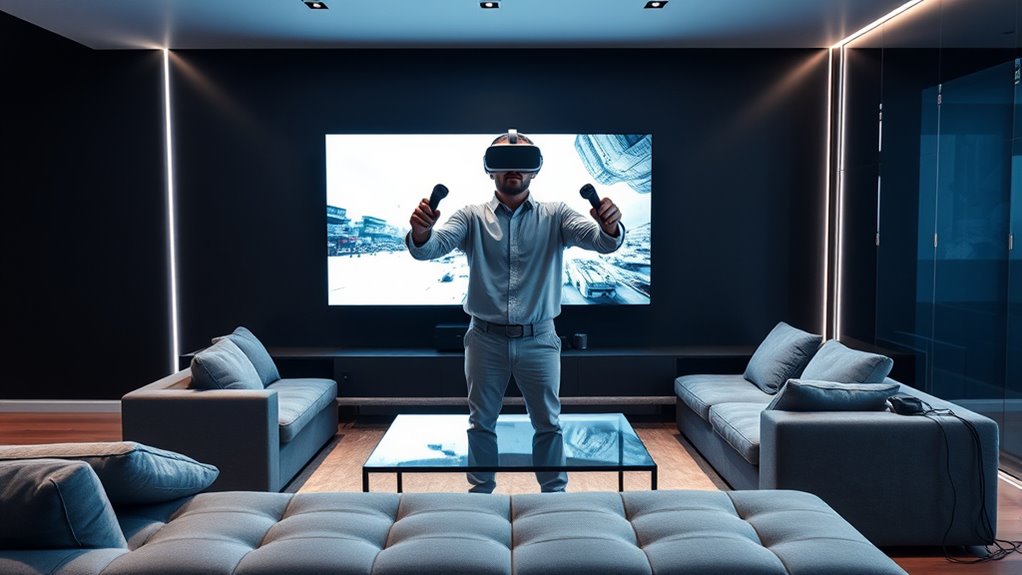

Integrating VR gaming systems into your home theater transforms your space into an immersive entertainment hub. Start by ensuring your hardware is compatible and upgrade components like graphics cards if needed. Set up a designated, clutter-free area with secure cables for safe active play. Adjust comfort features and pick games that minimize motion sickness. With the right setup, you’ll enjoy realistic virtual worlds seamlessly blended with your existing system—keep exploring to make your VR experience even better.
Key Takeaways
- Assess hardware compatibility, including PC or console requirements and necessary ports or upgrades for VR systems.
- Design a dedicated, clutter-free play area with secure cables to ensure safety and free movement during VR gaming.
- Optimize the home theater setup by integrating VR displays, audio systems, and controllers for seamless entertainment.
- Minimize motion sickness by starting with short sessions, choosing smooth games, and ensuring a comfortable environment.
- Regularly maintain and update hardware to support VR performance and ensure compatibility with evolving technology.

As virtual reality gaming systems become more advanced and affordable, integrating them into your home theater setup is now a practical way to elevate your gaming experience. VR headsets offer immersive visuals and spatial audio that can transform your space into a gaming playground. However, before diving in, it’s important to contemplate potential challenges like motion sickness and hardware compatibility. Addressing these concerns upfront will ensure a smoother transition and a more enjoyable experience.
Motion sickness is a common issue with VR gaming, especially during longer sessions or with certain types of games. You might notice dizziness, nausea, or disorientation if your body perceives a disconnect between what your eyes see and how your body feels. To mitigate this, start with shorter VR sessions and gradually increase your playtime as your body adjusts. Look for VR systems with adjustable comfort features, such as fit straps and interpupillary distance (IPD) adjustments, which help create a more stable and comfortable experience. Also, choosing games with smoother motion and less rapid movement can reduce the likelihood of motion sickness. Properly ventilating the room and maintaining good hydration can further lessen discomfort.
Start with shorter VR sessions, choose games with smooth motion, and ensure proper ventilation to prevent motion sickness.
Hardware compatibility is another critical factor when integrating VR into your home theater. Not all VR headsets work seamlessly with every system or display. You need to ensure that your existing hardware, such as your PC, gaming console, or streaming devices, can support the VR headset you choose. This involves checking the required ports, graphics card specifications, and processing power. For example, high-end VR systems like Oculus Quest, HTC Vive, or Valve Index demand powerful hardware to deliver high-quality visuals without lag. If your current setup falls short, you might need to upgrade certain components, like your graphics card or USB ports, to guarantee smooth performance. Compatibility also extends to controllers and sensors; make sure they connect easily with your system and are supported by the VR platform you select. Additionally, understanding the self watering plant pots can serve as a reminder to create a comfortable and well-maintained environment, which enhances your overall VR experience.
Integrating VR into your home theater isn’t just about hardware; it’s about creating an environment where you can move freely without risking damage to your space or equipment. Clear out clutter, secure loose cables, and consider dedicated play areas to prevent accidents. By carefully planning your setup—taking into account motion sickness mitigation and hardware compatibility—you’ll be able to enjoy VR gaming seamlessly alongside your traditional home theater experiences. This integration opens up new frontiers of entertainment, immersing you in worlds that feel remarkably real, right from the comfort of your living room.

Klipsch R-12SW Powerful Deep Bass Front Firing 12" Copper-Spun Driver 400W Digital Power Subwoofer 14" X 18.5" X 16"
Powerful 12" copper-spun front-firing woofer
As an affiliate, we earn on qualifying purchases.
Frequently Asked Questions
What Are the Minimum Space Requirements for VR Setup?
You’ll need at least 6.5 by 6.5 feet of clear room space for a safe VR setup. Make certain you have enough room clearance to move freely without hitting objects. Proper sensor placement is vital; position sensors about 3 feet high and spaced evenly around your play area for accurate tracking. Keep the space free of obstacles, furniture, and cords to prevent accidents and optimize your VR experience.
How Do VR Headsets Impact Existing Home Theater Audio?
Did you know 85% of users report enhanced sound immersion with VR headsets? VR audio can impact your existing home theater sound by introducing spatial effects that sometimes clash with traditional setups. You might notice discrepancies in sound directionality or volume. To optimize, make sure your VR audio settings align with your home theater system, creating seamless sound immersion and avoiding audio conflicts that could disrupt your gaming or viewing experience.
Can VR Systems Integrate With Multi-Room Audio Setups?
Yes, VR systems can integrate with your multi-room audio setup. You’ll want to guarantee they use wireless connectivity for seamless integration. Many VR headsets now support wireless links, making setup easier. To get the best experience, focus on audio synchronization, so sound matches visuals perfectly across different rooms. This way, your VR gaming feels immersive and coordinated with your existing multi-room audio system, enhancing your overall entertainment experience.
What Safety Precautions Are Recommended for VR Gaming at Home?
To enjoy VR gaming safely at home, you should prioritize good cable management to prevent tripping hazards. Take breaks to minimize motion sickness and stay aware of your surroundings. Clear the play area of furniture and obstacles, and consider using a dedicated space for VR. Keep the environment well-lit, and always supervise children. These precautions ensure an immersive experience while keeping everyone safe and comfortable.
Are There Specific Lighting Conditions Ideal for VR Use?
You should use ambient lighting that’s soft and evenly distributed to avoid harsh shadows and glare, which can interfere with your VR experience. Dim lighting is ideal, but avoid complete darkness, as it can cause eye strain. To enhance clarity and reduce glare, position light sources away from your VR sensors and screens. This setup helps maintain ideal tracking and immersion, making your VR gaming sessions safer and more enjoyable.

Klipsch R-120SW Subwoofer, Black
12" high excursion spun-copper Imp woofer
As an affiliate, we earn on qualifying purchases.
Conclusion
Imagine stepping into your home theater, VR headset on, feeling the world dissolve around you as vibrant visuals and immersive sound surround you. By integrating your VR gaming system, you transform your space into a doorway to endless adventures. Every game becomes a new reality, each moment more vivid and exhilarating. With a seamless setup, your home theater isn’t just a room—it’s a portal to limitless entertainment, where every experience feels truly alive.

2000 ANSI 4K Decoding Projector with WiFi and Bluetooth, HAPPRUN Movie Home Theater with Auto Focus, 300'' Display for Indoor/Outdoor, Smart Proyector Compatible with Phone/TV Stick/PC/PS5
[EASIER OPERATION: AI Smart Screen Adjustment] HAPPRUN projector comes with auto focus and 6D auto-keystone technology, enjoy a...
As an affiliate, we earn on qualifying purchases.

Epson Home Cinema 980 3-Chip 3LCD 1080p Projector 4,000 Lumens Color and White Brightness, Streaming/Gaming/ Media Room, Built-In Speaker, Auto Picture Skew, 16000:1 Contrast, 2 HDMI Ports
Exceptional Picture Quality — Provides stunning, detailed 1080p images and fast data processing that’s optimized for fast-action sports,...
As an affiliate, we earn on qualifying purchases.