
HDMI 2.1 and VRR boost your gaming by supporting higher resolutions like 4K at 120Hz and even 8K, giving you sharper visuals and a more immersive experience. They guarantee smoother gameplay by reducing screen tearing, input lag, and stuttering, especially during fast-paced action. With advanced audio support, you get more realistic sound. Keep exploring to discover how these features can transform your gaming setup even further.
Key Takeaways
- HDMI 2.1 provides higher bandwidth, supporting 4K at 120Hz and 8K, ensuring sharp, detailed visuals during gaming.
- VRR synchronizes the display’s refresh rate with the GPU, eliminating screen tearing and minimizing input lag.
- HDMI 2.1 enables high refresh rates and VRR, delivering smoother motion and more fluid gameplay in fast-paced games.
- Enhanced audio support through HDMI 2.1 offers immersive sound formats like Dolby Atmos, enriching the gaming experience.
- Overall, HDMI 2.1 and VRR improve visual consistency, responsiveness, and immersion for gamers.

If you’re serious about gaming, understanding the benefits of HDMI 2.1 and Variable Refresh Rate (VRR) technology can substantially enhance your experience. These advancements aren’t just technical upgrades; they directly impact how smoothly and vividly you see and hear your games. One key element is display resolution, which defines the clarity and detail of your visuals. HDMI 2.1 supports higher resolutions like 4K at 120Hz and even 8K, allowing your games to look sharper and more immersive. This means sharper textures, crisper edges, and more realistic environments, giving you a competitive edge and making gameplay more enjoyable. Furthermore, HDMI 2.1’s increased bandwidth ensures that your connection can handle these high resolutions without compromise, reducing lag or stuttering that can ruin a session.
Alongside display resolution, audio quality plays a significant role in the gaming experience. HDMI 2.1 supports a wide range of advanced audio formats, including Dolby Atmos and DTS:X, which bring immersive sound to your setup. Whether you’re exploring a vast open world or engaged in intense multiplayer battles, clear, multi-dimensional audio helps you pinpoint enemy movements and environmental cues more accurately. This heightened audio fidelity complements the visual enhancements, creating a more engaging and believable experience. Thanks to HDMI 2.1, you won’t need separate audio cables or complex setups; everything streams seamlessly through a single connection, simplifying your gaming environment.
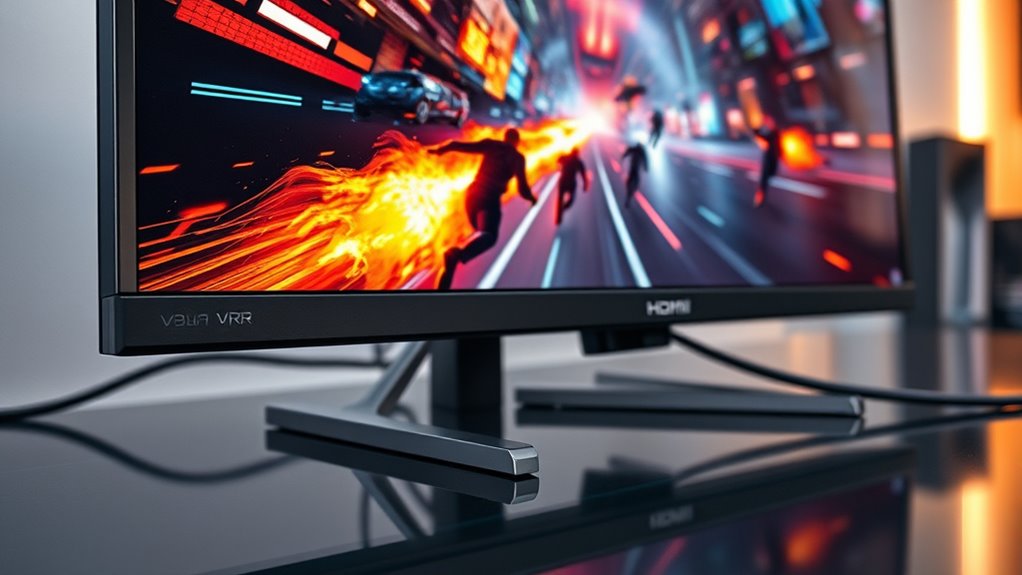
Additionally, high refresh rates supported by HDMI 2.1 allow for smoother motion rendering, which is especially noticeable in fast-paced games. VRR technology further elevates your gaming by synchronizing the display’s refresh rate with your console or PC’s GPU. Without VRR, mismatched frame rates can cause screen tearing, which results in distracting visual artifacts. When VRR is active, your display adapts in real time, delivering smooth, tear-free gameplay even during fast-paced action. This not only makes visuals more fluid but also reduces input lag, so your reactions feel more immediate. The combination of HDMI 2.1’s high bandwidth and VRR ensures that you experience fewer distractions and more consistent visuals, especially in demanding games that push hardware to its limits.
Altogether, these technologies work together to give you a gaming setup that’s more responsive, more detailed, and more immersive. Upgrading to HDMI 2.1 and enabling VRR means you’ll see and hear your games in ways that were previously impossible, transforming your gaming sessions into more fluid, vibrant adventures.
![Projector with 5G WiFi and Bluetooth, Native 1080P Projector[Projector Screen Included], Full HD 18000LM Movie Projector, 100" Display Home Theater, Compatible with Phone/Laptop/TV Stick](https://m.media-amazon.com/images/I/51tJ+dTl5qL._SL500_.jpg)
Projector with 5G WiFi and Bluetooth, Native 1080P Projector[Projector Screen Included], Full HD 18000LM Movie Projector, 100" Display Home Theater, Compatible with Phone/Laptop/TV Stick
【2.4G/5G Dual-Band Wifi & Bluetooth Connection】 Roconia projector supports screen mirroring on iOS, Android and Windows devices without...
As an affiliate, we earn on qualifying purchases.
Frequently Asked Questions
Can HDMI 2.1 Improve Audio Quality for Gaming Setups?
Yes, HDMI 2.1 can improve your audio quality for gaming setups. It supports enhanced audio features like eARC, which allows for better audio signal processing and high-quality sound transmission from your device to your speakers or sound system. This results in clearer, more immersive audio experiences. By enabling these audio enhancements, HDMI 2.1 helps you enjoy more detailed soundscapes and richer gaming audio, elevating your overall gaming experience.
What Is the Minimum Hardware Requirement for VRR Compatibility?
You’d think VRR compatibility would be easy, but surprisingly, the minimum hardware requirement is just a compatible HDMI 2.1 port on your device and a supported display. Yep, no fancy graphics card needed—just make sure your hardware supports HDMI 2.1 and VRR. It’s like having the right keys to open smoother gameplay; otherwise, you’re stuck with tears, lag, and missed moments. So, check your gear before expecting flawless gaming.
Does HDMI 2.1 Support Other Gaming Features Besides VRR?
Yes, HDMI 2.1 supports other gaming features besides VRR. With enhanced bandwidth, it enables HDR support, delivering brighter colors and better contrast for more immersive visuals. It also allows for lower latency, which improves responsiveness during gameplay. Additionally, HDMI 2.1 supports features like eARC for high-quality audio and Auto Low Latency Mode (ALLM), ensuring smoother, more synchronized gaming experiences.
How Does HDMI 2.1 Compare to Displayport for Gaming Performance?
You’ll find that HDMI 2.1 offers higher bandwidth than DisplayPort, enabling smoother gameplay, higher resolutions, and faster refresh rates. While HDMI 2.1 excels in compatibility with a broad range of devices, DisplayPort often provides lower latency and better support for professional setups. Consider your gaming needs—if you prioritize maximum bandwidth and future-proofing, HDMI 2.1 is the way to go; for lower latency, DisplayPort might suit you better.
Are There Any Known Issues With HDMI 2.1 and Specific Gaming Consoles?
You might encounter compatibility issues with HDMI 2.1 on some gaming consoles, especially older models, due to firmware updates or hardware limitations. Keep your console’s firmware current to guarantee peak performance and compatibility. If problems persist, check for updates from the manufacturer or consider using alternative connections like DisplayPort. Staying informed about firmware releases helps prevent issues and makes sure you enjoy smooth gaming experiences.

Official Licensed Google TV Smart Projector, HAPPRUN 4K UHD Home Theater with Dolby Sound, Wi-Fi & Bluetooth, Built-in Streaming Apps, Compatible with Games Consoles & Smartphone, Indoor & Outdoor Use
[ Built-in Official Licensed Google TV ] - Without additional equipment, the smart projector can directly access Netflix,...
As an affiliate, we earn on qualifying purchases.
Conclusion
Embracing HDMI 2.1 and VRR can quietly elevate your gaming experience, subtly smoothing out those tiny imperfections that might otherwise distract you. While the improvements may seem delicate, they create a more seamless and immersive environment, allowing you to focus fully on your gameplay. By making these thoughtful upgrades, you’re gently stepping into a world where visuals feel more natural and responses more fluid—helping you enjoy gaming with a little more grace and ease.

Epson Home Cinema 980 3-Chip 3LCD 1080p Projector 4,000 Lumens Color and White Brightness, Streaming/Gaming/ Media Room, Built-In Speaker, Auto Picture Skew, 16000:1 Contrast, 2 HDMI Ports
Exceptional Picture Quality — Provides stunning, detailed 1080p images and fast data processing that’s optimized for fast-action sports,...
As an affiliate, we earn on qualifying purchases.

2000 ANSI 4K Decoding Projector with WiFi and Bluetooth, HAPPRUN Movie Home Theater with Auto Focus, 300'' Display for Indoor/Outdoor, Smart Proyector Compatible with Phone/TV Stick/PC/PS5
[EASIER OPERATION: AI Smart Screen Adjustment] HAPPRUN projector comes with auto focus and 6D auto-keystone technology, enjoy a...
As an affiliate, we earn on qualifying purchases.