Gaming at 120Hz offers much smoother and more responsive visuals than at 60Hz, making fast movements clearer and reducing motion blur. You’ll notice how fluid gameplay feels, with quicker reactions and better tracking of objects. Plus, higher refresh rates can lessen eye strain during long sessions. To get the full benefits, you’ll need a capable system. Keep going to discover more about how upgrading can truly enhance your gaming experience.

Get business pricing on your home office setup
- Business-only prices and quantity discounts
- Tax-exempt purchasing
- Multiple users, one account, clear invoices
Key Takeaways
- 120Hz provides smoother, more fluid motion compared to 60Hz, enhancing visual clarity during fast-paced gameplay.
- Higher refresh rates reduce input lag and improve reaction times, giving players a competitive edge.
- Gaming at 120Hz is easier on the eyes, reducing eye strain during extended sessions.
- The overall experience feels more natural and immersive, with better peripheral motion detection.
- Achieving optimal performance at 120Hz requires a capable graphics card and consistent high frame rates.
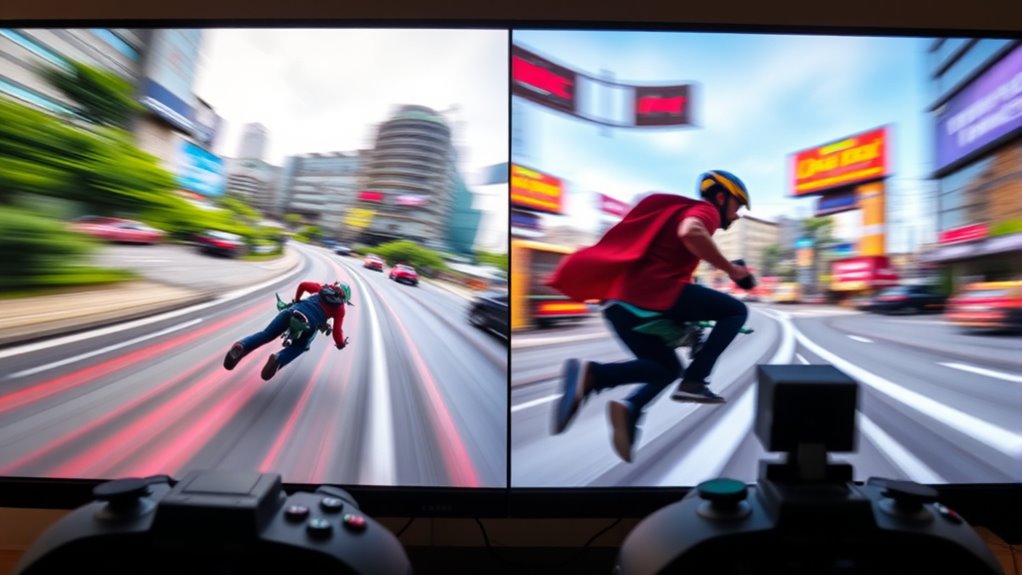
When it comes to gaming, the refresh rate of your monitor can make a significant difference in your experience. Higher refresh rates, like 120Hz, can provide a smoother, more responsive feel compared to standard 60Hz displays. This improvement isn’t just about making the game look better; it directly impacts how you perceive and react to in-game action. With a 120Hz monitor, you’ll notice that movements are clearer and more fluid, giving you an edge in fast-paced games where quick reactions matter. The key here is monitor responsiveness—how quickly your display updates with new information—and at 120Hz, that responsiveness is particularly enhanced. This means less motion blur and fewer delays between your input and what appears on screen, leading to a more seamless, immersive experience.
A 120Hz monitor offers smoother, more responsive gameplay with clearer, fluid movements and less motion blur.
Visual comfort also plays a big role when upgrading to higher refresh rates. A 120Hz monitor reduces eye strain during long gaming sessions by providing a steadier image that’s easier to follow. When your eyes aren’t constantly trying to track stuttering or lagging frames, you can game for longer without discomfort. This smoother visual output decreases eye fatigue and makes it easier to stay focused on the game without feeling exhausted afterward. Significantly, the improved clarity and reduced flickering at higher refresh rates contribute to a more comfortable viewing experience overall, especially during extended play.
Switching from 60Hz to 120Hz isn’t just a technical upgrade; it feels more natural and intuitive. You’ll notice that your peripheral vision picks up motion more effortlessly, and you don’t have to strain to keep up with fast-moving objects. This heightened awareness can be vital in competitive gameplay, where every millisecond counts. The increased monitor responsiveness translates into faster reaction times, so your inputs are reflected more swiftly on the screen, giving you a competitive advantage. Additionally, understanding the importance of refresh rate can help you choose the right display for your gaming setup.
However, to truly benefit from 120Hz, your system needs to support it. You’ll want a graphics card capable of delivering high frame rates consistently, especially if you’re playing demanding titles. When done right, the leap from 60Hz to 120Hz transforms your gaming experience—making it more fluid, comfortable, and responsive. It’s a worthwhile investment if you’re serious about improving your gameplay and reducing eye fatigue, ensuring you stay sharp and engaged for longer periods.
Frequently Asked Questions
Does 120HZ Gaming Improve Competitive Play Significantly?
Yes, gaming at 120Hz can markedly improve your competitive play. The higher refresh rate enhances the frame rate benefits by providing smoother visuals and quicker response times. This improved refresh rate perception helps you react faster to in-game actions, giving you a competitive edge. With less motion blur and more fluid gameplay, you’re better equipped to aim accurately and make split-second decisions, boosting your overall performance.
Are Higher Refresh Rates Easier on the Eyes During Long Gaming Sessions?
Like catching a glimpse of a clear, flowing river, higher refresh rates can ease eye strain and boost visual comfort during long gaming sessions. You’ll notice smoother motion, which reduces flickering and minimizes eye fatigue, much like how a calm stream eases your gaze. Switching to 120Hz helps your eyes stay more relaxed, making extended play more comfortable and less tiring, so you can focus without discomfort.
What Hardware Upgrades Are Needed for 120HZ Gaming?
To upgrade for 120Hz gaming, you need a monitor compatible with 120Hz refresh rates. Additionally, your graphics card must support high frame rates at your desired resolution; look for one with sufficient VRAM and modern outputs like HDMI 2.0 or DisplayPort 1.4. Ensuring your CPU is also capable of delivering high frame rates will maximize your gaming experience. These hardware upgrades will make 120Hz gaming smooth and responsive.
Is There a Noticeable Difference in Battery Life With 120HZ Displays?
Switching to a 120Hz display is like revving a sports car—you’ll notice a speed boost, but it also drains your battery faster. Higher refresh rates increase power consumption, leading to more battery drain during gaming or scrolling. If you’re on the go, expect shorter battery life because your device works harder to keep up with the smoother visuals. So, yes, there’s a noticeable difference in battery life with 120Hz displays.
How Do 120HZ and 60HZ Impact Game Responsiveness and Input Lag?
At 120Hz, you’ll notice smoother gameplay, reducing input lag and enhancing responsiveness, especially when paired with adaptive sync technology. This high refresh rate minimizes motion blur, making fast movements clearer and more precise. Conversely, 60Hz can cause more lag and motion blur, impacting your reaction time. If responsiveness matters, 120Hz gives you an edge, providing a more fluid experience and quicker input recognition during intense gaming moments.
Conclusion
Choosing between 120Hz and 60Hz depends on your gaming style, your preferences, and your patience. If you crave smooth visuals and quick reactions, 120Hz offers a clear advantage. If you prioritize affordability and casual play, 60Hz might suit you just fine. Both refresh rates serve different needs, both deliver different experiences, and both can make gaming more enjoyable. So, pick what fits your gameplay, embrace your choice, and enjoy every moment behind the screen.
Halloween Picks
halloween
As an affiliate, we earn on qualifying purchases.