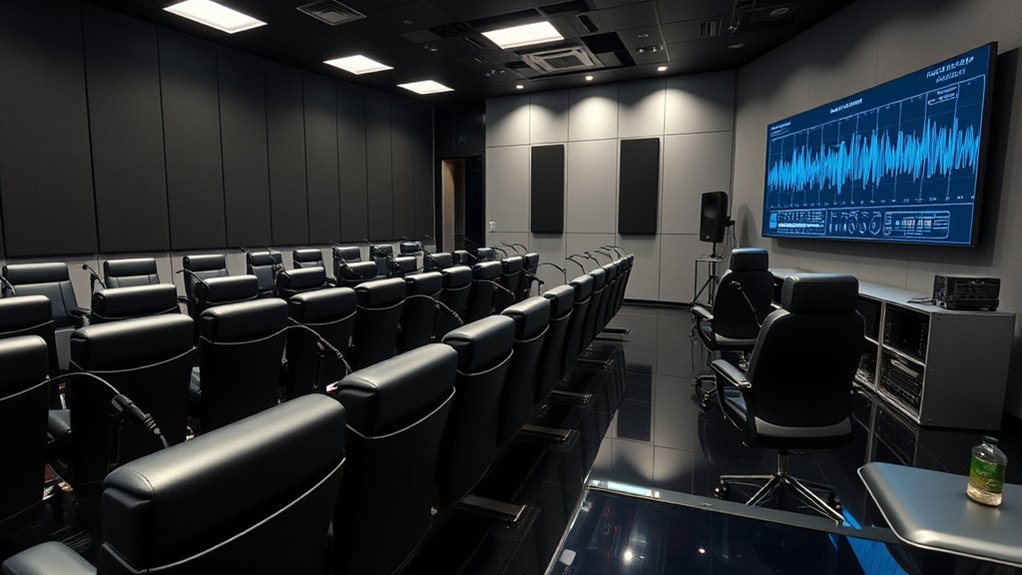

To calibrate audio across multiple seats, you should start with specialized measurement tools like calibration microphones and software. slowly adjust speaker levels, delays, and EQs to balance sound at every seat, ensuring spatial cues are accurate. Focus on minimizing sound discrepancies, phase issues, and delays for a seamless experience. optimizing speaker placement and room acoustics also helps. If you continue exploring, you’ll discover detailed steps to perfect your multi-seat sound setup.

Get business pricing on your home office setup
- Business-only prices and quantity discounts
- Tax-exempt purchasing
- Multiple users, one account, clear invoices
Key Takeaways
- Use specialized measurement microphones and software to analyze audio performance at each seat.
- Adjust speaker levels, delays, and EQ settings to ensure consistent sound and spatial cues across all seats.
- Optimize speaker placement and room acoustics to improve spatial accuracy and sound propagation.
- Employ test signals like pink noise and sweep tones for precise calibration of levels and phase alignment.
- Gradually fine-tune settings to achieve balanced, immersive audio experiences for every seat in the space.

Calibrating audio for multiple seats guarantees that everyone in a shared space experiences balanced and immersive sound. When you’re setting up a multi-seat audio system, the goal is to ensure that each listener perceives audio as intended, with consistent volume, clarity, and spatial effects. Achieving this requires careful attention to spatial audio and precise calibration procedures that account for the unique acoustic environment and seating arrangements.
Spatial audio plays a critical role in multi-seat setups because it creates a sense of three-dimensional sound, making the experience more realistic and engaging. As you calibrate, you want to optimize how sound waves interact with the room and reach each seat. This often involves using specialized microphones and software to analyze how audio behaves in different parts of the space. These tools help you identify discrepancies in sound levels, phase issues, and how spatial cues are perceived from each position. The calibration procedures typically start with setting the system to neutral or flat response, then gradually adjusting levels so that sound from various speakers blends seamlessly across all seats.
During calibration, you’ll often perform a series of test signals, such as pink noise or specific sweep tones, to measure how sound arrives at each seat. By doing this, you can detect imbalances or delays that might cause sound to seem out of sync or uneven. Once you have a clear understanding of how sound propagates, you can fine-tune the speaker levels, delay settings, and equalization to ensure that the audio remains consistent regardless of where someone is seated. Properly accounting for speaker placement and room acoustics can significantly improve the overall sound quality and spatial accuracy. This process might seem technical, but it’s essential for delivering an immersive experience, especially in high-end home theaters or multi-user gaming environments.
Frequently Asked Questions
How Does Room Acoustics Affect Multi-Seat Audio Calibration?
Room acoustics considerably impact multi-seat audio calibration because sound reflections can cause inconsistencies in how audio is perceived across seats. You’ll notice uneven sound levels and clarity without proper acoustic treatment. To improve calibration, you should minimize reflections with acoustic treatment, like diffusers and absorbers, ensuring a more uniform sound experience. This helps achieve accurate calibration, making sure everyone hears the same quality of sound regardless of their seat position.
Can Calibration Be Automated for Different Seat Configurations?
Yes, calibration can be automated for different seat configurations using software automation and sensor calibration. You can set up dynamic calibration processes that automatically adjust audio settings based on each seat’s position and acoustics. By integrating sensors and software, you guarantee consistent sound quality across all seats, reducing manual effort and improving overall audio experience. This automation streamlines calibration, making it efficient and adaptable to various seating arrangements.
What Equipment Is Essential for Precise Multi-Seat Audio Setup?
Setting up a multi-seat audio system is like tuning a symphony; precision matters. You’ll need a high-quality microphone for headphone calibration and a sound level meter for speaker placement. A calibration software helps fine-tune sound levels across seats. Make certain you have adjustable speakers, a reliable audio interface, and a calibration microphone. These tools work together to deliver consistent, immersive sound for every seat, creating an ideal listening experience.
How Often Should Multi-Seat Audio Calibration Be Redone?
You should re-calibrate your multi-seat audio setup every 6 to 12 months, depending on usage and any system changes. Calibration frequency ensures your seat-specific adjustments stay accurate, providing ideal sound for each seat. If you notice inconsistent audio or system updates, it’s wise to recalibrate sooner. Regular calibration maintains sound quality and comfort, making sure every seat delivers the best experience possible.
Are There Industry Standards for Multi-Seat Audio Calibration?
Think of industry standards as the compass guiding your calibration journey. While specific rules vary, most follow established calibration procedures to guarantee consistent sound quality across seats. Standards like ANSI or AES provide frameworks, but you should adapt them to your space’s unique acoustics. By aligning your calibration with these guidelines, you ensure a harmonious audio experience that resonates uniformly, no matter where your listeners sit.
Conclusion
In conclusion, mastering multi-seat audio calibration guarantees everyone enjoys ideal sound quality. For example, imagine a family movie night where each seat’s audio is perfectly tuned, so no one misses a whisper or a roar. By applying these techniques, you create an immersive experience tailored to each listener’s position. With a little effort, you’ll transform your space into a personalized theater, making every viewing session unforgettable for all your guests.
Evergreen bestsellers Picks
bestsellers
As an affiliate, we earn on qualifying purchases.