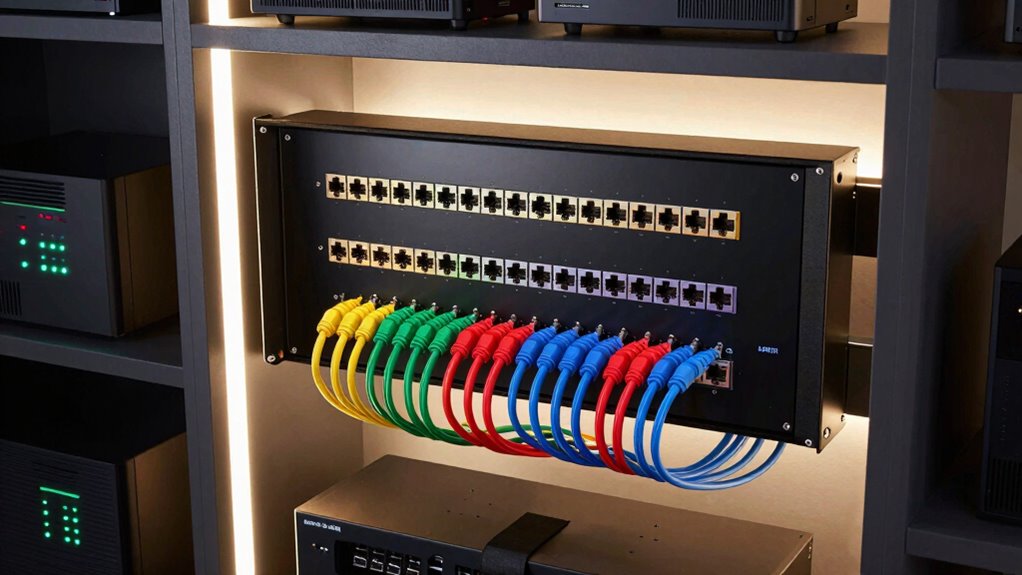

For most home theater wiring closets, I’d start with the AMPCOM Premium Series 24-port panel: its standard 19-inch rack fit and rear cable support suit a larger, organized installation. The Rapink Mini 12-port Cat6A is a better fit for a compact closet, while the Cable Matters 24-port keystone panel offers flexibility when you want to choose individual keystone jacks. The main tradeoff is between a space-saving wall mount, a full-size rack panel, and a modular design that can be adapted as your connections change. Read on for the full breakdown of all 13 options and guidance on matching port count, mounting style, and cable type to your setup.

Get your home office setup delivered free — and shop member deals
- Fast, free delivery on millions of items
- Access to Prime Big Deal Days deals on October 6–7
- Prime Video, Amazon Music and more included
Complete the kit


Key Takeaways
- Rack format separates the leading picks: AMPCOM suits a standard 19-inch rack and includes a rear support bar, while Rapink’s 12-port models fit a 10-inch setup.
- Modular panels favor flexibility: TRENDnet and Cable Matters keystone panels let you select jacks, which helps when a closet mixes cable types or needs future changes.
- Feed-through designs simplify front-to-back patching: Lysymixs and Rapink’s pass-through option avoid punch-down termination at the panel, but leave the choice of compatible patch leads and cable layout to the installer.
- Port count alone does not determine fit: A 24-port panel may suit a growing rack, while a 12-port wall mount can be easier to place and manage in a tight closet.
- Shielding and speed claims need context: Cat6A or 10Gb-compatible labeling does not upgrade the cable run; the cable, jacks, terminations, and connected equipment all affect performance.




| patch panels for home theater wiring closet | Ports | Form factor |
|---|---|---|
| Rapink 12-Port Cat6 Patch Pane | 12 | 1U |
| Enmane 12-Port CAT6A Keystone | 12 | — |
| TRENDnet 24-Port Blank Keyston | 24 keystone openings | 1U rack mount |
| iwillink 12-Port Keystone Patc | 12 | — |
| AMPCOM Premium Series Cat6 24- | 24 RJ45 | — |
| Rapink Mini 12-Port Cat6A Shie | 12 | 1U, 10-inch |
| 12-Port Cat6 UTP RJ45 Patch Pa | 12 | — |
| Cable Matters UL Listed 24-Por | 24 | 1U, 1.75-inch height |
| Lysymixs 24-Port Cat6 RJ45 Fee | 24 | 1U, 19-inch rack mount |
| Rapink 24-Port Cat6 Pass-Throu | 24 | 1U, 19-inch |
| Cable Matters 1U 24-Port Keyst | — | 1U |
| Rapink 24-Port Cat6 Ethernet P | — | 1U |
| Everest RJ45 24-Port Cat6/6A M | — | 1U rack mountable |
More Details on Our Top Picks
Rapink 12-Port Cat6 Patch Panel, 10-Inch 1U Wall Mount, 10G
For a small home theater closet with a 10-inch rack, this 12-port, 1U panel gives fixed Cat6 runs a tidy landing point without taking the space of a standard 19-inch unit. It supports Cat5 through Cat6 and is rated for up to 10 Gbps, leaving room for faster compatible links than the AMPCOM 24-port panel, whose supplied data specifies 100/1000 Mbps. The tradeoff is capacity: twelve ports can fill quickly when the closet serves a theater, access point, and other rooms. This is also a punch-down design, so each permanent cable needs termination work; buyers who want to swap modular keystone types should look at the iwillink instead. Its included screws and cable ties help with mounting and dressing cables, but the 10-inch format limits where it fits.
Pros:- Compact 1U layout suits smaller wiring closets and 10-inch racks.
- Supports Cat5, Cat5e, and Cat6 cabling.
- Rated for data rates up to 10 Gbps.
- Mounting screws and cable ties are included.
Cons:- Twelve ports may not cover a larger theater and whole-home network.
- Punch-down termination takes more installation work than a modular panel.
- The 10-inch width is incompatible with many standard 19-inch racks.
Best for: Home theater owners with up to 12 fixed Ethernet runs and a compatible 10-inch wall rack or cabinet.
Not ideal for: Households wiring many rooms or using a standard 19-inch rack, since capacity and rack fit are limited.
- Ports:12
- Form factor:1U
- Width:10 inches
- Mounting:Wall mount or rack mount
- Cable compatibility:Cat6, Cat5e, Cat5
- Data rate:Up to 10 Gbps
- Wiring standard:568B
- Contacts:Gold-plated
Our verdict“Choose this for a compact 10-inch closet with a modest number of permanent Cat6 runs and a punch-down workflow.”
Enmane 12-Port CAT6A Keystone Patch Panel, Wall/Rack Mount, 10-Inch
The Enmane earns its place for installers who want 12 labeled ports and explicit Cat6A UTP compatibility in a compact 10-inch panel. Numbering and the T568A/B diagrams make it easier to keep room drops straight while terminating, a useful distinction from the Rapink 12-Port Cat6 panel, which lists 568B labeling but not the same A/B diagram guidance. Both use punch-down termination, so neither is a shortcut for avoiding a punch tool. Enmane includes 89D brackets and screws for wall or rack mounting, but its UTP-only support rules it out for shielded cable. Its modest port count also favors a smaller theater closet; for more endpoints, the TRENDnet TC-KP24 offers twice the openings in a 19-inch rack, with keystone jacks purchased separately.
Pros:- Supports UTP Cat6A, Cat6, Cat5e, and Cat5 cabling.
- Numbered ports and T568A/B diagrams aid consistent termination.
- Includes 89D brackets and mounting screws for wall or rack use.
- Accepts 22–26 AWG solid or stranded wire.
Cons:- UTP-only compatibility excludes shielded runs.
- 110/Krone punch-down termination requires a compatible tool.
- Twelve ports may be restrictive as theater and room connections grow.
Best for: DIY installers terminating up to 12 unshielded Cat6A or backward-compatible room runs who value clear wiring references.
Not ideal for: Buyers using shielded cable or building a larger 19-inch rack installation that needs more than 12 ports.
- Ports:12
- Panel size:10 inches
- Data rate:10 Gbps
- Cable compatibility:UTP Cat6A, Cat6, Cat5e, Cat5
- Wire gauge:22–26 AWG, stranded or solid
- Termination:110/Krone punch-down
- Mounting:Wall mount or rack mount; 89D brackets included
- Contacts:Gold-plated
Our verdict“Pick the Enmane when a compact UTP panel with Cat6A support and clear termination references fits your wiring plan.”
TRENDnet 24-Port Blank Keystone 1U Patch Panel, TC-KP24
The TRENDnet TC-KP24 is the most adaptable choice here for a standard 19-inch theater rack that may carry more than Ethernet. Its 24 blank positions let you choose compatible Cat6 keystone jacks for the actual cabling plan, instead of committing to fixed RJ45 punch-down ports as with the AMPCOM 24-port panel. That flexibility comes with extra work: keystone jacks are sold separately, and every opening needs to be populated and assembled. Pre-numbered positions and included labels help identify room drops once the layout is set, while the SPCC steel panel provides a sturdy rack-mounted base. It is specified for gigabit and 10G copper applications when paired with suitable jacks. For a smaller 10-inch closet or a ready-to-terminate solution, the Rapink 12-port is a simpler fit.
Pros:- Twenty-four positions provide room for a larger set of rack connections.
- Standard Cat6 keystone compatibility allows jack selection and replacement.
- Pre-numbered ports and included labels aid cable identification.
- SPCC steel construction is suited to rack installation.
Cons:- Keystone jacks are not included and add separate sourcing and assembly.
- Requires a standard 19-inch rack, unlike the compact 10-inch panels.
- Network capability depends on the selected compatible jacks.
Best for: Home theater installers with a 19-inch rack who want to select and replace standard keystone jacks as the system changes.
Not ideal for: Buyers seeking a complete, ready-to-wire panel or working with a 10-inch cabinet.
- Ports:24 keystone openings
- Form factor:1U rack mount
- Rack width:19 inches
- Material:SPCC steel
- Keystone compatibility:Standard Cat6 keystone jacks
- Network applications:Gigabit and 10G copper Ethernet with compatible jacks
- Cable identification:Pre-numbered ports and supplementary labels
- Warranty:2 years manufacturer protection
Our verdict“Choose the TC-KP24 when flexible jack selection and 24 rack positions matter more than a ready-populated panel.”
iwillink 12-Port Keystone Patch Panel with 89D Wall Mount Bracket
For a theater closet mixing network drops with other AV connections, the iwillink offers 12 keystone positions that accept HDMI, USB, and several Ethernet jack types. That makes it more flexible than the Rapink 12-port Cat6 panel, which is focused on fixed RJ45 network termination. The snap-in layout also makes later changes easier: compatible jacks can be rearranged or replaced without re-terminating every cable at the panel. A removable numbered writing pad gives each connection a place in the labeling plan, and blank inserts cover unused openings. The main catch is that the product data does not say keystone jacks are included, so the panel may need a separate parts order before installation. Its 10-inch, 1U footprint also limits it to matching compact hardware.
Pros:- Accepts HDMI, USB, Cat6A, Cat6, and Cat5e keystone types.
- Snap-in design supports later changes without re-terminating panel positions.
- Removable numbered writing pad supports custom port labels.
- Includes an 89D wall bracket and six blank inserts.
Cons:- Keystone jacks are not listed as included.
- Twelve positions may be too few for a growing whole-home network.
- Designed for a 10-inch rack, limiting compatibility with common 19-inch racks.
Best for: Home theater DIYers consolidating HDMI, USB, and Ethernet keystone connections in a compatible 10-inch rack.
Not ideal for: Buyers who want included jacks, more than 12 connections, or a panel sized for a standard 19-inch rack.
- Ports:12
- Rack size:10 inches
- Height:1U (1.75 inches)
- Jack compatibility:HDMI, Cat6A, Cat6, Cat5e, and USB keystone jacks
- Installation:Snap-in
- Labeling:Removable numbered writing pad
- Wall bracket:89D bracket included
- Blank inserts:6 included
Our verdict“Choose the iwillink for a compact theater closet where mixed AV and network keystone connections need room to change.”
AMPCOM Premium Series Cat6 24-Port Patch Panel, 1U 19-Inch Rack Mount, RJ45 Ethernet, 568A/568B, 15u Gold Plated, with Rear Cable Support Bar
When a home theater rack needs many permanent Ethernet drops, the AMPCOM gives them 24 fixed RJ45 ports in one standard 19-inch rack unit. Its numbered front and rear labels, T568A/B color coding, and included rear support bar make cable dressing and room identification more direct than on the TRENDnet TC-KP24, where each keystone jack must be sourced and fitted. The fixed-port approach is less adaptable if you want to mix in other connector types, and installation still requires 110-type punch-down termination. The listed network speeds are 100/1000 Mbps, so the supplied data does not establish 10 Gbps support; buyers planning faster links should compare the Rapink 12-port, which explicitly lists up to 10 Gbps, while accepting its smaller capacity. The AMPCOM’s accessories suit a planned, conventional Ethernet build.
Pros:- Twenty-four RJ45 ports fit a substantial set of fixed room and equipment runs.
- Front and rear numbering plus T568A/B color coding aid wiring and service.
- Rear cable support bar helps organize the bundle behind the panel.
- Includes wire stripper, screws, and cable ties.
Cons:- 110-type punch-down installation requires termination work and a compatible tool.
- Listed network speeds are 100/1000 Mbps; 10 Gbps support is not confirmed.
- Standard 19-inch rack mounting may not suit compact 10-inch closets.
Best for: Home theater installers with a standard 19-inch rack and up to 24 permanent Cat5 through Cat6 UTP runs.
Not ideal for: Buyers needing modular AV connector options, a 10-inch enclosure, or confirmed 10 Gbps capability.
- Ports:24 RJ45
- Rack height:1U
- Rack compatibility:Standard EIA 19-inch
- Network speed:100/1000 Mbps
- Compatible cables:Cat6, Cat5e, Cat5; 23–26 AWG UTP
- Wiring standard:T568A/T568B
- Termination:110-type punch down
- Contacts:15u gold-plated
- Included cable support:Rear support bar, wire stripper, screws, and cable ties
Our verdict“Pick the AMPCOM for a conventional 24-run Ethernet closet where rack capacity and cable support matter more than modularity or stated 10 Gbps support.”
Rapink Mini 12-Port Cat6A Shielded Patch Panel, 10-Inch with Inline Keystone 10G Support and Removable Back Bar, 1U
For a 10-inch home theater cabinet, this panel pairs a compact footprint with shielded Cat6A keystone couplers and a removable back bar. Its toolless, preloaded ports can save termination work, while replaceable couplers make a damaged jack or a later switch to HDMI or coax easier to handle. That flexibility sets it apart from the wall-mount-only 12-Port Cat6 UTP panel, which has no stated speed rating and uses unshielded connections. The tradeoff is capacity: 12 ports may be tight when several rooms, streaming devices, and control gear converge in one closet. It also will not fit a standard 19-inch rack, so the form factor needs to match the cabinet before choosing it. The documentation is reported to have typos and unclear instructions.
Pros:- Preloaded toolless keystone couplers avoid punch-down termination
- Shielded Cat6A connections are specified for up to 10 Gbps
- Replaceable couplers allow repairs or swaps for fiber, coax, HDMI, or VGA
- Detachable steel back bar helps support and organize cables
Cons:- Fits 10-inch racks or cabinets only, not standard 19-inch equipment
- Twelve ports can limit expansion in a larger home theater closet
- Product instructions are reported to contain typos and unclear guidance
Best for: Home theater owners with a 10-inch cabinet who want shielded, replaceable connections for a modest number of room runs
Not ideal for: Installers using a standard 19-inch rack or wiring a large closet that needs more than 12 ports
- Ports:12
- Form factor:1U, 10-inch
- Cable category:Cat6A; compatible with Cat7, Cat6A, Cat6, and Cat5e
- Data rate:Up to 10 Gbps
- Connector:RJ45 8P8C, female-to-female
- Termination:Toolless, preloaded keystones
- Shielding:Shielded, gold-plated pins
- Material and cable support:Steel panel with detachable back bar
Our verdict“Choose this for a compact 10-inch closet where shielded, replaceable ports matter more than rack compatibility or higher capacity.”
12-Port Cat6 UTP RJ45 Patch Panel with Wall-Mount Bracket
This is the straightforward choice for a home theater closet where in-wall Ethernet runs need a fixed wall-mounted landing point rather than a rack panel. The bracket can mount vertically or horizontally, and support for T568A and T568B gives the installer a choice of common wiring schemes. Gold-plated phosphor bronze contacts are specified for up to 800 insertion cycles. Compared with the Rapink Mini 12-Port Cat6A panel, this model gives up shielded, preloaded keystone flexibility and does not state a network speed rating; in return, its mounting approach suits a wall without a 10-inch rack. That makes it less adaptable if the closet may later gain rack hardware or non-Ethernet couplers. Its 12-port count also suits a small set of runs better than a whole-home wiring hub.
Pros:- Mounts vertically or horizontally on a wall
- Supports both T568A and T568B wiring
- Accepts 22–26 AWG cable
- Gold-plated contacts are rated for up to 800 insertion cycles
Cons:- Designed for wall mounting rather than rack installation
- No Ethernet speed rating is specified
- UTP design may be a poor fit for runs needing shielding
Best for: DIY installers terminating up to 12 in-wall Ethernet runs directly on a closet wall
Not ideal for: Buyers who need a rack-mounted panel, a stated 10 Gbps rating, or shielded connections
- Ports:12
- Cable category:Cat6 UTP
- Connector:8-pin RJ45
- Wiring standards:T568A and T568B
- Compatible wire gauge:22–26 AWG
- Mounting:Wall mount, vertical or horizontal
- Contact material:Gold-plated phosphor bronze
- Insertion cycles:Up to 800
Our verdict“Pick this for a small wall-based wiring project when mounting simplicity matters more than rack fit or a specified speed rating.”
Cable Matters UL Listed 24-Port Cat6 Patch Panel, 10Gbps, 1U
For a home theater closet that serves several rooms, this 24-port 19-inch panel offers room for a broad set of wired connections, including access points and IP cameras powered through PoE, PoE+, or PoE++. Numbered ports and color-coded wiring diagrams help keep punch-down work legible when many in-wall runs meet a switch. Unlike the 24-port Lysymixs feed-through panel, this model requires termination on the panel rather than relying on removable female-to-female couplers. That adds wiring work, but gives the installation a defined Cat6 punch-down layout and UL listing. Its unshielded construction is a limitation around electrical interference, and the punch-down format assumes basic wiring skill. Buyers with a smaller cabinet should also compare it with the compact Rapink Mini, which has half the ports and a 10-inch footprint.
Pros:- Twenty-four ports provide capacity for multiple rooms and network devices
- Supports 10-Gigabit Ethernet and backward compatibility with Cat5e and Cat5
- Supports PoE, PoE+, and PoE++
- Numbered ports, color-coded diagrams, D-rings, and cable ties aid organization
Cons:- Punch-down termination takes more work than the Lysymixs feed-through panel
- Unshielded construction may not suit high-interference wiring routes
- Requires a 19-inch rack, cabinet, or compatible wall-mount setup
Best for: Homeowners or installers organizing up to 24 Cat6 runs in a 19-inch closet rack, including PoE device connections
Not ideal for: Buyers without punch-down wiring experience, or closets where shielding is needed to manage interference
- Ports:24
- Form factor:1U, 1.75-inch height
- Rack compatibility:19-inch racks, cabinets, or wall-mount brackets
- Cable category:Cat6; backward compatible with Cat5e and Cat5
- Network support:Up to 10-Gigabit Ethernet
- PoE support:PoE, PoE+, and PoE++
- Wiring standards:T568A and T568B
- Safety certification:UL Listed, E486099
Our verdict“Choose this for a permanent, high-capacity 19-inch closet installation where organized punch-down wiring and PoE support are priorities.”
Lysymixs 24-Port Cat6 RJ45 Feed-Through Patch Panel, 19-Inch Rack Mount
The Lysymixs panel is aimed at a closet where avoiding punch-down work is the main priority. Its 24 female-to-female RJ45 couplers let Cat6 patch cables pass through the panel, and the removable couplers make an individual connection replaceable without reterminating a port. Compared with the Cable Matters 24-Port Cat6 panel, it trades punch-down wiring and the listed PoE support for a simpler feed-through layout. That can suit an installer who wants easy cable changes, but the provided product data does not specify PoE capability, certification, or the same wiring-diagram aids. The detachable rear bar helps manage cable strain behind the panel. Its 19-inch, 1U format and 24-port capacity fit a standard rack closet, while owners of small 10-inch cabinets should look to the Rapink Mini instead.
Pros:- Feed-through couplers avoid punch-down termination
- Removable couplers allow individual ports to be replaced or upgraded
- Twenty-four ports fit a larger home theater wiring closet
- Detachable rear bar supports cable organization
Cons:- Requires a standard 19-inch rack or cabinet
- Product data does not specify PoE support or safety certification
- No included wiring diagram or accessories are listed in the supplied specs
Best for: Rack owners who want 24 modular Cat6 connections and expect to swap or replace patch leads and couplers
Not ideal for: Buyers with no 19-inch rack, or installers who specifically need documented PoE support or punch-down termination
- Ports:24
- Form factor:1U, 19-inch rack mount
- Cable category:Cat6
- Data rate:Up to 10 Gbps
- Frequency:10,000 MHz
- Connector:RJ45, female-to-female
- Pins:8
- Cable management:Detachable rear bar
Our verdict“Pick this for a 19-inch rack closet where easy feed-through installation and replaceable couplers outweigh the need for documented PoE features.”
Rapink 24-Port Cat6 Pass-Through Patch Panel, 1U, with Removable Back Bar
Rapink’s 24-port panel combines tool-free pass-through connections with a removable back bar, a useful mix for a home theater rack where patch cables may change as components move. The replaceable couplers also let an individual port be repaired or changed without reworking a whole panel. Compared with the Lysymixs 24-Port Cat6 feed-through panel, this model lists support for Cat6, Cat5e, and Cat5 and includes screws and tie wraps; both use replaceable female-to-female couplers and require a 19-inch rack. The supplied connector details also list HDMI and VGA alongside RJ45, which may help when planning a mixed-connection closet, though the product data does not clarify how those options are configured. Its 10 Gbps claim and mixed indoor/outdoor usage wording warrant checking compatibility and placement before installation.
Pros:- Tool-free pass-through couplers avoid punch-down termination
- Replaceable couplers allow port-level repair or changes
- Supports Cat6, Cat5e, and Cat5 cabling
- Removable back bar and included tie wraps help secure cables
Cons:- Requires a 19-inch rack or compatible cabinet
- Product data gives mixed indoor and outdoor usage information
- Connector listing includes RJ45, HDMI, and VGA without clarifying configuration
Best for: Home theater rack owners who want tool-free, replaceable pass-through ports and cable support across common Ethernet categories
Not ideal for: Buyers seeking detailed environmental guidance or a fully specified, punch-down Cat6 installation
- Ports:24
- Form factor:1U, 19-inch
- Cable compatibility:Cat6, Cat5e, and Cat5
- Data rate:Up to 10 Gbps
- Connectors:RJ45; HDMI and VGA also listed
- Connector gender:Female-to-female
- Back bar:Removable
- Included accessories:Screws and tie wraps
Our verdict“Choose this for a 19-inch home theater rack where flexible pass-through connections and replaceable ports are more useful than punch-down termination.”
Cable Matters 1U 24-Port Keystone Patch Panel with Cable Management
For a wiring closet that brings network, coax, HDMI, audio, and other connections together, I’d choose this blank 24-port keystone panel over a fixed RJ45 panel. Its openings accept a range of standard keystone jacks, so I can lay out the connections a theater actually uses instead of dedicating every port to Ethernet. The removable rear support bar, tie points, and labeled ports also help keep a mixed installation legible. Compared with the TRENDnet 24-Port Blank Keystone 1U Patch Panel, this model’s listed support bar and C-shaped keyholes make cable organization a clear part of its appeal. The tradeoff is that it arrives without keystone jacks, so the final cost and compatibility depend on the modules I choose; installation also needs a 19-inch rack, cabinet, or suitable wall bracket.
Pros:- Accepts a broad range of standard keystone jacks for mixed media connections.
- Combines up to 24 connections in a single 1U panel.
- Removable rear support bar, tie points, and labeled ports support organized wiring.
- Powder-coated steel construction.
Cons:- Keystone jacks are not included, adding selection and installation work.
- Requires a compatible 19-inch rack, cabinet, or wall mount bracket.
- Securing cables may require separate zip ties.
Best for: Home theater DIYers combining Ethernet with coax, HDMI, speaker, USB, or other keystone connections in a 19-inch wiring closet.
Not ideal for: Buyers who want a ready-to-terminate Ethernet panel or do not want to select and install keystone jacks separately.
- Form factor:1U
- Port capacity:24 keystone openings
- Panel style:Blank keystone
- Mounting compatibility:19-inch racks, cabinets, and wall mount brackets
- Supported keystone types:RJ45, RG6 coaxial, HDMI, banana jack binding post, 3.5mm, USB, fiber, and other standard-sized keystone jacks
- Cable management:Removable rear support bar, 24 C-shaped keyholes, and port labels
- Construction:Powder-coated steel
Our verdict“Choose this panel if your theater closet needs a flexible mix of connection types and you are comfortable sourcing the keystone jacks.”
Rapink 24-Port Cat6 Ethernet Patch Panel, 1U, 19-Inch, Rackmount or Wallmount
If the home theater closet mainly needs a clean landing point for Ethernet runs, this 24-port RJ45 punch-down panel is more direct than the Cable Matters blank keystone model: it is built for network cabling rather than a mix of theater connections. It supports Cat6, Cat5e, and Cat5 cable, and the listed 568B labeling gives installers a wiring reference while terminating each run. Its 1U, 19-inch format suits a standard rack or compatible wall mount, and included screws and cable ties cover basic mounting and bundling needs. The tradeoff is the punch-down work: this is not a pass-through panel for quick plug-in connections. The stated 10 Gbps capability is a product specification, but buyers should match cable and connected equipment to their intended network performance.
Pros:- Provides 24 dedicated RJ45 ports in a 1U panel.
- Supports Cat6, Cat5e, and Cat5 cabling.
- 568B labeling helps guide consistent cable termination.
- Includes mounting screws and cable ties.
Cons:- Punch-down termination takes more installation work than a pass-through panel.
- RJ45-only ports do not accommodate theater connections such as coax or HDMI.
- A compatible rack or wall mount is needed.
Best for: Home theater installers with multiple Cat5, Cat5e, or Cat6 home runs who want a dedicated, labeled Ethernet termination panel.
Not ideal for: Buyers who need coax, HDMI, speaker, or other mixed-media ports, or who want to avoid punch-down termination.
- Port capacity:24
- Port type:RJ45
- Compatible cabling:Cat6, Cat5e, and Cat5
- Form factor:1U
- Mounting:19-inch rackmount or wallmount
- Maximum data transfer rate:10 Gbps
- Wire gauge:23 AWG
- Included accessories:Mounting screws and cable ties
Our verdict“Pick the Rapink when your closet needs a conventional, labeled Ethernet endpoint for up to 24 wired runs.”
Everest RJ45 24-Port Cat6/6A Modular Patch Panel, 1U Rack Mountable, 10Gb Compatible
The Everest stands out for a specific wiring-closet problem: keeping maintenance on one group of Ethernet runs from disturbing the rest. Its four removable 6-port sections let an installer work on a smaller block rather than treating all 24 ports as one unit. That makes it more service-friendly than the Rapink 24-port Cat6 panel, whose description does not list removable modules. The Everest also accepts 110 or Krone punch-down tools and includes an adjustable rear bar for cable strain relief, giving installers some flexibility in their process and cable routing. It remains a dedicated RJ45 panel for Cat6 or Cat6A; it will not replace the Cable Matters keystone panel when coax, HDMI, or speaker connections need a home. The rear bar is described as optional, so its contribution to cable support may depend on how it is fitted.
Pros:- Four removable 6-port modules allow work on a smaller section of the panel.
- Supports Cat6 and Cat6A cabling with listed 10Gb compatibility.
- Works with either 110 or Krone punch-down tools.
- Includes an adjustable rear cable management bar for strain relief.
Cons:- RJ45-only design does not serve coax, HDMI, speaker, or other keystone connections.
- Punch-down installation is required.
- The rear cable management bar is optional rather than fully integrated.
Best for: Home theater network installers who expect phased wiring work or want to service one group of Ethernet drops without handling the whole panel.
Not ideal for: Buyers who need mixed-media keystone connections or prefer a simple, fixed Ethernet panel without removable sections.
- Port capacity:24 RJ45 ports
- Form factor:1U rack mountable
- Cable compatibility:Cat6 and Cat6A
- Maximum speed:10Gb compatible
- Module design:Four removable 6-port sections
- Punch-down tool compatibility:110 or Krone
- Cable management:Adjustable rear cable management bar
Our verdict“Choose the Everest if modular access for servicing Ethernet runs matters more to you than mixed-media flexibility or a simpler fixed panel.”

How We Picked
I ranked these panels for the practical demands of a home theater wiring closet: fitting the available wall or rack space, providing enough ports for room drops and equipment, and keeping cable routing manageable. I gave more weight to clear mounting options, useful support hardware, and a design that suits the intended cable type than to headline speed claims alone. For example, the AMPCOM’s 19-inch rack format and rear support bar make it a strong general choice for a structured closet, while compact Rapink and Enmane panels make more sense where depth or width is limited.
I also separated fixed-port, keystone, and feed-through designs because each shifts work and flexibility to a different part of the installation. Keystone panels offer more freedom to select jacks, while feed-through models can simplify connections when their format matches the cabling plan. The ranking favors products with a clear fit for common home theater layouts, then places more specialized or less clearly differentiated options lower. I treat claims such as 10Gb compatibility as one part of the decision, since the complete cable channel must support the desired speed.
Factors to Consider When Choosing Patch Panels For Home Theater Wiring Closets
I’d plan the closet around cable routes and equipment first, then choose a panel that fits that plan. These decisions affect installation effort, future changes, and whether the finished closet stays easy to trace and service.
Match the panel to the available mounting space
Measure usable width, depth, and clearance for cables before choosing a 10-inch wall mount or a 19-inch rack panel. A panel can fit the nominal rack width and still be awkward if a door, shelf, or amplifier blocks access to its rear connections. Leave room for cable bend radius and for hands or tools to reach terminations. A wall bracket can make sense in a small closet without a rack, but it may offer less room to expand into other rack-mounted gear. Think about where switches and patch leads will sit, since their placement affects how much front clearance the panel needs. A quick layout sketch can prevent buying a panel that technically fits but makes routine changes difficult.
Count cable runs, then leave room for changes
Count the installed Ethernet runs that need to end at the panel, including connections for access points, control systems, and locations beyond the theater itself. Add some spare capacity if future room drops or equipment moves are plausible, but avoid filling a small closet with ports that have no likely use. A 12-port panel keeps a compact setup manageable; a 24-port panel can consolidate a broader installation in one place. Consider how many switch ports are available as well, because unused panel ports do not add network capacity on their own. Labeling each run while you plan the port map saves time when a connection needs troubleshooting. Reserve an intentional place for service loops rather than letting extra cable crowd the panel.
Choose how the cable will terminate
Fixed punch-down panels, keystone panels, and feed-through panels call for different installation habits. Punch-down termination creates a direct panel connection but requires the correct tool and careful pair ordering. Keystone panels allow individual jacks to be selected or replaced, which can help when a closet has mixed requirements or a jack needs service. Feed-through panels use front and rear connections, which may simplify changes but add patch leads and connection points to manage. Before ordering, check that the panel accepts the cable category, conductor type, and connector format you intend to use. Buying a panel before settling the termination method can leave you with extra parts or a layout that is harder to maintain.
Treat cable category as part of the whole run
Cat6 or Cat6A labeling on a panel describes compatibility, not a guaranteed speed for every connected device. The installed cable, connectors, termination quality, run length, and network equipment all contribute to the link. Pick a panel that matches the cable already in the walls and the performance your network needs; avoid paying for a higher category solely because a product lists a large bandwidth figure. If you are planning a new run, verify that the cable and jacks meet the same category and installation requirements. Shielded components require a compatible grounding and bonding plan, so shielding is not a simple plug-in upgrade for an unshielded installation. For a typical home theater, a well-terminated run that matches the equipment often matters more than a panel’s broad speed claim.
Plan cable support, labeling, and future service
A neat patch panel depends on the cable path behind it as much as the visible port layout. Support bars and suitable cable management can reduce strain on terminations, especially when several stiff cables enter from the same direction. Keep power wiring separated from data cabling where practical, and avoid tight bends that can damage cable or make troubleshooting harder. Label both ends of each run with a consistent room or destination name; port numbers alone are easy to forget after installation. Leave enough slack for service without forming dense bundles that block airflow or access. These small planning choices make a larger difference during moves and repairs than adding ports you may never use.
Frequently Asked Questions
Should I buy a 10-inch wall-mount panel or a 19-inch rack panel?
I’d choose based on the closet’s existing structure and the equipment that needs to share it. A 10-inch wall-mount panel can fit a compact installation without a full rack, while a 19-inch panel aligns with standard network racks and can sit alongside a switch or other rack gear. Measure depth and cable clearance, not just width. If you expect the closet to grow, check whether there is a practical path to add rack space or another panel later. The best format is the one that leaves connections accessible after everything is mounted.
Do I need a Cat6A or 10Gb-compatible patch panel for home theater wiring?
Only if it fits the cabling and equipment plan; the panel label alone cannot make a run support a particular data rate. The installed cable, jacks, termination, distance, and network devices all contribute to the link. If existing runs are Cat6, a panel suited to Cat6 is often the straightforward match. For new Cat6A runs, use compatible components throughout and follow the cable maker’s termination guidance. I would treat a higher category as useful when the full network plan calls for it, rather than as a benefit in isolation.
When does a keystone patch panel make more sense than a fixed-port panel?
A keystone panel is a good choice when you want to select jacks separately or expect to change individual ports over time. It can be helpful in a closet that combines different connector needs or where replacing one jack should not require changing the whole panel. The tradeoff is that jacks may need to be purchased separately, and compatibility with the panel opening should be checked. A fixed-port panel can be a more direct fit when all runs use the same cable and termination style. Decide whether flexibility is worth the extra parts and installation choices for your setup.
Is a feed-through patch panel easier to install than a punch-down panel?
A feed-through panel can avoid terminating building cable directly at the panel, but it does not remove all installation planning. You still need compatible connectors and a sensible way to route and label the cables behind it. Extra patch leads or connection points can add clutter and may need replacement later. A punch-down panel takes a proper termination tool and careful pair placement, then gives each installed run a fixed panel port. Choose the approach that matches your tools, cable ends, and preference for direct termination versus easier front-to-back patching.
How many ports should I leave spare in a home theater wiring closet?
Start with the number of installed runs, then account for connections you reasonably expect to add, such as a new access point or another room drop. A spare port can simplify a future change, but excess capacity does not help if it forces a panel into a cramped location. Also check the switch port count, since the panel and switch serve different roles. Label unused ports or document them as reserves so they are not mistaken for active runs. For a small installation, a compact panel with a few planned spare positions may be easier to manage than choosing the largest panel available.
Conclusion
For a standard 19-inch rack with several room drops, I’d choose the AMPCOM Premium Series as the best overall fit, thanks to its rack format and rear cable support bar. The Rapink 12-port Cat6 panel is my value-minded pick for a compact, uncomplicated setup, while the Rapink Mini 12-port Cat6A shielded panel suits buyers whose cable plan specifically calls for a shielded compact option. Beginners who want to select jacks as needed may prefer the Cable Matters keystone panel, provided they are comfortable sourcing compatible keystones. For a larger installation that benefits from modular ports, look at the TRENDnet 24-port keystone panel; if front-to-back connections better match your wiring plan, compare the feed-through choices from Lysymixs and Rapink. Confirm the mounting dimensions, termination style, and cable category before choosing, since those details will decide whether a panel fits your closet and your wiring.
Fall Picks
fall essentials
As an affiliate, we earn on qualifying purchases.