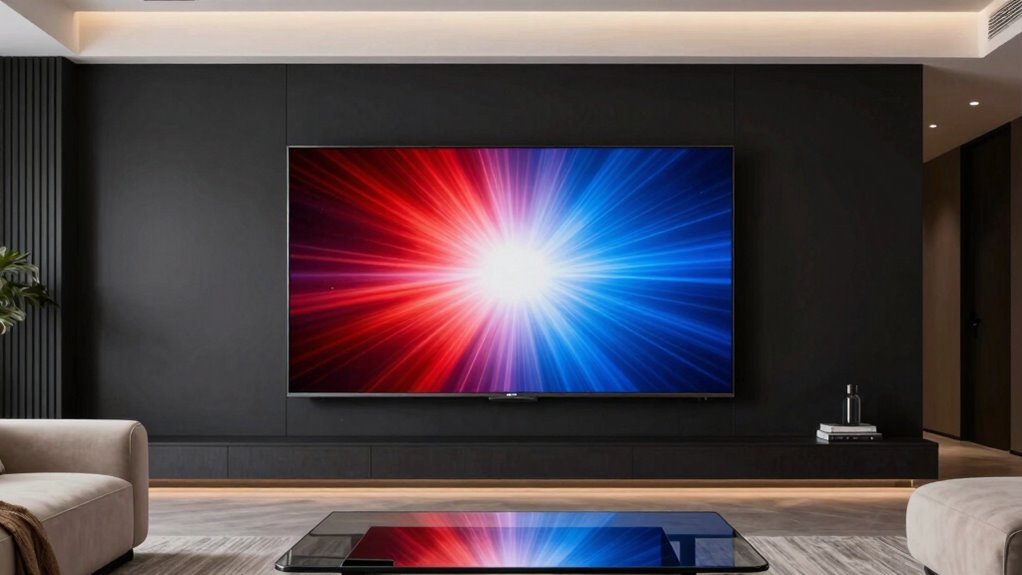

For an OLED TV under $5,000, I’d start with the LG 65-Inch OLED evo C5 as the best overall balance of screen size, picture quality, and features. The Samsung 65-Inch S95F stands out for buyers prioritizing a brighter, more premium picture, while the LG 77-Inch G5 is the big-screen choice for a dedicated viewing space. The tradeoff is usually between paying for a larger screen, choosing a brighter high-end panel, or saving with a smaller set or older generation. Room lighting, gaming needs, and viewing distance can matter as much as the model name. Read on for the full breakdown of all 13 options and how I’d choose between them.

Get business pricing on your home office setup
- Business-only prices and quantity discounts
- Tax-exempt purchasing
- Multiple users, one account, clear invoices
Complete the kit



Key Takeaways
- The 65-inch LG C-series models are the roundup’s balance picks: the C5, C6, and C4 span newer and older generations, so shoppers should compare their feature needs rather than assume the newest model is automatically the best fit.
- Samsung’s S95F and Sony’s BRAVIA 8 II serve premium-picture buyers: they make more sense when picture performance takes priority over stretching the budget toward a larger screen.
- The LG G5 and 65-inch LG options show the size-versus-tier tradeoff: a 77-inch flagship favors immersion, while a 65-inch set is easier to fit in more rooms.
- Small-room shoppers have several distinct routes: Samsung’s 42-inch S90H and S90F, LG’s 48-inch C6, and Sony’s 48-inch A90K suit different generation and brand preferences.
- There is no single best OLED size for every buyer: the 42- and 48-inch models favor desks and compact rooms, while the 55- to 77-inch choices better suit shared viewing spaces.
| Samsung 42-Inch S90H OLED 4K Smart TV (2026) |  | Best Compact Gaming Pick | Screen size: 42 inches | Display technology: OLED | Resolution: 4K | VIEW ON AMAZON | See Our Full Breakdown |
| LG 65-Inch OLED evo C5 Series 4K Smart TV (OLED65C5PUA, 2025) |  | Best All-Rounder for Mixed Viewing | Screen size: 65 inches | Display technology: OLED evo | Resolution: 4K | VIEW ON AMAZON | See Our Full Breakdown |
| Samsung 65-Inch Class S95F OLED 4K Smart TV (2025) |  | Best for Bright Rooms and PC Gaming | Screen size: 65 inches | Display type: OLED | Resolution: 4K | VIEW ON AMAZON | See Our Full Breakdown |
| Samsung QN48S85H 48 inch Class 4K OLED Smart TV |  | Best Mid-Size OLED for Streaming and Sports | Screen size: 48 inches | Display technology: OLED | Resolution: 4K | VIEW ON AMAZON | See Our Full Breakdown |
| Sony BRAVIA XR8B 55-Inch OLED 4K HDR Smart Google TV (K-55XR8B) |  | Best for PlayStation and Screen-Based Audio | Screen size: 55 inches | Display technology: OLED | Resolution: 4K | VIEW ON AMAZON | See Our Full Breakdown |
| LG 77-Inch OLED evo G5 Series 4K Smart TV (OLED77G5WUA, 2025) |  | Best for a Large, Wall-Mounted Home Theater | Screen size: 77 inches | Display type: OLED evo | Resolution: 4K | VIEW ON AMAZON | See Our Full Breakdown |
| Samsung 42-Inch Class OLED S90F 4K Smart TV (2025) |  | Best Compact Gaming OLED | Screen size: 42 inches | Display type: OLED | Resolution: 4K | VIEW ON AMAZON | See Our Full Breakdown |
| LG 65-Inch B6 Series OLED 4K Smart TV (2026) |  | Best for a Balanced 65-Inch Setup | Screen size: 65 inches | Display: OLED 4K | Model year: 2026 | VIEW ON AMAZON | See Our Full Breakdown |
| Sony 48-Inch A90K BRAVIA XR 4K HDR OLED Smart TV |  | Best for PlayStation and Built-In Screen Audio | Model: XR-48A90K | Screen size: 48 inches | Display type: OLED | VIEW ON AMAZON | See Our Full Breakdown |
| LG 48-Inch OLED evo C6 Series 4K Smart TV |  | Best 48-Inch Feature-Rich Pick | Model: OLED48C6PUA | Screen size: 48 inches | Display technology: OLED | VIEW ON AMAZON | See Our Full Breakdown |
| Sony 55 Inch BRAVIA 8 II QD-OLED 4K HDR Smart Google TV (K-55XR80M2) |  | Best for Picture and Built-In Sound | Screen size: 55 inches | Display technology: QD-OLED | Resolution: 4K | VIEW ON AMAZON | See Our Full Breakdown |
| LG 65-Inch C6 Series OLED evo AI 4K Smart TV |  | Best for High-Refresh-Rate Gaming | Screen size: 65 inches | Display type: OLED evo | Resolution: 4K | VIEW ON AMAZON | See Our Full Breakdown |
| LG 65-Inch OLED evo C4 Series Smart TV with Magic Remote, AI-Powered, Alexa Built-in (OLED65C4PUA, 2024) |  | Best Value for a Large Gaming OLED | Screen size: 65 inches | Display technology: OLED evo | Resolution: 4K | VIEW ON AMAZON | See Our Full Breakdown |
| oled tvs under 5000 | Screen size | Resolution | Processor | Refresh rate |
|---|---|---|---|---|
| Samsung 42-Inch S90H OLED 4K S | 42 inches | 4K | NQ4 AI Gen3 | — |
| LG 65-Inch OLED evo C5 Series | 65 inches | 4K | Alpha 9 AI Processor Gen8 | Up to 144Hz |
| Samsung 65-Inch Class S95F OLE | 65 inches | 4K | NQ4 AI Gen3 | Up to 4K 165Hz with supported PC games |
| Samsung QN48S85H 48 inch Class | 48 inches | 4K | NQ4 AI Gen2 | 120Hz |
| Sony BRAVIA XR8B 55-Inch OLED | 55 inches | 4K | XR Processor | — |
| LG 77-Inch OLED evo G5 Series | 77 inches | 4K | Alpha 11 AI Processor Gen 2 | Up to 120Hz |
| Samsung 42-Inch Class OLED S90 | 42 inches | 4K | NQ4 AI Gen3 | — |
| LG 65-Inch B6 Series OLED 4K S | 65 inches | — | A8 AI Processor 4K Gen3 | Up to 120Hz |
| Sony 48-Inch A90K BRAVIA XR 4K | 48 inches | 4K UHD | — | — |
| LG 48-Inch OLED evo C6 Series | 48 inches | 4K | α11 AI Processor 4K Gen3 | 120Hz listed; description claims up to 165Hz |
| Sony 55 Inch BRAVIA 8 II QD-OL | 55 inches | 4K | — | 120 Hz |
| LG 65-Inch C6 Series OLED evo | 65 inches | 4K | Alpha 11 AI Processor Gen 3 | 165Hz |
| LG 65-Inch OLED evo C4 Series | 65 inches | 4K | A9 AI Processor Gen7 | 144 Hz |
More Details on Our Top Picks
Samsung 42-Inch S90H OLED 4K Smart TV (2026)
The 42-inch Samsung S90H is the size-conscious choice here, pairing OLED contrast with a 165Hz refresh rate and support for both G-SYNC and FreeSync Premium Pro. That makes it a stronger fit for a gaming desk or smaller room than the 65-inch LG C5, whose bigger screen suits shared viewing better. AI upscaling and motion enhancement are intended to sharpen lower-resolution sources and fast action, while glare reduction may help in brighter spaces. The tradeoff is limited detail in the supplied information: connectivity, audio, and stand design are unspecified, and the Glare Free claim has no qualification. Choose it for compact, high-refresh gaming; skip it if you need confirmed port details or a large living-room screen.
Pros:- 42-inch 4K OLED format suits desks and smaller rooms.
- 165Hz refresh rate with NVIDIA G-SYNC and AMD FreeSync Premium Pro support.
- AI upscaling and motion processing target sharper detail and fast-moving scenes.
- Glare reduction is designed to limit distracting reflections.
Cons:- Connectivity, audio, and stand details are not provided.
- The Glare Free feature’s qualification is unspecified.
- Its compact screen is less suited to group viewing than the 65-inch LG C5 or Samsung S95F.
Best for: PC and console players seeking a compact OLED with high refresh support for a desk, bedroom, or smaller gaming room.
Not ideal for: Buyers furnishing a large shared viewing space, or anyone who needs confirmed connectivity, audio, and stand details before choosing.
- Screen size:42 inches
- Display technology:OLED
- Resolution:4K
- Model year:2026
- Processor:NQ4 AI Gen3
- Motion refresh rate:165Hz
- Gaming compatibility:NVIDIA G-SYNC, AMD FreeSync Premium Pro
- Picture features:OLED HDR+, Glare Free, 4K AI Upscaling Pro, AI Motion Enhancer Pro, Auto HDR Remastering
Our verdict“Choose the S90H for a compact, high-refresh OLED gaming setup, but not when large-screen viewing or fully specified connections matter most.”
LG 65-Inch OLED evo C5 Series 4K Smart TV (OLED65C5PUA, 2025)
The 65-inch LG C5 earns its place as the most balanced option in this group: it combines an OLED evo panel and Brightness Booster with broad movie and gaming support. Dolby Vision and Dolby Atmos suit a cinema-focused setup, while four HDMI 2.1 inputs give buyers more room for consoles and other high-bandwidth gear than the supplied details for the Sony XR8B provide. Its up-to-144Hz refresh rate and 0.1 ms response time also make it a capable gaming screen, though the Samsung S95F reaches a higher stated refresh rate for compatible PC play. The tradeoff is that its strong feature mix does not make it the specialist pick for either compact gaming or peak refresh pursuits. Choose it for a large, flexible living-room TV.
Pros:- 65-inch OLED evo display with Brightness Booster and self-lit pixels.
- Dolby Vision, Dolby Atmos, and FILMMAKER MODE support.
- Up to 144Hz refresh rate, 0.1 ms response time, and VRR support.
- Four HDMI 2.1 inputs and webOS 25.
Cons:- Its up-to-144Hz specification is below the Samsung S95F’s stated 165Hz PC gaming support.
- A 65-inch screen may be too large for smaller rooms or desk setups.
- The supplied product information does not establish how its brightness compares with competing models in varied room lighting.
Best for: Households that split viewing between films, streaming, sports, and console gaming and want four HDMI 2.1 inputs.
Not ideal for: Buyers who need a compact screen, or PC gamers specifically seeking the lineup’s highest stated refresh rate.
- Screen size:65 inches
- Display technology:OLED evo
- Resolution:4K
- Model year:2025
- Processor:Alpha 9 AI Processor Gen8
- Refresh rate:Up to 144Hz
- Response time:0.1 ms
- HDMI inputs:4 HDMI 2.1
- Smart platform:webOS 25
Our verdict“Pick the LG C5 if you want one large OLED for films, streaming, and gaming rather than a TV built around a single specialty.”
Samsung 65-Inch Class S95F OLED 4K Smart TV (2025)
The Samsung S95F is the specialist pick for viewers who want a large OLED with glare control and advanced PC gaming support. Its glare-free screen is aimed at reducing reflections, a useful distinction from the LG C5, whose supplied details emphasize Brightness Booster rather than glare handling. For compatible PC games, support up to 4K at 165Hz gives motion-focused players a higher stated ceiling than the LG’s up-to-144Hz specification. The NQ4 AI Gen3 processor also upscales content, though results depend on the source, so older or lower-quality video may not gain the same polish as clean material. The catch is that the full gaming rate requires compatible hardware and games; it is not a universal console benefit. Pick it for glare-conscious viewing and PC play.
Pros:- Glare-free screen is designed to reduce reflections.
- OLED panel provides pixel-level black levels and high contrast.
- Up to 4K 165Hz support for compatible PC games and graphics hardware.
- NQ4 AI Gen3 processor supports 4K upscaling; Dolby Atmos and Alexa are included.
Cons:- The 4K 165Hz gaming mode requires a compatible PC graphics card and game.
- Upscaling quality varies with the source material.
- The supplied HDR details do not list Dolby Vision, unlike the LG C5.
Best for: PC gamers and movie watchers with a bright or reflection-prone room who want a 65-inch OLED.
Not ideal for: Console-only buyers who cannot use the 4K 165Hz PC feature, or viewers who prioritize Dolby Vision support listed on the LG C5.
- Screen size:65 inches
- Display type:OLED
- Resolution:4K
- Model year:2025
- Processor:NQ4 AI Gen3
- Refresh rate:Up to 4K 165Hz with supported PC games
- HDR:OLED HDR Pro
- Audio:Dolby Atmos
- Voice assistant:Alexa built-in
Our verdict“Choose the S95F for glare-conscious viewing and compatible high-refresh PC gaming, not for features you cannot use with your sources.”
Samsung QN48S85H 48 inch Class 4K OLED Smart TV
The 48-inch Samsung QN48S85H sits between the compact S90H and the 55- and 65-inch options, making it a practical middle ground for bedrooms and modest living rooms. Its 120Hz Motion Xcelerator supports smoother action for sports and gaming, although it does not match the S90H’s stated 165Hz ceiling or the S95F’s PC-focused 4K 165Hz mode. Tizen OS, AirPlay, Wi-Fi, and Bluetooth give it a broad set of streaming and connection options, while Dolby Atmos and Object Tracking Sound Lite add audio processing beyond the basic picture specification. The tradeoffs are HDR10-only support in the supplied data and a listed weight of 39.2 pounds, which calls for careful mounting or a sturdy stand. Pick this Samsung when size and everyday versatility matter more than maximum refresh rate.
Pros:- 48-inch OLED 4K screen bridges compact and large-screen options.
- 120Hz Motion Xcelerator supports smoother sports and gaming motion.
- NQ4 Gen2 processor provides AI-driven upscaling.
- Tizen OS, four HDMI ports, Wi-Fi, Bluetooth, Ethernet, and AirPlay support.
Cons:- The listed HDR format is HDR10; Dolby Vision support is not specified.
- At 39.2 pounds, it needs a sturdy stand or suitable wall mount.
- Its 120Hz refresh rate is below the stated gaming ceilings of the Samsung S90H and S95F.
Best for: Viewers wanting a 48-inch OLED for streaming, sports, and general gaming, with familiar wireless and wired connection options.
Not ideal for: Buyers seeking the highest stated gaming refresh rates, broader listed HDR format support, or a lightweight TV for an easy wall mount.
- Screen size:48 inches
- Display technology:OLED
- Resolution:4K
- Refresh rate:120Hz
- HDR format:HDR10
- Processor:NQ4 AI Gen2
- HDMI ports:4
- Audio:Dolby Atmos and Object Tracking Sound Lite
- Weight:39.2 pounds
Our verdict“Choose the QN48S85H for a versatile mid-size OLED with plentiful connections, but look elsewhere for peak refresh rates or specified Dolby Vision.”
Sony BRAVIA XR8B 55-Inch OLED 4K HDR Smart Google TV (K-55XR8B)
The Sony BRAVIA XR8B gives PlayStation owners and film watchers a distinct reason to choose it: PS5-specific picture adjustments and Acoustic Surface Audio, which uses the screen as the sound source. That makes it a more specialized entertainment pick than the LG C5, whose supplied feature list gives more detail about gaming refresh rate, response time, and HDMI 2.1 inputs. Sony pairs its XR Processor with Google TV, Google Cast, and AirPlay 2 for a wide streaming setup, plus Dolby Vision, Dolby Atmos, and DTS:X support. The tradeoff is that the provided specifications do not state a refresh rate, response time, or number of HDMI ports, so buyers comparing gaming connections should verify those details. At 55 inches, it also offers less screen area than the 65-inch LG and Samsung picks.
Pros:- OLED self-lit pixels deliver deep black contrast and vibrant color.
- PS5 features include Auto HDR Tone Mapping and Auto Genre Picture Mode.
- Acoustic Surface Audio, Dolby Atmos, and DTS:X support.
- Google TV with Apple AirPlay 2 and Google Cast.
Cons:- Refresh rate, response time, and HDMI port count are not specified in the supplied details.
- Its 55-inch screen is smaller than the LG C5 and Samsung S95F.
- OLED panels can be susceptible to burn-in after prolonged display of static content.
Best for: PlayStation 5 owners and movie-focused viewers who value Sony’s PS5 picture features, Google TV, and sound from the screen.
Not ideal for: Competitive gamers who need confirmed refresh-rate and HDMI-port specifications, or buyers set on a 65-inch screen.
- Screen size:55 inches
- Display technology:OLED
- Resolution:4K
- Model:K-55XR8B
- Processor:XR Processor
- Smart platform:Google TV
- Gaming features:PlayStation 5 Auto HDR Tone Mapping, Auto Genre Picture Mode
- Audio technology:Acoustic Surface Audio, Dolby Atmos, DTS:X
- Streaming support:Apple AirPlay 2, Google Cast
Our verdict“Choose the XR8B for PS5-friendly picture features and screen-based audio, but verify gaming connections if those specs are central to your setup.”
LG 77-Inch OLED evo G5 Series 4K Smart TV (OLED77G5WUA, 2025)
The 77-inch screen is the defining advantage here: it can make movies and sports feel more enveloping than the compact LG C6 or Samsung S90F. LG pairs its OLED evo panel with Brightness Booster Max and the Alpha 11 AI Processor Gen 2, while Dolby Vision and FILMMAKER MODE give viewers options for cinematic presentation. For gaming, four HDMI 2.1 inputs, VRR, and support up to 120Hz provide more connection flexibility than the Sony A90K details specify. The wall-focused design can also show artwork when the TV is idle. The tradeoffs are scale and setup: it needs a generous wall and careful installation, and a slight gap may remain. Upscaling results also depend on the source, so low-resolution video may not look equally refined.
Pros:- 77-inch OLED evo display with over 8.3 million self-lit pixels for deep blacks and detailed images
- Brightness Booster Max and Alpha 11 AI Processor Gen 2 support bright, processed 4K viewing
- Four HDMI 2.1 inputs, VRR, and up to 120Hz suit multi-device gaming setups
- Wall-focused design, art display feature, and five-year panel warranty
Cons:- Large screen and wall-focused installation require substantial space and planning
- Installation conditions may leave a slight gap between the TV and wall
- Upscaled image quality varies with source resolution
Best for: Viewers building a spacious, wall-mounted movie room who want a large OLED screen, Dolby Vision, and multiple HDMI 2.1 gaming connections.
Not ideal for: Apartment dwellers with limited wall space, shoppers seeking a compact screen, or viewers who mostly watch low-resolution sources and expect consistent upscaling.
- Screen size:77 inches
- Display type:OLED evo
- Resolution:4K
- Processor:Alpha 11 AI Processor Gen 2
- Refresh rate:Up to 120Hz
- HDMI inputs:4 HDMI 2.1
- HDR and audio formats:Dolby Vision, Dolby Atmos
- Smart platform:webOS 25
- Panel warranty:5 years
Our verdict“Choose the G5 if you have room for a large, wall-mounted OLED and want broad gaming connectivity; choose the smaller LG C6 if space matters more.”
Samsung 42-Inch Class OLED S90F 4K Smart TV (2025)
The 42-inch S90F is the compact gaming specialist in this group. Its headline advantage over the 48-inch Sony A90K is a stated VRR refresh rate up to 144Hz, which may appeal to PC players with compatible hardware who want extra motion headroom. Samsung’s NQ4 AI Gen3 processor uses 128 neural networks to upscale content and tune picture and sound, while its motion processing and SDR enhancement aim to make varied sources look smoother and more vivid. That makes it more flexible than a screen focused only on native 4K material. The limitation is the sparse specification detail: connectivity and audio information are not provided, and some feature claims carry conditions that are not explained. Choose it for its size and gaming rate, not for a fully documented setup.
Pros:- Compact 42-inch 4K OLED format fits desks and smaller rooms
- VRR gaming support is specified up to 4K at 144Hz
- NQ4 AI Gen3 processor uses 128 neural networks for picture and sound optimization
- Motion processing and SDR enhancement target smoother, more vivid viewing
Cons:- Connectivity and audio specifications are not included in the provided details
- Conditions attached to some feature claims are unspecified
- Smaller screen offers less shared-room impact than the 48-inch Sony A90K or larger models
Best for: PC and console players seeking a smaller 4K OLED with a stated 144Hz VRR gaming mode and AI-assisted picture processing.
Not ideal for: Buyers who need confirmed HDMI port counts, detailed audio specifications, or a larger screen for shared movie viewing.
- Screen size:42 inches
- Display type:OLED
- Resolution:4K
- Model year:2025
- Processor:NQ4 AI Gen3
- AI neural networks:128
- Gaming refresh rate:Up to 144Hz with VRR
Our verdict“Pick the S90F for a compact gaming setup where its stated 144Hz VRR support matters more than complete port and audio details.”
LG 65-Inch B6 Series OLED 4K Smart TV (2026)
The B6 offers a 65-inch OLED screen with a feature set that covers film, streaming, and gaming without the G5’s wall-focused, 77-inch scale. Dolby Vision, Dolby Atmos, and Filmmaker Mode make it a flexible choice for movie nights, while the A8 AI Processor 4K Gen3 supports picture and sound enhancement. Players also get 0.1 ms response time, up to 120Hz, VRR, G-SYNC, and FreeSync Premium. Compared with the 42-inch Samsung S90F, this LG is better suited to shared viewing, though the Samsung’s listed gaming ceiling is higher at 144Hz. WebOS adds streaming access, more than 400 free channels, and artwork display features. Its substantial footprint calls for a proper stand or wall plan, and the supplied details do not establish a brightness advantage over the G5.
Pros:- 65-inch OLED 4K display with self-lit pixels
- Dolby Vision, Dolby Atmos, and Filmmaker Mode support varied movie setups
- 0.1 ms response time, up to 120Hz, VRR, G-SYNC, and FreeSync Premium
- WebOS includes streaming, Google Gemini, over 400 free channels, and artwork display features
Cons:- Stand dimensions require substantial furniture space
- Specified refresh rate reaches 120Hz, below the Samsung S90F’s stated 144Hz gaming mode
- Provided specifications do not state a brightness figure for comparison with the LG G5
Best for: Households wanting a 65-inch OLED for mixed movie, streaming, and console use, with Dolby formats and broad variable-refresh gaming support.
Not ideal for: Buyers with limited furniture or wall space, or competitive PC players prioritizing a stated refresh rate above 120Hz.
- Screen size:65 inches
- Display:OLED 4K
- Model year:2026
- Processor:A8 AI Processor 4K Gen3
- Refresh rate:Up to 120Hz
- Response time:0.1 ms
- Gaming features:NVIDIA G-SYNC, AMD FreeSync Premium, VRR, Game Dashboard, Game Optimizer
- Audio and video formats:Dolby Vision, Dolby Atmos, Filmmaker Mode
- Dimensions with stand:57.0 × 35.4 × 8.6 inches
Our verdict“Choose the B6 if a 65-inch screen and balanced film-and-gaming features suit your room better than a compact high-refresh gaming set.”
Sony 48-Inch A90K BRAVIA XR 4K HDR OLED Smart TV
Sony’s 48-inch A90K has two clear points of difference: PlayStation 5-specific picture features and Acoustic Surface Audio+, which uses the screen as part of its sound system. That built-in audio approach gives it a distinctive place beside the LG C6, whose supplied details list Dolby Atmos but not a screen-based audio system. The Cognitive Processor XR and XR OLED Contrast Pro are designed for natural color, lifelike brightness, and deep OLED blacks, while Google TV provides a familiar streaming hub. For compatible gaming, HDMI 2.1 features include 4K/120, VRR, and ALLM. Its 48-inch size suits a smaller living room better than the 65-inch LG B6, but the supplied specifications list fewer gaming details than some rivals and do not provide a refresh rate beyond 4K/120. Buyers should also check their preferred streaming and connection needs against the full product listing.
Pros:- Cognitive Processor XR and XR OLED Contrast Pro target natural color and deep contrast
- 4K/120, VRR, and ALLM support responsive HDMI 2.1 gaming
- PlayStation 5-specific picture features suit Sony console owners
- Acoustic Surface Audio+ and Dolby Atmos provide a distinctive built-in sound approach
Cons:- Gaming refresh rate is specified at 4K/120, below the Samsung S90F’s stated 144Hz mode
- The supplied details do not specify HDMI port count
- Its 48-inch screen is smaller than the LG B6 for larger shared viewing areas
Best for: PlayStation 5 owners seeking a 48-inch OLED with console-specific picture features, Google TV, and sound produced through the screen.
Not ideal for: PC gamers seeking a stated refresh rate above 120Hz, or buyers who need detailed confirmation of ports and connectivity before choosing.
- Model:XR-48A90K
- Screen size:48 inches
- Display type:OLED
- Resolution:4K UHD
- HDR format:Dolby Vision
- Smart TV platform:Google TV
- Gaming features:HDMI 2.1, 4K/120, VRR, ALLM
- Audio features:Acoustic Surface Audio+, Dolby Atmos, built-in subwoofer
Our verdict“The A90K is a strong fit for PlayStation 5 owners who value Sony’s screen-based audio and a mid-size OLED over a higher listed gaming refresh rate.”
LG 48-Inch OLED evo C6 Series 4K Smart TV
This LG C6 brings OLED evo picture quality and a broad gaming toolkit to a 48-inch size that works for a bedroom, office, or compact living room. Its Dolby Vision and Dolby Atmos support cover popular cinematic formats, while webOS 26, AI upscaling, and four HDMI ports make it a well-rounded alternative to the Sony A90K. The Sony has a stated 4K/120 mode and PlayStation-specific features; the C6 instead lists G-SYNC, FreeSync Premium, and a higher claimed refresh rate in its description. That rate is inconsistent, though: product details say 120Hz while the description says up to 165Hz, so I would not choose it on the higher figure without confirmation. The bundle adds cables and an extended protection plan, but those extras do not resolve the specification mismatch, and the plan lasts one year.
Pros:- 48-inch 4K OLED display with self-lit pixels and Dolby Vision
- Four HDMI ports, VRR, NVIDIA G-SYNC, and AMD FreeSync Premium
- WebOS 26 and Dolby Atmos support
- Bundle includes two 6-foot HDMI cables and a one-year extended protection plan
Cons:- Refresh-rate information conflicts between 120Hz in product details and up to 165Hz in the description
- The included protection plan lasts one year
- Compared with the Sony A90K, the supplied details do not list PlayStation-specific features or screen-based audio
Best for: Buyers seeking a 48-inch OLED with webOS, Dolby Vision, four HDMI ports, and a bundle that includes HDMI cables and an extended protection plan.
Not ideal for: Gamers who need a confirmed refresh-rate ceiling before buying, or viewers who prefer Sony’s specified PlayStation 5 features and screen-based audio.
- Model:OLED48C6PUA
- Screen size:48 inches
- Display technology:OLED
- Resolution:4K
- Refresh rate:120Hz listed; description claims up to 165Hz
- Processor:α11 AI Processor 4K Gen3
- Operating system:webOS 26
- Connectivity:Bluetooth, Wi-Fi, Ethernet, HDMI, USB
- Bundle contents:One-year extended protection plan, two 6-foot HDMI cables, setup guide
Our verdict“Choose the C6 for its LG gaming features and bundled accessories if you can confirm the refresh rate that matters to your setup.”
Sony 55 Inch BRAVIA 8 II QD-OLED 4K HDR Smart Google TV (K-55XR80M2)
The Sony BRAVIA 8 II is the 55-inch pick for buyers who want vivid QD-OLED color and more substantial built-in audio than a typical slim TV provides. Its XR Processor handles picture enhancement, while Acoustic Surface Audio+ directs sound from the screen itself; that may help dialogue feel anchored to the action without adding a soundbar. Google TV, Apple AirPlay 2, and Google Cast make streaming and device sharing straightforward. Compared with the larger LG 65-Inch OLED evo C4, this Sony gives up screen size and gaming refresh rate, but adds a QD-OLED panel and a stated 50W audio system. The tradeoffs are its 120Hz refresh rate, 55-inch viewing area, and high 313W power consumption. Its premium positioning may also put it outside a strict under-$5,000 budget depending on current pricing.
Pros:- QD-OLED combines self-lit pixel contrast with quantum-dot color
- XR Processor applies real-time picture enhancement
- Acoustic Surface Audio+ with stated 50W output and Dolby Atmos support
- Google TV plus Apple AirPlay 2 and Google Cast
Cons:- 55-inch screen is smaller than the 65-inch LG C4 and C6 options
- 120Hz refresh rate is below the listed 144Hz C4 and 165Hz C6 rates
- Stated power consumption of 313W and premium positioning may not suit efficiency- or budget-focused buyers
Best for: Viewers who prioritize vivid movie color, strong built-in TV audio, and Google TV in a 55-inch screen.
Not ideal for: Buyers seeking the largest screen or the highest listed gaming refresh rate, or anyone who needs to stay under a firm budget without checking current pricing.
- Screen size:55 inches
- Display technology:QD-OLED
- Resolution:4K
- Refresh rate:120 Hz
- HDR formats:Dolby Vision, HDR10, HLG
- Audio:Acoustic Surface Audio+, 50W, Dolby Atmos, DTS:X
- Smart platform:Google TV
- Connectivity:Apple AirPlay 2, Google Cast
Our verdict“Choose the BRAVIA 8 II if QD-OLED color and unusually capable built-in audio matter more than screen size, gaming speed, or strict budget certainty.”
LG 65-Inch C6 Series OLED evo AI 4K Smart TV
The LG C6 OLED evo makes its case through gaming speed without giving up the 65-inch OLED format. Its listed 165Hz refresh rate, 0.1ms response time, and NVIDIA G-Sync and AMD FreeSync Premium support target players with compatible high-frame-rate systems; the self-lit pixels also deliver the contrast that makes dark scenes distinct. For movies, Dolby Vision, Dolby Atmos, and Filmmaker Mode cover key viewing preferences, while the Alpha 11 AI Processor Gen 3 is specified for picture processing and upscaling. Compared with the LG 65-Inch OLED evo C4, the C6 has a higher listed refresh rate, while the C4 specifies four HDMI 2.1 ports and a 144Hz rate. The C6 listing does not state its port count, so check connectivity needs before choosing. It is a strong fit for gaming-first buyers, but its feature set may be more than casual streamers need, and its budget fit depends on current pricing.
Pros:- 165Hz refresh rate and 0.1ms response time suit fast gameplay
- NVIDIA G-Sync and AMD FreeSync Premium support
- 65-inch OLED evo panel with over 8.3 million self-lit pixels
- Dolby Vision, Dolby Atmos, and Filmmaker Mode support
Cons:- The provided specifications do not state HDMI port count
- Its gaming-focused refresh rate may add little value for mostly film and streaming use
- Budget fit cannot be confirmed without checking current pricing
Best for: PC and console gamers with compatible high-frame-rate hardware who want a 65-inch OLED for both games and films.
Not ideal for: Casual viewers who will not use its high refresh rate, or buyers who need a clearly stated HDMI port count before purchasing.
- Screen size:65 inches
- Display type:OLED evo
- Resolution:4K
- Processor:Alpha 11 AI Processor Gen 3
- Refresh rate:165Hz
- Response time:0.1ms
- HDR formats:Dolby Vision, HDR10
- Gaming features:NVIDIA G-Sync, AMD FreeSync Premium
- Audio:Dolby Atmos
Our verdict“Pick the C6 if high-refresh-rate gaming on a large OLED is your priority and its current price fits your budget.”
LG 65-Inch OLED evo C4 Series Smart TV with Magic Remote, AI-Powered, Alexa Built-in (OLED65C4PUA, 2024)
The LG C4 is the more established, balanced 65-inch choice in this group: it pairs OLED contrast and Brightness Booster with gaming features that reach beyond casual play. Its 144Hz refresh rate, 0.1ms response time, variable-sync support, and four HDMI 2.1 ports give owners several ways to connect current consoles and gaming PCs. For film viewing, Dolby Vision and Filmmaker Mode offer a different emphasis from the Sony BRAVIA 8 II, whose QD-OLED panel and 50W built-in audio are its distinguishing points. The C4 instead adds webOS, Alexa built in, and a Magic Remote, with five years of software updates stated for the Re:New Program. Its tradeoff against the newer LG C6 is the lower listed refresh rate and older processor generation. That makes it a sensible value-oriented pick only when its current price reflects its 2024 model year.
Pros:- Four HDMI 2.1 ports for connecting multiple gaming devices
- 144Hz refresh rate, 0.1ms response time, and variable-sync support
- OLED evo panel with Brightness Booster and Dolby Vision
- Magic Remote, Alexa built in, and stated five-year software updates
Cons:- 144Hz listed refresh rate is below the LG C6’s 165Hz
- 2024 model year and A9 AI Processor Gen7 are older than the C6’s listed generation
- Premium positioning means its fit under the roundup’s budget depends on current pricing
Best for: Buyers seeking a 65-inch OLED for films and gaming who value multiple HDMI 2.1 ports, Alexa, and a familiar smart-TV setup.
Not ideal for: Shoppers who want the highest listed refresh rate in this LG comparison, or who would rather pay for the newer C6 generation if prices are close.
- Screen size:65 inches
- Display technology:OLED evo
- Resolution:4K
- Refresh rate:144 Hz
- Response time:0.1 ms
- Processor:A9 AI Processor Gen7
- HDMI ports:4 x HDMI 2.1
- Smart features:Alexa built in, webOS Re:New Program
- Video formats:Dolby Vision, Filmmaker Mode
Our verdict“Choose the C4 when its current price makes a 65-inch OLED with four HDMI 2.1 ports a better fit than the newer, faster-refresh C6.”

How We Picked
I ranked these 13 OLED TVs around the decisions that matter under a $5,000 ceiling: screen size, picture and panel tier, gaming and smart-TV usefulness, generation, and the likelihood that a model suits a real room. I gave stronger placement to sets that offer a convincing balance for a broad range of buyers, while premium models earn their place through a clearer case for buyers willing to prioritize picture or installation over value. Compact models are judged on how well they fit smaller spaces, not on whether they can match a larger screen’s impact.
Within similar sizes, I looked at what each lineup position implies for a buyer’s priorities and avoided treating model year alone as a performance guarantee. The C4, C5, and C6, for example, give shoppers a way to weigh generation against needs, while Samsung’s S90 and S95 lines present a more direct choice between a versatile OLED and a higher-tier option. Since prices and availability change, I treat the $5,000 figure as the shopping limit rather than a promise about current listings; confirm the exact model, size, and features before buying.
Factors to Consider When Choosing Oled Tvs Under 5000
Choosing an OLED below this spending limit is less about finding a universally best panel and more about avoiding a mismatch between the TV and your room. I’d settle the size, lighting, and main use first, then compare generations and smart-TV preferences. These broader checks can prevent paying for capabilities you won’t use—or choosing a screen that feels too small once it is installed.
Choose screen size from your seating distance
Screen size changes the viewing experience more than a small spec difference between neighboring models. A 42-inch set can work well at a desk or close seating distance, while 48- and 55-inch models give a bedroom or compact living room more screen without demanding a large wall. For a shared space, 65 inches is often the more satisfying starting point; 77 inches favors a room where viewers sit farther back. A common mistake is choosing the biggest set that fits the wall without checking whether it overwhelms the seating area. Measure the stand or mount width as well as the diagonal, and account for furniture, speakers, and viewing angles.
Match panel priorities to room lighting
OLED’s contrast and dark-scene detail can be a major advantage for evening viewing, but bright rooms call for extra care. Sunlight, windows opposite the screen, and strong overhead lights can make reflections more distracting, so think about where the TV will sit before favoring a premium panel. Curtains, adjustable lighting, and a screen position away from direct glare may improve the experience more than moving up one model tier. Don’t treat a single brightness claim as a guarantee that a TV will look equally good in every room. If daytime viewing is common, compare how the set handles reflections and consider whether you can control the light.
Pay for the generation only when its changes matter
A newer model year can bring changes to processing, gaming support, or interface features, but the year itself does not tell you which differences you will notice. Compare the specific features you use—such as refresh-rate support, HDMI connections, gaming menus, or picture processing—rather than buying newer by default. The C4, C5, and C6 listings illustrate why generation comparisons matter: a prior model may suit someone who wants a proven size and lineup tier, while another buyer may value the latest feature set. Check the full model number because similar names can hide meaningful differences in size or regional configuration. If an upgrade does not solve a real need, a larger screen or better room fit may be the wiser use of your budget.
Prioritize the features you will use for gaming
Console and PC players should check the exact input and refresh-rate support on the model they plan to buy, not rely on the general word “OLED.” Consider how many devices need a high-bandwidth HDMI connection, whether you use variable refresh rate, and whether a sound system will occupy another port. A TV with gaming conveniences can make setup simpler, but those features matter less if you mostly stream films. Also check the placement of ports if the set will be wall-mounted or installed in a tight cabinet. Choosing around your actual devices avoids paying extra for gaming features you never use—or discovering that the connection layout does not suit your setup.
Compare smart platforms and remote habits
The built-in interface shapes daily use: app availability, search, voice controls, and how quickly household members can find their shows all matter. Google TV, Samsung’s platform, and LG’s interface each organize content differently, so a familiar system may be more pleasant than a long feature list. If you already use an external streaming box, the TV interface may matter less, but check that the remote still gives you easy access to inputs and basic controls. Voice assistants and bundled remote functions can be helpful for some households and irrelevant for others. Think about who will use the TV, then favor the controls and layout that feel simplest for them.
Budget for mounting, sound, and long-term care
The TV is only part of the room setup. A wall mount, installation, cable management, or a soundbar can add cost and affect which size or model makes sense within a fixed ceiling. Slim designs may look clean on a wall but can leave less room for built-in sound, so buyers who watch dialogue-heavy programs should plan for audio rather than assume the screen solves everything. OLED owners should use the TV’s built-in panel-care features and avoid disconnecting power in ways that interrupt routine maintenance cycles. If a room has unusually long static-image use, such as a persistent desktop display, weigh that pattern before choosing OLED. Reserving budget for setup and sound can produce a better overall result than spending every dollar on the panel.
Frequently Asked Questions
Is a 77-inch OLED worth choosing over a 65-inch premium model?
I’d choose 77 inches when the room and seating distance support a more immersive picture and the TV will be used by several viewers. A 65-inch premium model can be the better fit if you sit closer, have a smaller wall, or care more about a higher-tier picture experience than screen area. Measure the available space and check viewing distance before deciding; a larger screen is not automatically more comfortable. Also account for installation and audio costs if the larger set changes your setup. The better buy is the size that suits your room, not the one with the bigger diagonal on paper.
Should I choose an older C-series LG instead of a newer one?
That depends on whether the newer model adds a feature you will actually use. Compare the exact C4, C5, and C6 model specifications for gaming connections, processing, software support, and size rather than assuming the year alone settles the choice. A prior generation can make sense when its feature set already matches your needs and you would rather put the difference toward a larger screen or sound system. A newer model is more compelling if it brings a specific improvement that matters to your setup. Verify the full model number and regional specifications before ordering.
Which size is the safest choice for a bedroom or desk setup?
The 42-inch options are the most natural starting point for close seating, desks, and compact bedrooms, while a 48-inch model may suit a room where you sit farther away. Your viewing distance and furniture layout should decide between them. Check the stand footprint and whether you plan to use a monitor arm or wall mount, since room fit can be tighter than the screen diagonal suggests. If you watch from bed, make sure the screen is large enough to read subtitles comfortably from that position. I would not buy a larger set solely because it seems like better value if it dominates the room.
Do I need a premium OLED for daytime viewing?
Not automatically. A higher-tier model may be a better candidate for a bright room, but glare depends on window placement, reflections, and where the TV sits, not just its product tier. If you can reposition the screen or control daylight, a less premium OLED may still suit daytime use. Watch for direct reflections from windows and lamps, and consider whether blinds or curtains are practical. Buyers who watch mostly at night may get more benefit from prioritizing size or setup than paying extra for brightness they rarely need.
Is OLED a good choice for a TV used as a PC display?
It can work well when you want deep contrast and a large, high-quality screen, but your desktop habits matter. A desktop often keeps static elements such as taskbars, window borders, and game HUDs in the same locations for long periods, so use the TV’s panel-care features and vary content when possible. Check the specific model’s PC compatibility, input support, and how its interface handles text and scaling. A compact 42- or 48-inch set may be easier to place at desk distance than a 65-inch or 77-inch television. If the display will show static work screens for most of every day, compare that pattern against your tolerance for OLED care and long-term wear concerns.
Conclusion
For most shoppers, I’d make the LG 65-Inch OLED evo C5 my best overall pick because its size and C-series positioning suit a broad range of living rooms. The LG 65-Inch B6 is my value-oriented choice for buyers who want a 65-inch OLED without aiming for the highest-tier lineup, while the Samsung 65-Inch S95F is the best premium option for those prioritizing a more upscale picture experience. For beginners, I’d start with a 65-inch LG C-series model and compare the C4, C5, and C6 by exact features and setup needs rather than model year alone. Small-room and desk buyers should focus on the Samsung 42-Inch S90H or S90F, the LG 48-Inch C6, or the Sony 48-Inch A90K; for a dedicated theater-style space, the LG 77-Inch G5 makes the strongest case for screen size. Choose the set that fits your room and viewing habits first, then spend on a higher tier only when its specific benefits matter to you.
Halloween Picks
halloween
As an affiliate, we earn on qualifying purchases.