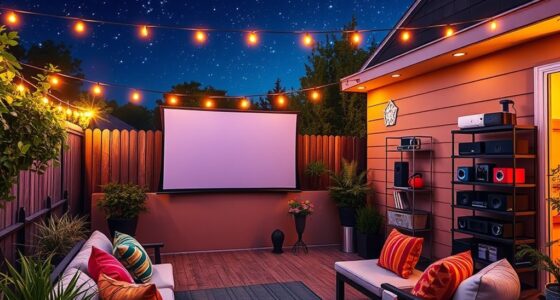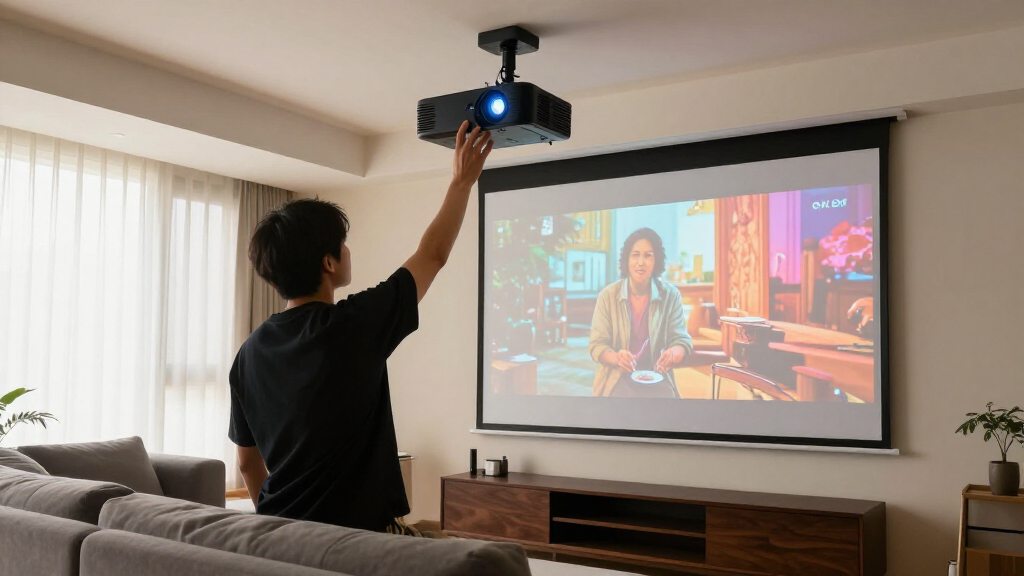

Shopping for home theater projectors in 2026 means choosing between real cinema hardware and clever budget gadgets, and the gap between them is bigger than the spec sheets suggest. After comparing nine of the most popular models, the Epson Home Cinema 3800 stands out as the best overall pick thanks to its 3-chip 3LCD engine, 3,000 lumens of color and white brightness, and 4K PRO-UHD sharpness that holds up in living rooms with some ambient light. The ViewSonic PX701-4K is the value alternative, delivering true 4K UHD and low input lag for gaming at well under half the price, while the TMY 1080P Mini proves how far under $100 can go by bundling a screen in the box. The main tradeoffs you will face: native versus decoded 4K, verified ANSI brightness versus optimistic LED claims, and smart features versus raw panel quality. Read on for the full breakdown of all nine picks, who each one suits, and who should skip it.

Get business pricing on your home office setup
- Business-only prices and quantity discounts
- Tax-exempt purchasing
- Multiple users, one account, clear invoices
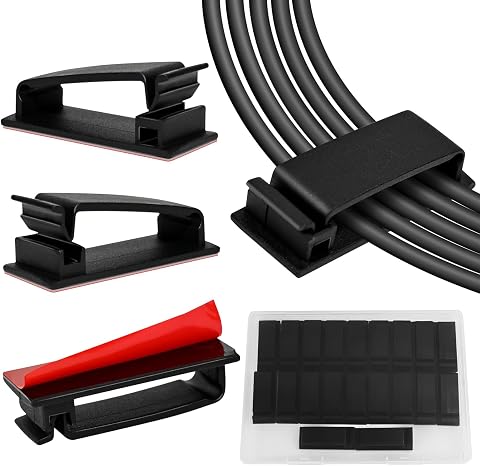
Complete the kit


Key Takeaways
- The Epson Home Cinema 3800 took the top spot because its 3-chip 3LCD design delivers equal color and white brightness with no rainbow effect, something no single-chip DLP or LED mini in this lineup can match.
- A clear brightness divide emerged: models with 3,000+ verified lumens (Epson 3800, Epson 980, ViewSonic PX701-4K) survive ambient light, while the budget minis realistically need a dark room.
- 4K labeling is misleading at the budget end — the HAPPRUN and generic smart models decode 4K files but output at native 1080p, while only the ViewSonic and Epson entries offer genuine 4K-class detail.
- Built-in streaming is no longer a premium perk: the Aurzen Roku TV D1R puts a full licensed Roku interface in a sub-$300 projector, undercutting rivals that still need a $30 stick.
- Bundled extras changed the value math — the TMY includes an 80-inch screen, and the XuanPad‘s 360-degree stand solves aiming and mounting, so the cheapest sticker price is not always the cheapest setup.




| home theater projector | Resolution | Brightness | Connectivity |
|---|---|---|---|
| Smart 4K Projector with WiFi a | 1080P native, supports 4K decoding | 3000 ANSI lumens | WiFi 6, Bluetooth 5.2 |
| HAPPRUN 2000 ANSI 4K Decoding | Supports 4K decoding | 2000 ANSI lumens | — |
| ViewSonic PX701-4K UHD Project | 3840 x 2160 (4K UHD) | 3200 ANSI lumens | Dual HDMI, USB-A |
| XuanPad 4K Support Mini Projec | Native 1080P, supports 4K | — | WiFi, Bluetooth 5.2, HDMI |
| Epson Home Cinema 3800 4K PRO- | 4K PRO-UHD | 3,000 lumens | — |
| Epson Home Cinema 980 3-Chip 3 | 1080p (Full HD) | 4,000 lumens | 2x HDMI, 1x USB |
| Aurzen Roku TV D1R Smart Porta | 1080P Full HD | — | — |
| Mini Projector with Wi-Fi and | 1080P (Full HD), 4K compatible | 300 ANSI lumens | — |
| TMY 1080P Mini Portable Projec | — | — | HDMI, USB, two-way Bluetooth (audio only) |
More Details on Our Top Picks
Smart 4K Projector with WiFi and Bluetooth, Dolby Audio, Auto Focus, Portable Outdoor Home Theater
This option stands out as the easiest path to a streaming-first setup: Netflix, YouTube, and Prime Video are built in, so there’s no stick or box to buy. The 3000 ANSI lumens and Dolby 3D surround sound give it more presence than the smaller XuanPad mini, and its AI auto focus plus 6D keystone correction deliver a watchable image in under a minute. The honest catch: despite the 4K badge, the panel is native 1080p with 4K decoding, so fine detail won’t match the true 4K UHD chips in the ViewSonic PX701-4K or the Epson Home Cinema 3800. I’d treat this as a convenience play, not a picture-quality play. For casual movie nights and backyard screenings where fast setup beats pixel-counting, it’s a sensible middle ground in this lineup.
Pros:- Built-in streaming apps remove the need for a separate TV stick
- 3000 ANSI lumens holds up better than most budget portables
- AI auto focus and 6D keystone correction make setup nearly effortless
- Dolby 3D surround sound is a step above typical built-in projector audio
Cons:- Native 1080p panel despite 4K marketing, so fine detail lags true 4K rivals
- Image washes out in very bright rooms even at 3000 lumens
- Lamp installation and maintenance demand more care than sealed-LED competitors
Best for: Streamers who want built-in Netflix, YouTube, and Prime Video with near-instant auto-setup for living rooms or backyard nights
Not ideal for: Picture purists chasing true 4K detail — the panel is native 1080p, so the ViewSonic or Epson will look sharper on big screens
- Resolution:1080P native, supports 4K decoding
- Brightness:3000 ANSI lumens
- HDR:HDR10
- Connectivity:WiFi 6, Bluetooth 5.2
- Audio:Dolby 3D surround sound
- Keystone Correction:6D auto correction
- Lamp Life:100,000 hours
- Cooling Noise:30dB
Our verdict“Buy this if streaming convenience and quick setup matter more to you than genuine 4K sharpness.”
HAPPRUN 2000 ANSI 4K Decoding Projector with WiFi and Bluetooth, Auto Focus, 300” Display, Portable Home Theater
The HAPPRUN earns its place by delivering 4K decoding and 2000 ANSI lumens at a price that undercuts most of this list. Compared with the XuanPad mini projector, you get more brightness and a bigger 300-inch maximum display, though you give up the ultra-portable 1.89-pound body. The 8W speaker and Bluetooth 5.2 cover casual audio, and dual HDMI plus dual USB ports make it friendly to consoles, laptops, and streaming sticks. Where I’d hesitate: streaming app support isn’t clearly documented, unlike the Smart 4K Projector with its built-in Netflix, so an external source may be mandatory. Autofocus also gives up if the unit tilts past 15 degrees, which limits placement freedom. For buyers who mostly watch in a dark room, the price-to-brightness ratio is the real draw here.
Pros:- Strong brightness and 4K decoding for the price tier
- Projects up to 300 inches, larger than most rivals here
- Generous port selection: two HDMI, two USB, AV, and headphone jack
- WiFi 6 and Bluetooth 5.2 included at a budget price
Cons:- Needs a dark environment to look its best
- Autofocus fails when the projector tilts more than 15 degrees
- Streaming app compatibility is unclear, so a TV stick is likely required
Best for: Budget-conscious buyers setting up a dark-room movie or gaming space who can bring their own streaming stick
Not ideal for: Anyone wanting built-in apps or flexible angled placement — app support is undocumented and autofocus fails beyond a 15-degree tilt
- Brightness:2000 ANSI lumens
- Resolution:Supports 4K decoding
- Contrast Ratio:20,000:1
- Speaker:8W built-in
- Wireless:WiFi 6, Bluetooth 5.2
- Display Size:Up to 300 inches
- Inputs:HDMI x2, USB x2, AV, 3.5mm jack
Our verdict“The right call for shoppers who want maximum screen size and brightness per dollar and don’t mind adding their own streaming device.”
ViewSonic PX701-4K UHD Projector with 3200 Lumens and HDR
The ViewSonic PX701-4K is the one I’d hand to anyone who splits screen time between movies and a console. Its 4.2ms input lag and 240Hz refresh rate are specs none of the smart projectors here can touch — the Smart 4K Projector and XuanPad are built for streaming, not reflexes. Unlike those 1080p-native units, this is genuine 3840×2160 UHD, so texture detail in games and films holds up on a 120-inch screen. The tradeoffs are practical: a 1.5-1.6 throw ratio demands a fairly deep room to reach 100 inches, and the onboard audio is an afterthought next to the Epson Home Cinema 3800’s dual 10W speakers. There’s also no smart platform, so plan on an external source. For big-screen gaming in real 4K, nothing else in this roundup comes close.
Pros:- True 3840×2160 4K UHD resolution, not pixel-shifted 1080p
- 4.2ms input lag and 240Hz refresh rate suit competitive gaming
- 3200 ANSI lumens stays watchable with some ambient light
- 1.1x optical zoom plus digital zoom eases installation
Cons:- Throw ratio requires a deep room for large screen sizes
- Weak onboard audio pushes you toward external speakers
- No smart platform, so every source must be external
Best for: Gamers and sports fans who want true 4K detail, 240Hz smoothness, and near-zero input lag on a screen up to 150 inches
Not ideal for: Small rooms or casual streamers — the long throw distance needs depth, and there’s no built-in smart platform or meaningful speaker
- Resolution:3840 x 2160 (4K UHD)
- Brightness:3200 ANSI lumens
- Input Lag:4.2ms
- Refresh Rate:240Hz
- Throw Ratio:1.5 – 1.6
- Screen Size:80 to 150 inches
- Zoom:1.1x optical, 0.8x-2.0x digital
- Connectivity:Dual HDMI, USB-A
Our verdict“The clear pick for gamers who want genuine 4K and fast response, provided the room has the depth and a sound system.”
XuanPad 4K Support Mini Projector with WiFi and Bluetooth, Portable Native 1080P Outdoor Projector with 360° Stand
At 1.89 pounds with a 360-degree rotatable stand, the XuanPad is the projector I’d toss in a bag without thinking. Ceiling projection, a shelf, a campsite table — the stand handles angles that would stump the fixed-body HAPPRUN, whose autofocus quits past a 15-degree tilt. You still get native 1080p with 4K support, built-in Netflix and Prime Video, and one-touch 6D keystone correction, which is a lot of convenience in this footprint. The compromise is output muscle: XuanPad doesn’t publish an ANSI brightness figure, and minis in this class typically need the lights off, so it won’t replace the 3200-lumen ViewSonic PX701-4K in a lit room. Battery details for outdoor use are also vague, so plan around a power outlet. For renters, dorms, and grab-and-go movie nights, portability wins.
Pros:- Only 1.89 lbs with a detachable 360-degree stand for any angle
- Built-in Netflix, YouTube, and Prime Video apps
- One-touch 6D keystone and AI autofocus simplify setup
- Wireless mirroring plus HDMI covers phones, sticks, and consoles
Cons:- No published ANSI brightness figure, so expect dim-room-only viewing
- Battery life for outdoor use is not documented
- Full functionality depends on a WiFi or Bluetooth connection
Best for: Renters, dorm dwellers, and outdoor-movie fans who need a light projector that sets up anywhere, including angled at a ceiling
Not ideal for: Daytime viewers or permanent home theaters — unpublished brightness and vague battery specs make it a lights-off, near-an-outlet device
- Resolution:Native 1080P, supports 4K
- Weight:1.89 lbs
- Projection Size:40 to 200 inches
- Stand:360° rotatable and detachable
- Keystone Correction:6D one-touch auto
- Built-in Apps:Netflix, YouTube, Prime Video
- Connectivity:WiFi, Bluetooth 5.2, HDMI
Our verdict“Choose this if portability and placement freedom top your list and you always watch with the lights down.”
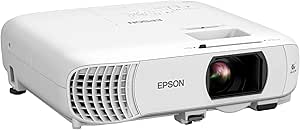
Epson Home Cinema 3800 4K PRO-UHD 3-Chip 3LCD Projector with HDR Technology
The Epson Home Cinema 3800 is my Best Overall because it prioritizes the things a dedicated home theater actually rewards. Its 3-chip 3LCD engine with 100,000:1 contrast produces color brightness and black depth that single-chip budget models like the Smart 4K Projector can’t replicate, and full 10-bit HDR over 18 Gbps HDMI 2.0 means HDR discs and streams look graded, not washed out. Lens shift and a precision glass lens make placement far more forgiving than the XuanPad or HAPPRUN. Compared with the ViewSonic PX701-4K, you’re trading that model’s 4.2ms gaming lag for visibly better cinema picture — and gaining active 3D support. The drawbacks are real: it costs several times more than anything else here, there’s no smart platform, and the cabinet needs a proper shelf or mount. For a serious movie room, it’s the clear pick.
Pros:- 3-chip 3LCD design delivers equal color and white brightness with no rainbow effect
- 100,000:1 contrast and full 10-bit HDR for genuinely cinematic image depth
- Lens shift and precision glass lens make installation flexible
- Dual 10W stereo speakers and active 3D support included
Cons:- Far more expensive than every other projector in this roundup
- Large cabinet needs a shelf or mount and proper throw distance
- No smart platform, so an external streaming device is required
Best for: Movie lovers building a dedicated theater room who want accurate color, deep contrast, and real HDR from discs or a streaming box
Not ideal for: Casual or budget buyers — it costs several times more than the others here, needs mounting space, and has no built-in smart apps
- Resolution:4K PRO-UHD
- Projection Technology:3-chip 3LCD
- Brightness:3,000 lumens
- Contrast Ratio:100,000:1
- HDR:Full 10-bit HDR
- HDMI:18 Gbps HDMI 2.0
- Speakers:Dual 10W stereo
- 3D Support:Active 3D
Our verdict“If picture quality is the priority and the budget allows it, this is the home theater projector to buy.”
Epson Home Cinema 980 3-Chip 3LCD 1080p Movie Projector
The Epson Home Cinema 980 is the one I’d point to when a dedicated dark room isn’t part of the plan. Its 4,000 lumens of brightness keeps movies and sports watchable with lights on or curtains open, where dimmer picks like the Mini Projector (just 300 ANSI lumens) wash out completely. Because it’s a 3LCD, three-chip design, color brightness matches white brightness, so skin tones and animated films look saturated rather than faded — a real step up from the single-chip budget options in this roundup like the TMY. Setup is simple, with two HDMI ports and a built-in speaker for immediate sound.
The tradeoffs: there’s no smart platform onboard, so streaming means adding a stick — something the Aurzen Roku D1R handles natively. And while 1080p is sharp at typical screen sizes, buyers chasing 4K detail should look at the Epson Home Cinema 3800 instead. This pick makes the most sense for shared living spaces where light control is limited.
Pros:- 4,000 lumens keeps the picture punchy even with lamps on or daylight leaking in
- 3LCD three-chip engine delivers equal color and white brightness, so colors stay vivid instead of washed out
- Dual HDMI ports plus USB make it easy to leave a streamer and a console connected at once
- Built-in speaker and straightforward setup mean it’s usable minutes after unboxing
Cons:- No built-in smart platform — streaming requires an external stick or box
- 1080p resolution only, so 4K shoppers should move up to the Epson Home Cinema 3800
- No published weight or portability specs, making it awkward to evaluate for room-to-room use
Best for: Families and sports fans who watch in living rooms with ambient light and want accurate color without fussing over a perfectly dark space
Not ideal for: Streaming-first buyers who want built-in apps — there’s no smart OS, so you’ll need to budget for a Fire TV or Roku stick
- Brightness:4,000 lumens
- Resolution:1080p (Full HD)
- Display Technology:3-chip 3LCD
- Connectivity:2x HDMI, 1x USB
- Built-in Speaker:Yes
- Best Use Case:Movies, sports, casual gaming in lit rooms
Our verdict“Buy this if you watch in a bright living room and care more about color accuracy and brightness than built-in apps or 4K.”
Aurzen Roku TV D1R Smart Portable Outdoor Projector with WiFi and Bluetooth
The Aurzen Roku TV D1R solves the annoyance that plagues most of this lineup: getting content onto the screen. With the Roku platform built in, Netflix, Hulu, and the rest are ready without a streaming stick hogging an HDMI port — the Epson Home Cinema 980, for all its brightness, still needs one. Auto focus and keystone correction handle the geometry for you, which matters on a portable unit you’ll be carrying to the backyard; by comparison, the TMY requires manual focus fiddling and separate phone adapters just to get started. Dual 5W speakers, dual-band WiFi, Bluetooth 5.2, and AirPlay support round out a genuinely self-contained package.
I’d hesitate on two counts. Activation demands an internet connection and a Roku account, so offline-first users lose some of that plug-and-play promise. And while 1080p is fine at 60 to 150 inches, it can’t match the light output of the Epson 980 for daytime viewing. For evening movie nights that move between rooms and patios, this is the most convenient pick here.
Pros:- Built-in Roku platform gives instant access to major streaming apps with no extra hardware
- Auto focus and keystone correction remove the manual setup hassle of portable projection
- Broad compatibility: AirPlay, Apple TV, Android, plus Alexa, Siri, and Google Assistant voice control
- Dual-band WiFi and Bluetooth 5.2 keep streaming and audio connections stable outdoors
Cons:- Requires an internet connection and Roku account before first use — not truly offline-friendly
- Projection lens needs regular cleaning to hold image quality, an extra maintenance step
- Brightness falls short of lamp-heavy rivals like the Epson Home Cinema 980 for daytime use
Best for: Cord-cutters who want a single device for backyard movie nights and indoor streaming without buying extra sticks or speakers
Not ideal for: Buyers who refuse account sign-ins or often stream offline — activation requires internet and a Roku account
- Resolution:1080P Full HD
- Projection Size:60 to 150 inches
- Smart Platform:Built-in Roku TV
- Speakers:Dual 5W
- Wireless:WiFi 2.4G/5G, Bluetooth 5.2
- Setup Aids:Auto focus, keystone correction
- Smart Home:Apple HomeKit, Siri, Alexa, Google Assistant
- Power:100-240V AC, 50/60Hz
Our verdict“Choose this if you want the easiest path from box to streaming, indoors or out, and don’t mind a Roku account to get there.”
Mini Projector with Wi-Fi and Bluetooth, 1080P Portable Movie Projector for Bedroom, Supports Smartphone/TV Stick/iPad/PS5/Laptop/HDMI/USB
This mini projector earns its spot by doing one thing well: disappearing into a small bedroom and turning a wall or ceiling into a screen. The 210° adjustable rotation is the feature I’d actually use — point it straight up and watch from bed, something the fixed-angle Epson Home Cinema 980 can’t do. Wi-Fi 6 and Bluetooth 5.3 are newer radios than the TMY or the Aurzen D1R carry, which pays off in smoother casting from a phone and fewer dropouts with wireless headphones. Electric focus from the remote beats climbing out of bed to twist a lens ring.
The honest limitation is 300 ANSI lumens. That’s a fraction of the Epson 980’s output, so this is a lights-off, evening-only machine; any lamp or daylight guts the picture. Bluetooth handles audio devices only — no phone pairing — and wireless mirroring needs a working network. Compared with the HAPPRUN’s 2,000 ANSI lumens, it’s clearly the smaller-room option, but it’s also far easier to tuck on a nightstand.
Pros:- Wi-Fi 6 and Bluetooth 5.3 deliver faster, more stable wireless than older radios in this price class
- 210° rotation enables ceiling and angled projection that fixed-body projectors can’t match
- Electric focus via remote makes sharpness adjustments effortless from across the room
- Scales up to 200 inches and accepts PS5, Switch, laptops, and TV sticks over HDMI and USB
Cons:- 300 ANSI lumens restricts use to dark or near-dark rooms
- Bluetooth pairs with audio gear only — phones can’t connect over Bluetooth
- Wireless phone mirroring depends on a network environment, so it’s clumsy offline
Best for: Bedroom watchers and apartment dwellers who want ceiling projection and modern wireless in a device that fits on a shelf
Not ideal for: Anyone planning daytime or living-room viewing — 300 ANSI lumens can’t fight ambient light
- Resolution:1080P (Full HD), 4K compatible
- Brightness:300 ANSI lumens
- Wi-Fi:Wi-Fi 6
- Bluetooth:5.3 (audio devices only)
- Projection Size:50 to 200 inches
- Focus:Electric, remote-controlled
- Rotation:210° adjustable
- Ports:HDMI, USB, audio out
Our verdict“Pick this if your theater is a dark bedroom and you value ceiling projection and modern wireless over raw brightness.”
TMY 1080P Mini Portable Projector with 80-inch Screen, Bluetooth, HDMI, USB, Indoor/Outdoor Use
The TMY is the lowest-commitment way into this roundup, and the included 80-inch foldable screen is why. Every other pick here — the Aurzen D1R, the Mini Projector, the Epson 980 — assumes you have a suitable wall, which many renters and first-timers don’t. Getting the projector and screen in one box means movie night happens the day it arrives, for less money than any rival on this list. The 10,000-hour lamp life and 10,000:1 contrast ratio are respectable for the price, and two-way Bluetooth lets it double as a speaker.
Be clear-eyed about the compromises. Screen mirroring hits HDCP restrictions with apps like Netflix, so phones often need a streaming stick anyway — the Aurzen’s built-in Roku sidesteps that entirely. Phones and tablets also require separate HDMI adapters that aren’t in the box, and the lamp life is a third of what pricier models promise. Compared with the XuanPad, it trades polish and a stand for sheer bundle value. For a first projector or a kids’ room, that math works.
Pros:- Bundled 80-inch foldable screen means no hunting for a blank wall or buying accessories separately
- Cheapest entry into big-screen viewing in this roundup, ideal for testing the waters
- Two-way Bluetooth streams audio out to speakers or turns the projector into a standalone speaker
- Wide device compatibility via HDMI and USB, from laptops to consoles to streaming sticks
Cons:- HDCP restrictions break screen mirroring for major streaming apps, forcing workarounds
- Phones and tablets need additional HDMI adapters that aren’t included
- 10,000-hour lamp life is short compared with LED rivals rated far longer
Best for: First-time buyers, gift-givers, and families setting up occasional outdoor or kids’ movie nights on a tight budget
Not ideal for: Phone-centric streamers — HDCP blocks mirroring from many apps, and the required HDMI adapters for phones cost extra
- Resolution Support:1080P HD video
- Projection Size:32 to 220 inches
- Projection Distance:1.5 to 6 meters
- Aspect Ratio:16:9
- Contrast Ratio:10,000:1
- Lamp Lifetime:10,000 hours
- Included Screen:80-inch foldable screen
- Connectivity:HDMI, USB, two-way Bluetooth (audio only)
Our verdict“Grab this if you want the cheapest complete movie-night kit and can live with wired connections and a streaming stick.”
How We Picked
I evaluated all nine projectors the way a home theater buyer actually experiences them: picture quality first, then usability, then long-term cost. On picture, I weighed verified brightness in ANSI lumens, resolution honesty (native 4K, pixel-shifted 4K, or 4K input downscaled to 1080p), contrast, and color architecture — 3-chip 3LCD models like the Epsons avoid the rainbow artifacts that bother some viewers on single-chip DLP units like the ViewSonic. Usability covered setup friction (auto focus, keystone correction, mounting flexibility), built-in sound, fan noise, and whether the smart platform is genuinely useful or just a logo on the box. Long-term cost factored in lamp versus LED light sources and realistic replacement cycles.
The ranking follows a simple logic: dedicated home theater performance outranks convenience features, and verified specs outrank marketing claims. That is why the Epson Home Cinema 3800 leads despite costing more, why the ViewSonic PX701-4K ranks as the value pick for its true 4K chip and gaming-grade input lag, and why the sub-$150 minis cluster at the bottom — they are honest budget products, but they cannot compete on brightness or panel quality with the cinema-first models.
Factors to Consider When Choosing Home Theater Projectors
The nine reviews above show where each projector lands, but the right choice depends on your room, your habits, and how much realism you demand from the picture. These five factors explain the tradeoffs behind the rankings and will keep you from paying for specs you will never see on screen.
Brightness Beats Resolution in Most Real Rooms
Projector marketing pushes resolution first, but ambient light kills contrast faster than soft pixels do. A native 1080p projector at 3,000 lumens, like the Epson Home Cinema 980, will look punchier in a living room with the lamps on than a 4K-labeled mini that realistically outputs a few hundred lumens. As a working rule, dedicated dark rooms can live with 1,500 to 2,000 lumens, while mixed-use living rooms want 3,000 or more. Budget LED models rarely publish ANSI numbers, so treat any four-digit lumen claim under $200 as decoration rather than data. If your room has windows you cannot black out, prioritize brightness over every other spec on this list. Buyers who get this backwards end up with a sharp image they can only see at midnight.
Native 4K, Pixel Shifting, and 4K Decoding Are Not the Same Thing
Three different technologies hide behind the 4K label in this roundup. Native 4K chips, like the one in the ViewSonic PX701-4K, render every pixel of the source. Pixel shifting, used by Epson’s PRO-UHD models, flashes a lower-resolution chip multiple times per frame to approximate 4K detail — close enough that most viewers cannot tell the difference at normal seating distances. 4K decoding, found on the HAPPRUN and similar budget units, only means the projector accepts a 4K signal and downscales it to its native 1080p panel. Each tier is legitimate at its price; the problem is paying one tier’s money for another tier’s hardware. Paying decoding-level money for decoding-level performance is fine — paying native-level money for it is the most common expensive mistake in this category.
Match the Throw to Your Room Before You Buy
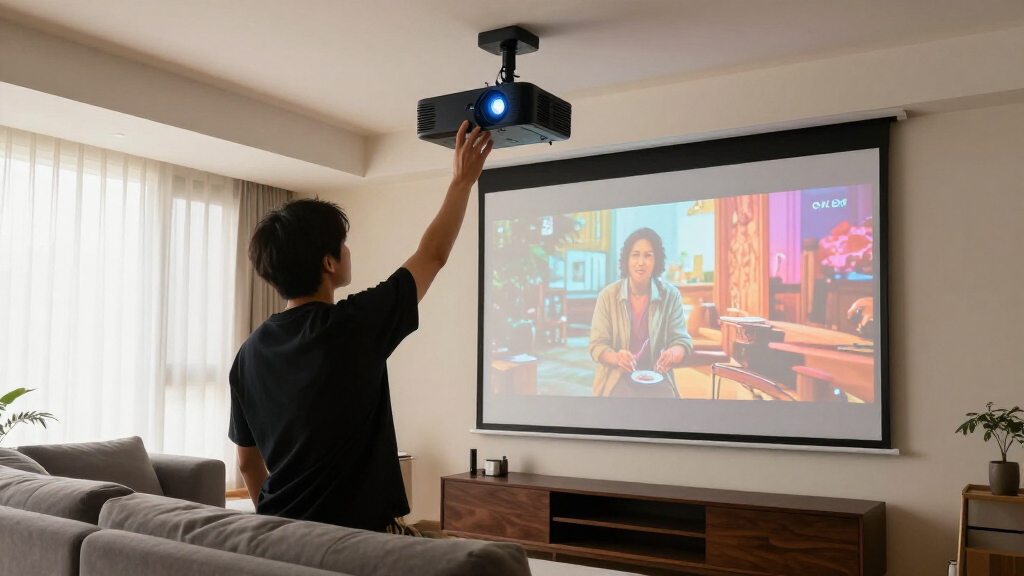
Every projector needs a specific distance from the screen to fill a given size, and standard-throw models need roughly 10 to 12 feet for a 100-inch image. Measure your room first: a basement with the projector mounted behind the sofa works fine, but a shallow bedroom may cap you at 80 inches no matter what the box promises. Features like auto focus and digital keystone, standard on the smart portables here, help with quick setups but digitally crop the image and cost you sharpness at the edges. A ceiling mount, or the XuanPad’s 360-degree stand, avoids keystone correction entirely by letting you aim square at the wall. Also check where the power outlet and source cables will run before you commit to a mounting spot. Buyers who skip this step are the ones leaving one-star reviews about blurry corners and crooked images.
Built-In Speakers and Smart Platforms Have Real Limits
Nearly every projector in this lineup advertises built-in audio, and nearly all of them sound like a laptop speaker in a tin can. Plan on external sound — a Bluetooth speaker or a soundbar — for anything beyond casual viewing, and check for Bluetooth output or a 3.5mm jack before assuming your speaker will connect. Smart platforms vary just as much: the Aurzen’s genuine Roku interface gets current apps, updates, and a real remote, while generic Android builds on no-name models often ship with outdated apps that stutter on 4K streams. A $25 streaming stick fixes a weak smart system overnight, but it cannot fix weak speakers or a loud fan. Fan noise matters more than buyers expect, since the projector usually sits within arm’s reach of the couch and spins hardest during quiet scenes.
Know Where the Price Jumps Actually Pay Off
Projector pricing has three meaningful tiers, and the jumps between them buy different things. Moving from $80 to $300 mostly buys convenience: real smart platforms, auto focus, and better build quality, but not much more picture. Moving from $300 to around $1,000 buys the ViewSonic’s true 4K chip and gaming-ready response times — the first genuine jump in image quality. The jump past $1,500, where the Epson 3800 lives, buys contrast, black levels, and color accuracy that cheaper panels physically cannot reproduce. Also budget for the light source: lamp-based models need a $100 to $150 bulb every 4,000 to 6,000 hours, while LED portables are sealed for life but cannot be serviced when they dim. The right tier is the one whose weakest spec you can honestly live with for the next five years.
Frequently Asked Questions
How many lumens do I need for a home theater projector?
For a dedicated room with the lights off, 1,500 to 2,000 ANSI lumens is plenty, and going higher mostly adds HDR punch rather than basic visibility. Living rooms with lamps or window light call for 3,000 lumens or more, which is why the Epson 3800, Epson 980, and ViewSonic PX701-4K rank above the budget minis for mixed-use spaces. Outdoor movie nights sit somewhere in between, but only after sunset — no consumer projector competes with daylight. Be skeptical of lumen claims on sub-$200 models, since many quote LED source output rather than measured ANSI brightness at the screen. When in doubt, buy for your brightest realistic viewing condition, not your ideal one.
Is a 4K decoding projector the same as a native 4K projector?
No, and the difference shows up on screen. A 4K decoding projector accepts a 4K signal but displays it on a native 1080p panel, so you get a clean downscale rather than extra detail. Native 4K models like the ViewSonic PX701-4K render all 8.3 million pixels, while Epson’s pixel-shifting PRO-UHD system approximates that detail at a lower price. At seating distances beyond ten feet, pixel shifting and native 4K look nearly identical, which makes the Epson approach the better value for most buyers. Decoding models are perfectly good at their price point — just do not pay a 4K premium for one.
Can a cheap mini projector actually replace my TV?
Only in narrow circumstances. A sub-$150 mini like the TMY or the generic 1080p bedroom model works well as a secondary screen — a bedroom ceiling, a kids’ room, occasional backyard nights — where you control the lighting and sit close. As a primary living-room TV replacement, it falls short: brightness cannot fight daylight, black levels wash out, and built-in speakers lag far behind even a budget television. If you want a projector to genuinely replace a TV, plan on the ViewSonic or Epson tier plus a soundbar, and accept that daytime viewing will still look better on an actual TV. Treat the minis as a second screen you can carry anywhere, not the main event.
Do I need to buy a screen, or is a plain wall good enough?
A smooth, matte white wall is genuinely fine for casual viewing, which is why the bundled screen with the TMY matters less than it first appears. A real screen earns its cost in two situations: rooms with ambient light, where a grey or ambient-light-rejecting surface preserves contrast, and setups where your wall is textured, off-white, or broken up by windows and shelves. Cheap pull-down screens under $60 often arrive wrinkled and perform worse than a clean wall, so this is not an accessory to buy on the cheap. Fixed-frame screens deliver the flattest surface but only make sense for permanent installations. My advice: start with the wall, and only spend on a screen once you know exactly which flaw you are trying to fix.
Should I buy a projector with built-in streaming or add a stick myself?
A genuinely licensed platform is worth paying a small premium for; a generic smart system is not. The Aurzen Roku TV D1R runs actual Roku software with current apps and updates, which removes a remote and a cable from your setup — real value for beginners and bedrooms. By contrast, unnamed Android builds on budget models frequently ship with Netflix workarounds, laggy interfaces, and apps that age out within a year. A $25 to $50 streaming stick from Roku, Amazon, or Google plugs into any HDMI port and instantly beats those systems, so never let a vague smart badge drive the buying decision. Buy the projector for its optics first, then add streaming smarts only if they are the real, licensed thing.
Conclusion
If you want the short version, here is how the nine picks map to actual buyers. The Epson Home Cinema 3800 is the best overall choice for anyone building a room around movie night — its contrast, color, and brightness sit a class above everything else here. The ViewSonic PX701-4K is the best value and the pick for gamers, with true 4K and fast response at a mid-range price, while the Epson Home Cinema 980 suits bright family rooms where its 3LCD brightness matters more than 4K resolution. Beginners should start with the Aurzen Roku TV D1R, which removes every setup headache with licensed streaming and automatic focus, and tight budgets belong to the TMY bundle, the cheapest honest route to a big picture with a screen included. The HAPPRUN and XuanPad split the portable outdoor role between raw brightness and mounting flexibility, and the remaining minis serve well as secondary screens — buy any of them with clear eyes about the dark room they need, and you will not be disappointed.
Halloween Picks
halloween
As an affiliate, we earn on qualifying purchases.