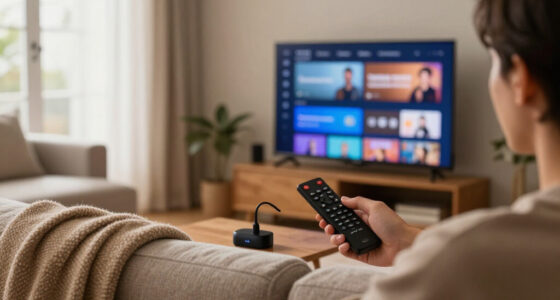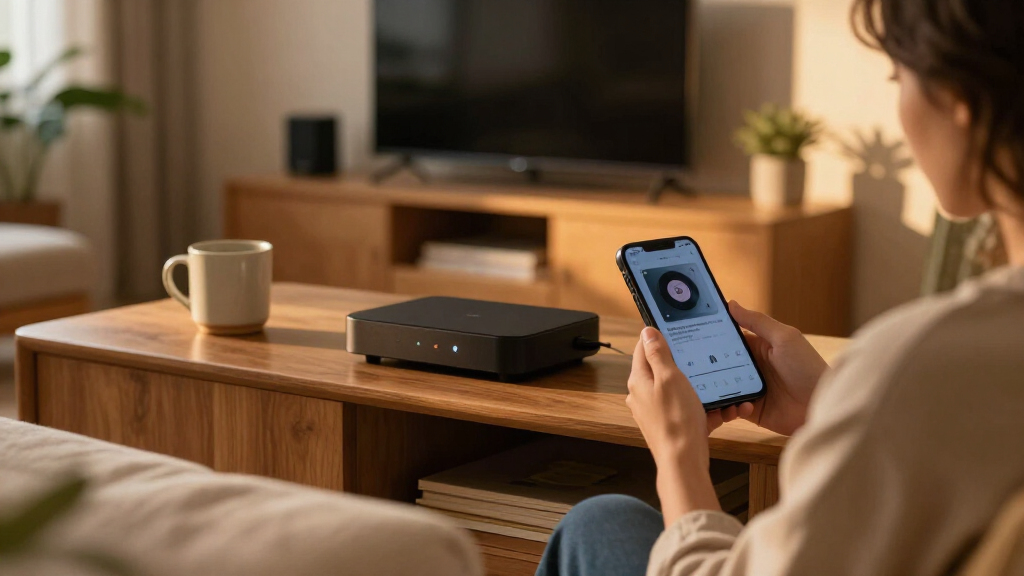

The best WiFi streaming players balance smooth streaming, an easy-to-use interface, and the features your TV can actually use. My best overall pick is the Roku Ultra 4K Streaming Player with Voice Remote Pro for its premium remote and full-size player design; the Amazon Fire TV Stick 4K Max stands out for Fire TV households, while the onn 4K Pro offers a Google TV box with generous storage and an Ethernet port. The main tradeoffs are stick versus box, Roku versus Fire TV or Google TV, and whether 4K, Dolby formats, or wired networking matter for your setup. A more capable player may be wasted on an older HD TV, while a basic stick can feel limiting if you want expanded storage or Ethernet. Read on for my ranked comparisons and help choosing the right fit.

Get business pricing on your home office setup
- Business-only prices and quantity discounts
- Tax-exempt purchasing
- Multiple users, one account, clear invoices
Complete the kit



Key Takeaways
- The amazon.com/dp/B0F7Z4QZTT?tag=1hometheatreprojector-20&ascsubtag=dc-1190390″ target=”_blank” rel=”nofollow sponsored noopener”>amazon.com/dp/B09Q9BVW8Z?tag=1hometheatreprojector-20&ascsubtag=dc-1190390″ target=”_blank” rel=”nofollow sponsored noopener”>Roku Ultra with Voice Remote Pro is my best overall pick for shoppers who want a full-size 4K player and a more capable remote without switching to Fire TV or Google TV.
- Streaming sticks prioritize a small footprint: Roku Streaming Stick 4K and the Fire TV Stick models suit crowded HDMI ports and wall-mounted TVs better than the larger player boxes.
- The onn 4K Pro and Xiaomi TV Box S 3rd Gen bring Google TV into the comparison, with box-style designs that make sense for buyers who want more than a basic stick.
- The onn Android TV 2K stick and Roku Express HD are HD-focused options; paying extra for 4K features brings little benefit if the TV itself only supports HD.
- Ethernet, storage, and remote features divide the higher-spec boxes: check which of those you will use before choosing a feature-rich device over a simpler streamer.
| Roku Ultra LT (2023) 4K Streaming Player with Dolby Vision, Voice Remote, Private Listening, and Ethernet |  | Best for Flexible Connections | Model: 4801RW | Connectivity: Wi-Fi, Ethernet, Bluetooth, HDMI | Maximum resolution: 3840 × 2160 (4K UHD) | VIEW LATEST PRICE | See Our Full Breakdown |
| Roku Ultra 4K Streaming Player with Voice Remote Pro |  | Best Overall Roku Player | Connectivity: Wi-Fi 6, Ethernet, Bluetooth, HDMI, USB | Maximum resolution: 4K (3840 × 2160 pixels) | Video formats: HDR10, HDR10+, Dolby Vision | VIEW LATEST PRICE | See Our Full Breakdown |
| Roku Express HD Streaming Media Player, Black (Renewed) |  | Best for HD-Only TVs | Model: 3930R-cr | Connectivity: Wi-Fi | Connector: HDMI | VIEW LATEST PRICE | See Our Full Breakdown |
| Roku Streaming Stick 4K with Voice Remote |  | Best Compact Roku Player | Model: 3820R2 | Connectivity: Wi-Fi | Connector: HDMI | VIEW LATEST PRICE | See Our Full Breakdown |
| Amazon Fire TV Stick 4K Plus |  | Best for Alexa and Fire TV | Maximum resolution: 2160p at up to 60 fps | Wi-Fi: Dual-band Wi-Fi 6 (2.4 GHz and 5 GHz) | Bluetooth: Bluetooth 5.2 + BLE | VIEW LATEST PRICE | See Our Full Breakdown |
| Amazon Fire TV Stick 4K Max (2nd Gen) Streaming Device |  | Best for Wi-Fi 6E and App Storage | Model: 2nd Gen | Maximum output: 2160p at up to 60 fps | Video support: 4K Ultra HD, Dolby Vision, HDR10+, HLG | VIEW LATEST PRICE | See Our Full Breakdown |
| onn Android TV 2K FHD Streaming Stick with Remote and Power Adapter |  | Best for Basic Full HD Streaming | Resolution: 1080p | Refresh rate: 120 Hz | Connectivity: HDMI, Wi-Fi | VIEW LATEST PRICE | See Our Full Breakdown |
| onn 4K Pro Streaming Device with Google TV and Gemini – 32GB Storage, 3GB RAM, Dolby Vision & Atmos, Find My Remote with Backlight, Ethernet Port |  | Best for Wired Connectivity and Memory | Display support: 4K Ultra HD, Dolby Vision | Audio support: Dolby Atmos | RAM: 3 GB | VIEW LATEST PRICE | See Our Full Breakdown |
| Roku Ultra 2024 4K Streaming Player (Renewed) |  | Best for a Feature-Rich Roku Remote | Model: Roku Ultra 2024 | Resolution: 4K | HDR: HDR10+ | VIEW LATEST PRICE | See Our Full Breakdown |
| Roku Ultra LT 4K Streaming Device with Dolby Vision, Dual-Band Wi-Fi, Voice Remote, HDMI Cable, and USB Extension Cord |  | Best for Straightforward Roku 4K | Resolution: 4K UHD (3840 x 2160) | HDR: Dolby Vision | Wireless: 802.11ac dual-band Wi-Fi | VIEW LATEST PRICE | See Our Full Breakdown |
| Xiaomi TV Box S 3rd Gen 4K UHD Streaming Media Player |  | Best Google TV Pick for Wi-Fi 6 | Brand: Xiaomi | Model: TV Box S 3rd Gen | Model number: TFQF-179 | VIEW LATEST PRICE | See Our Full Breakdown |
| WiFi streaming player | Connectivity | Dimensions | Model |
|---|---|---|---|
| Roku Ultra LT | Wi-Fi, Ethernet, Bluetooth, HDMI | 6 × 4 × 2 in | 4801RW |
| Roku Ultra 4K Streaming Player | Wi-Fi 6, Ethernet, Bluetooth, HDMI, USB | 5 × 4.9 × 1 in | — |
| Roku Express HD Streaming Medi | Wi-Fi | 2.83 × 1.54 × 0.75 in | 3930R-cr |
| Roku Streaming Stick 4K with V | Wi-Fi | 3.7 × 0.8 × 0.45 in | 3820R2 |
| Amazon Fire TV Stick 4K Plus | — | 99 × 30 × 14 mm housing; 108 × 30 × 14 mm including connector | — |
| Amazon Fire TV Stick 4K Max | — | — | 2nd Gen |
| onn Android TV 2K FHD Streamin | HDMI, Wi-Fi | — | — |
| onn 4K Pro Streaming Device wi | Wi-Fi 6, Ethernet | 10 x 4 x 4 inches | — |
| Roku Ultra 2024 4K Streaming P | Wi-Fi 6, Bluetooth, Ethernet, HDMI, USB | — | Roku Ultra 2024 |
| Roku Ultra LT 4K Streaming Dev | — | 5.00 x 4.90 x 1.00 inches | — |
| Xiaomi TV Box S 3rd Gen 4K UHD | Wi-Fi 6, Bluetooth | — | TV Box S 3rd Gen |
More Details on Our Top Picks
Roku Ultra LT (2023) 4K Streaming Player with Dolby Vision, Voice Remote, Private Listening, and Ethernet
The Roku Ultra LT is a practical pick for viewers who want 4K and Dolby Vision without relying on Wi-Fi alone. Its Ethernet port gives you a wired option when a router is nearby or wireless streaming is inconsistent, while the voice remote’s private listening feature is useful for watching without disturbing others. Compared with the Roku Streaming Stick 4K, this player takes up space near the TV but offers Ethernet, making it a better fit for fixed setups where connection stability matters more than a hidden design. It also includes an HDMI cable, though the listing is unclear about whether the headphones named in the specs are actually supplied. The listing describes the box as water damaged, a condition detail buyers should weigh separately from the device’s stated features.
Pros:- Supports 4K UHD, HDR, and Dolby Vision
- Offers both Wi-Fi and Ethernet connectivity
- Voice remote supports private listening
- HDMI cable is listed as included
Cons:- The product box is described as water damaged
- The listing does not clearly confirm that headphones are included
- The separate player is less discreet than the Roku Streaming Stick 4K
Best for: Viewers with a 4K Dolby Vision TV who want Ethernet as a backup to Wi-Fi and value private listening.
Not ideal for: Buyers who need a pristine retail box or want a discreet HDMI stick with no separate player to place.
- Model:4801RW
- Connectivity:Wi-Fi, Ethernet, Bluetooth, HDMI
- Maximum resolution:3840 × 2160 (4K UHD)
- HDR formats:HDR, Dolby Vision
- Video codecs:H.264, H.265/HEVC, VP9
- Supported services:Amazon Instant Video, Hulu, Netflix, Browser
- Dimensions:6 × 4 × 2 in
- Included accessories:HDMI cable and voice remote; headphones are listed but not clearly confirmed
Our verdict“Choose the Ultra LT if you want a wired connection option and private listening, and can accept the disclosed box condition.”
Roku Ultra 4K Streaming Player with Voice Remote Pro
The Roku Ultra earns the leading Roku spot by pairing broad 4K format support with the lineup’s most feature-rich remote. Wi-Fi 6 and Ethernet give you a choice between a modern wireless connection and a cable, while Dolby Vision, HDR10+, and Dolby Atmos cover key video and audio formats. The rechargeable Voice Remote Pro adds backlit buttons, hands-free voice control, and a lost-remote finder—useful touches that make daily control easier than with the Roku Ultra LT. That extra convenience is the tradeoff: buyers who only need basic streaming may not benefit much from its remote upgrades or advanced format support. Some features also depend on compatible equipment and services, and 4K streaming still requires a compatible TV and internet connection.
Pros:- Supports 4K, HDR10+, Dolby Vision, and Dolby Atmos
- Provides both Wi-Fi 6 and Ethernet connectivity
- Rechargeable remote has backlit buttons, hands-free voice control, and a finder
- Bluetooth headphone mode and free live TV access are supported
Cons:- Advanced features depend on compatible devices or services
- Requires internet access and a compatible TV for streaming
- Its remote upgrades may be unnecessary for viewers who want basic playback
Best for: Roku users with a 4K HDR TV who want Wi-Fi 6 or Ethernet, Dolby Atmos support, and an upgraded rechargeable remote.
Not ideal for: Viewers with an HD-only television or anyone who wants a simple player without advanced remote features.
- Connectivity:Wi-Fi 6, Ethernet, Bluetooth, HDMI, USB
- Maximum resolution:4K (3840 × 2160 pixels)
- Video formats:HDR10, HDR10+, Dolby Vision
- Audio format:Dolby Atmos
- Remote:Rechargeable Voice Remote Pro with backlit buttons, hands-free voice control, and lost-remote finder
- Supported services:Apple TV+, Disney+, Hulu, Netflix, Prime Video
- Dimensions:5 × 4.9 × 1 in
- Color:Ultra (with Wi-Fi 6)
Our verdict“Pick the Roku Ultra for a full-featured Roku setup with flexible networking and a notably capable remote.”
Roku Express HD Streaming Media Player, Black (Renewed)
The Roku Express is the straightforward choice for an older or secondary TV that tops out at 1080p. It provides access to free, live, and subscription streaming over Wi-Fi, and the included HDMI cable and remote reduce the number of extras you need to source. Unlike the Roku Streaming Stick 4K, it does not offer 4K or HDR, so it makes more sense when the screen cannot display those formats anyway. Its small size also suits a bedroom or guest-room setup. The compromises are basic but relevant: connectivity is Wi-Fi only, an internet connection is required, and some content needs paid subscriptions. This is a renewed unit with a stated 90-day limited warranty, so it is less suited to buyers seeking a new device or a longer coverage period.
Pros:- Streams up to 1080p HD
- Includes an HDMI cable, power accessories, and remote
- Works with the Roku mobile app
- Supports free, live, and subscription content
Cons:- Does not support 4K or HDR formats
- Uses Wi-Fi only and requires an internet connection
- Renewed product has a stated 90-day limited warranty
Best for: People adding streaming to a 1080p bedroom, guest-room, or older television who want a simple Roku setup.
Not ideal for: Owners of 4K HDR TVs who want sharper video, or viewers who need Ethernet or a new product.
- Model:3930R-cr
- Connectivity:Wi-Fi
- Connector:HDMI
- Maximum resolution:1080p HD (1920 × 1080)
- Weight:1.1 oz
- Dimensions:2.83 × 1.54 × 0.75 in
- Included accessories:High-speed HDMI cable, power adapter, USB power cable, remote, two AAA batteries
- Warranty:90-day limited warranty
Our verdict“Choose the Express for an HD-only television when basic Roku streaming matters more than 4K and wired networking.”
Roku Streaming Stick 4K with Voice Remote
If you want a 4K Roku player that stays out of sight, the Streaming Stick 4K is the natural fit. It plugs into HDMI rather than sitting beside the TV, and its slim shape is designed to avoid blocking neighboring ports. Long-range Wi-Fi and support for Dolby Vision and HDR10+ make it a capable wireless option for compatible TVs. Compared with the Roku Ultra models, it gives up Ethernet and the more advanced remote conveniences, so it is less appealing where a wired network connection or richer remote features matter. It also needs a 4K-compatible television to deliver its highest resolution; on an HD screen, that part of its feature set goes unused. For buyers prioritizing a tidy installation over connection flexibility, its compact design is the main advantage.
Pros:- Supports 4K UHD, Dolby Vision, and HDR10+
- Compact HDMI stick stays hidden behind the TV
- Designed not to block neighboring HDMI ports
- Long-range Wi-Fi and voice control are supported
Cons:- No Ethernet connection is listed
- A 4K-compatible TV is required to use 4K resolution
- Lacks the rechargeable, hands-free Voice Remote Pro features of the Roku Ultra
Best for: Roku viewers who want 4K HDR streaming in a discreet HDMI stick and rely on Wi-Fi.
Not ideal for: People with unreliable wireless service who need Ethernet, or owners of HD-only TVs who will not use its 4K support.
- Model:3820R2
- Connectivity:Wi-Fi
- Connector:HDMI
- Maximum resolution:4K UHD, up to 2160p at 60 fps
- HDR formats:Dolby Vision, HDR10, HDR10+
- Supported codecs:H.264/AVC, H.265/HEVC, AV1, VP9
- Memory and storage:1 GB RAM, 16 GB storage
- Dimensions:3.7 × 0.8 × 0.45 in
Our verdict“Choose this stick for a neat, Wi-Fi-based 4K Roku setup; choose an Ultra model if you need Ethernet or a more advanced remote.”
Amazon Fire TV Stick 4K Plus
The Fire TV Stick 4K Plus is the best fit here for households already using Alexa or Amazon’s streaming ecosystem. Its Wi-Fi 6 connection, 4K output, Dolby Vision, HDR10+, and Dolby Atmos give it a strong format mix in a compact stick, while the included Alexa remote can control compatible TV power and volume. Compared with the Roku Streaming Stick 4K, it adds Alexa voice search and listed cloud-gaming support, but that gaming option depends on compatible services, subscriptions, and a controller. It also offers access to free ad-supported content, though some programming and features still require subscriptions. Like the Roku stick, it relies on Wi-Fi rather than listed Ethernet, so buyers who want a wired connection should look at the Roku Ultra models instead.
Pros:- Supports 4K, Dolby Vision, HDR10+, and Dolby Atmos
- Dual-band Wi-Fi 6 is supported
- Alexa remote includes TV power and volume control
- Offers free ad-supported content and compatible cloud gaming
Cons:- Cloud gaming requires compatible services, subscriptions, and a controller
- Some content and features require separate subscriptions or compatible devices
- 4K and HDR availability depends on the TV, service, and region
Best for: Alexa households with a 4K HDR TV that want voice search, Wi-Fi 6, and access to Fire TV apps and content.
Not ideal for: Viewers who prefer Roku’s interface, need Ethernet, or want cloud gaming without extra compatible services and equipment.
- Maximum resolution:2160p at up to 60 fps
- Wi-Fi:Dual-band Wi-Fi 6 (2.4 GHz and 5 GHz)
- Bluetooth:Bluetooth 5.2 + BLE
- Processor:Quad-core 1.7 GHz
- Storage:8 GB
- Video formats:Dolby Vision, HDR 10, HDR10+, HLG, H.265, H.264, VP9, AV1
- Audio support:Dolby Atmos, 7.1 surround sound, 2-channel stereo, HDMI audio pass-through up to 5.1
- Ports:HDMI 2.1 output with ARC input support; micro USB
- Dimensions:99 × 30 × 14 mm housing; 108 × 30 × 14 mm including connector
Our verdict“Pick the Fire TV Stick 4K Plus if Alexa integration and Fire TV content matter more to you than Ethernet or Roku’s platform.”
Amazon Fire TV Stick 4K Max (2nd Gen) Streaming Device
The Fire TV Stick 4K Max is the strongest fit here for households with a compatible Wi-Fi 6E router and a 4K HDR television. Its tri-band Wi-Fi and 16 GB of storage give it an advantage over the onn Android TV 2K stick, which is limited to 1080p, while Dolby Vision, HDR10+, and Atmos cover the main high-end picture and audio formats. The voice remote can also control compatible TVs and audio gear, cutting down on remote juggling. Compared with the onn 4K Pro, this is a compact stick rather than a larger player with Ethernet and more memory. The tradeoff is that Wi-Fi 6E only helps with compatible networking equipment, and access to some services or cloud games requires separate subscriptions. A compatible TV is also needed to get 4K and HDR.
Pros:- Supports 4K Ultra HD, Dolby Vision, HDR10+, and Dolby Atmos
- 16 GB of storage leaves more room for apps and games
- Tri-band Wi-Fi 6E and Bluetooth 5.2
- Voice remote can control compatible TVs and audio devices
Cons:- Wi-Fi 6E benefits require a compatible router
- 4K and HDR depend on the TV and the streaming service
- Some services and cloud gaming features require separate subscriptions
Best for: 4K TV owners with a Wi-Fi 6E router who want broad HDR support, Alexa voice search, and room for more apps.
Not ideal for: Viewers with a 1080p TV, no compatible Wi-Fi 6E router, or a preference for a player with built-in Ethernet.
- Model:2nd Gen
- Maximum output:2160p at up to 60 fps
- Video support:4K Ultra HD, Dolby Vision, HDR10+, HLG
- Audio support:Dolby Atmos, 7.1 surround, stereo, HDMI audio pass-through
- Processor:Quad-core 2.0 GHz
- Storage:16 GB
- Wi-Fi:Wi-Fi 6E tri-band (2.4, 5, and 6 GHz)
- Bluetooth:Bluetooth 5.2 + BLE
- Dimensions and weight:99 × 30 × 14 mm housing; 43.5 g
Our verdict“Choose the Fire TV Stick 4K Max if your setup can use Wi-Fi 6E and you want a compact 4K player with generous app storage.”
onn Android TV 2K FHD Streaming Stick with Remote and Power Adapter
The onn Android TV 2K stick makes sense for a secondary TV where simple Full HD streaming matters more than premium picture formats. Its 1080p output, voice remote, Google Play Store access, and built-in Chromecast cover everyday viewing and easy casting without requiring a separate casting device. That makes it a simpler match for older televisions than the Amazon Fire TV Stick 4K Max or Roku Ultra 2024, both of which target 4K setups. The included HDMI cable and power adapter also provide the basics in the box. The main compromise is a firm resolution ceiling: it cannot deliver 4K, Dolby Vision, or the higher-end format support found on those alternatives. Its listed three-month warranty is another limitation, so I would favor a more capable model for a main living-room screen or a long-term centerpiece.
Pros:- Built-in Chromecast supports casting from compatible devices
- Voice-enabled remote provides convenient search
- Access to Google Play Store apps and YouTube
- Includes remote, HDMI cable, and power adapter
Cons:- Maximum resolution is 1080p, unlike the 4K players in this roundup
- Listed warranty is only three months
Best for: Owners of a 1080p bedroom or guest-room TV who want Google Play apps and phone-to-TV casting.
Not ideal for: 4K TV owners seeking sharper output, advanced HDR, or a longer listed warranty.
- Resolution:1080p
- Refresh rate:120 Hz
- Connectivity:HDMI, Wi-Fi
- Screen mirroring:Miracast
- Audio output:Dolby Audio
- Included accessories:Remote control, HDMI cable, power adapter, user manual
- Model year:2022
- Warranty:3 months
- Weight:8.8 ounces
Our verdict“Pick this stick for a basic Full HD TV and casting needs, but choose a 4K model for a primary screen.”
onn 4K Pro Streaming Device with Google TV and Gemini – 32GB Storage, 3GB RAM, Dolby Vision & Atmos, Find My Remote with Backlight, Ethernet Port
The onn 4K Pro is the best match in this group for viewers who want a stationary 4K player with Ethernet, 3 GB of RAM, and 32 GB of storage. Wired networking offers an alternative when Wi-Fi is inconsistent, while Dolby Vision and Atmos bring it closer to the Roku Ultra 2024 and Fire TV Stick 4K Max on headline playback formats. Its backlit remote with a find-my-remote feature is a practical touch for a living room where remotes go missing. Compared with the Fire TV stick, this model offers Ethernet and more listed memory, but it is much larger and heavier than a compact HDMI stick. The supplied specifications also list no built-in Bluetooth, which limits accessory options. Choose it for the connectivity and memory, not for a discreet behind-the-TV installation.
Pros:- Ethernet provides a wired alternative to Wi-Fi 6
- Supports 4K Ultra HD, Dolby Vision, and Dolby Atmos
- 3 GB of RAM and 32 GB of storage
- Backlit remote includes a find-my-remote feature
Cons:- No built-in Bluetooth support is listed
- Its listed dimensions and weight make it less discreet than a stick
- Storage may still be limited for buyers who install many apps and keep media files
Best for: 4K viewers who want Ethernet, generous listed memory, and a remote that is easier to find in a busy living room.
Not ideal for: Buyers who need a compact stick, Bluetooth accessories, or a device with clearly documented small dimensions.
- Display support:4K Ultra HD, Dolby Vision
- Audio support:Dolby Atmos
- RAM:3 GB
- Storage:32 GB
- Connectivity:Wi-Fi 6, Ethernet
- Remote features:Find My Remote, backlight
- Dimensions:10 x 4 x 4 inches
- Weight:1.49 pounds
- Model number:36233631
Our verdict“Choose the onn 4K Pro if Ethernet and higher listed memory matter more than a compact design or Bluetooth accessories.”
Roku Ultra 2024 4K Streaming Player (Renewed)
The Roku Ultra 2024 (Renewed) pairs broad 4K format support with a remote designed to make everyday control easier. It handles Dolby Vision, HDR10+, and Dolby Atmos, while the rechargeable Voice Remote Pro adds backlit buttons, hands-free voice control, and a lost-remote finder. Wi-Fi 6 and Ethernet give buyers both wireless and wired connection options, unlike the Roku Ultra LT listed here, whose supplied specs name dual-band Wi-Fi but not Ethernet. Against the onn 4K Pro, the Roku’s distinction is its Roku interface and premium remote rather than extra listed RAM and storage. The main reservation is the renewed condition and a 90-day limited warranty; buyers who want a new device or longer warranty coverage should look elsewhere. Its feature set is strong, but the purchase condition is part of the decision.
Pros:- Supports 4K, Dolby Vision, HDR10+, and Dolby Atmos
- Wi-Fi 6 and Ethernet provide wireless and wired connection choices
- Rechargeable remote has backlit buttons and hands-free voice control
- Remote finder helps locate a misplaced remote
Cons:- Renewed condition may not suit buyers seeking a new device
- Includes a 90-day limited warranty
Best for: Roku users who want 4K HDR playback, Ethernet flexibility, and a rechargeable remote with hands-free controls.
Not ideal for: Buyers who want a new-in-box player or prefer a longer listed warranty.
- Model:Roku Ultra 2024
- Resolution:4K
- HDR:HDR10+
- Video format:Dolby Vision
- Audio format:Dolby Atmos
- Connectivity:Wi-Fi 6, Bluetooth, Ethernet, HDMI, USB
- Remote:Rechargeable Roku Voice Remote Pro (2nd edition)
- Included items:Streaming player, remote, HDMI cable, power adapter, USB-C remote charging
- Warranty:90-day limited warranty
Our verdict“Pick the Roku Ultra 2024 if its feature-rich remote and wired networking appeal, and renewed condition is acceptable.”
Roku Ultra LT 4K Streaming Device with Dolby Vision, Dual-Band Wi-Fi, Voice Remote, HDMI Cable, and USB Extension Cord
The Roku Ultra LT suits buyers who want Roku’s straightforward streaming interface and 4K Dolby Vision support without prioritizing the extras on the Roku Ultra 2024. Dual-band Wi-Fi and a voice remote cover the essentials, and the included HDMI cable and USB extension cord help with setup. Compared with the renewed Roku Ultra 2024, this LT listing does not specify Wi-Fi 6, Ethernet, Bluetooth, or the rechargeable, backlit remote features, so it is the more basic choice on connectivity and remote convenience. It still offers a clear step up from the onn Android TV 2K stick for a 4K television. One spec deserves caution: the listed storage capacity is only 2 GB, and streaming requires Wi-Fi. It makes the most sense when simple Roku access matters more than advanced connections or extra onboard capacity.
Pros:- Supports 4K UHD and Dolby Vision
- Dual-band Wi-Fi supports wireless streaming
- Voice remote can control the player and TV
- Includes an HDMI cable and USB extension cord
Cons:- Requires Wi-Fi for streaming
- Listed storage capacity is 2 GB
- The supplied specs do not list Ethernet or Wi-Fi 6, unlike the Roku Ultra 2024
Best for: Roku fans with a 4K Dolby Vision TV who want a voice remote and basic dual-band Wi-Fi streaming.
Not ideal for: Viewers who need Ethernet, Wi-Fi 6, a rechargeable backlit remote, or substantial listed storage.
- Resolution:4K UHD (3840 x 2160)
- HDR:Dolby Vision
- Wireless:802.11ac dual-band Wi-Fi
- Operating system:Roku OS
- RAM:2 GB
- Storage capacity:2 GB
- Video codec:HEVC (H.265)
- Dimensions:5.00 x 4.90 x 1.00 inches
- Weight:5.9 oz
Our verdict“Choose the Roku Ultra LT for basic Roku 4K streaming, but step up to the Roku Ultra 2024 if you need Ethernet or advanced remote features.”
Xiaomi TV Box S 3rd Gen 4K UHD Streaming Media Player
I’d choose the Xiaomi TV Box S 3rd Gen for a 4K setup where Google TV, broad audio-format support, and newer Wi-Fi matter more than generous built-in storage. It supports Dolby Vision, Dolby Atmos, and DTS:X, giving compatible TVs and audio systems access to more immersive picture and sound formats. Wi-Fi 6 is a useful fit for a newer home network, while the included voice remote makes searching less dependent on typing.
Compared with the onn 4K Pro Streaming Device, Xiaomi lists just 2 GB of RAM and 8 GB of storage, so it is the less appealing choice for buyers who want more room for apps. Its storage listing also conflicts with the title’s 32 GB claim; I’d treat 8 GB as the stated capacity and verify before buying. This is a capable format-rich player, but not the lineup’s storage leader.
Pros:- 4K output with Dolby Vision support for compatible displays
- Dolby Atmos and DTS:X support for compatible audio equipment
- Wi-Fi 6 and Bluetooth connectivity
- Included voice control remote
Cons:- Listed storage is only 8 GB, despite the title claiming 32 GB
- 2 GB RAM may be less suited to heavy multitasking than the onn 4K Pro’s listed 3 GB
- Its feature set is less compelling if the TV and audio system cannot use the supported premium formats
Best for: Viewers with a 4K Dolby Vision TV and compatible audio setup who prefer Google TV and have a Wi-Fi 6 router.
Not ideal for: Buyers who install many apps or want clearly documented, high-capacity storage; the listed 8 GB is limited and conflicts with the title’s 32 GB claim.
- Brand:Xiaomi
- Model:TV Box S 3rd Gen
- Model number:TFQF-179
- Resolution:3840 x 2160 (4K)
- RAM:2 GB
- Storage:8 GB listed
- Connectivity:Wi-Fi 6, Bluetooth
- Video codec:H.265/HEVC
- Included items:Remote control, user manual, power adapter, HDMI cable
Our verdict“Choose the Xiaomi for Google TV, Wi-Fi 6, and broad 4K format support, but skip it if app storage capacity is a priority.”
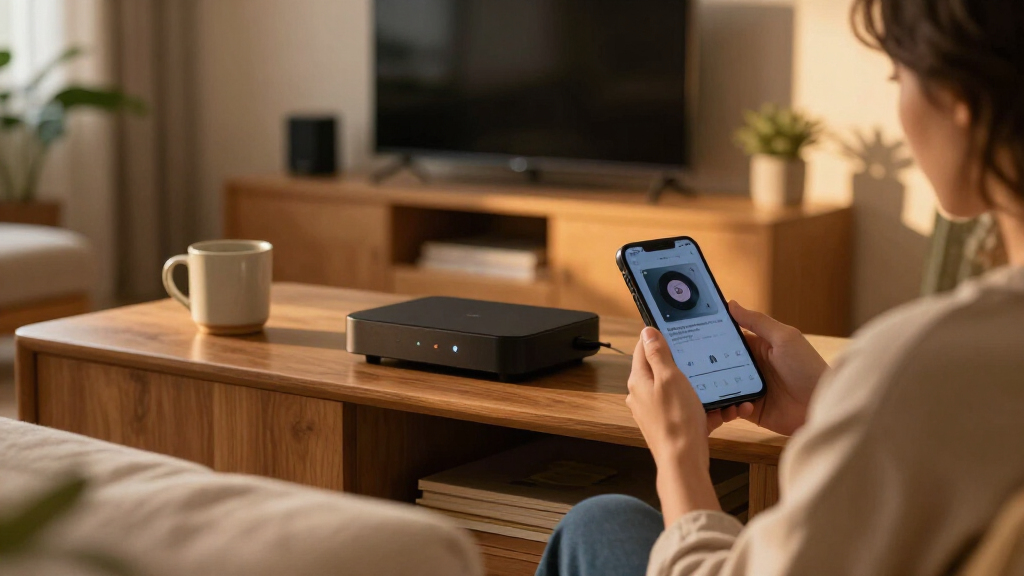
How We Picked
I ranked these players by how well their design and features address common streaming setups: HD or 4K TV, limited HDMI access, preference for Roku, Fire TV, or Google TV, and the need for Ethernet or expanded storage. I also weighed everyday usability, including remote capabilities and whether the device is a compact stick or a box with more room for ports and internal hardware. A feature counts as an advantage only when it can improve a buyer’s actual setup.
The ranking favors broad usefulness first, then more specialized strengths. The Roku Ultra with Voice Remote Pro leads for shoppers seeking a capable, straightforward 4K box; the Fire TV Stick 4K Max and onn 4K Pro rank well for buyers with a clear platform or hardware preference. HD-only choices sit lower for most current 4K households, but remain sensible for older TVs. Renewed models and similar Roku variants are judged by their listed configuration and role, not assumed condition beyond their product labeling.
Factors to Consider When Choosing Best WiFi Streaming Players
Before choosing a player, match it to your TV, network, and preferred streaming interface. A headline feature matters only if your screen, router, and viewing habits can make use of it.
Match Resolution and HDR to Your TV
A 4K player can still work with an HD television, but it cannot make the screen display more detail than the panel supports. Check the TV’s resolution and HDR compatibility before paying for 4K or Dolby Vision features. HDR support varies by both player and television, so a format listed on the box is not a guarantee of a visible improvement. If you plan to replace an HD TV soon, a 4K player may be a useful bridge; if not, an HD model can keep the setup simpler. Avoid choosing solely by the highest resolution label when your display cannot show the difference.
Choose the Interface You Want to Use Every Day
Roku, Fire TV, and Google TV organize apps and recommendations differently, so the best fit depends on how you prefer to find something to watch. A familiar interface can matter more day to day than a small hardware advantage. Check that your must-have streaming apps are available in your region and on the specific platform before buying. Also think about whether you want recommendations from one ecosystem or a more app-focused home screen. If several people share the TV, a simple layout and a remote everyone can use may be more valuable than extra settings.
Pick a Stick or a Box for Your Room
Streaming sticks keep the device out of sight and suit TVs mounted close to walls, but their placement can be awkward when HDMI ports are crowded or hard to reach. A box needs a surface or a place to sit, yet its separate body can provide more accessible connections. Measure the space behind the TV and check which HDMI ports remain free before ordering. Also account for the power adapter and cable routing, not just the player’s size. A compact design is convenient only if it fits the actual port layout without blocking neighboring connections.
Treat Ethernet as a Setup Choice, Not a Streaming Guarantee
Wired networking can be useful when WiFi is unreliable, the router is nearby, or a congested signal causes interruptions. It cannot fix a slow internet plan or problems with the streaming service itself. Check that the player has an Ethernet connection built in or supports the adapter your setup needs; not every compact stick offers a direct wired port. For WiFi, router placement, walls, and interference can affect results as much as the player’s wireless specifications. If the current connection works consistently, Ethernet may add cable clutter without changing your experience.
Pay for Storage and Remote Features Only When They Help
More internal storage can give apps and system updates additional room, but it may matter less if you install only a few streaming services. Voice search, remote-finding features, backlighting, and private listening solve different convenience problems rather than improving picture quality. Decide which one you would use regularly instead of treating every remote feature as a must-have. A premium remote can be worthwhile for a shared living room or frequent late-night viewing, while a basic remote may be enough for a bedroom TV. Check the exact model’s included remote because closely named versions can differ.
Compare Renewed and Similar-Name Models Carefully
A renewed label and a model-year difference can make two streamers that sound alike meaningfully different purchases. Read the exact listing for included accessories, remote type, ports, resolution support, and stated condition rather than relying on the family name. For renewed hardware, confirm the seller’s return terms and what is included before choosing it over a standard listing. Similar Roku Ultra and Ultra LT names do not mean identical feature sets. A lower-spec or older variant may be a good match for a secondary TV, but only if its tradeoffs are clear before checkout.
Frequently Asked Questions
Should I buy a 4K streaming player if my TV is only HD?
You can use a 4K player with an HD TV, but the screen will still show content at its supported resolution. If you expect to keep the television for years, a 4K model can be a practical choice for a future upgrade. Otherwise, an HD-focused device such as the Roku Express HD or onn Android TV 2K stick may better match the current setup. Check app support and interface preference too, since resolution is only one part of the decision. There is little reason to pay for HDR formats your TV cannot display.
Is a streaming box better than a stick for WiFi performance?
Not automatically: WiFi performance depends on the player’s hardware, router, signal strength, and the layout of your home. A box may offer useful connections such as Ethernet, while a stick is easier to hide and install behind a TV. If wireless reception is the problem, moving the router or using a wired connection may help more than changing form factor. Check the specific model’s network options rather than assuming every box has better WiFi. Choose a box when its ports or features solve a real setup issue.
Which platform should I choose: Roku, Fire TV, or Google TV?
Choose based on the interface you and other household members would rather use, plus whether your preferred apps are available on that platform. Roku is represented here by several sticks and box players, while Fire TV options may suit buyers already using Amazon’s ecosystem. The onn 4K Pro and Xiaomi TV Box S 3rd Gen offer Google TV alternatives. Menus and recommendations can change, so look at the current product and software details instead of choosing by brand alone. If you are replacing an existing player, staying with a familiar platform can reduce the learning curve.
When is it worth choosing a player with Ethernet?
Ethernet is most useful when your router is close enough for a cable and WiFi dropouts regularly interrupt streaming. It can also help when wireless coverage is weak around a TV in a basement or far room. A wired connection does not raise the speed of your internet plan or correct an outage from your provider. Compare the cable route and placement against the convenience of a wireless stick before deciding. If your current WiFi streams reliably, Ethernet may not justify choosing a larger device.
Is a renewed Roku Ultra a sensible choice over a newer model?
It can make sense if the listed Roku Ultra has the features you want and you are comfortable checking the renewal terms. Confirm the exact generation, remote, included accessories, condition description, and return policy; a familiar product name alone does not tell you what arrives. Compare that configuration with the current Ultra and Ultra LT listings, since their remotes and connections can differ. For a main TV, some buyers may prefer the clearer expectations of a non-renewed listing. For a secondary screen, a renewed unit can be appealing when its details suit the job.
Conclusion
For most 4K households, I recommend the Roku Ultra with Voice Remote Pro as the best overall, especially when a box-style player and enhanced remote suit the room. The best value depends on your setup: choose an HD option such as the Roku Express HD or onn Android TV 2K stick for an HD television, rather than paying for unused 4K features. For a premium Fire TV stick, consider the Fire TV Stick 4K Max; for a feature-rich Google TV box, the onn 4K Pro is the standout fit. Beginners who want a compact, familiar Roku setup can start with the Roku Streaming Stick 4K, while buyers who need Ethernet or additional storage should compare box-style options such as the onn 4K Pro. Match the device to your screen and preferred interface first, then pay for extra features only when they solve a problem you actually have.
Halloween Picks
halloween
As an affiliate, we earn on qualifying purchases.