To optimize buffering speeds for smooth playback, make sure your internet plan offers sufficient bandwidth and consider upgrading if needed. Use a wired Ethernet connection or position your Wi-Fi router centrally to improve signal strength. Manage bandwidth by pausing unnecessary activities and enabling Quality of Service (QoS) settings on your router. Keep your streaming apps and device firmware updated for better performance. For more tips on achieving buffer-free viewing, continue exploring the best strategies.
Key Takeaways
- Use a high-speed internet plan and switch to wired Ethernet for stable connection.
- Enable and optimize adaptive streaming settings to adjust video quality based on bandwidth.
- Manage network traffic by prioritizing streaming devices and pausing unnecessary downloads or activities.
- Place your router centrally and update firmware regularly to improve Wi-Fi signal strength.
- Keep streaming apps and device software up to date for optimal performance and buffering efficiency.

Buffering speeds directly impact your streaming experience, determining how quickly videos load and how smoothly they play. When your buffering is slow or inconsistent, it can be frustrating, causing pauses and interruptions that ruin your enjoyment. To optimize your buffering speeds, understanding how adaptive streaming and bandwidth management work is essential. Adaptive streaming dynamically adjusts video quality based on your current internet connection, helping prevent buffering by reducing the data rate when your bandwidth drops. This technology ensures you get the best possible viewing experience without constant interruptions, even if your network fluctuates. By relying on adaptive streaming, your device can seamlessly switch between higher and lower quality streams, maintaining a smooth playback regardless of network conditions. Additionally, projector technology can influence streaming quality, especially if you are using a home theater setup where image rendering plays a role in perceived playback smoothness.
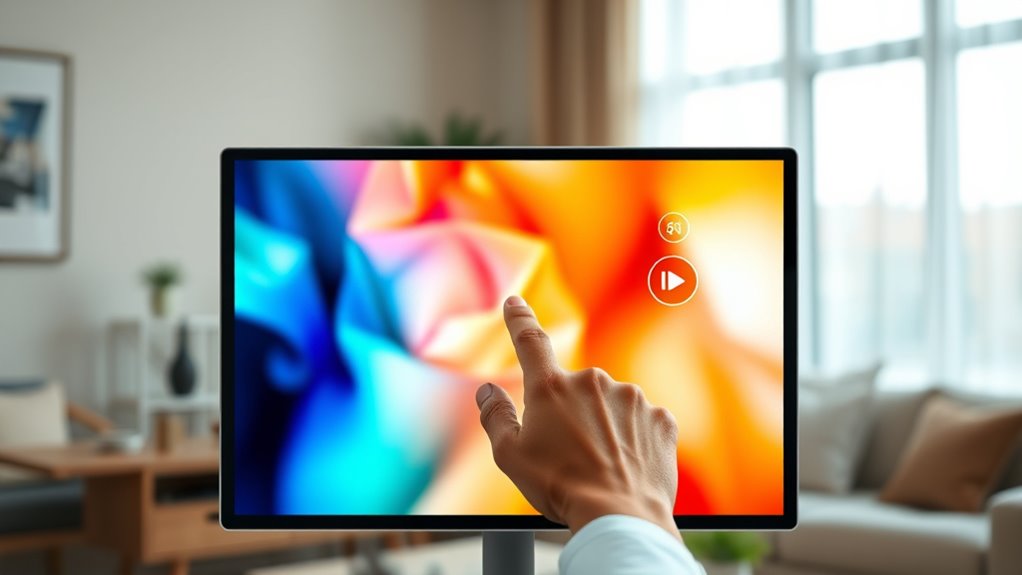
Buffering speeds affect video load times and playback smoothness, with adaptive streaming adjusting quality to prevent interruptions.
Bandwidth management plays a critical role in improving buffering speeds. Your internet connection has a finite amount of bandwidth, which is shared among all devices and activities using your network. When multiple devices stream videos, download files, or play online games simultaneously, they compete for bandwidth, often causing buffering issues. To optimize speeds, you need to prioritize bandwidth allocation for your streaming devices. This can involve pausing unnecessary downloads or device activities while streaming, or configuring your router to prioritize certain traffic types. Quality of Service (QoS) settings on your router can help manage bandwidth more effectively, ensuring streaming gets the priority it needs to run smoothly. Managing your bandwidth wisely prevents network congestion and reduces the likelihood of buffering delays.
Another key step in optimizing buffering speeds is ensuring your internet plan provides sufficient bandwidth. If your plan has low upload and download speeds, no amount of technical adjustments will fully eliminate buffering issues. Upgrading to a higher-speed plan can considerably improve your streaming quality, especially if multiple users share the same connection. Additionally, using a wired Ethernet connection instead of Wi-Fi can stabilize your connection and reduce latency, further enhancing buffer performance. If Wi-Fi is your only option, placing your router in a central location and minimizing interference from other devices can make a noticeable difference.
Finally, regularly updating your streaming apps and device firmware ensures you benefit from the latest optimizations and bug fixes. Many streaming platforms incorporate adaptive streaming technologies, but they perform best when your device and app are up-to-date. Combining these updates with effective bandwidth management and a suitable internet plan can give you a more consistent, buffer-free viewing experience. By understanding and applying these principles, you take control of your streaming setup, making it easier to enjoy your favorite content without frustrating interruptions.

Official Licensed Google TV Smart Projector, HAPPRUN 4K UHD Home Theater with Dolby Sound, Wi-Fi & Bluetooth, Built-in Streaming Apps, Compatible with Games Consoles & Smartphone, Indoor & Outdoor Use
[ Built-in Official Licensed Google TV ] - Without additional equipment, the smart projector can directly access Netflix,...
As an affiliate, we earn on qualifying purchases.
Frequently Asked Questions
How Does Buffering Speed Affect Video Quality?
Buffering speed directly impacts your video quality. When buffering is fast, your device streams high-quality videos with less compression, thanks to better use of internet bandwidth. Slow buffering causes lower quality, as videos reduce resolution or increase compression to load faster. To enjoy sharp, smooth playback, guarantee your internet bandwidth is sufficient and that buffering speeds stay high, minimizing interruptions and maintaining ideal video quality.
Can Buffering Speed Improve With Device Upgrades?
Imagine this: even in the age of dial-up, a device upgrade can boost buffering speeds. Yes, upgrading your device improves buffering speed by enhancing device compatibility and increasing storage capacity, which helps process data faster. Modern devices with better processors and more RAM reduce lag, ensuring smoother playback. So, yes, investing in a newer device can markedly improve buffering speeds, making your viewing experience more seamless and enjoyable.
What Is the Ideal Buffering Speed for Live Streaming?
The ideal buffering speed for live streaming depends on your internet connection and device. Generally, aim for a buffer size that supports at least 3-5 seconds of content to prevent interruptions. Adaptive streaming adjusts quality based on your bandwidth, ensuring smooth playback. Make sure your connection is stable and fast enough to handle this buffer size, reducing buffering times and providing seamless viewing experiences.
How Do Network Types Influence Buffering Performance?
Imagine you’re in a bustling city with traffic jams—your network type greatly influences buffering performance. Wi-Fi generally offers higher speeds and more stability, reducing buffering issues. In contrast, mobile networks like 4G or 5G can experience network congestion, causing delays and drops in connection stability. Satellite connections often face higher latency, leading to lag. So, your choice of network type directly impacts how smoothly your streaming plays without interruption.
Are There Hidden Factors Impacting Buffering Speeds?
Yes, hidden factors like data compression and server latency can impact buffering speeds. You might notice slower loading if data isn’t compressed efficiently, causing larger data transfers. Additionally, high server latency delays data delivery, leading to buffering issues. To improve, you should make sure your content is well-compressed and choose servers with lower latency. These small adjustments can markedly enhance your streaming experience and reduce interruptions.

Portable Power Station 300W, GRECELL 230.88Wh Solar Generator with 60W USB-C PD Output, 110V Pure Sine Wave AC Outlet Backup Lithium Battery for Outdoors Camping Travel Home Blackout
【230.88Wh Capacity, 330W Output】330W (600W surge) pure sine wave supports most laptops, tablets, phones, lights, fans, CPAP medical...
As an affiliate, we earn on qualifying purchases.
Conclusion
Think of your streaming experience as steering a river. When your buffering speeds are steady and swift, the journey flows smoothly, avoiding jagged rocks and rapids. But if they slow down, you risk getting stuck in turbulent waters, breaking the serenity of your view. By optimizing those speeds, you become the skilled captain, guiding your vessel effortlessly through calm waters. Keep your buffers swift, and let your entertainment voyage be uninterrupted and serene.

Outdoor Speakers Gifts for Men Bluetooth Speaker with Lights Multi-Sync up to 100 Speakers Auto-Pairing HD Stereo Sound Cool Stuff House Warming Gifts IPX5 Waterproof Lantern for Home|Patio|Pool|Yard
Upgraded LED Atmosphere Speaker - 360° outdoor wireless speakers with light deliver 360° crisp clear sound and mesmerizing...
As an affiliate, we earn on qualifying purchases.
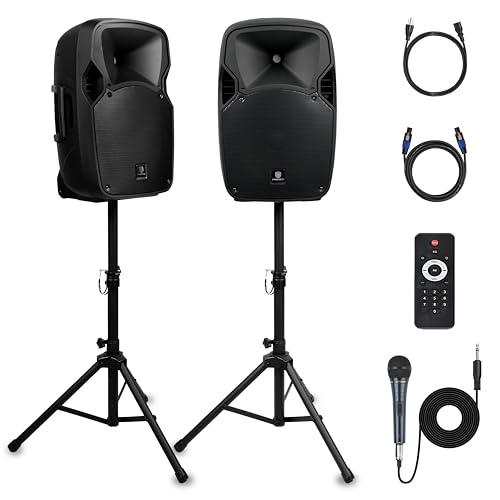
PRORECK Party 12 12-Inch 1000W 2-Way Powered PA Speaker System Combo Set with Bluetooth/USB Drive/SD Card/FM/Remote Control/Speaker Stands for Indoor, Outdoor DJ Parties, Personal Gatherings, Karaoke
1000W Peak Power for Powerful & Immersive Sound Experience: This portable high-power 2-way full-range sound reinforcement system delivers...
As an affiliate, we earn on qualifying purchases.