For projectors, Chromecast is great if you want easy wireless casting from your mobile device and prefer Google’s ecosystem. Fire TV suits those invested in Amazon services, offering voice control and seamless Prime Video access. Rokus are versatile, supporting a wide range of apps and device types, making it a flexible choice. Depending on your device compatibility, streaming preferences, and setup ease, one might stand out—explore further to find your perfect match.

Get business pricing on your home office setup
- Business-only prices and quantity discounts
- Tax-exempt purchasing
- Multiple users, one account, clear invoices
Key Takeaways
- Chromecast enables easy wireless streaming from smartphones directly to projector via device mirroring.
- Fire TV offers native apps and voice control, ideal for seamless content access on projectors.
- Roku supports a wide range of streaming apps, providing versatile content options for projector use.
- Chromecast is best for casting from Android devices; Fire TV and Roku work well with multiple ecosystems.
- Setup simplicity varies: Chromecast requires Wi-Fi connection, while Fire TV and Roku include remote controls for easier navigation.
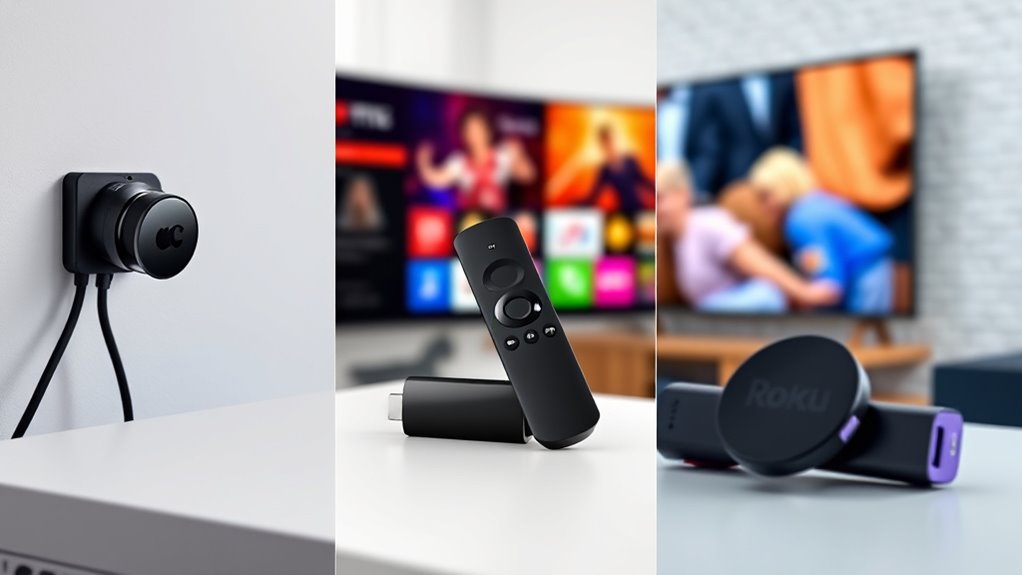
When choosing a streaming device for your projector, it’s important to contemplate how well each option fits your needs. Wireless streaming capabilities are crucial, especially if you want a clutter-free setup that doesn’t rely on cumbersome cables. Both Chromecast, Fire TV, and Roku support wireless streaming, but they do so with different strengths. Chromecast, for example, excels at casting content directly from your smartphone or tablet, making it easy to mirror your devices without extra fuss. Fire TV and Roku, on the other hand, offer built-in apps and direct streaming options, providing a more straightforward experience if you prefer using dedicated remote controls.
Choosing a streaming device depends on your device compatibility and preferred streaming method.
Device compatibility is another key factor. Chromecast works seamlessly with Android devices and Google services, making it a natural choice if you’re already invested in the Google ecosystem. If you’re an Apple user, Chromecast can still be used but may require additional steps or apps to mirror your iOS device. Fire TV is highly compatible with Amazon’s ecosystem, supporting Alexa voice commands, Amazon Prime Video, and other Amazon services effortlessly. Roku boasts a broad compatibility range, supporting both Android and iOS devices equally well, along with a vast selection of streaming apps. This versatility can be advantageous if your household uses multiple device types.
Another aspect to consider is the ease of setup. Chromecast tends to be straightforward—plug it into your projector’s HDMI port, connect it to Wi-Fi, and you’re ready to cast. Fire TV sticks also install easily and often come with Alexa voice remote controls, which can simplify navigation. Roku devices are similarly simple to configure and usually include a remote, making it easy to browse content directly without relying solely on a smartphone app.
If you prioritize flexibility in streaming options, Roku’s extensive app library might be appealing. Chromecast is ideal if you prefer casting content from your phone or tablet, especially for quick sharing of videos, photos, or presentations. Meanwhile, Fire TV’s integration with Amazon services and voice control can be a big plus if you’re already an Amazon Prime subscriber or enjoy hands-free navigation. Additionally, considering the family photoshoot fails humor and unexpected moments that can happen during casual viewing, a reliable device can help avoid disruptions.
Ultimately, your choice hinges on how you plan to use the device. If wireless streaming from mobile devices is your priority, Chromecast’s casting features shine. For a more integrated experience with voice commands and Amazon content, Fire TV is a solid pick. If you want broad device compatibility and a variety of app options, Roku offers a versatile solution. Consider your existing devices, streaming preferences, and setup ease to determine which fits your projector setup best.
Frequently Asked Questions
Which Device Offers the Best Gaming Capabilities for Projectors?
Fire TV offers the best gaming capabilities for projectors, thanks to its superior gaming performance and wide controller compatibility. You’ll enjoy smoother gameplay with its powerful hardware and ease of connecting your favorite controllers. Chromecast and Roku have limited gaming options and less robust hardware, so if gaming is your priority, Fire TV is the top choice. It provides an immersive gaming experience directly on your projector.
How Do These Streaming Devices Impact Projector Battery Life?
Streaming devices like Chromecast, Fire TV, and Roku can increase your projector’s power consumption, leading to quicker battery drain. On average, these devices add about 10-15% to your power usage during streaming, which markedly impacts portable projectors with limited battery capacity. To maximize battery life, consider using an external power source or opting for devices with lower power consumption, so your viewing session lasts longer without interruptions.
Can All Three Devices Support 4K HDR Content Seamlessly?
All three devices support 4K HDR content, but their device compatibility varies. Chromecast with Google TV and Fire TV offer seamless 4K HDR streaming, guaranteeing smooth playback. Roku devices also support 4K HDR, but compatibility depends on the specific model. To get the best experience, check each device’s specifications and verify your projector’s input options match. This way, you enjoy high-quality visuals without any hiccups.
Are There Any Compatibility Issues With Specific Projector Brands?
You might encounter some projector compatibility issues or brand restrictions with Chromecast, Fire TV, and Roku. Certain projectors lack HDMI ports or support specific streaming apps, which can limit your options. Always check your projector’s compatibility before purchasing. Some brands may have firmware restrictions or limited app support, so confirm your chosen device works seamlessly with your projector’s make and model to enjoy smooth streaming without hassle.
Which Device Provides the Most User-Friendly Interface for Beginners?
You’ll find Roku the most user-friendly for beginners because of its simple, intuitive user interface and ease of use. It offers straightforward navigation, clear menus, and quick access to popular streaming apps, making setup hassle-free. Fire TV is also easy but slightly more complex with additional features. Chromecast has a minimal interface, requiring a smartphone for control, which might be less intuitive for new users.
Conclusion
Choosing between Chromecast, Fire TV, and Roku is like selecting your guiding star for projector adventures. Each offers a unique glow, illuminating your viewing journey with different flavors of ease and access. Think of them as lanterns lighting your path—casting shadows of convenience or beams of entertainment. Whichever you pick, let it be the beacon that transforms your space into a vibrant theater, turning ordinary nights into unforgettable stories under the vast, starlit sky.
Halloween Picks
halloween
As an affiliate, we earn on qualifying purchases.