TL;DR

Get business pricing on your home office setup
- Business-only prices and quantity discounts
- Tax-exempt purchasing
- Multiple users, one account, clear invoices
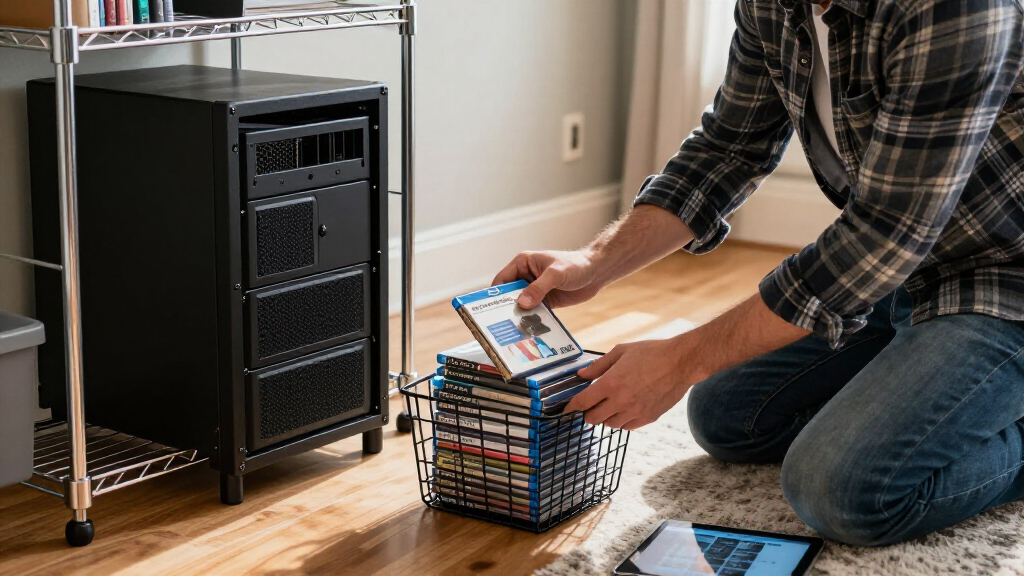
XDA Developers published a case for spending about $200 on secondhand 4K Blu-rays and ripping them into a Plex library rather than repeatedly renting films. Its cost and image-quality comparisons are estimates, not a documented haul or controlled test, and they do not fully account for hardware, storage, electricity or setup costs.
XDA Developers published an analysis Oct. 24 arguing that a roughly $200 haul of secondhand 4K Blu-rays could become a lower-cost Plex library than repeatedly renting films online. The article describes a proposed approach, not a verified purchase or measured payback: its savings depend on disc prices, how often a viewer watches the films, and the additional cost of a compatible drive and storage.
The article says secondhand 4K discs can sometimes be found for $5 to $8 each, compared with about $25 to $30 for a new disc. At those used prices, $200 would buy roughly 25 to 40 discs before taxes or other costs; the source’s estimate of 20 to 30 films reflects a more conservative haul. It compares the outlay with digital rentals said to cost about $4 to $6 each, often offering access for a limited period.
To put discs on Plex, users need an Ultra HD-compatible Blu-ray drive, a computer or server, and enough storage for movie files. XDA estimates a suitable drive may cost around $100, separate from the disc budget. It describes MakeMKV as software that can copy a movie into an MKV container while retaining the disc’s video and audio tracks; users can select only the tracks they need to reduce file size.
The article also contrasts picture and sound quality. It gives approximate streaming video rates of 15 to 25 megabits per second and 4K Blu-ray rates of 60 to more than 100 Mbps, arguing that disc playback can retain more detail and lossless audio. These are broad figures in the source, not measurements of specific services, titles, devices or network conditions.
When the Disc Collection Pays
The central financial question is not simply whether $200 buys many films, but how often those films replace rentals a viewer would otherwise make. At a stated rental price of $4 to $6 per film, spending $200 on discs equals the price of roughly 34 to 50 rentals, before fees and any equipment costs. A separate drive estimated at about $100 pushes that comparison higher; storage and server costs can add more.
For people who rewatch favorite titles, share a home library, or value access without depending on a particular streaming catalog, a disc can serve more than one viewing. But that does not make the reported payback universal. A viewer who watches each movie once, already pays for a suitable drive, or finds few desired titles secondhand faces different economics from someone replacing frequent rentals. The figures describe a possible case, not proof that a $200 collection pays for itself “almost instantly.”
There is also a practical distinction between owning a disc and keeping a local digital copy. A physical disc remains usable with compatible equipment, while a Plex copy depends on a working server, storage, software and network. The article makes a case for control and image quality as well as price, but those benefits come with setup and maintenance.
From Used Discs to Plex
The XDA piece is framed around the frustration of finding a film across streaming services and paying for temporary rental access. It proposes buying used physical media from thrift stores, pawn shops, clearance bins or online marketplaces, then converting selected discs for playback on a home server. The article’s author is Jasmine, identified by XDA as a software and PC hardware writer.
The suggested workflow is to inspect discs for damage, confirm that a drive supports UHD Blu-ray, extract the desired movie and audio tracks with MakeMKV, and organize the files so Plex can identify them. XDA warns that a compatible drive may require custom firmware for UHD reading. The supplied material does not give a specific drive model, firmware procedure, storage calculation or step-by-step compatibility test.
The article’s quality comparison concerns compressed online streams and higher-bitrate disc sources. Actual playback quality can vary with the title, streaming service, subscription tier, device, internet connection and home setup. The broad bitrate ranges are useful as an illustration of the comparison, but they should not be read as a guarantee about every stream or disc.
“The source describes a $200 secondhand-disc budget as a way to build a local Plex collection instead of repeatedly paying for rentals.”
— XDA Developers, summarizing its proposed comparison
Costs the Estimate Leaves Open
The supplied source does not show receipts, a specific set of discs, a completed comparison, or an observed break-even date. It is unclear whether the quoted used prices are available consistently in the author’s market, how many titles in a typical shop are actually 4K editions, and how often buyers will find films they want in good condition.
The total cost also depends on equipment and usage. The source gives an approximate drive price but does not quantify storage, server hardware, electricity, replacement parts, taxes or the time needed to find and process discs. Nor does it specify which rental prices, services or titles were used for a direct comparison. Its claim that the library can pay for itself quickly should therefore be treated as an estimate, not a confirmed outcome.
The article says MakeMKV can preserve original tracks, but it does not address legal restrictions or licensing rules that may apply to copying protected discs. Rules differ by jurisdiction, and the supplied material does not establish the legal position for readers. It also does not report independent tests of the stated bitrate ranges or compare specific films on streaming and disc.
The Break-Even Test Ahead
Readers considering the approach can calculate their own break-even point by adding the discs, compatible drive, storage and any server costs, then comparing that total with rentals they would genuinely have made. The result will vary with local secondhand prices, viewing habits and equipment already on hand. The XDA article offers no follow-up date or announced test of an actual $200 collection.
A more conclusive comparison would need a documented list of purchases, complete setup costs, a defined period of use and a clear rental baseline. Until those details are available, the proposal remains a practical cost argument rather than a measured finding that a particular haul has paid for itself.
Key Questions
Does the article verify that a $200 haul pays for itself?
No. XDA presents an estimate based on used-disc and rental prices; the supplied source does not document a completed haul or its savings over time.
How many films might $200 buy?
At the article’s stated $5 to $8 per used disc, the simple price calculation is about 25 to 40 discs before taxes. XDA gives a more conservative estimate of 20 to 30 films, and actual availability will vary.
What extra costs should buyers include?
Include a UHD-compatible Blu-ray drive, storage and any computer or server costs. XDA estimates the drive alone at about $100; it does not provide a full setup budget.
Will Plex copies always look better than streaming?
Not necessarily in every comparison. The source argues that discs can provide higher bitrates and lossless audio, but quality depends on the title, service, playback equipment and network, and the article does not report controlled testing.
Source: XDA Developers
Halloween Picks
halloween
As an affiliate, we earn on qualifying purchases.