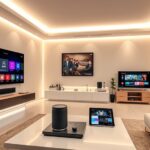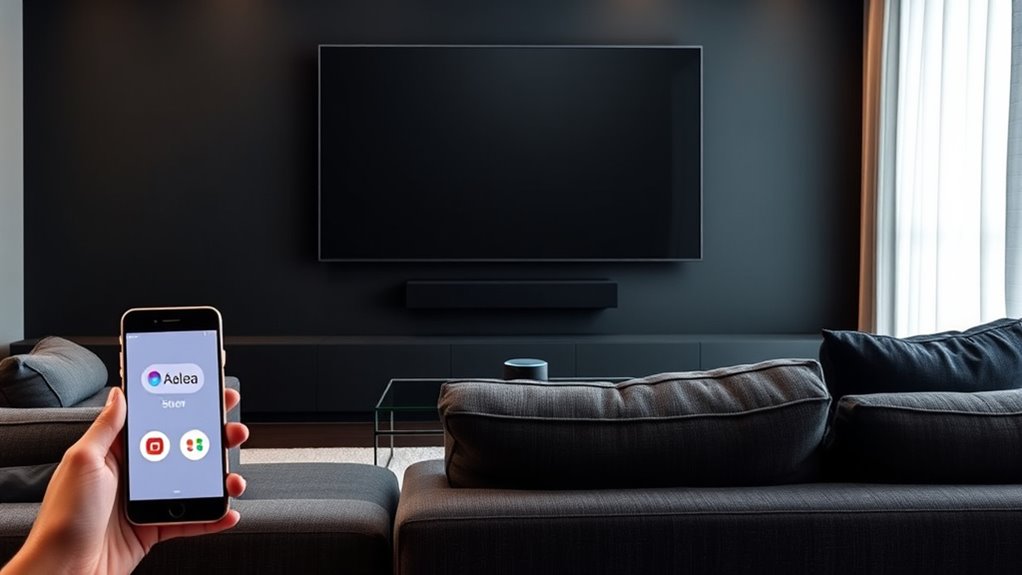

Voice control with Alexa, Google Assistant, and Siri lets you manage your home theater hands-free with ease. You can give personalized commands to turn on your TV, adjust volume, switch inputs, or control soundbars—often with just a quick phrase like “Movie time.” These voice assistants connect effortlessly, making your experience more convenient and intuitive. Keep exploring to discover how integrating these systems can transform your viewing and entertainment setup.
Key Takeaways
- Alexa, Google Assistant, and Siri enable seamless voice control of smart home theater devices for hands-free operation.
- These voice assistants support customization of commands to streamline controlling multiple devices simultaneously.
- Compatibility with various smart TVs, soundbars, and streaming devices enhances integrated home theater management.
- Voice control systems adapt over time, improving responsiveness and aligning with user habits for efficiency.
- Integrating voice assistants simplifies setup and operation, creating a more accessible and personalized entertainment experience.

Have you ever wished you could control your home theater system with just your voice? With the rise of smart speakers and voice assistants, this is now more achievable than ever. Modern voice control systems are designed to seamlessly integrate with your home theater, giving you the convenience of hands-free operation. One of the key benefits is smart speaker compatibility, which allows your voice assistant to connect effortlessly with your devices. Whether you have an Amazon Echo, Google Nest, or Apple HomePod, you can set up your system to work together smoothly. This compatibility means you don’t need multiple remotes or complicated apps—just your voice is enough to turn on the TV, adjust the volume, or switch inputs.
Another advantage is voice command customization. Not all commands are created equal, so many systems let you tailor your voice controls to suit your preferences. For example, you can create personalized phrases like “Movie time” to dim the lights, turn on your projector, and set the sound to your favorite setting. Custom commands make controlling your home theater more intuitive and fun, giving you a sense of control that feels natural. Plus, you can set up routines that activate multiple devices simultaneously, so with a single phrase, everything from your sound system to smart blinds adjusts exactly how you want.
The beauty of voice command customization is that it adapts to your habits, making everyday use more efficient. You don’t have to remember complex sequences or press multiple buttons—your voice does all the work. This flexibility is especially useful when you’re busy, entertaining guests, or simply relaxing on the couch. Just speak your command, and your system responds instantly. Modern voice assistants also learn over time, improving their accuracy and responsiveness, which enhances your overall experience.
Additionally, these voice-controlled setups support a wide range of devices, from smart TVs and soundbars to streaming devices and lighting. This broad compatibility ensures that you can create a fully integrated home theater environment that’s controlled entirely by your voice. Voice command customization further enhances this by allowing you to assign specific functions to different phrases, so you get exactly the control you want, without any confusion. In essence, integrating voice control into your home theater makes everything more accessible, more fun, and more personalized. It transforms how you watch movies, listen to music, and relax at home—just a simple voice command away. Moreover, understanding the importance of emotional support can help you feel more confident and relaxed while setting up and using your voice-controlled system, especially if you’re new to smart technology.

Klipsch R-12SW Powerful Deep Bass Front Firing 12" Copper-Spun Driver 400W Digital Power Subwoofer 14" X 18.5" X 16"
Powerful 12" copper-spun front-firing woofer
As an affiliate, we earn on qualifying purchases.
Frequently Asked Questions
Can I Control Multiple Devices With One Voice Command?
Yes, you can control multiple devices with one voice command through multi device control. By setting up voice command customization, you can create routines or scenes that activate several devices at once, like turning on your TV, sound system, and lighting. This simplifies your experience, letting you manage your home theater effortlessly with a single, personalized voice command. Just customize your commands and enjoy seamless control over your devices.
How Secure Is Voice Control for Home Theater Systems?
Voice control for home theater systems offers decent security, but privacy concerns remain. Your voice data is stored and processed by the provider, which might pose risks if there’s a data breach. Additionally, voice recognition accuracy can sometimes lead to unintended commands, raising privacy issues. To stay secure, enable voice command privacy settings, regularly update firmware, and be cautious about sensitive conversations near your devices.
Is Voice Control Compatible With All Home Theater Brands?
Voice control is like a universal remote for your mind, but it doesn’t work with all brands. You might find some home theater systems lack universal compatibility, making voice commands less seamless. Brand limitations mean you may need specific devices or integrations to get voice control working smoothly. Always check if your system supports popular assistants like Alexa, Google Assistant, or Siri before setting up voice commands.
Can I Customize Voice Commands for Specific Functions?
Yes, you can customize voice commands for specific functions. With custom command creation, you set up personalized phrases for your home theater devices. Voice command programming allows you to tailor commands to control lighting, volume, or inputs precisely how you want. Most smart assistants support this feature through their app interfaces, making it easy to enhance your experience by creating commands that fit your routines perfectly.
What Should I Do if Voice Commands Are Not Recognized?
If your voice commands aren’t recognized, don’t panic—think of it as a tiny hiccup in your smart home universe. Start by doing voice training to help your device understand you better, and then perform command calibration to fine-tune its responses. Speak clearly, stay close to the device, and avoid background noise. These steps can turn your voice control from frustrating to flawless in no time!

Klipsch R-120SW Subwoofer, Black
12" high excursion spun-copper Imp woofer
As an affiliate, we earn on qualifying purchases.
Conclusion
With voice control, your home theater becomes a symphony at your command, turning the chaos of remote juggling into a seamless dance. Whether you choose Alexa, Google Assistant, or Siri, you’re the maestro, effortlessly directing your entertainment with a simple voice command. Embrace this technology and watch your home theater transform into a personalized concert hall, where every scene plays just as you wish—music to your ears and a breeze for your day.

2000 ANSI 4K Decoding Projector with WiFi and Bluetooth, HAPPRUN Movie Home Theater with Auto Focus, 300'' Display for Indoor/Outdoor, Smart Proyector Compatible with Phone/TV Stick/PC/PS5
[EASIER OPERATION: AI Smart Screen Adjustment] HAPPRUN projector comes with auto focus and 6D auto-keystone technology, enjoy a...
As an affiliate, we earn on qualifying purchases.

Epson Home Cinema 980 3-Chip 3LCD 1080p Projector 4,000 Lumens Color and White Brightness, Streaming/Gaming/ Media Room, Built-In Speaker, Auto Picture Skew, 16000:1 Contrast, 2 HDMI Ports
Exceptional Picture Quality — Provides stunning, detailed 1080p images and fast data processing that’s optimized for fast-action sports,...
As an affiliate, we earn on qualifying purchases.