TL;DR
Home Depot’s Hubspace app brings controls for compatible smart-home products from different brands into one place, including lighting, thermostats, outlets and lawn sprinklers. At House Beautiful’s Whole Home in Charleston, Home Depot demonstrated the app and used connected lighting to create an interactive display; compatibility and setup depend on the products used.
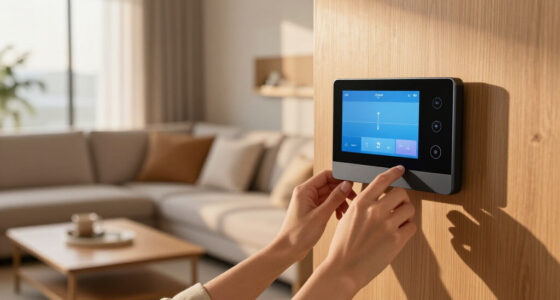
Home Depot’s Hubspace app was featured at House Beautiful’s Whole Home in Charleston, where the retailer demonstrated how one app can control a range of compatible smart-home devices. The showcase included connected lighting, fans, doors and locks, highlighting a practical appeal for homeowners: managing products from multiple categories through a shared interface rather than separate controls.

Get business pricing on your home office setup
- Business-only prices and quantity discounts
- Tax-exempt purchasing
- Multiple users, one account, clear invoices
House Beautiful reported that the Whole Home project challenged designers to transform a luxury condo in downtown Charleston, South Carolina, into a home with a distinct design identity. Home Depot’s role was to connect the space’s products using Hubspace. The publication says the app works with compatible products sold through Home Depot, rather than describing it as a universal controller for every smart device or brand.
The report lists potential Hubspace-connected categories including lawn sprinklers, indoor outlets, thermostats and Christmas trees, alongside lighting and other household products. It also describes a Vacation Mode that simulates occupancy while residents are away. The source does not provide a full supported-device list, technical requirements, or details about which specific models were used in the condo.
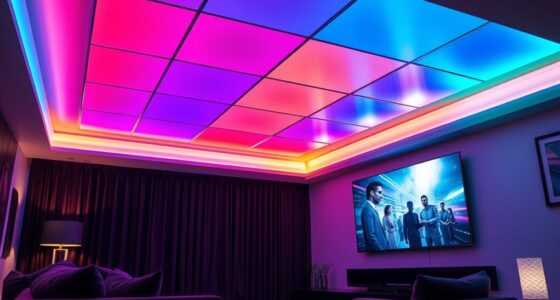
For the event, Home Depot created “The Color Canopy,” an interactive lighting display designed to mimic the Charleston sky. House Beautiful says the installation used Hubspace’s lighting controls to dim and illuminate lights. The pop-up also featured demonstrations of app-connected lights, fans, doors and locks, showing visitors examples of how those product categories might work in a home.
One App, Multiple Home Devices
The development matters because smart-home systems can become difficult to manage when each product relies on a separate app or control method. Hubspace’s pitch, as described in the report, is to bring compatible devices across product categories into one control point. For people considering smart lighting, climate controls, outlets or security-related products, that could make daily adjustments and away-from-home routines easier to organize.
The demonstration also connects home automation to interior design. The Color Canopy used lighting not just for remote control but as part of a designed experience, suggesting how connected products can contribute to the look and feel of a room. That is an example from a curated event, however, not evidence that every Hubspace setup will offer the same effect or that the app works with all devices in a household.
For buyers, the practical question is less whether a home can be controlled by phone and more whether the products they already own—or plan to buy—are supported. Compatibility, internet access and the specific device models will shape how useful a single-app approach is in an individual home.
Products Worth Considering

iRobot Roomba 105 Combo Robot Vacuum and Mop with AutoEmpty Dock

Dyson V15 Detect Cordless Vacuum

Levoit Core 600S-P Smart Air Purifier for Large Rooms up to 2933 ft²
As an affiliate, we earn on qualifying purchases.
How Hubspace Appeared at Whole Home
App-based control of individual household products is already familiar in categories such as security monitoring, climate control and lighting, as House Beautiful notes. The report presents Hubspace as an effort to bring a wider set of compatible products together, rather than as the first app-controlled home technology. Its description ties the system to products available through Home Depot, the retailer behind the demonstration.
The Whole Home setting gave the company a furnished space in which to show its technology in use. Designers shaped the condo’s interiors, while Home Depot connected selected products and presented demonstrations for visitors. The source characterizes the app as straightforward to use with a smartphone, internet connection and compatible devices; it does not independently test ease of setup or report customer experience beyond the event.
““The challenge for this year’s Whole Home was simple: transform a luxury condo in downtown Charleston, South Carolina, into a bespoke home filled with design, texture, and personality.””
— House Beautiful, describing the Whole Home challenge
Compatibility and Setup Details
The report does not identify the complete list of Hubspace-compatible products, explain whether devices from other retailers or existing smart-home platforms can be connected, or state what phone operating systems and network requirements apply. It also does not give pricing, subscription information, privacy or data-handling details, or a full account of setup steps.
Although the article says the app can control products across several categories, that does not establish that every device in those categories works with Hubspace. The source also does not describe the security protections for controls involving doors and locks, or provide independent testing of reliability. Those points would need confirmation from Home Depot’s product documentation or additional reporting.
Check Devices Before Connecting
Homeowners interested in the system can check Home Depot’s current Hubspace product information for supported models, setup requirements and feature limits before buying or attempting to connect devices. The Whole Home demonstration shows how selected products can be used together, but the source does not announce a new release date, expansion plan or further event milestone.
Any broader assessment will depend on details not included in the report, including the size of the compatible-device range, how well the app works across brands, and the availability of clear privacy and security information. Until those details are established, Hubspace is best understood as Home Depot’s app for managing compatible products—not a confirmed controller for every connected device in a home.
Key Questions
What is Home Depot’s Hubspace app?
Hubspace is an app described by House Beautiful as a way to control compatible smart-home products, including devices in categories such as lighting, thermostats, outlets and lawn sprinklers.
Does Hubspace control every smart-home product?
No. The report describes controls for compatible products and does not say that every smart-home brand or device can connect. Buyers should check the compatibility information for each specific model.
What did Home Depot demonstrate at Whole Home?
Home Depot demonstrated app-connected lights, fans, doors and locks at the Charleston event. Its Color Canopy installation used lighting controls to create an interactive display intended to mimic the local sky.
What does Hubspace Vacation Mode do?
House Beautiful says Vacation Mode simulates occupancy while residents are away. The report does not explain the exact behavior, supported devices or settings involved.
What information about Hubspace is still missing?
The source does not provide a complete device list, technical requirements, pricing or subscription details, or information about privacy and security protections. Those details should be checked in Home Depot’s product documentation.
Source: rss