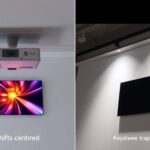
When adjusting image geometry, you can use keystone correction to quickly fix trapezoidal distortions caused by projector angle differences, but it may diminish image quality if overused. Lens shift allows you to physically reposition the lens vertically or horizontally, maintaining a sharp, distortion-free picture without sacrificing clarity. Combining these techniques ensures your projection is aligned and rectangular. Keep exploring to discover how to choose the best method for your setup and achieve perfect image alignment.
Key Takeaways
- Keystone correction digitally adjusts skewed images to appear rectangular, ideal for quick, minor alignment fixes.
- Lens shift physically moves the projector lens vertically or horizontally, maintaining image quality without distortion.
- Excessive use of keystone correction can reduce image clarity; lens shift preserves high resolution.
- Proper projector calibration and physical adjustments are preferred for precise, distortion-free image alignment.
- Use keystone correction for convenience and lens shift for professional, high-quality image positioning.
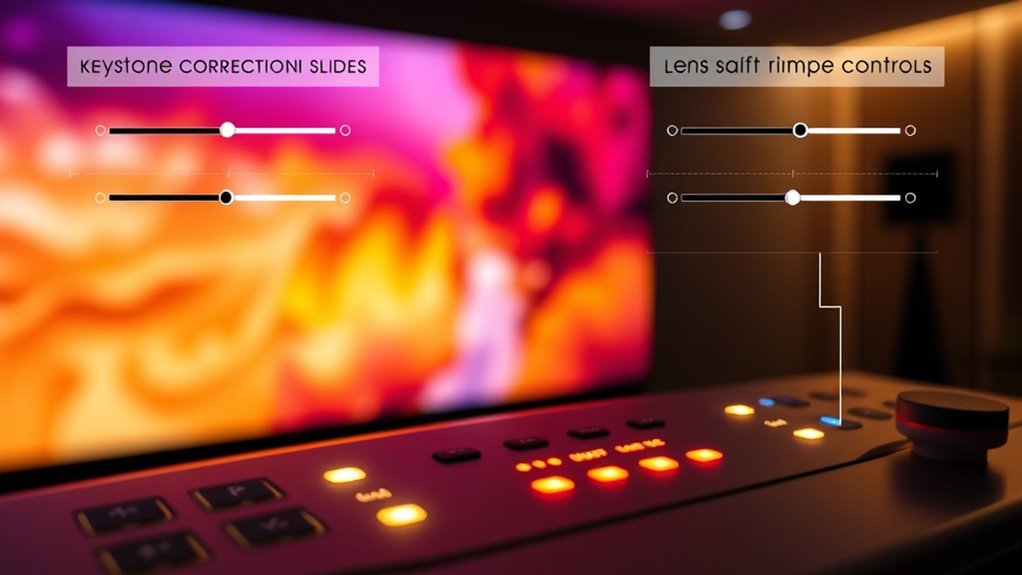
Adjusting image geometry is fundamental for correcting distortions and guaranteeing your photos look natural and accurately represent their subjects. When working with digital images or projecting visuals, issues like screen distortion can compromise the clarity and realism of your display. Properly addressing these distortions involves techniques like keystone correction and lens shift, which are indispensable tools in projector calibration and image adjustment.
Screen distortion often occurs when the projector isn’t aligned perfectly with the projection surface. If the projector is angled upwards or downwards, or off to one side, the image can appear trapezoidal instead of rectangular. This skewed presentation not only looks unprofessional but also hampers your viewing experience. Keystone correction allows you to digitally adjust the shape of the image, making it rectangular again without physically repositioning the projector. It’s a quick fix that compensates for misalignment, but overusing digital correction can sometimes reduce image quality, so it’s best to use it sparingly.
Projector calibration plays a pivotal role in minimizing screen distortion. Proper calibration involves aligning the projector’s lens with the screen to ensure the image is symmetrical and correctly proportioned. This process may include adjusting the projector’s height, tilt, or angle, but sometimes physical repositioning isn’t feasible. Here, lens shift becomes invaluable. Unlike keystone correction, which manipulates the image digitally, lens shift moves the lens itself horizontally or vertically, shifting the projected image without distorting it. This method preserves the image’s clarity and resolution, making it ideal for maintaining high-quality visuals.
Understanding when to use keystone correction versus lens shift depends on your setup and the extent of distortion. Keystone correction is excellent for quick adjustments but should be used judiciously. Lens shift, on the other hand, provides a more precise and distortion-free solution, especially in professional or high-quality home theater setups. Both techniques are essential for projector calibration and guaranteeing your projection is sharp, aligned, and true to life. Additionally, regular calibration helps to optimize the contrast ratio and overall image quality, ensuring a more immersive viewing experience.
![Projector with 5G WiFi and Bluetooth, Native 1080P Projector[Projector Screen Included], Full HD 18000LM Movie Projector, 100" Display Home Theater, Compatible with Phone/Laptop/TV Stick](https://m.media-amazon.com/images/I/51tJ+dTl5qL._SL500_.jpg)
Projector with 5G WiFi and Bluetooth, Native 1080P Projector[Projector Screen Included], Full HD 18000LM Movie Projector, 100" Display Home Theater, Compatible with Phone/Laptop/TV Stick
【2.4G/5G Dual-Band Wifi & Bluetooth Connection】 Roconia projector supports screen mirroring on iOS, Android and Windows devices without...
As an affiliate, we earn on qualifying purchases.
Frequently Asked Questions
Can Keystone Correction Cause Image Distortion?
Yes, keystone correction can cause image distortion. When you adjust for a skewed projector angle, it may introduce geometric distortion or image warping, especially at extreme settings. This process alters the original proportions, leading to a less natural look. To minimize this, use incremental adjustments and avoid over-correcting. Lens shift, on the other hand, moves the image without distortion, offering a better way to correct image alignment.
How Do Lens Shift Adjustments Affect Image Quality?
Lens shift adjustments help you reposition the image without sacrificing quality, so you maintain sharpness and color accuracy. When you use lens shift properly, you avoid distortion and keep details clear, ensuring your image remains crisp and vibrant. Unlike digital corrections, physical adjustments preserve the original image quality, letting you enjoy sharp visuals with true colors, even when the projector isn’t perfectly aligned.
Are There Limitations to Manual Keystone Correction?
A stitch in time saves nine, and the same applies to manual keystone correction. While it offers you greater user control to fix distorted images, there are limitations. Excessive manual adjustment can lead to a loss of image quality, such as blurriness or pixelation. You might also notice uneven correction, making the image look unnatural. Always aim for minimal adjustments to preserve clarity and avoid overcompensation.
What Is the Difference Between Optical and Digital Keystone Correction?
You’ll find that optical keystone correction uses lens shift to physically reposition the image, maintaining sharpness and color accuracy. Digital correction, on the other hand, manipulates the image electronically, which can cause some loss of clarity and introduce artifacts. While optical correction offers better image quality, digital correction is more flexible and easier to use, especially when physical adjustments aren’t possible. Choose based on your need for image quality versus convenience.
Does Frequent Adjustment Impact Projector Lifespan?
Frequent adjustments for projector calibration and image alignment can slightly impact your projector’s lifespan, but it’s usually minimal. Repeated use of keystone correction or lens shift may cause wear over time, especially on internal components. To preserve your projector’s longevity, try to set it accurately initially and minimize adjustments. Proper maintenance and gentle handling help ensure your projector remains in good condition, providing clear images for years to come.

Epson Home Cinema 980 3-Chip 3LCD 1080p Projector 4,000 Lumens Color and White Brightness, Streaming/Gaming/ Media Room, Built-In Speaker, Auto Picture Skew, 16000:1 Contrast, 2 HDMI Ports
Exceptional Picture Quality — Provides stunning, detailed 1080p images and fast data processing that’s optimized for fast-action sports,...
As an affiliate, we earn on qualifying purchases.
Conclusion
By mastering keystone correction and lens shift, you can effortlessly perfect your projected image, making sure it’s perfectly aligned no matter the setup. Some believe these adjustments are just tools for convenience, but recent studies suggest they actually help preserve image quality and reduce distortion. So, next time you tweak your projector, remember you’re not just fixing geometry—you’re optimizing your viewing experience with precision. It’s a game-changer for flawless, professional-looking projections.

Official Licensed Google TV Smart Projector, HAPPRUN 4K UHD Home Theater with Dolby Sound, Wi-Fi & Bluetooth, Built-in Streaming Apps, Compatible with Games Consoles & Smartphone, Indoor & Outdoor Use
[ Built-in Official Licensed Google TV ] - Without additional equipment, the smart projector can directly access Netflix,...
As an affiliate, we earn on qualifying purchases.

Epson Home Cinema 3800 4K PRO-UHD 3-Chip Projector with HDR
4K PRO-UHD (1) Projection technology — a new type of 4K home theater experience, utilizing advanced technologies for...
As an affiliate, we earn on qualifying purchases.