
Understanding projector lenses and zoom functions helps you optimize image size, focus, and setup flexibility. Fixed lenses have a set focal length, requiring you to move the projector to adjust the image, while zoom lenses let you change size without repositioning. Manual zooms involve turning a ring, while motorized zooms can be adjusted remotely. Knowing these options makes setting up your projector easier and improves your viewing experience—if you keep exploring, you’ll discover how to choose the right lens for your space.
Key Takeaways
- Different lens types, such as fixed and zoom lenses, affect image focus, size, and setup flexibility.
- Fixed lenses have a set focal length requiring physical movement for size adjustments.
- Zoom lenses incorporate mechanical or motorized zoom features for easy image size changes without repositioning.
- Manual zoom involves turning a ring, while motorized zoom allows remote adjustments for convenience.
- Proper lens selection enhances image quality, brightness, and simplifies setup based on space requirements.

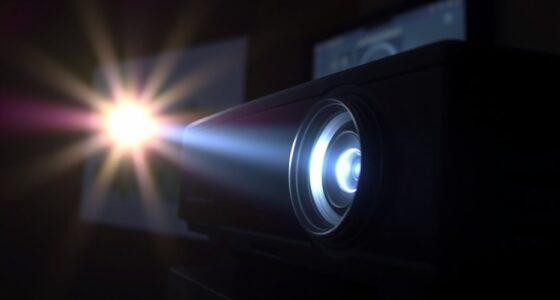
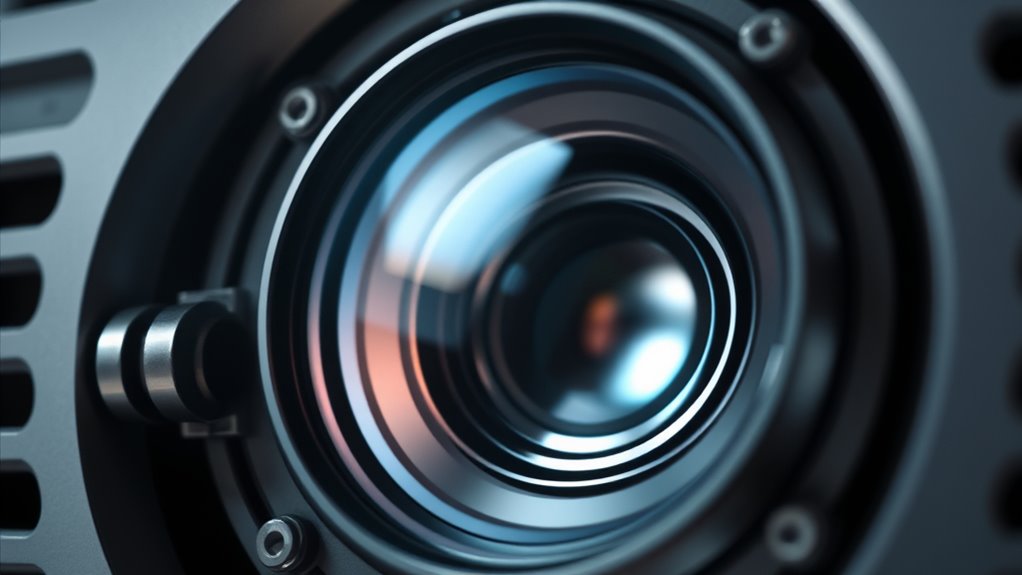
When choosing a projector, understanding how lenses and zoom functions work can considerably impact your viewing experience. The lens is a pivotal component because it determines how the image is focused and projected onto your screen or wall. There are various lens types, each with its own design and purpose, affecting image sharpness, brightness, and flexibility. For example, standard fixed lenses provide a set focal length, which means you’ll need to physically move the projector to adjust the size of the image. On the other hand, zoom lenses incorporate zoom mechanics, allowing you to change the image size without moving the projector. This feature is especially handy in spaces where repositioning the projector isn’t feasible or desirable. Understanding lens types and their functionalities can help you select the most appropriate equipment for your setup.
Understanding zoom mechanics is essential because it influences how easily you can adjust the image size to fit your space. Some projectors feature manual zoom, where you turn a ring or lever to change the focal length, giving you precise control but requiring you to physically access the lens. Others incorporate motorized zoom, which you can control remotely or through the projector’s menu system, making adjustments quick and effortless. When you select a projector with versatile zoom mechanics, you gain flexibility in setting up your display, especially if your room dimensions or screen placement change frequently.
The choice of lens types and zoom mechanics directly affects your setup process and overall viewing experience. If you’re installing a home theater or a conference room projector, a lens with good zoom capabilities can save you time and effort. They let you fine-tune the image size without repositioning the entire unit, which is especially useful if you have limited space or fixed mounting points. Additionally, understanding how different lens types work helps you anticipate image quality, brightness, and focus, so you can choose a model that meets your specific needs.
Frequently Asked Questions
How Do I Choose the Right Projector Lens for My Space?
To select the appropriate projector lens for your space, consider the lens materials and focus mechanisms. Prefer durable materials like glass or high-quality plastics for clear images. Check if the focus mechanism is manual or motorized to suit your convenience. Measure your room size and throw distance to choose a lens with the suitable throw ratio. This guarantees sharp focus and ideal image quality tailored to your space.
What Are the Differences Between Digital and Optical Zoom?
Did you know that 85% of presenters prefer optical zoom for its superior clarity? Digital zoom enlarges the image through digital enhancement, often sacrificing sharpness, while optical zoom uses lens adjustments to maintain optical clarity at all magnifications. Digital zoom is handy for quick adjustments, but for crisp, high-quality images, optical zoom is the better choice. You’ll get sharper images and better detail with optical zoom, especially at high magnifications.
Can Projector Lenses Be Upgraded or Replaced Easily?
Yes, projector lenses can be upgraded or replaced, but it depends on your projector model. You’ll want to check the manufacturer’s guidelines for lens compatibility. Regular lens maintenance, including proper lens cleaning, helps keep your existing lens in top condition. If you upgrade, make certain you handle the new lens carefully to avoid damage. Replacing or upgrading lenses can improve image quality, but always follow proper procedures for lens maintenance and cleaning.
How Does Ambient Light Affect Zoom Performance?
Ambient light can substantially affect your zoom performance by increasing light pollution and causing screen glare. When there’s too much surrounding light, it becomes harder to see the image clearly, even at ideal zoom levels. To improve your viewing experience, reduce ambient light sources, use curtains or shades, and consider higher lumens projectors with better contrast. This way, you’ll enjoy sharper images and more accurate zoom clarity.
Are There Compatibility Issues Between Lenses and Specific Projector Brands?
Think of projector lenses like keys; not every key fits every lock. You might find that certain lenses aren’t compatible due to brand-specific issues or design differences, causing compatibility issues. For example, some brands use proprietary mounts, making lens swaps tricky. Always check lens compatibility and brand-specific issues before buying to guarantee smooth performance. Otherwise, you risk investing in gear that simply won’t work together, much like forcing a key into the wrong lock.
Conclusion
Now that you know how projector lenses and zoom work together, it’s tempting to believe that just any lens can deliver perfect images. But the truth is, not all lenses are created equal—each one has specific strengths and limitations. Before you invest, do your research. Choosing the right lens can substantially improve your projection quality, proving that understanding the science behind zoom and lenses isn’t just a theory—it’s your key to better visuals.