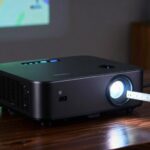
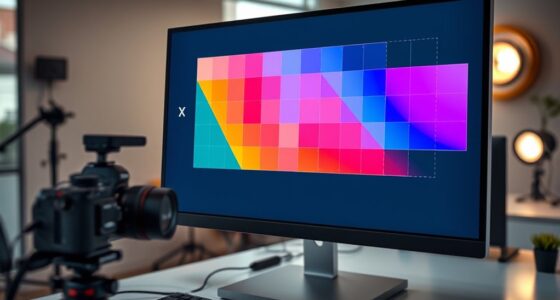
ANSI lumens measure how bright a projector outputs light, affecting how clear and vivid your images appear, especially in well-lit spaces. The higher the lumens, the better the projector can cut through ambient light, making your images more visible. In darker rooms, lower lumens work fine, but in bright environments, you’ll need at least 3,000 lumens for a sharp picture. Understanding how to match lumens with your space guarantees you get the best image quality—keep exploring to learn more.
Key Takeaways
- ANSI lumens measure a projector’s total light output, affecting image brightness and clarity.
- Higher lumens (3000+) are ideal for well-lit environments, while lower lumens suit darker rooms.
- Brightness levels must match ambient light conditions to ensure clear, vivid images.
- Proper calibration enhances image quality by adjusting contrast, color, and keystone correction.
- Brightness alone isn’t enough; understanding light distribution and calibration are essential for optimal projection.

When choosing a projector, understanding what ANSI lumens mean can make a big difference in selecting the right device for your space. ANSI lumens measure the brightness of a projector by quantifying the total amount of light it produces, which directly influences how clear and vivid your images will appear. The higher the lumens, the brighter the image, making it easier to see in well-lit environments. But brightness isn’t just about raw numbers; it also ties into how well you can perform projection calibration to achieve ideal image quality. Proper calibration ensures that the projected image is sharp, properly aligned, and colors are accurate, which is especially important when dealing with different ambient light effects. If your space has a lot of ambient light—like sunlight streaming through windows or overhead lighting—it can wash out the image, making higher lumen projectors more suitable. Conversely, in darker rooms, lower lumen projectors can still deliver crisp visuals without the need for excessive brightness, which helps save energy and extend the device’s lifespan.
Understanding how ambient light effects influence projector performance helps you pick the right brightness level. If your environment is mostly bright, you’ll want a projector with a higher lumen count, perhaps 3,000 ANSI lumens or more, to cut through the light and maintain image clarity. In contrast, if your room is darker, a projector with fewer lumens, around 1,500 to 2,500, might suffice, providing a clear picture without unnecessary brightness that could cause eye strain or wash out details. Additionally, projection calibration becomes essential in these settings. You need to adjust settings such as contrast, color balance, and keystone correction to maximize image quality and ensure the projection looks its best under your specific ambient light conditions. Proper calibration makes a significant difference in environments with fluctuating light levels or multiple light sources, helping you achieve a consistent, sharp image.
Furthermore, understanding light distribution and how it impacts image brightness can aid in selecting the most suitable projector for your environment. Ultimately, understanding ANSI lumens and how ambient light effects impact projection helps you make smarter choices. It’s not just about choosing the brightest projector but selecting one that matches your space’s lighting conditions and allows for effective calibration. This way, you can enjoy vibrant, clear images whether you’re presenting in a conference room or watching a movie in a dim home theater. By considering both brightness and calibration techniques, you’ll ensure your projector performs at its best, providing the ideal viewing experience tailored to your environment.
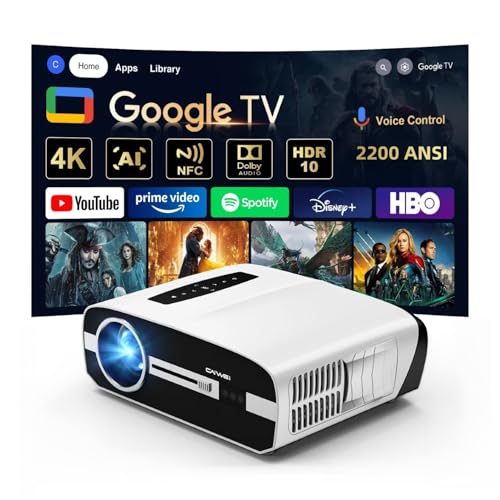
4K Daylight Projector Google TV 2200 ANSI Lumens, HDR10 Smart Home Theater Projector with WiFi6 Bluetooth, TOF Autofocus, Dolby Audio,3-Brightness, HDMI eARC Outdoor Movie Projector
【2200 ANSI Daylight Projector – Bright Even with Lights On】Enjoy true 2200 ANSI lumens designed for modern living...
As an affiliate, we earn on qualifying purchases.
Frequently Asked Questions
How Do ANSI Lumens Compare to Other Brightness Measurement Standards?
ANSI lumens are a standard for measuring brightness, making your brightness comparison more consistent across different projectors. Unlike other measuring standards, ANSI lumens provide a reliable way to compare brightness because they consider the average light output from multiple points. When you compare projectors, using ANSI lumens helps you get an accurate sense of how bright they are, ensuring you choose the right one for your space.
Can ANSI Lumens Indicate the Actual Visibility in Different Ambient Light Conditions?
ANSI lumens give you a good idea of a projector’s brightness, but they don’t fully reflect the ambient light impact or how viewers perceive the image in different settings. In bright rooms, higher ANSI lumens improve visibility, but in darker spaces, lower brightness can still look great. Always consider your specific environment and viewer perception when choosing a projector, as ANSI lumens alone don’t tell the whole story.
What Factors Can Affect the Perceived Brightness of a Projector?
You’ll find that ambient light considerably impacts perceived brightness, making your projector seem dimmer in bright rooms. Screen gain also plays a role; a higher gain screen reflects more light, enhancing brightness, while a low gain screen can reduce it. Even if your projector has high ANSI lumens, these factors can alter how bright the image appears, so consider your room’s lighting and screen type to get the best picture quality.
Are Higher ANSI Lumen Ratings Always Better for Every Projection Environment?
Higher ANSI lumen ratings aren’t always better, as brightness perception depends on your projection environment. If you place your projector in a dark room, lower lumens can suffice, but in bright spaces, higher lumens improve visibility. Projector placement also impacts perceived brightness; mounting it too far or too close can affect image clarity. Choose a lumen rating suited to your room’s ambient light and ideal placement for the best viewing experience.
How Do ANSI Lumens Relate to Projector Image Quality and Color Accuracy?
Think of ANSI lumens as the soul of your projector’s brightness; they influence your image’s vibrancy and clarity. Higher lumens can make colors pop and details sharper, but only if your projector’s color accuracy and image sharpness are also excellent. Without proper calibration, even high lumens can produce washed-out images. So, focus on balancing brightness with color fidelity to truly bring your projection to life.

LG CineBeam UHD 4K Projector HU70LAB - DLP Home Theater Smart Projector, Black
With a breathtaking screen size of up to 140 inches, the ceiling-mountable HU70LAB delivers 4K UHD resolution, leveraging...
As an affiliate, we earn on qualifying purchases.
Conclusion
Now that you understand ANSI lumens and brightness, the real question is: how will you choose the perfect projector? Will you prioritize pure brightness or consider other features? The options are endless, and making the right decision could transform your viewing experience. So, are you ready to explore further and find the projector that truly lights up your world? The choice is yours — and the best is yet to come.
![[Built-in Official Apps/4K Support] Smart Outdoor Projector with WiFi and Bluetooth, 800ANSI Movie Projector, DoIby Audio with Dual Speaker, Auto Focus w/ YouTube&PrimeVideo Proyector, Upgrad P62 Pro](https://m.media-amazon.com/images/I/51h241YxtmL._SL500_.jpg)
[Built-in Official Apps/4K Support] Smart Outdoor Projector with WiFi and Bluetooth, 800ANSI Movie Projector, DoIby Audio with Dual Speaker, Auto Focus w/ YouTube&PrimeVideo Proyector, Upgrad P62 Pro
[Upgraded Classic – P62 Pro Movie Projector] Building on the reliability and low return rate of the classic...
As an affiliate, we earn on qualifying purchases.

BenQ W2720i 4K UHD Smart Home Theater Projector | 95% DCI-P3 Cinematic Color, HDR10/HLG, 2500 Lumens, Android TV Streaming with AI Cinema Mode, Built in Dolby Atmos 10W speaker
AI-POWERED CINEMA: AI Cinema Mode adapts colors based on ambient light and scene for superior image quality. Stream...
As an affiliate, we earn on qualifying purchases.