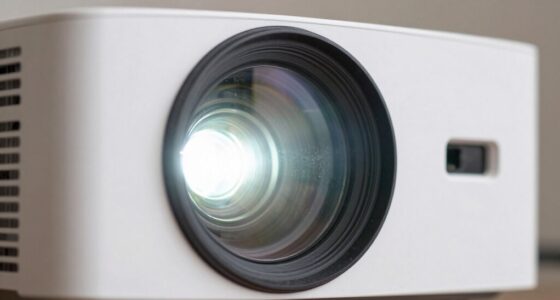

To calibrate your projector’s colors by eye, start by placing it in your typical viewing environment with dim lighting. Project a neutral gray or white screen and compare the output to your reference images or scene. Adjust the red, green, and blue color settings gradually, looking for a natural balance without color casts. Keep fine-tuning until the hues appear true-to-life, and you’ll achieve more accurate colors. If you continue, you’ll find helpful tips to perfect your calibration process.
Key Takeaways
- Use a neutral gray or white screen as a reference for accurate color judgment.
- Dim ambient lighting to reduce glare and improve visual perception during calibration.
- Adjust primary color settings (red, green, blue) gradually, comparing with calibration images or references.
- Focus on eliminating color casts by fine-tuning hue and saturation for natural, balanced tones.
- Calibrate in a typical viewing environment to ensure consistent and reliable color accuracy.
Calibrating projector colors is vital to make sure your images look accurate and vibrant on the screen. When you’re working with your projector, you want the colors to be true to life, which means paying close attention to color matching. The goal is to guarantee that hues are consistent and natural, whether you’re displaying photographs, videos, or presentations. To do this effectively by eye, start by setting your projector in a typical viewing environment, where ambient lighting plays a substantial role. Ambient lighting can influence how colors appear, so it’s best to calibrate under conditions similar to how you’ll regularly watch or present. Dimming or turning off lights can help you see the true output of your projector, but if your space always has ambient light, you should calibrate with that in mind to maintain color accuracy in real-world conditions.
Begin by projecting a neutral gray or white screen, as these serve as reliable benchmarks for color matching. Look carefully at the projected image and note any color cast—such as a bluish or yellowish tint—that skews the neutrality. Adjust the projector’s color settings, focusing on the primary colors: red, green, and blue. Small tweaks can considerably improve color fidelity, making the image appear more natural. It’s helpful to compare your projector’s output to a known reference image or a calibration tool, but since you’re calibrating by eye, trust your perception. If you notice certain colors look off, tweak the color balance until the shades look as close to the real thing as possible. Remember that vetted color calibration techniques can help ensure your adjustments are accurate and effective.

SOULWIT 50Pcs Self Adhesive Cable Management Clips - Black
- 🔷SUPER EASY TO USE: Stick to clean surface, open...
- 🔷PREMIUM MATERIAL: Made from eco-friendly Polyamide66 material,...
- 🔷STICKY IN MANY SURFACES: Works on all clean surfaces...
As an affiliate, we earn on qualifying purchases.
Frequently Asked Questions
Can Ambient Lighting Affect Projector Color Calibration?
Yes, ambient lighting can influence your projector color calibration. Bright or uneven lighting modifies your perception of colors, making it harder to judge calibration accuracy precisely. To guarantee the best results, calibrate your projector in a controlled, dim environment where ambient light is minimal. This way, you can achieve more accurate calibration, and your colors will look consistent across different lighting conditions.
How Often Should I Recalibrate My Projector Colors?
You should recalibrate your projector colors whenever you notice a decline in color accuracy or after significant changes in ambient lighting. Generally, it’s good to perform calibration every 3 to 6 months to maintain ideal image quality. Regular calibration ensures your colors stay true and vibrant, especially if you use your projector frequently or in different lighting conditions. Stay attentive to color shifts to keep your viewing experience sharp and accurate.
Are There Specific Colors I Should Focus on During Calibration?
When calibrating your projector by eye, focus on neutral colors like gray, white, and black to guarantee accurate color matching. Pay close attention to skin tones and primary colors like red, green, and blue. Use calibration tools if available, but rely on your eye for fine-tuning. This approach helps you achieve a balanced, natural look, making your images appear realistic and consistent across different viewing conditions.
Does Projector Brand Influence Calibration Accuracy?
Like a trusted compass, your projector’s brand can influence calibration accuracy, but it’s not the sole factor. Different brands may have varying factory settings, so consistent calibration techniques are essential to maintain brand consistency. You should focus on fine-tuning colors through eye calibration, regardless of brand, ensuring your projector displays accurate hues. Remember, diligent calibration and understanding your specific projector’s nuances help you achieve the best color fidelity.
Can Calibration Improve Projector Lifespan?
Calibration can help extend your projector’s lifespan by maintaining color consistency and preventing unnecessary strain on its components. When you use calibration tools, you guarantee the projector operates at its best, reducing the risk of overheating or wear caused by inaccurate color settings. By regularly calibrating, you keep your projector in good shape, ultimately improving its durability and performance over time, saving you money and hassle in the long run.

XHF 120 PCS Adhesive Cable Wire Clips Black, Outdoor Christmas Light Clips, Cable Management Wire Organizer Cord Holder for Under Desk, Car, Wall, TV PC Ethernet Cable
- High quality material:XHF Adhesive Cable Clips are manufactured...
- Widely used: USB Cable, Ethernet Cable, Outdoor...
- Size: Base 5/8" x 5/8", inner...
As an affiliate, we earn on qualifying purchases.
Conclusion
Think of calibrating your projector as tending a delicate garden; each adjustment is like nurturing a single bloom to perfection. When you trust your eyes and make those subtle tweaks, you’re guiding your device to bloom with true colors. With patience and a gentle touch, your projector becomes a masterpiece in full bloom—vivid, accurate, and beautifully alive—showing that, like a skilled gardener, your eye is the ultimate tool for achieving perfection.

120PCS XHF Adhesive Cable Wire Clips White, Cable Staples Outdoor Cable Management Wire Organizer Cord Holder for Under Desk, Car, Wall, TV PC Ethernet Cable
- High quality material:XHF Adhesive Cable Clips are manufactured...
- Widely used: USB Cable, Ethernet Cable, Outdoor...
- Size: Base 5/8" x 5/8", inner...
As an affiliate, we earn on qualifying purchases.

Optoma ML1080UST 1080p Photon Go Ultra Short Throw Full HD LED Triple Laser DLP Google TV Smart Projector
- 10 in. Ultra Short Throw Distance
- Integrated Dolby Audio
- Triple Laser RGB Technology
As an affiliate, we earn on qualifying purchases.