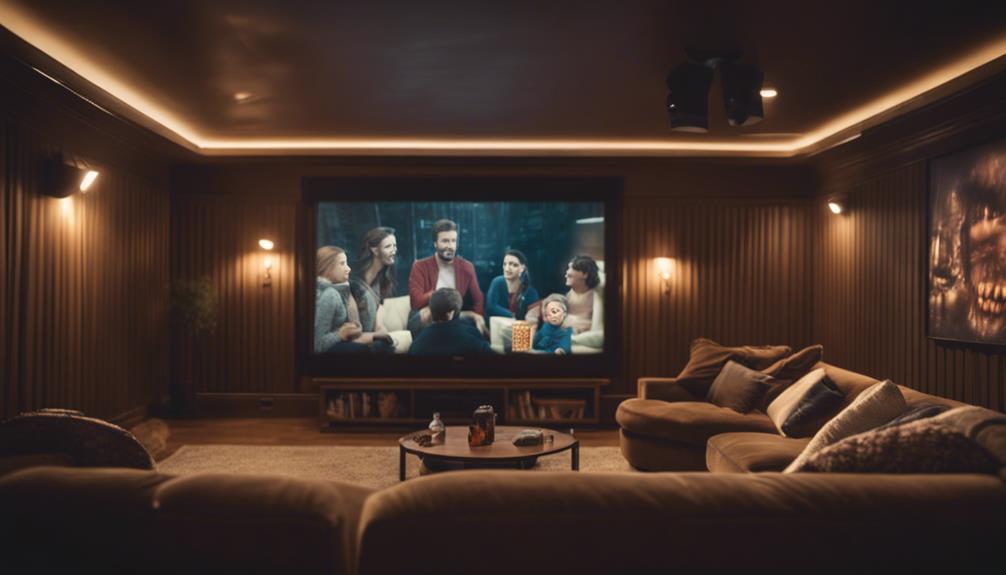

Filmmaker Mode on your display guarantees movies are shown as their creators intended by disabling automatic processing like motion smoothing, sharpness, and color adjustments. It preserves the original colors, contrast, and motion, giving you a more authentic viewing experience. If you want to see films as the director envisioned, using this mode is a good choice. Keep exploring to learn how enabling Filmmaker Mode can enhance your home cinematic experience.
Key Takeaways
- Filmmaker Mode disables automatic processing to preserve the director’s original vision, including color, contrast, and motion.
- It offers a more authentic viewing experience by turning off effects like motion smoothing and sharpness enhancements.
- Using Filmmaker Mode is ideal for watching cinematic content as intended, ensuring accurate colors and natural motion.
- It is suitable for viewers prioritizing film fidelity and artistic authenticity over vibrancy or extra effects.
- Combining Filmmaker Mode with professional calibration can further optimize the display for true-to-original visuals.
Have you ever wondered why the picture quality on your favorite films doesn’t quite match what the director intended? It’s because many modern displays automatically adjust how images are presented, often altering colors, contrast, and motion settings. These adjustments aim to enhance your viewing experience, but they can also distort the filmmaker’s original vision. That’s where Filmmaker Mode comes in. It’s a feature designed to preserve the integrity of the director’s intent by disabling certain automatic processing features that can interfere with how the film was meant to be seen. When you activate Filmmaker Mode, your TV or display turns off motion smoothing, sharpness enhancement, and other post-processing effects that typically make content look more polished or “cinematic” in a commercial sense, but less authentic to the original production. Additionally, automatic image processing can sometimes create a disconnect between the intended visual style and what you see on screen.
Filmmaker Mode disables automatic adjustments for authentic, director-approved picture quality.
The idea behind Filmmaker Mode is straightforward: it *aims* to deliver a viewing experience as close as possible to what the director envisioned during filming and editing. This means colors are more accurate, motion appears natural without unnatural artifacts, and contrast levels align with the original artistic choices. If you’re someone who cares about film fidelity, watching movies in Filmmaker Mode allows you to see the content as it was intended, without the distractions of overly processed images. Many streaming platforms and new TVs now include this mode as a default or easy-to-activate option, making it accessible without requiring complex adjustments. Additionally, color accuracy plays a vital role in preserving the filmmaker’s original vision, ensuring that hues and tones are true to the intended palette.
Using professional calibration can further optimize your display for the most authentic viewing experience, especially when combined with Filmmaker Mode. Deciding whether to use Filmmaker Mode depends on your preferences. If you like your movies with a more “cinematic” look, free from artificial enhancements, then turning on this mode is a good idea. It’s especially beneficial for watching movies and shows that are shot in a cinematic style, where the director’s choices about color grading, lighting, and motion are *essential* to the storytelling. However, if you prefer a more vibrant, punchy image with enhanced contrast and sharpness, you might find that standard picture settings or other modes suit your taste better. But keep in mind, these often compromise the artistic integrity of the content.
Ultimately, Filmmaker Mode isn’t about replacing your regular viewing preferences; it’s about giving you the option to experience films as closely as possible to what the creators intended. If you value authenticity and want to see movies in their purest form, enabling this mode is a simple, effective step. It helps you appreciate the artistry behind filmmaking and guarantees you’re not unintentionally altering the filmmaker’s vision with automatic display adjustments. Choosing the right display settings can significantly impact how well you connect with the story and visuals.

XHF 120 PCS Adhesive Cable Wire Clips Black, Outdoor Christmas Light Clips, Cable Management Wire Organizer Cord Holder for Under Desk, Car, Wall, TV PC Ethernet Cable
- High quality material:XHF Adhesive Cable Clips are manufactured...
- Widely used: USB Cable, Ethernet Cable, Outdoor...
- Size: Base 5/8" x 5/8", inner...
As an affiliate, we earn on qualifying purchases.
Frequently Asked Questions
Does Filmmaker Mode Work With All Streaming Services?
Filmmaker Mode isn’t available on all streaming services, but it works with many popular ones like Netflix, Amazon Prime, and Disney+. You’ll need a compatible TV or device that supports the mode to enjoy its benefits. Keep in mind, some services may still stream content in standard mode, so check your device’s compatibility and settings to guarantee you’re getting the best cinematic experience.
Can I Customize Filmmaker Mode Settings on My Display?
You can customize Filmmaker Mode settings on your display, but options vary depending on your device. Many modern TVs let you adjust features like motion smoothing, color, and contrast within the mode or through advanced settings. Keep in mind, some manufacturers lock certain adjustments to preserve the director’s original intent. So, explore your TV’s menu to see what customization options are available and enhance your viewing experience.
Will Enabling Filmmaker Mode Affect Gaming Performance?
Enabling filmmaker mode can impact your gaming performance, but it depends on your display and game settings. It usually reduces post-processing effects to improve movie quality, which might introduce a slight input delay or reduce motion smoothing. If you’re focused on fast-paced gaming, you might notice a difference. However, for casual gaming, filmmaker mode generally doesn’t considerably hinder performance, and you’ll enjoy a more authentic picture quality.
Is Filmmaker Mode Compatible With All TV Brands and Models?
You might worry that filmmaker mode isn’t universal, but most new TVs from major brands support it. While compatibility varies, many models include this feature to enhance your viewing experience. If your TV doesn’t have it, you can manually adjust picture settings for a similar effect. So, check your TV’s specs—chances are, you can enable filmmaker mode and enjoy movies as the director intended.
How Does Filmmaker Mode Impact HDR and Dolby Vision Content?
When you enable Filmmaker Mode, it adjusts your display settings to maintain the director’s original vision, which can enhance HDR and Dolby Vision content. It typically disables motion smoothing and boosts contrast to deliver more accurate colors and deeper blacks. So, if you want to experience movies as intended, using Filmmaker Mode helps guarantee HDR and Dolby Vision content look more natural and true to the filmmaker’s intent.

SOULWIT 50Pcs Self Adhesive Cable Management Clips - Black
- 🔷SUPER EASY TO USE: Stick to clean surface, open...
- 🔷PREMIUM MATERIAL: Made from eco-friendly Polyamide66 material,...
- 🔷STICKY IN MANY SURFACES: Works on all clean surfaces...
As an affiliate, we earn on qualifying purchases.
Conclusion
So, if you want your movies to feel like you’re sitting in a giant, fancy theater with lights dimmed just right, filmmaker mode is your new best friend. It’s like pressing a magic button that transforms your screen into a cinematic wonderland, making every detail pop and every scene feel alive. Don’t settle for ordinary viewing—embrace filmmaker mode and turn your couch into the most epic movie theater of your dreams!

120PCS XHF Adhesive Cable Wire Clips White, Cable Staples Outdoor Cable Management Wire Organizer Cord Holder for Under Desk, Car, Wall, TV PC Ethernet Cable
- High quality material:XHF Adhesive Cable Clips are manufactured...
- Widely used: USB Cable, Ethernet Cable, Outdoor...
- Size: Base 5/8" x 5/8", inner...
As an affiliate, we earn on qualifying purchases.