
TL;DR

Get business pricing on your home office setup
- Business-only prices and quantity discounts
- Tax-exempt purchasing
- Multiple users, one account, clear invoices
A 4K image has roughly four times as many pixels as Full HD, but 4K home theater projectors can create that detail with native-resolution chips or pixel shifting, and some only accept a 4K signal. Compare the actual imaging method alongside brightness, contrast, screen size, HDR handling, installation, and gaming performance. Your room and viewing distance matter as much as the label on the box.
A projector can accept a 4K movie and still show fewer than 8.3 million physical pixels. That distinction can change what you see on a big screen, especially when you sit close enough to pick out fine edges and textures.
In home theater projectors, 4K can refer to native pixels, pixel shifting, or simply compatibility with a 4K input. You’ll learn how those labels differ, what brightness and HDR can do in your room, and how to check whether a projector will fit your screen and seating. A little planning can turn a washed-out, awkward setup into a crisp image that makes movie night feel bigger.
Check whether a projector uses native 4K, pixel shifting, or only accepts a 4K input.
Compare brightness and contrast with your room lighting and screen size in mind.
Use your seating distance and the manufacturer’s throw calculator to choose a workable screen size and projector position.
For HDR movies, look for real performance reviews of tone mapping, not just format support.
Gamers should verify measured input lag and confirm that desired resolution and refresh features work together.
Know What the 4K Label Actually Promises
4K home theater projectors do not all create detail in the same way: native 4K uses a chip with about 8.3 million physical pixels, while pixel-shifted models move a lower-resolution image rapidly to display more detail over time. A “4K compatible” projector may accept a 4K signal but show it at lower resolution. These distinctions matter because the signal source cannot add detail the projector does not display. Check the imaging method and actual output before comparing prices.
A 4K image has roughly four times as many pixels as Full HD. That added detail can make lettering on a film poster or the fine weave of a costume look cleaner, especially on a large screen. Whether you notice it depends on the whole viewing setup: screen size determines how large each detail appears, and seating distance determines whether your eyes can resolve it. A smaller screen viewed farther away may hide differences that stand out on a 120-inch screen from nearby seating.
Pixel shifting isn’t automatically a poor choice. It can produce a detailed, convincing picture, and the practical difference from native 4K depends on the model, screen size, viewing distance, and content. For example, you might find that a well-reviewed pixel-shifted projector shows a sharp nature documentary in your 100-inch setup, even though its imaging chip isn’t native 4K. The tradeoff is that the technology’s label alone won’t tell you how well it resolves fine patterns or moving detail; reviews and a viewing at your intended distance can.
Read the specification carefully: “accepts 4K input” describes the signal it can receive, while the imaging method describes the picture it produces. That small distinction can save you from paying for a promise the projector doesn’t make.
Products Worth Considering

Dyson Car+Boat Cordless Handheld Vacuum

Philips Hue Festavia Globe Outdoor String Lights, 8 Bulbs, 22 ft

Samsung 65-Inch The Frame Pro Neo QLED 4K TV (2026) Bundle with Modern Brown Bezel, HDMI Cables, and Home Theater Guide
As an affiliate, we earn on qualifying purchases.
Match Brightness and Contrast to Your Room
Brightness affects how well a projected image holds up against room light, while contrast shapes how clearly bright and dark details stand apart. These qualities interact: ambient light raises the apparent black level, so shadows lose depth even if the projector itself has good contrast. A dark, light-controlled room usually makes it easier to see deep blacks and subtle shadows; daylight or a bright lamp can wash those details away, even when the projector accepts 4K content.
Lumens give you a brightness figure, but manufacturer claims may use different measurement standards. Compare independent reviews when you can, and judge brightness alongside your screen size and room lighting. A 100-inch image in a dark basement spreads light over a smaller area than a much larger image, so it may look brighter from the same projector. Choosing a larger screen can therefore trade immersion for a dimmer image, while adding brightness may help with room light but does not restore contrast lost to glare.
Imagine you’re watching a night scene with a black coat against a dim alley. In a dark room, you may see the coat’s folds and the brick behind it. Leave a bright ceiling light on and those blacks can turn gray. A higher-brightness projector can help with ambient light, but it can’t fully restore contrast that the room washes out. This is why curtains or dimmable lights can improve the picture more than a brightness upgrade alone.
- Dark room: prioritize contrast and black levels alongside enough brightness for your screen. Extra brightness has less value if you watch with the lights off and may not improve shadow detail.
- Living room: plan to control light where possible, then compare tested brightness and screen options. A brighter setup can remain watchable with some light, but expect less convincing blacks than in a dark room.
- Large screen: expect the image to spread its available light over more area. A size that looks impressive in a product demonstration may look subdued in your room.
A brightness figure is one clue, not a room prescription. The best choice depends on your screen, your windows, and whether you watch mostly after sunset or during Saturday afternoon.
Choose a Screen Size You’ll Enjoy From Your Seat
Your screen size should fit your seating distance, room, and projector brightness; bigger is not always better. As the image grows, the projector’s light spreads over more area, and fine image details can become easier to scrutinize. That creates a practical balance: a larger image feels more immersive, but it can look dimmer and make softness more visible. Choose a size that feels comfortable from your sofa rather than selecting the largest number a product page advertises.
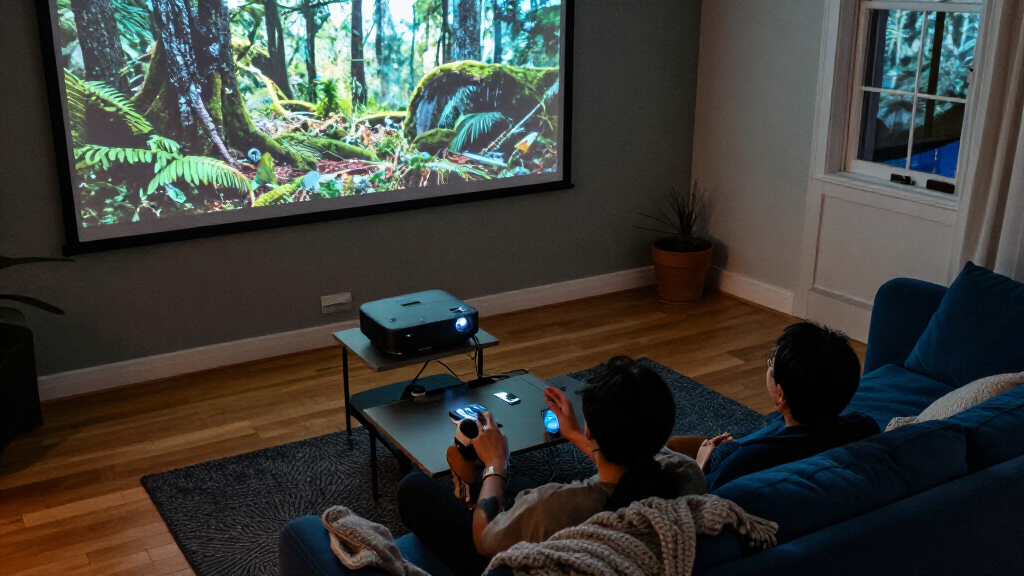
Say your couch sits about 10 feet from the wall. A 120-inch picture may feel cinematic, but it can also reveal softness or make fast action tiring to watch. A 100-inch screen may feel more relaxed and look brighter with the same projector. The best choice depends on whether you value the larger field of view more than added brightness and visual comfort; room dimensions also determine whether you can place the projector far enough back to fill that screen.
Check the projector’s throw ratio, which relates the distance from the lens to the screen to the image width. Manufacturers often provide a throw calculator; enter your planned screen size and projector location before you buy. This calculation determines whether the lens can make the desired image from your shelf or ceiling mount. If it cannot, moving the projector may require different cabling or a new mount, while brightness and resolution won’t solve the fit problem.
The screen surface matters, too. A flat screen with a surface suited to your room can support sharpness and brightness, but it doesn’t create extra resolution. For instance, a screen that reduces stray light may help in a living room, while an inexpensive, uneven surface can make fine lines look wavy. A surface that helps reject room light can also affect viewing angles and how the picture looks to people sitting off-center. Your seating distance, screen dimensions, and placement work as a set.
Get Better HDR by Checking Tone Mapping
HDR lets a projector show a wider range of brightness and color in supported content, but projectors cannot reproduce the peak brightness of many televisions. They adapt the HDR image to the light and contrast they can produce, a process called tone mapping. Tone mapping decides how much highlight detail to preserve and how to fit the rest of the image into the projector’s range. That processing can matter as much as support for an HDR format.
Think of a bright moon against a dark sky. A projector has to preserve visible moon detail without crushing the sky into a gray wash or making the rest of the scene too dim. One model may handle that balance more gracefully than another, even if both advertise HDR support. The result also depends on room light, screen choice, and picture settings. A setting that makes highlights brighter may sacrifice detail elsewhere, so no single adjustment can maximize every part of the scene.
When you compare reviews, look for discussion of how HDR scenes appear in practice, not only a list of supported formats. If you can demo a projector, try a familiar movie with both bright highlights and dark detail. A sunlit cloud that still shows texture and a face that doesn’t disappear into shadow tell you more than a logo on the product box. They reveal whether the projector keeps important detail while adapting the image to its brightness limits.
Expect tradeoffs: a projector’s picture can look rich and cinematic in a dark room, while a bright TV may deliver more impact in a sunlit space. If you mostly watch films after dark, capable tone mapping and strong contrast may mean more to you than chasing a particular peak-brightness claim. Choose for the scenes and conditions you actually watch.
Check Placement and Connections Before You Buy
Throw distance, lens features, cable routing, and ventilation determine whether a projector fits your setup. Zoom and lens shift can make placement easier by changing the image size or moving it without tilting the unit. That flexibility can let you use an existing shelf or mount, but each lens has limits; a feature name does not guarantee the projector can reach your exact screen position. Digital keystone correction can square up a crooked image, but it may reduce image detail, so careful physical placement is preferable.
Picture a ceiling-mounted projector near the back of a room. If its lens shift can’t move the picture down to the screen, you might be tempted to angle it and apply keystone correction. That can leave you with a softer result and a more complicated install. Check lens offset, mount position, throw distance, and available clearance before drilling or buying a long HDMI cable. These checks also help you avoid discovering that a beam, light fixture, or cable route blocks the position the throw calculator requires.
Also check HDMI bandwidth, streaming options, fan noise, power use, and the cost of replacing lamps or other light-source components. HDMI bandwidth affects which combinations of resolution, refresh rate, and other video features the projector can receive, so confirm it supports the devices you plan to connect. Built-in speakers can get you through setup, but they rarely replace a separate sound system. A quiet fan matters in a hushed drama; a nearby power outlet and a soundbar connection matter every time you turn the system on.
Laser and LED light sources have become more common and can offer quick startup, long service life, and less lamp replacement. Traditional lamps remain available and may suit buyers focused on initial cost. The tradeoff is that a lower purchase price can come with replacement expenses later, while a longer-life source may cost more upfront. For any type, check what the manufacturer means by its life estimate and consider replacement costs before you choose.
Compare the Tradeoffs That Matter for Movies and Games
The right projector balances image detail, room conditions, installation, and the features you use. Compare models on the same practical questions rather than letting a single “4K” badge make the decision. A compact portable projector may be easy to move but less bright, while an ultra-short-throw model can sit close to the wall but may need a compatible screen and precise placement. Each design solves a different problem, so the useful comparison is whether its advantages fit your room and whether its compromises matter in your viewing habits.
For gaming, check measured input lag at the resolution and refresh rate you plan to use. Input lag is the delay between pressing a control and seeing the result; it can make a game feel less responsive even when the picture is sharp. Some models support gaming features or high frame rates only at certain resolutions, and a spec sheet may not make every limitation obvious. If you play a fast competitive game, the difference between responsive controls and noticeable delay may matter more than a small gain in film detail.
Use this short checklist when you compare two candidates:
- Confirm image formation: native 4K, pixel shifting, or 4K input with lower-resolution output. This tells you what the resolution label means for the displayed image.
- Check room fit: measured brightness, contrast reviews, screen size, and viewing distance. Together, these determine whether detail and shadow performance will be visible where you sit.
- Verify placement: throw calculator results, lens shift, zoom, ventilation, and cable path. A projector that cannot reach the screen position may require costly changes or produce a compromised image.
- Match features to use: HDR tone mapping for films, input lag and refresh support for gaming. Features matter most when they improve the material and activities you use regularly.
- Count ownership costs: light-source replacement, power use, sound, and streaming needs. A low upfront price may not be the lowest-cost setup over time.
This can change your shortlist quickly. A movie fan in a dark room may prefer contrast and quiet operation; a family sharing a bright living room may value light control and flexible placement more. The best fit is the one whose tradeoffs line up with your room and how you watch.
Frequently Asked Questions
Is pixel-shifted 4K as good as native 4K?
Pixel shifting and native 4K use different image-forming methods, but a pixel-shifted model can still produce a detailed picture. How noticeable the difference is depends on the model, screen size, viewing distance, and content. Compare independent reviews and, if possible, see the projector from your usual seat.
How many lumens do I need for a 4K projector?
There is no single lumen number that suits every room. A dark room generally needs less brightness than a living room with daylight, and a larger screen spreads the light over more area. Compare independent brightness measurements along with your screen size and room conditions.
Can a projector give me a true HDR experience?
A projector can display HDR content, but its brightness and contrast limits mean it must adapt the image through tone mapping. Results vary by model, screen, settings, and room lighting. Reviews that describe actual HDR scenes can help you judge the result better than format support alone.
What screen size should I choose?
Choose based on your seating distance, room dimensions, projector brightness, and viewing comfort. Use the manufacturer’s throw calculator to see whether the projector can make that image size from your planned location. A larger screen can feel more cinematic but may look dimmer and make detail limits easier to see.
Can I use a projector in a bright living room?
Yes, but ambient light reduces contrast and can wash out the image. A brighter projector and an appropriate screen may help, though controlling light often improves the picture more. If you watch mostly during the day, compare the setup under conditions similar to your room.
What should I check before buying a projector for gaming?
Check measured input lag, HDMI capabilities, and the resolution and refresh rates the projector supports. Verify that the specific combination you want works at the same time, since features can be limited at 4K. A fast game benefits more from responsive controls than from a feature your console and projector can’t use together.
Conclusion
Choose the projector around the room and the way you watch. Confirm what its 4K label means, check the image from your seat, and plan screen size and placement before you buy. Those details shape the picture you’ll actually live with.
Get them right, and the lights can go down on a wall of crisp detail, deep shadows, and a movie that fills the room.