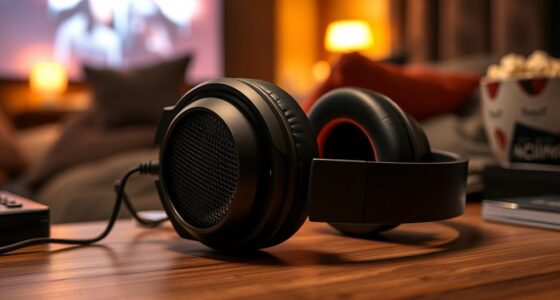
Use wired USB‑C mode on your wireless headphones when you want the most authentic, lossless audio experience. This direct digital connection avoids compression, digital conversions, and codec limitations that can degrade sound quality. It’s ideal for critical listening, high-resolution formats, or gaming where clarity and low latency matter. If you’re aiming for the purest sound, switching to wired will guarantee you get the best possible audio — there’s more to contemplate if you keep exploring.

Get business pricing on your home office setup
- Business-only prices and quantity discounts
- Tax-exempt purchasing
- Multiple users, one account, clear invoices
Key Takeaways
- Use wired USB‑C mode when listening to high-resolution, lossless audio formats to ensure full fidelity and minimal digital processing.
- Opt for wired connection for critical listening, gaming, or when audio clarity and accuracy are top priorities.
- Choose wired mode to bypass Bluetooth codecs and compression artifacts that can degrade sound quality.
- Use wired USB‑C when device and headphone support high-bitrate, lossless formats for an unaltered listening experience.
- Switch to wired mode to achieve lower latency and eliminate potential audio delays during sensitive or synchronized playback.

With the increasing popularity of high-quality audio, USB‑C has become a key connection for delivering lossless sound. When you’re streaming music or watching videos, you want the best possible quality, and wired modes often surpass wireless options in fidelity. While wireless headphones offer convenience, they rely heavily on Bluetooth codecs for transmitting audio. These codecs, like SBC, AAC, aptX, and LDAC, compress sound to fit wireless bandwidth, which can introduce digital conversions that slightly degrade audio quality. In contrast, wired connections via USB‑C bypass these limitations, delivering a direct digital signal from your device to your headphones, guaranteeing that the original audio remains intact.
Understanding Bluetooth codecs is vital when considering wireless audio. These codecs determine how efficiently your device compresses and transmits sound. For instance, aptX and LDAC are known for higher bit rates, offering near-lossless quality, but they still involve some compression and digital conversions. Digital conversions happen whenever audio moves from analog to digital or back; in wireless setups, these conversions happen multiple times, affecting sound fidelity. With wired USB‑C connections, digital audio is transmitted directly without the need for compression or multiple conversions, preserving the integrity of the original recording.
Wired USB-C transfers digital audio directly, avoiding multiple conversions and preserving original sound quality.
Additionally, the compatibility of your device with lossless audio formats can influence your choice between wired and wireless modes, especially for audiophiles seeking the highest fidelity. You might notice that even the best wireless headphones can’t quite match the clarity and detail of a wired setup, especially for lossless audio formats like FLAC or ALAC. When listening to high-resolution tracks, a wired connection ensures that you’re hearing every nuance without the artifacts introduced by compression algorithms inherent in Bluetooth codecs. Additionally, wired modes reduce latency, so you experience synchronized sound without lag, which is especially important for gaming or critical listening.
Choosing to switch to a wired mode on your wireless headphones isn’t about discarding convenience but about optimizing sound quality when it matters most. If you’re an audiophile or simply want the purest sound possible from your device, connecting via USB‑C allows you to bypass the digital conversions and Bluetooth codec limitations. It guarantees that the digital data sent from your device remains unaltered until it reaches the headphone’s digital-to-analog converter (DAC). This direct pathway preserves the full dynamic range and detail of your audio, making wired mode the preferred choice for critical listening or enjoying high-resolution lossless files.
Frequently Asked Questions
Can All Wireless Headphones Support Lossless Audio via USB-C?
Not all wireless headphones support lossless audio via USB-C because device compatibility varies. You need headphones with a USB-C port that can handle high-fidelity audio signals. Check the specs to verify they support lossless audio formats like FLAC or ALAC. If your headphones are compatible, you’ll enjoy improved audio fidelity, but if not, you won’t get true lossless quality through USB-C.
Does Using Wired Mode Drain Headphone Batteries Faster?
Using wired mode can drain your headphone batteries faster because of increased battery consumption related to power management. When you connect via USB-C, your headphones work harder to handle the wired connection, which may lead to quicker battery drain. To conserve power, use wired mode only when necessary, and keep in mind that your headphones’ power management system influences how quickly the batteries deplete during wired use.
Is There a Noticeable Sound Quality Difference Between Wired and Wireless Modes?
You’ll likely notice a slight difference in perceived quality between wired and wireless modes, especially with lossless audio. Wired connections generally offer better audio fidelity due to fewer signal disruptions and less compression. While wireless can be convenient, it might not match the clarity and detail of a wired setup, making wired modes preferable when you want the best sound experience. The difference becomes more noticeable with high-quality audio tracks.
Are There Compatibility Issues With Different Devices When Using USB-C Lossless Audio?
You might encounter compatibility issues with different devices when using USB-C lossless audio, especially if the device firmware isn’t up to date or the port isn’t fully compatible. Make sure your headphones and device have the latest firmware updates, and check if the USB-C port supports audio transmission. Some devices may have limited support for lossless audio, so verifying port compatibility helps guarantee a smooth, high-quality listening experience.
How Do I Ensure My Headphones Are Optimized for Lossless Audio Over USB-C?
Did you know that high-quality digital-to-analog conversion can dramatically improve your listening experience? To optimize your headphones for lossless audio over USB-C, guarantee you use a cable with premium build quality, minimizing signal loss. Check your device’s specifications for digital-to-analog capabilities, and consider updating firmware or drivers if needed. A well-made cable and compatible device ensure you get the best sound clarity and detail.
Conclusion
While wireless headphones offer convenience, there are moments when wired modes truly shine, especially when you want to experience audio that’s as close to the artist’s original intent as possible. Using lossless audio over USB-C can reveal nuances you might miss otherwise, turning everyday listening into a richer journey. So, next time you crave that pristine sound, consider plugging in—you might just discover a new level of listening that’s worth the brief tether.
Fall Picks
fall essentials
As an affiliate, we earn on qualifying purchases.