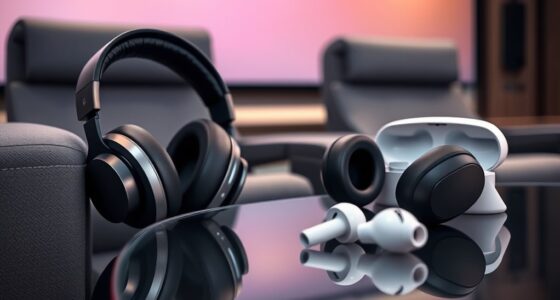
To keep your premium headphones clean and in top shape, regularly wipe down the ear tips and ear pads with a soft, damp cloth or mild soap solution, and wash removable parts thoroughly. Use a soft brush to gently remove dust and wax from speaker meshes, avoiding water on electronic components. Store them properly away from extreme conditions to prevent damage, and perform routine maintenance to preserve sound quality. Continue with the next steps to learn more about maintaining your headphones effectively.

Get business pricing on your home office setup
- Business-only prices and quantity discounts
- Tax-exempt purchasing
- Multiple users, one account, clear invoices
Key Takeaways
- Regularly wipe ear tips, ear pads, and speaker grilles with a soft, damp cloth and remove debris with gentle brushes.
- Wash or replace removable ear tips frequently to prevent dirt buildup and maintain sound quality.
- Store headphones properly in a case, avoiding extreme temperatures, moisture, and dust to prevent material degradation.
- Avoid immersing electronic components in water; clean only external parts and use minimal moisture if necessary.
- Conduct routine maintenance by inspecting crevices and cleaning thoroughly to prolong headphone lifespan and ensure optimal performance.

Premium headphones offer exceptional sound quality and comfort, but they require proper cleaning and maintenance to keep them in top condition. One of the most important aspects of maintaining your headphones is ensuring good headphone hygiene, which involves regular cleaning to prevent buildup of dirt, sweat, and earwax. Earwax removal from ear tips or ear pads might seem minor, but neglecting it can impact sound quality and cause discomfort over time. When you neglect headphone hygiene, dirt and debris accumulate, leading to potential infections or irritation, especially if you share your headphones or wear them for extended periods. Making cleaning a routine helps preserve the longevity of your headphones and guarantees excellent audio performance.
Regular cleaning of ear tips and pads maintains sound quality and prevents irritation over time.
To start, you should clean the ear tips and ear pads regularly, particularly if you notice a waxy residue or if you share your headphones. Use a soft, damp cloth or a cloth slightly moistened with mild soap and water to wipe down these surfaces. For silicone or foam ear tips, remove them carefully and wash them thoroughly, ensuring all earwax is gone. Avoid immersing electronic components in water, as this can damage sensitive parts. Instead, use a slightly damp cloth to wipe down the exterior, paying close attention to crevices where dirt can hide. For stubborn earwax buildup, consider using a gentle brush or a soft toothbrush to dislodge debris without scratching or damaging the materials.
Maintaining headphone hygiene also involves cleaning the mesh or grille of the speakers, which can trap earwax and dirt over time. Use a dry, soft brush or a small, clean toothbrush to gently remove dust and wax from these areas. If needed, lightly dampen the brush, but never use liquids directly on the speaker mesh. Regular cleaning prevents wax accumulation that can muffle sound quality or cause distortion. If your headphones come with removable ear tips, replace or clean them frequently to avoid bacterial growth and skin irritation. Additionally, understanding the importance of content ownership rights can help you make informed decisions about sharing or repairing your headphones without infringing on intellectual property.
In addition to cleaning, store your headphones properly when not in use. Keep them in a case or on a clean surface to avoid dust and dirt settling on them. Avoid exposing your headphones to extreme temperatures, moisture, or direct sunlight, which can degrade materials over time. By making earwax removal a habit and paying attention to headphone hygiene, you not only prolong the life of your premium headphones but also ensure that the sound remains clear and enjoyable. Proper maintenance shows respect for your investment and enhances your overall listening experience.
Frequently Asked Questions
Can Cleaning Damage the Headphone’s Electronic Components?
Cleaning can damage your headphone’s electronic components if you’re not careful. You risk harming electronic component safety by using too much liquid or harsh cleaning chemicals, which can seep inside and cause malfunctions. Always use gentle, appropriate cleaning methods and avoid aggressive chemical risks. By taking these precautions, you protect your headphones and ensure they stay in top condition without risking damage to sensitive parts.
What Are Eco-Friendly Cleaning Options for Headphones?
For eco-friendly cleaning, you can use natural disinfectants like diluted vinegar or rubbing alcohol, which effectively clean headphones without harsh chemicals. Always opt for eco-friendly cleaning products that are biodegradable and non-toxic. Gently wipe your headphones with a soft cloth dampened with these natural disinfectants, avoiding excess moisture. This approach keeps your headphones clean while protecting the environment and ensuring your health.
How Often Should I Replace Headphone Ear Pads?
You should replace your headphone ear pads every 6 to 12 months, depending on usage and ear pad materials. Studies show that ear pads can accumulate bacteria and degrade faster with frequent use. If you notice cracks, loss of cushioning, or discomfort, it’s time for a replacement. Regularly inspect your headphones and keep an eye on replacement frequency to maintain sound quality and hygiene.
Are There Specific Cleaning Tips for Wireless Versus Wired Headphones?
When cleaning wireless versus wired headphones, you should consider cleaning compatibility. Wireless models often have more delicate components, so use a soft, slightly damp cloth and avoid excess moisture. Wired headphones can be cleaned with gentle brushing and wiping around the cables and ear pads. Always unplug and turn off your headphones before cleaning, and avoid harsh chemicals. This guarantees safe, effective cleaning tailored to each type’s needs.
How Do I Prevent Headphone Odors Over Time?
To prevent headphone odors over time, you should focus on proper storage maintenance and use odor absorbers. Store your headphones in a cool, dry place to minimize moisture buildup, which causes odors. Regularly clean ear pads and cushions with appropriate disinfectants. Additionally, consider using odor absorbers like activated charcoal or silica gel packs in your storage area to absorb moisture and prevent unpleasant smells from developing.
Conclusion
Think of your premium headphones like a treasured garden; with regular cleaning and proper care, they’ll flourish for years. I once neglected mine, and dirt built up, muffling the sound. After a quick wipe, everything changed—clarity returned like a gust of fresh air. Just as a gardener tends their plants, you must nurture your headphones daily. Keep them clean, and they’ll reward you with pristine sound and lasting beauty.
Fall Picks
fall essentials
As an affiliate, we earn on qualifying purchases.