Input lag in projectors is how quickly they process and display your commands, which is especially important for gaming and interactive tasks. A lower input lag means less delay, making actions feel instant and gameplay more responsive. Response time, typically under 16 ms, is vital for smooth performance. Since motion clarity also impacts visuals during fast movements, understanding these factors helps you choose the right projector. Keep exploring for more tips on optimizing your projector experience.
Key Takeaways
- Input lag measures the delay between signal input and image display, affecting responsiveness in interactive applications.
- Lower input lag (under 16 ms) is crucial for smooth gaming and fast-paced activities.
- Response time indicates how quickly a projector processes signals; faster times improve overall responsiveness.
- Motion clarity ensures smooth visuals during rapid movements, reducing blurriness and enhancing user experience.
- Selecting projectors with gaming modes and low input lag optimizes performance for interactive and gaming use.

Input lag in projectors is a vital factor to take into account, especially if you plan to use them for gaming or interactive applications. When you’re engaging in fast-paced gameplay or participating in activities that require quick reactions, every millisecond counts. Response time, which measures how quickly a projector processes and displays input signals, directly impacts how responsive your experience feels. A low response time means your actions—whether moving a character, aiming a weapon, or steering menus—translate almost instantly to the screen, reducing delays that can ruin your performance or immersion.
Motion clarity is equally critical. It refers to how well a projector maintains smooth and sharp visuals during rapid movements. When motion clarity is poor, fast-moving objects appear blurry or smeared, making it difficult to track motion accurately. This can lead to missed shots, decreased precision, and overall frustration, especially in competitive gaming or interactive presentations. A projector with good motion clarity will produce images that stay sharp and clear, even during quick scene changes or high-speed sequences. The combination of response time and motion clarity determines how well a projector performs in scenarios where timing and visual accuracy are essential.
In practical terms, if you’re considering a projector for gaming, you should look for models with a response time of under 16 milliseconds. Anything above this can introduce noticeable lag, making your gameplay feel sluggish and disconnected from your inputs. For fast-paced games like first-person shooters or racing titles, even slight delays can be the difference between winning and losing. Similarly, for interactive applications such as virtual reality or motion-based presentations, smooth motion and quick response times are crucial to avoid disorienting or distracting experiences. Additionally, understanding the industry transformations, such as advancements in AI automation, can aid in selecting models that incorporate the latest technology for better performance.
Keep in mind that other factors, such as input lag settings, refresh rate, and image processing, also influence overall responsiveness and motion clarity. Many projectors have modes designed specifically for gaming, which optimize response time and reduce motion blur. When shopping, it’s wise to check the manufacturer’s specifications and reviews to ensure the projector meets your needs for low input lag and high motion clarity. Ultimately, choosing a model with a fast response time and excellent motion clarity will give you a seamless and engaging experience, whether you’re gaming, presenting, or using interactive applications.

Epson Home Cinema 3800 4K PRO-UHD 3-Chip 3LCD Projector with HDR Technology
- 4K PRO-UHD (1) Projection technology — a new...
- True 3-chip projector design — Advanced 3LCD technology...
- 4K resolution processing — pixel-shifting technology precisely controls...
As an affiliate, we earn on qualifying purchases.
Frequently Asked Questions
How Does Input Lag Affect Gaming Performance?
Input lag can negatively impact your gaming performance by causing delays between your actions and what appears on the screen. This lag may increase motion blur, making fast movements less clear, and reduce color accuracy, affecting visual clarity. When input lag is high, you might find it harder to react quickly, especially in fast-paced games, leading to decreased accuracy and an overall less immersive experience.
Can External Devices Increase Projector Input Lag?
External devices can increase projector input lag, especially if they’re not compatible or add extra signal processing delay. Studies show that incompatible devices or those with complex processing can add up to 50 milliseconds of lag, impacting your gaming or viewing experience. To minimize this, check for external device compatibility and opt for those with minimal signal processing delay, ensuring smoother, more responsive performance.
What Is the Ideal Input Lag for Fast-Paced Games?
For fast-paced games, an ideal input lag is under 20 milliseconds to guarantee smooth gameplay. You should look for a projector with a high refresh rate, ideally 120Hz or higher, to reduce motion blur and delay. Also, consider resolution, as higher resolutions like 4K can add processing time, so balancing refresh rate and resolution is key to achieving minimal input lag for competitive gaming.
Does Screen Size Influence Perceived Input Lag?
Imagine watching a small movie on a big screen—your perception of delay changes. Larger screens can make perceived delay seem worse because your eyes take longer to process moving images across a bigger area. Screen size definitely influences perceived input lag; bigger displays may amplify the delay, making fast-paced games feel less responsive. So, choosing the right size helps you stay in sync with the action and reduces that frustrating lag.
How Do Different Connection Types Impact Input Delay?
Different connection types markedly impact your input delay through connection stability and signal processing. Wired connections like HDMI and DisplayPort usually offer lower latency because they provide a stable, direct signal, minimizing delays. In contrast, wireless options such as Wi-Fi or Miracast can introduce higher input lag due to signal processing and potential interference. To reduce lag, opt for wired connections whenever possible, ensuring a smoother and more responsive experience.
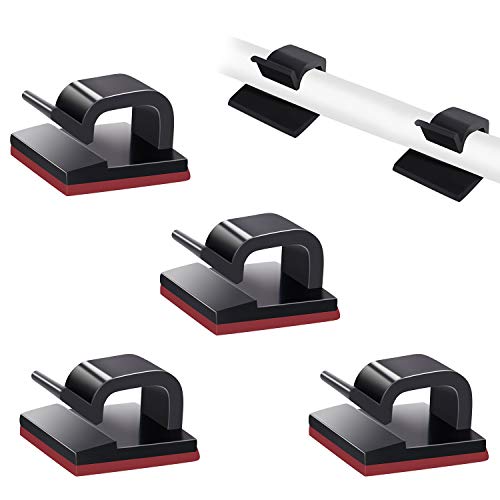
SOULWIT 50 Pcs Self Adhesive Cable Management Clips, Cable Organizers Sticky Wire Clips Cord Holder for TV PC Laptop Ethernet Cable Desktop Home Office (Black)
- 🔷EASY TO USE: Simply peel and stick, making...
- 🔷STRONG ADHESIVE: Made of eco-friendly premium PA66...
- 🔷WORKS WELL ON: All smooth and clean surfaces...
As an affiliate, we earn on qualifying purchases.
Conclusion
Now that you understand input lag in projectors, you’re better equipped to choose the right one for your needs. Think of input lag as the heartbeat of your gaming or viewing experience—keeping things in sync makes all the difference. Don’t let delays be the hitch in your cinematic or gaming journey. With this knowledge, you can confidently pick a projector that keeps your moments smooth and immersive, like a well-choreographed dance.

ViewSonic PX749-4K 4000 Lumens 4K Gaming Projector, 240Hz and HDR Support for Home Entertainment, 1.3x Optical Zoom, H/V Keystone, and Auto V-Keystone for Flexible Setup, Dual HDMI and USB-C Inputs
- 4K Home Theater Projector: UHD (3840x2160p) 4K resolution with...
- Designed for Xbox: Experience immersive gameplay with 1440p...
- Vibrant Colors & HDR Support: SuperColor technology and HDR/HGL compatibility...
As an affiliate, we earn on qualifying purchases.