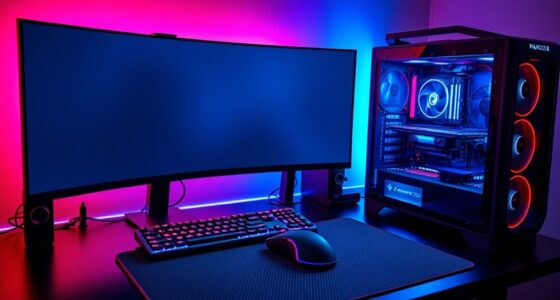

Color response time refers to how quickly your display can shift from one color to another. Faster response times mean smoother visuals, especially during fast-moving scenes in games or movies, reducing motion blur and ghosting effects. It’s also important for accurate color reproduction, which makes images look more vibrant and natural. Balancing quick response with proper calibration guarantees you get clear, lively visuals. Keep exploring to discover how optimizing these factors can enhance your viewing experience.
Key Takeaways
- Color response time measures how quickly a display shifts between different colors, impacting motion clarity during fast scenes.
- Faster response times reduce motion blur and ghosting, enhancing smoothness in gaming, videos, and rapid visual transitions.
- Proper calibration aligns response time with accurate color reproduction, preventing distortions and ensuring vibrant, natural images.
- Balancing response time and color accuracy is essential for optimal visual performance and immersive viewing experiences.
- Understanding these factors helps in selecting displays suited for specific needs like gaming, professional color work, or casual use.

Color response time is a crucial factor in determining how quickly a display can change from one color to another, affecting your overall viewing experience. When you watch a fast-paced movie or play a video game, the speed at which colors shift can influence how smooth and immersive the visuals feel. A lower response time means the display updates more swiftly, reducing motion blur and ghosting effects that can distract or diminish clarity. But to truly harness a display’s potential, you also need to pay attention to color accuracy, which guarantees that the colors you see on screen match real-world hues as closely as possible. Accurate colors make images look more vibrant and natural, providing a richer visual experience. Achieving this level of precision often involves proper display calibration, where you adjust the monitor’s settings to meet specific standards for color reproduction.
Color response time and calibration are key for vibrant, accurate visuals and smooth motion.
Display calibration is your best tool for optimizing both response time and color accuracy. When a monitor is calibrated correctly, it not only displays colors more accurately but also maintains consistent response times across different color transitions. Without calibration, your display might show distorted or washed-out colors, even if it has a fast response time. Calibration involves fine-tuning parameters like gamma, white balance, and color temperature, aligning the display’s output with industry standards. This process helps you see true-to-life colors, which is especially important for professionals in photography, video editing, or graphic design, where color precision is critical. Additionally, understanding the impact of flicker-free technology can further enhance your viewing comfort and reduce eye strain during extended use.
Understanding how response time and calibration work together can help you choose the right display for your needs. For gaming, a quick response time is essential to keep motion fluid, but if the colors are off, the overall experience suffers. Conversely, a display with excellent color accuracy but sluggish response times might produce beautiful images that still look blurry during fast action. Striking a balance between these factors involves selecting a monitor that offers fast response times and supports robust calibration options. Many modern displays come pre-calibrated or with calibration tools, making it easier to optimize your setup.
Ultimately, awareness of color response time and how it impacts both motion clarity and color fidelity empowers you to make better choices. Whether you’re gaming, watching movies, or working on creative projects, understanding these aspects ensures you get the most out of your display. Proper calibration enhances both color accuracy and response time, giving you a vivid, precise, and smooth visual experience. Investing time in calibration and understanding response times ensures your display performs at its best, delivering crisp, vibrant images that match your expectations.

Official Licensed Google TV Smart Projector, HAPPRUN 4K UHD Home Theater with Dolby Sound, Wi-Fi & Bluetooth, Built-in Streaming Apps, Compatible with Games Consoles & Smartphone, Indoor & Outdoor Use
[ Built-in Official Licensed Google TV ] - Without additional equipment, the smart projector can directly access Netflix,...
As an affiliate, we earn on qualifying purchases.
Frequently Asked Questions
How Does Ambient Lighting Affect Color Response Time?
Ambient lighting considerably impacts your color response time by affecting color accuracy on your screen. When the lighting is too bright or uneven, it can cause your eyes to strain, making it harder to perceive subtle color differences quickly. Proper ambient lighting helps maintain consistent color accuracy, allowing your display to respond more accurately and swiftly. Adjust your environment to optimize lighting for better color perception and faster response times.
Can Color Response Time Impact Gaming Performance?
Yes, color response time can influence your gaming performance. Faster response times mean quicker, more accurate color changes, leading to better visual clarity and reduced lag. Proper color calibration guarantees you see true colors, enhancing your experience. Additionally, a lower response time can lessen eye strain during extended gaming sessions, helping you stay focused and comfortable. So, investing in a monitor with good color response time benefits both your gameplay and eye health.
What Is the Difference Between Color Response Time and Refresh Rate?
Color response time refers to how quickly a monitor can change colors, affecting color accuracy and calibration techniques. Refresh rate, on the other hand, measures how often the screen updates per second, impacting motion smoothness. While response time influences how sharp moving images appear, refresh rate determines overall fluidity. Both are essential for ideal display performance, with faster response times enhancing color accuracy during fast-paced scenes.
How Do Different Display Technologies Influence Response Times?
Different display technologies influence response times considerably. LCDs typically have faster response times, improving color accuracy and reducing ghosting, especially when properly calibrated. OLEDs offer even quicker response times, enabling richer colors and better calibration techniques for precise color reproduction. Plasma screens, though less common now, provided fast response times but struggled with calibration over time. Your choice affects how accurately and swiftly colors appear, impacting overall visual quality.
Are There Standards for Measuring and Comparing Response Times?
Yes, industry standards exist for measuring and comparing response times. You can rely on measurement techniques like GtG (Gray to Gray) and BtW (Black to White), which provide consistent benchmarks. These standards help you evaluate different displays objectively and verify you’re comparing response times accurately. By understanding these industry standards and measurement techniques, you can make better-informed decisions when selecting a display suited to your needs.

Amazon Echo Hub, 8” smart home control panel, Designed for Alexa+, Compatible with thousands of devices
Echo Hub — An easy-to-use Alexa-enabled control panel for your smart home devices—just ask Alexa or tap the...
As an affiliate, we earn on qualifying purchases.
Conclusion
Now that you understand color response time, you can make smarter choices when selecting screens or displays. Faster response times mean less ghosting and a better viewing experience, especially for games or videos. Remember, “a stitch in time saves nine”—addressing display quality early can save you frustration later. So, pay attention to response times to guarantee you get the most vibrant, smooth visuals possible. Your eyes—and your entertainment—will thank you.

Akia Screens 100 Inch Fixed Frame Projector Screen, 16:9, 8K / 4K Ultra HD Projector & 3D Ready, Wall Mount CINEWHITE UHD-B Indoor Projection Screen for Home Theater, Cinema AK-FF100WH2
100-INCH FIXED FRAME DISPLAY: 100-inch diagonal fixed frame projector screen with a 16:9 aspect ratio. Viewable area measures...
As an affiliate, we earn on qualifying purchases.

AAJK ALR Projector Screen, 4K Movie Projector Screen 16:9 HD Foldable Anti-Crease Portable Projector, Movies Screen for Home Theater Outdoor Indoor Support (120in Pro)
【Watch What You Want, When You Want!】 Remember when you could only really use your projector at night?...
As an affiliate, we earn on qualifying purchases.