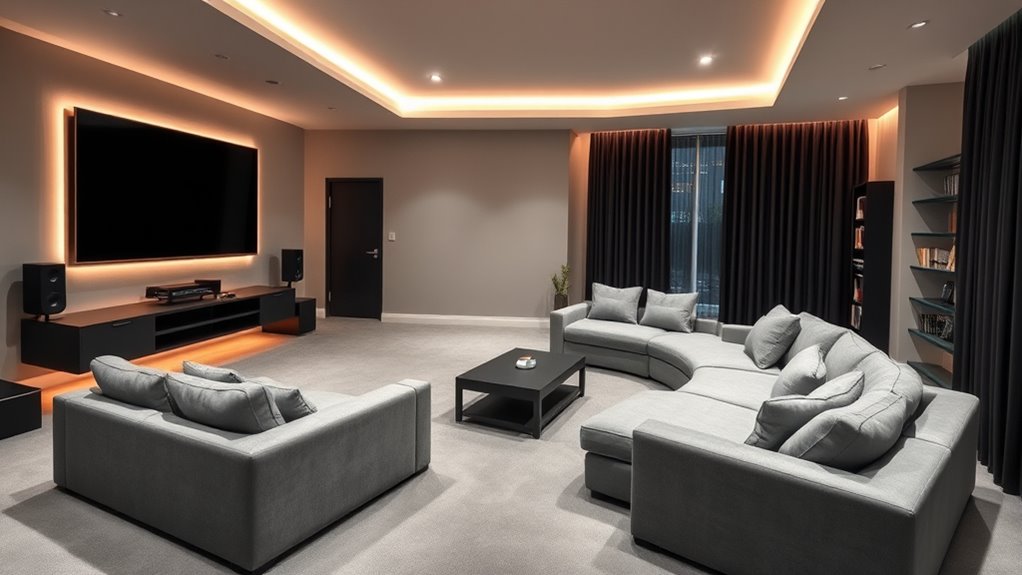
To convert your space between work and play, consider soundproofing with acoustic panels and sealing gaps to reduce noise. Use smart lighting that adjusts with the press of a button for focused or relaxed moods. Incorporate multi-functional furniture like fold-away desks and cozy sofas with hidden entertainment systems to maximize flexibility. Integrate smart tech for seamless control over lighting, sound, and screens. Keep exploring to discover how to effortlessly switch between productive and leisure modes in your room.
Incorporate soundproofing techniques like acoustic panels and sealing gaps to switch seamlessly between work and entertainment modes.
Use automated lighting to create bright, energizing spaces for work and cozy, dim settings for relaxation.
Invest in multi-functional furniture that easily transforms from desks to lounge areas, maximizing space flexibility.
Integrate smart technology for voice control and remote scheduling of lighting, sound, and window treatments.
Include concealed wiring and retractable screens to maintain a clean, adaptable environment for both productivity and leisure.
In today’s homes, media rooms have become versatile spaces where you can seamlessly switch from working efficiently to relaxing with entertainment. To maximize this flexibility, you need thoughtful design elements that support both productivity and leisure. One essential aspect is soundproofing techniques, which help you create a quiet zone during work hours and prevent noise from disrupting your relaxation time. You might consider adding acoustic panels, heavy drapes, or sealing gaps around doors and windows. These measures reduce sound transmission, allowing you to focus during work sessions and enjoy immersive entertainment without external interruptions.
Lighting plays a vital role in transforming your media room for different uses. With lighting automation, you can adjust the ambiance effortlessly, setting bright, energizing light for work and dim, cozy lighting for movie nights. Automated lighting systems allow you to schedule lighting scenes or control them remotely through smart devices. When working, you can activate high-intensity lights that boost focus, while in the evening, soft, warm lighting creates a relaxing atmosphere. Incorporating dimmable fixtures and smart switches makes it easy to switch between these settings with minimal effort. You might also add task lighting, such as adjustable desk lamps or under-cabinet lights, to enhance your workspace without overpowering the room’s overall mood.
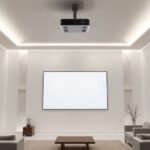
To make your media room truly multi-functional, think about furniture placement and storage solutions that adapt to your needs. A sleek desk and ergonomic chair can quickly transform the space into a productive office, while a comfortable sofa and surround sound system turn it into a home theater. You could install a retractable screen or a wall-mounted TV that disappears when not in use, keeping the room tidy and versatile. Cable management is another key detail—concealing wires and devices ensures the space remains clutter-free and visually appealing regardless of its purpose. Additionally, understanding GMC tuning techniques can help you optimize the technical setup of your home entertainment system for superior performance.
Finally, integrating smart technology can streamline your experience. Voice-activated controls for lighting and sound systems make switching between work and play seamless. Automated blinds or curtains can block out distractions during work hours and open up for movie nights. When you design your media room with these adaptable features, you’re setting yourself up for a space that effortlessly transitions between productivity and entertainment, making your home more functional and enjoyable.
Frequently Asked Questions
What Are the Best Soundproofing Options for Multi-Use Media Rooms?
You should consider installing acoustic panels and soundproof curtains to block noise effectively. Acoustic panels absorb sound waves, reducing echo and improving clarity, while soundproof curtains create a barrier to outside noise. Combining these options can maximize soundproofing, making your media room versatile for work or play. Make certain you cover walls and windows adequately, and choose high-quality materials for the best results.
How Can Lighting Be Optimized for Both Work and Entertainment?
Did you know that proper lighting can boost productivity by up to 30%? To optimize lighting for both work and entertainment, you should layer ambient lighting with adjustable task lighting. Use dimmable fixtures to switch from bright, focused light during work to softer, warmer tones for relaxation. This approach guarantees your space adapts seamlessly, creating a comfortable environment for productivity and leisure alike.
What Are Space-Saving Furniture Ideas for Small Media Rooms?
You can maximize your small media room by choosing space-saving furniture that enhances furniture organization and optimizes space. Opt for wall-mounted shelves, fold-away desks, and multi-functional pieces like ottomans with storage. Use vertical storage options to keep clutter at bay, and select sleek, compact seating that can easily be moved or tucked away. These ideas help create a versatile environment perfect for both work and entertainment without sacrificing space.
How to Prevent Distractions During Work Hours in a Media Room?
To prevent distractions during work hours in your media room, focus on managing noise distractions and maintaining workspace organization. Use soundproofing options like rugs and curtains to reduce noise, and consider a room divider or bookshelf to create a clear boundary between work and entertainment zones. Keep your workspace tidy, with essential tools within reach, to enhance focus and minimize visual clutter. This helps you stay productive without sacrificing the room’s versatility.
What Technology Tools Enhance Both Productivity and Gaming Experiences?
You’ll want a smart home system that seamlessly switches your environment from work to play with just a tap, making it feel like magic. Add ergonomic accessories—like adjustable desks and comfy chairs—to boost focus and comfort. High-quality gaming monitors, noise-canceling headphones, and voice-activated assistants create an immersive experience. These tools turn your space into a powerhouse for productivity and gaming, making every session feel epic and effortless.
Conclusion
Your media room isn’t just a space—it’s a gateway where work and play intertwine, like a key opening endless possibilities. By seamlessly shifting between productivity and relaxation, you create a sanctuary that adapts to your needs. Think of it as a chameleon, transforming effortlessly with your mood. Embrace this versatile space, and let it symbolize balance—a reminder that life’s best moments happen when boundaries blur and creativity flows freely.
Luxurious Lounge Theaters: Combining Comfort and Style
Premium lounge theaters blend comfort and style, offering an immersive cinematic experience that will redefine your movie outings—discover how they do it.
Find the perfect projector cables that seamlessly blend with your aesthetic setup and elevate your space—discover how to create a sleek, organized projection area.
Eco‑Friendly Theater Design: Sustainable Materials and Energy Savings
Biophilic theater design with sustainable materials and energy-saving strategies promises an eco-friendly space that captivates audiences and transforms your environment.
Maximize your small space with versatile projector furniture that combines compact design, functionality, and stability—discover how to optimize your setup today.