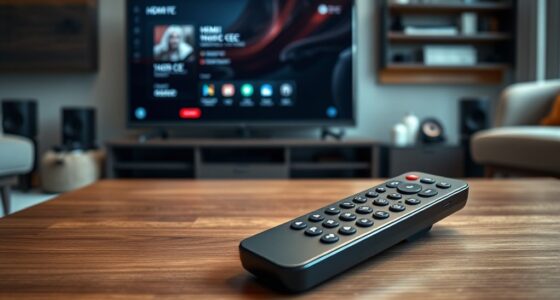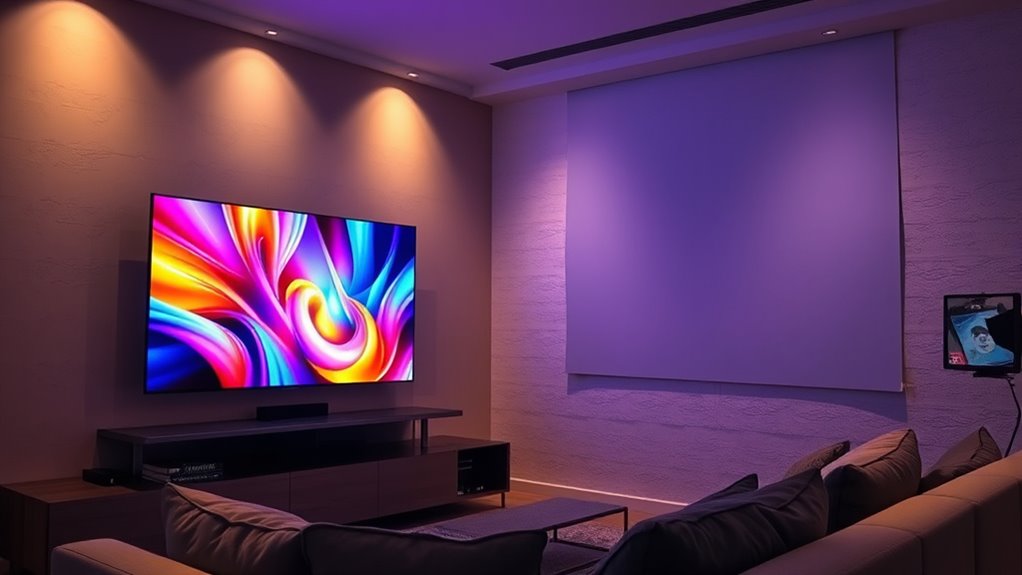

The main difference between a projector and a TV is the screen size and setup. With a projector, you get a larger, more immersive display that transforms your space into a mini-theater, but installation can be more complex and requires careful calibration and a suitable surface. A TV is simpler to set up, offers quick access to content, and takes up less space, but it provides a smaller screen. Keep exploring to see which option fits your home better.

Get business pricing on your home office setup
- Business-only prices and quantity discounts
- Tax-exempt purchasing
- Multiple users, one account, clear invoices
Key Takeaways
- Projectors offer larger screens (80″ to over 200″) for a more immersive viewing experience, while TVs are limited to about 85″ max.
- TV setup is simple and quick; projectors require more involved installation and calibration.
- TVs require minimal maintenance and adjustments, whereas projectors need ongoing calibration and ambient light management.
- Projectors create a cinematic feel with a grand visual presence, unlike the fixed size of TV screens.
- TVs are more convenient for daily use due to easier setup and less ongoing setup complexity.

When choosing between a projector and a TV, understanding their key differences can help you make an informed decision for your entertainment setup. One of the most noticeable distinctions is screen size. Projectors typically offer much larger screens, often ranging from 80 inches to over 200 inches diagonally, creating a cinematic experience that’s hard to match with traditional TVs. This large display can transform your living room into a mini-theater, especially if you crave an immersive viewing environment. Conversely, TVs are generally limited in size, with most consumer models maxing out around 85 inches. While recent advancements have pushed the boundaries, the size options for TVs tend to be more restricted, and larger models can be quite expensive.
Another crucial aspect is the installation process, which varies markedly between the two. Setting up a TV is usually straightforward — you mount it on a wall or place it on a stand, and it’s ready to go. Most contemporary TVs come with simple instructions, and with minimal tools, you can have your screen up in minutes. In contrast, installing a projector can be more involved. You need to consider the placement of the projector itself, which often involves mounting it on the ceiling or positioning it on a stable surface at the correct distance from the screen or wall. Additionally, you’ll need a suitable projection surface, like a blank wall or dedicated screen, and proper cabling to connect it to your media sources. The setup process might require some trial and error to achieve ideal image size and focus, especially if you’re aiming for a larger display.
The installation process for projectors can also include calibrating the image, adjusting keystone settings, and managing ambient light to ensure the picture looks clear and vibrant. This extra effort can be a deterrent if you prefer a quick, hassle-free setup. On the other hand, once installed, a TV generally requires less maintenance and adjustments, making it more convenient if you want instant access to your content without fuss.
Frequently Asked Questions
Which Is More Energy-Efficient: Projector or TV?
A projector is generally more energy-efficient than a TV because it uses less energy for comparable screen size and brightness. Projectors typically consume less power, especially when projecting onto a large surface, making them more power-efficient overall. However, keep in mind that the actual energy consumption depends on the model and usage habits. If you want to save on electricity, a projector might be the better choice for your home entertainment setup.
Can Projectors Be Used Outdoors Effectively?
They say “the early bird catches the worm,” so if you want outdoor movie nights, yes, projectors can be used outdoors effectively. Just make certain you choose one with good weather resistance and proper outdoor lighting conditions—darkness helps the image pop. Keep in mind, outdoor lighting can wash out the projection, so set up in shaded areas or after sunset for the best experience.
How Long Do Projector Bulbs Typically Last?
You’ll find that projector bulbs typically last between 1,500 and 3,000 hours of lamp lifespan, depending on usage and model. To maintain peak performance, you’ll need to plan for bulb replacement once it reaches the end of its lifespan. Regularly checking your projector’s lamp indicator helps you stay ahead of potential dimming or failure, ensuring smooth viewing without interruptions.
Are Smart Features Available on Projectors?
Yes, many projectors now come with smart features, making them more versatile. You can enjoy built-in apps, streaming services, and voice control, just like on a smart TV. Additionally, they offer various connectivity options such as Wi-Fi, Bluetooth, and HDMI, allowing you to easily connect your devices. This means you can access content effortlessly and customize your viewing experience without needing extra gadgets.
What Is the Best Screen Size for Each Device?
For projectors, go with a screen size of 100-120 inches for immersive viewing, considering the ideal viewing distance of about 1.5 to 2.5 times the screen width. With TVs, a 55-65 inch screen suits most rooms, providing comfortable viewing without straining your eyes. Always match your screen size to your space and viewing distance to guarantee a comfortable, enjoyable experience.
Conclusion
Choosing between a projector and a TV is like picking between a starry night sky and a cozy campfire—you get to decide what sets the mood. If you want a larger-than-life display that transforms any space into a home theater, go for a projector. But if you prefer quick setup and crisp images, a TV is your reliable companion. Either way, both can turn your viewing experience into a mesmerizing adventure.
Halloween Picks
halloween
As an affiliate, we earn on qualifying purchases.