
Latency is the delay between an action and its playback in your home theater system. It affects how synchronized your audio and visual signals are, which can lead to lag or off-timed sound, especially during fast-moving scenes or gaming. High latency can cause frustration and reduce immersion. Managing and reducing latency guarantees a seamless experience, making your movies, shows, and games more enjoyable. Keep exploring how to optimize your setup for the best performance.
Key Takeaways
- Latency is the delay between an action and its playback, affecting synchronization in home theater systems.
- It can cause a noticeable lag between audio and video, disrupting viewing and listening experience.
- Managing latency ensures clear audio-video sync, enhancing clarity and immersion during movies and shows.
- In gaming, low latency improves responsiveness, reaction times, and overall gameplay performance.
- Proper setup, equipment, and settings are essential to minimize latency and optimize home theater performance.

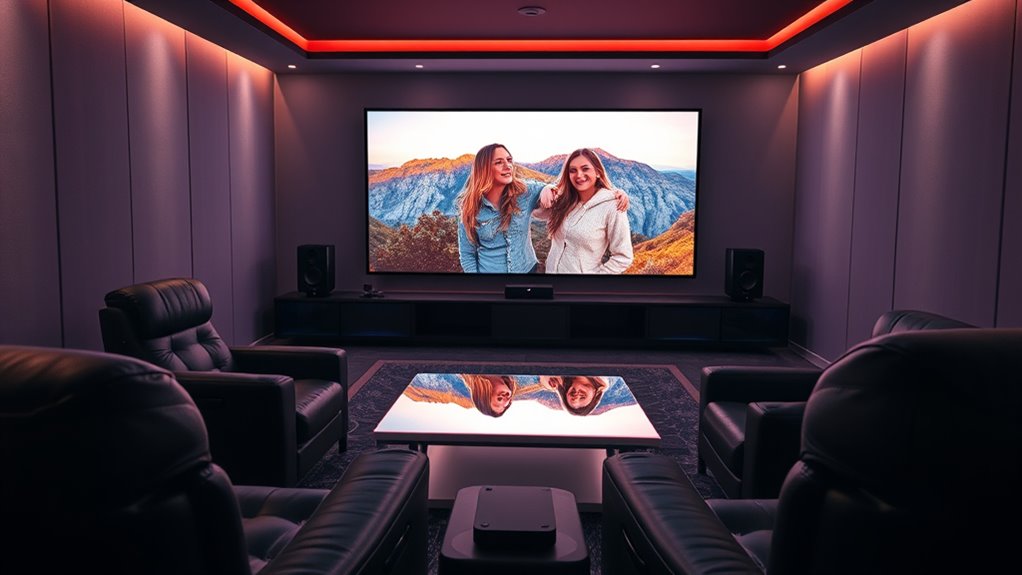
Have you ever noticed a slight delay between what you see on your screen and the sound you hear in your home theater system? That’s a common sign of latency, which refers to the delay between an action or event and its playback. In home theater setups, latency can impact your overall experience, especially when it comes to audio synchronization and gaming performance. When audio and video are out of sync, it feels unnatural, distracting, and can even ruin an otherwise immersive experience. That’s why understanding latency and how it affects your system is vital for achieving peak performance.
Audio synchronization is one of the most noticeable issues caused by latency. If the sound doesn’t match the visuals — say, dialogue is delayed behind the actors’ lip movements or a gunshot sounds after the scene has already shifted — it pulls you out of the experience. This mismatch can be especially frustrating during fast-paced movies or action scenes, where timing is essential for immersion. To minimize this, many home theater devices offer audio delay adjustments, allowing you to fine-tune the timing so that the sound perfectly matches the picture. Ensuring proper audio synchronization enhances clarity and makes your viewing more natural.
Latency also plays a notable role in gaming performance. When you’re playing fast-paced video games, even a slight delay can hinder your reaction times. If your gaming console or PC experiences high latency, your actions might register a split second after you execute them, reducing your responsiveness. This lag can mean the difference between winning and losing, especially in competitive games where timing is everything. To improve gaming performance, you want to reduce latency as much as possible, which often involves using high-quality HDMI cables, configuring your device settings for low latency, or opting for gaming-specific modes on your TVs and AV receivers. Additionally, the technology used in projectors can influence latency, so choosing the right equipment is crucial for optimal performance.
In essence, latency impacts both the audio and visual aspects of your home theater experience. Proper setup and adjustments can markedly improve audio synchronization, making dialogue and effects align seamlessly with the visuals. For gamers, reducing latency ensures quicker response times and smoother gameplay. Paying attention to these factors helps you enjoy movies, TV shows, and games at their best, delivering the immersive experience you’re aiming for. Whether you’re watching a movie or playing a game, minimizing latency means you stay fully engaged, with everything happening exactly when it should.

SOULWIT 50Pcs Self Adhesive Cable Management Clips - Black
- 🔷SUPER EASY TO USE: Stick to clean surface, open...
- 🔷PREMIUM MATERIAL: Made from eco-friendly Polyamide66 material,...
- 🔷STICKY IN MANY SURFACES: Works on all clean surfaces...
As an affiliate, we earn on qualifying purchases.
Frequently Asked Questions
How Can I Measure My Home Theater Latency Accurately?
To measure your home theater latency accurately, start by using measurement tools like a video delay test or a latency meter. You can also employ calibration techniques such as connecting a camera to record the delay between the original source and display. Make sure to run multiple tests for consistency. This approach helps you identify and minimize latency, ensuring your home theater experience is seamless and immersive.
Does Higher Latency Affect Streaming Video Quality?
Surprisingly, higher latency doesn’t usually harm your streaming video quality directly, but buffering delays and network congestion sure love to spoil the fun. When latency spikes, you might experience pauses or stuttering, making it feel like your screen’s on a delay. So, while the video itself stays clear, the frustration from lag and buffering can make you wonder if higher latency somehow sabotages your viewing experience.
Can Latency Issues Cause Audio-Video Synchronization Problems?
Yes, latency issues can cause audio delay and lead to synchronization problems between sound and picture. When your home theater system experiences high latency, the audio may lag behind or precede the video, creating a noticeable mismatch. To fix this, you can adjust audio delay settings or guarantee your devices are properly connected. Keeping latency low helps maintain perfect audio-video synchronization, ensuring a seamless viewing experience.
What Equipment Can Help Reduce Home Theater Latency?
Think of your home theater as a finely-tuned orchestra. To reduce latency, you can invest in a high-quality AV receiver with advanced signal processing, which minimizes delays. Calibrating your system using professional calibration techniques guarantees the best timing. Additionally, low-latency HDMI cables and gaming modes on TVs help synchronize audio and video. These tools work together to deliver seamless, immersive entertainment, just like a perfectly executed symphony.
Is Low Latency More Important for Gaming or Movies?
Low latency is more vital for gaming because it affects your responsiveness and reaction time, giving you a competitive edge. For movies, however, latency is less critical since the focus is on the overall movie experience and visual quality. If you’re into gaming, prioritize low-latency equipment to enhance your gameplay. For movies, comfort and picture quality matter more, so latency isn’t as big of a concern.

120PCS XHF Adhesive Cable Wire Clips White, Cable Staples Outdoor Cable Management Wire Organizer Cord Holder for Under Desk, Car, Wall, TV PC Ethernet Cable
- High quality material:XHF Adhesive Cable Clips are manufactured...
- Widely used: USB Cable, Ethernet Cable, Outdoor...
- Size: Base 5/8" x 5/8", inner...
As an affiliate, we earn on qualifying purchases.
Conclusion
Understanding latency helps you fine-tune your home theater experience, ensuring your movies and games flow seamlessly like a well-oiled machine. When latency is low, your visuals and sounds stay perfectly in sync, preventing that frustrating lag that can turn entertainment into a jarring experience. Think of latency as the heartbeat of your system—keep it steady, and your home theater will beat with flawless harmony, immersing you fully in every scene.

XHF 120 PCS Adhesive Cable Wire Clips Black, Outdoor Christmas Light Clips, Cable Management Wire Organizer Cord Holder for Under Desk, Car, Wall, TV PC Ethernet Cable
- High quality material:XHF Adhesive Cable Clips are manufactured...
- Widely used: USB Cable, Ethernet Cable, Outdoor...
- Size: Base 5/8" x 5/8", inner...
As an affiliate, we earn on qualifying purchases.

Epson Home Cinema 3800 4K PRO-UHD 3-Chip 3LCD Projector with HDR Technology
- 4K PRO-UHD (1) Projection technology — a new...
- True 3-chip projector design — Advanced 3LCD technology...
- 4K resolution processing — pixel-shifting technology precisely controls...
As an affiliate, we earn on qualifying purchases.