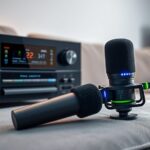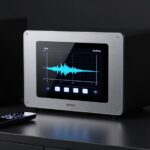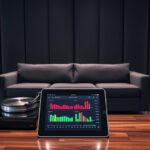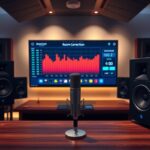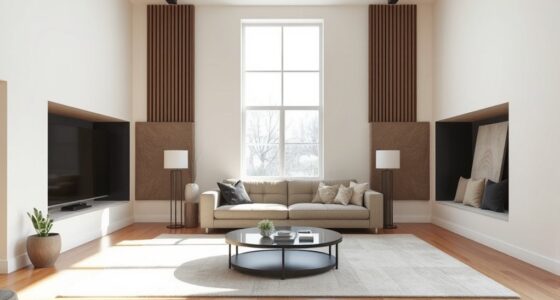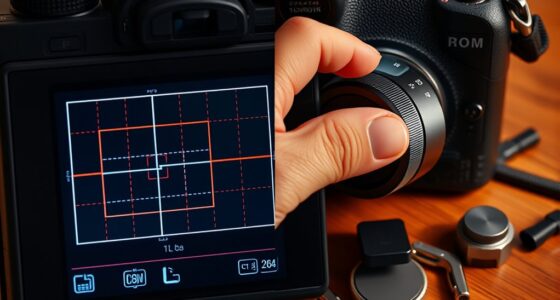
Room correction software like Audyssey and Dirac Live help you optimize your audio by analyzing your room’s acoustics and adjusting speaker responses accordingly. Audyssey offers quick automatic calibration, while Dirac Live provides more detailed manual controls. These systems improve clarity, reduce distortions, and create a more natural sound experience. As technology advances, new solutions focus on real-time tuning and smarter automation—if you keep exploring, you’ll discover how these innovations can transform your listening environment.
Key Takeaways
- Room correction software calibrates audio by analyzing room acoustics, adjusting frequency response, and reducing sound distortions for clearer listening.
- Audyssey offers automatic calibration for ease of use, while Dirac Live provides advanced manual and real-time correction options.
- Modern solutions utilize sophisticated algorithms, including AI and time-domain analysis, to optimize soundstage and phase coherence.
- Calibration involves measuring room response with a microphone, then adjusting EQ settings to achieve balanced, natural sound.
- Future trends aim for increased automation, smart home integration, and adaptive tuning using machine learning and environmental sensing.

Official Licensed Google TV Smart Projector, HAPPRUN 4K UHD Home Theater with Dolby Sound, Wi-Fi & Bluetooth, Built-in Streaming Apps, Compatible with Games Consoles & Smartphone, Indoor & Outdoor Use
[ Built-in Official Licensed Google TV ] - Without additional equipment, the smart projector can directly access Netflix,...
As an affiliate, we earn on qualifying purchases.
The Evolution of Room Correction Technologies

Room correction technologies have come a long way from simple equalization adjustments. Today, they rely on precise acoustic measurement to analyze how sound behaves in your space. This process involves capturing room acoustics, identifying issues like reflections and standing waves, and then applying targeted corrections. Speaker calibration is a key component, ensuring your speakers deliver accurate sound tailored to your environment. Modern systems incorporate real-time analysis to adapt corrections dynamically, providing a seamless listening experience. Early systems offered basic tone controls, but modern solutions use sophisticated algorithms to optimize frequency response and soundstage dynamically. These advancements enable you to achieve clearer, more natural audio with minimal effort. Additionally, the integration of advanced signal processing techniques has further refined the accuracy of room correction software. As a result, room correction software has evolved from basic tweaks to all-encompassing tools that transform your listening experience into a more immersive and accurate one. Somatic therapy techniques have also evolved, emphasizing personalized approaches that adapt to individual needs for better results.
![Projector with 5G WiFi and Bluetooth, Native 1080P Projector[Projector Screen Included], Full HD 18000LM Movie Projector, 100" Display Home Theater, Compatible with Phone/Laptop/TV Stick](https://m.media-amazon.com/images/I/51tJ+dTl5qL._SL500_.jpg)
Projector with 5G WiFi and Bluetooth, Native 1080P Projector[Projector Screen Included], Full HD 18000LM Movie Projector, 100" Display Home Theater, Compatible with Phone/Laptop/TV Stick
【2.4G/5G Dual-Band Wifi & Bluetooth Connection】 Roconia projector supports screen mirroring on iOS, Android and Windows devices without...
As an affiliate, we earn on qualifying purchases.
Comparing Popular Room Correction Solutions

With numerous room correction solutions available today, choosing the right one can considerably impact your listening experience. Many systems, like Audyssey, offer automatic calibration that simplifies setup, adjusting for speaker placement and room acoustics with minimal effort. Others, such as Dirac Live, provide more advanced features, including manual calibration options, giving you greater control over speaker placement adjustments. Some solutions excel at real-time room analysis, while others focus on detailed frequency response corrections. Your choice depends on how much you want to manually fine-tune your system versus relying on automated processes. Understanding the strengths of each software helps you select the best fit for your setup, ensuring ideal sound quality tailored to your room’s unique acoustics.

1500 ANSI Official Licensed Google TV Smart Projector, HAPPRUN 4K Full HD Home Theater with Auto Focus, Dolby Sound, Wi-Fi Bluetooth, Built-in Apps, Compatible with Phone & PC, Indoor & Outdoor Use
[ Built-in Officially Licensed Google TV ]-Enjoy the reliability of an officially certified Google TV projector. Stream Netflix,...
As an affiliate, we earn on qualifying purchases.
How Room Correction Software Enhances Audio Quality

When you use room correction software, it actively analyzes your listening environment to optimize sound quality. By measuring how your speakers interact with the room, it adjusts frequency response and timing, reducing issues caused by poor speaker placement or reflective surfaces. This process often incorporates principles of acoustic measurement, leading to more precise adjustments that improve overall sound clarity. The software compensates for acoustic treatment shortcomings, making your setup sound more refined without additional physical modifications. It can also identify problematic frequencies and automatically correct them, enhancing overall clarity. Additionally, some advanced programs incorporate speaker tuning features to further refine audio output. Leveraging AI-driven analytics can further optimize your system’s performance in real-time. Incorporating sound design principles into room correction strategies allows for a more nuanced and immersive audio experience. Understanding room acoustics helps in effectively applying correction software to achieve the best possible sound quality in your space. Properly leveraging room correction software helps you maximize your system’s potential, even in challenging acoustic environments.

2000 ANSI 4K Decoding Projector with WiFi and Bluetooth, HAPPRUN Movie Home Theater with Auto Focus, 300'' Display for Indoor/Outdoor, Smart Proyector Compatible with Phone/TV Stick/PC/PS5
[EASIER OPERATION: AI Smart Screen Adjustment] HAPPRUN projector comes with auto focus and 6D auto-keystone technology, enjoy a...
As an affiliate, we earn on qualifying purchases.
Setting Up and Using Room Correction Tools

Getting started with room correction tools involves a straightforward setup process that guarantees your system delivers ideal sound. First, place your speakers in their best positions, ensuring proper speaker placement for accurate calibration. Next, connect the calibration microphone at your listening position, ideally at ear level, to capture sound accurately. Run the room correction software, which will prompt you to start the calibration process. The software uses the microphone to analyze room acoustics and sound reflections. It then adjusts your speaker settings to compensate for room anomalies. Follow any on-screen instructions carefully, and rerun the calibration if needed. Once complete, save your settings. With proper speaker placement and a calibrated microphone, your room correction tool will considerably improve your listening experience. Additionally, ensuring your audio environment has minimal background noise enhances the accuracy of the calibration process. Incorporating room acoustics considerations can further optimize your sound quality, especially when using room correction software to fine-tune your setup.
Future Trends in Room Acoustic Optimization

Advancements in technology are shaping the future of room acoustic optimization, making it more intuitive and accessible. Automation integration will streamline setup processes, reducing manual adjustments. AI-driven customization promises tailored sound environments, adapting in real time to changes like furniture movement or listener position. Expect smarter algorithms that analyze room characteristics more deeply, optimizing sound quality dynamically. This evolution will likely include seamless integration with smart home systems, enabling voice commands and remote control. As consumer demand for eco-friendly materials increases, future room correction solutions may incorporate sustainable components for environmentally conscious setups. Additionally, ongoing developments in personality traits understanding can contribute to more personalized and user-friendly interfaces in these systems. The integration of breakthrough technologies like Quantum computing advancements could further revolutionize processing capabilities, enabling even more sophisticated room analysis. Moreover, improvements in machine learning algorithms will facilitate more precise and adaptable calibration processes, ensuring optimal sound performance in varying environments. Here’s a quick look at upcoming trends:
| Trend | Description | Benefit |
|---|---|---|
| Automation Integration | Fully automated room calibration | Faster, easier setup |
| AI-Driven Customization | Personalized sound profiles using AI | Enhanced listening experience |
| Real-time Adjustment | Adaptive tuning during use | Consistent sound quality |
| Smart Home Connectivity | Integration with smart home devices | Convenient control |
| Room Analysis | More sophisticated analysis of room acoustics | Improved accuracy in calibration |
Frequently Asked Questions
Can Room Correction Software Fix All Acoustic Issues?
Room correction software can substantially improve your sound, but it can’t fix all acoustic issues. Factors like room size and speaker placement play a big role in sound quality. While software adjusts frequencies and reduces unwanted echoes, poor room layout or large spaces may still cause problems. To get the best audio experience, combine software with proper speaker placement and room design. It’s a helpful tool, but not a complete solution.
How Does Room Correction Affect Soundstage and Imaging?
Your soundstage can feel like it’s been transformed into a sprawling concert hall or a pinpointed laser show. Room correction software dramatically enhances soundstage, making it wider, deeper, and more immersive. It sharpens imaging precision, so every instrument and vocal appears crystal clear and precisely located. By adjusting for room quirks, you get a more realistic, balanced sound that pulls you into the music or film like never before.
Are There Compatibility Concerns With Different Audio Equipment?
You might wonder if your equipment works seamlessly with room correction software. Compatibility concerns can arise, especially if your AV receiver or speakers aren’t supported. To guarantee smooth software integration, check your device’s specifications and supported formats. Most modern systems are designed for compatibility, but it’s wise to verify before making a purchase. Proper integration guarantees ideal sound quality and avoids tech issues during setup.
Does Room Correction Software Require Professional Calibration?
Room correction software doesn’t always require professional calibration, but it can benefit from it, especially if your setup’s complex. You’ll still need to perform basic calibration, like setting levels and distances, to optimize performance. Acoustic treatment helps reduce room reflections, making the calibration process more effective. While some software offers automatic calibration, professional calibration guarantees the most accurate sound, particularly in challenging environments.
What Are the Cost Differences Between Various Room Correction Solutions?
When comparing room correction solutions, you’ll find significant cost differences due to software pricing and features. Basic options like built-in calibration tools are often free or low-cost, while advanced software like Dirac Live or Anthem Room Correction can cost several hundred dollars or more. The cost comparison depends on whether you prefer a simple setup or a professional-grade calibration, making it important to assess your needs and budget before choosing the right solution.
Conclusion
As you explore room correction software, remember it’s your modern-day Orpheus, guiding your sound through the labyrinth of acoustics. Whether you choose Audyssey or Dirac Live, these tools help you tame the chaos and release pure, harmonious audio. Embrace the journey, and soon your space will sing like the gods themselves, transforming your listening experience into a mythic symphony. After all, every great story deserves a perfect setting.