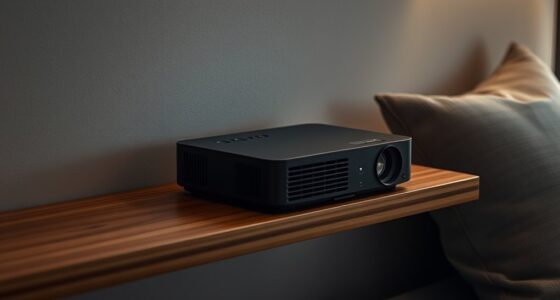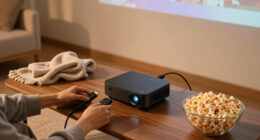
The Epson Home Cinema 3800 is my best overall home theater projector because it balances 4K-enhanced detail, HDR support, brightness, and flexible placement without reaching flagship pricing. The Epson LS11000 is the premium choice for buyers who want a laser light source, HDMI 2.1, 120Hz support, and motorized lens controls, while the Epson Home Cinema 980 offers stronger value for viewers satisfied with 1080p. The main tradeoffs are resolution versus contrast, lamp versus laser operation, and high brightness versus convincing dark-room performance. Installation range also separates these models more than their specification lists might suggest. Continue reading for my full breakdown of which home theater projectors suit dedicated cinemas, living rooms, gaming setups, and tighter budgets.

Get business pricing on your home office setup
- Business-only prices and quantity discounts
- Tax-exempt purchasing
- Multiple users, one account, clear invoices
Key Takeaways
- The Epson Home Cinema 3800 takes the top position because it has the strongest balance of cinematic detail, useful brightness, HDR capability, and installation flexibility rather than dominating only one category.
- The Epson LS11000 and Home Cinema 5050UB serve different premium buyers: the LS11000 is better for laser longevity and high-frame-rate gaming, while the 5050UB is the more movie-focused choice for buyers who prioritize contrast.
- 1080p remains the value sweet spot in this lineup. The Epson Home Cinema 980, Optoma HD146X, and ViewSonic PX700HDH sacrifice 4K-class detail but can leave more money for a proper screen and sound system.
- Brightness alone does not determine living-room performance. The ViewSonic PX700HDH and Optoma HZ41 suit rooms with some ambient light, but brighter output cannot fully replace light control or a suitable screen.
- The least expensive options carry the clearest compromises: the portable Smart 4K model favors convenience over installation depth, while the WXGA Epson EX3290 falls behind every 1080p and 4K-class pick for movie detail.
| Epson Home Cinema 3800 |  | Best Overall | Resolution: 4K PRO-UHD | Brightness: 3,000 lumens | Contrast Ratio: 100,000:1 | VIEW LATEST PRICE | See Our Full Breakdown |
| Smart 4K Projector with WiFi and Bluetooth |  | Best All-in-One Smart Projector | Native Resolution: 1920 x 1080 | Maximum Input: Supports 4K decoding | Brightness: 3,000 ANSI lumens | VIEW LATEST PRICE | See Our Full Breakdown |
| Epson Home Cinema 980 | 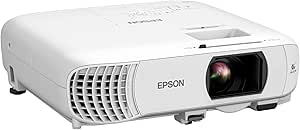 | Best for Bright-Room Viewing | Resolution: Full HD 1080p | Brightness: 4,000 lumens color and white | Projection Size: Up to 300 inches | VIEW LATEST PRICE | See Our Full Breakdown |
| Epson Home Cinema LS11000 |  | Best Premium Projector | Resolution: 3840 x 2160 | Brightness: 2,500 lumens color and white | Contrast Ratio: Exceeds 1,200,000:1 | VIEW LATEST PRICE | See Our Full Breakdown |
| Epson EX3290 |  | Best for Mixed Work and Movie Use | Resolution: WXGA | Brightness: 4,000 lumens | Projection Size: Up to 300 inches | VIEW LATEST PRICE | See Our Full Breakdown |
| Epson Home Cinema 5050UB 4K PRO-UHD 3-Chip 3LCD Projector with HDR |  | Best for Dedicated Home Theaters | Brightness: 2,600 lumens | Projection technology: 4K PRO-UHD with pixel shift | Display technology: 3LCD | VIEW LATEST PRICE | See Our Full Breakdown |
| Optoma HD146X 1080P Full HD Home Theater Projector |  | Best Value for Big-Screen Gaming | Native resolution: 1920 × 1080 | Brightness: 3,600 lumens | Contrast ratio: 25,000:1 | VIEW LATEST PRICE | See Our Full Breakdown |
| ViewSonic PX700HDH 3700 Lumens 1080p Projector with SuperColor Technology |  | Best Setup Flexibility | Resolution: 1920 × 1080 | Brightness: 3,700 ANSI lumens | Display technology: DLP | VIEW LATEST PRICE | See Our Full Breakdown |
| Optoma HZ41 4600-Lumen Full HD Laser DLP Home Theater and Gaming Projector – Black |  | Best for Bright-Room Gaming | Brightness: 4,600 lumens | Resolution: Full HD | Display technology: DLP | VIEW LATEST PRICE | See Our Full Breakdown |
| home theater projector | Brightness | Resolution | Projection Technology |
|---|---|---|---|
| Epson Home Cinema 3800 | 3,000 lumens | 4K PRO-UHD | 3-chip 3LCD |
| Smart 4K Projector with WiFi a | 3,000 ANSI lumens | — | — |
| Epson Home Cinema 980 | 4,000 lumens color and white | Full HD 1080p | 3-chip 3LCD |
| Epson Home Cinema LS11000 | 2,500 lumens color and white | 3840 x 2160 | 3-chip 3LCD |
| Epson EX3290 | 4,000 lumens | WXGA | 3-chip 3LCD |
| Epson Home Cinema 5050UB 4K PR | 2,600 lumens | — | 4K PRO-UHD with pixel shift |
| Optoma HD146X 1080P Full HD Ho | 3,600 lumens | — | — |
| ViewSonic PX700HDH 3700 Lumens | 3,700 ANSI lumens | 1920 × 1080 | — |
| Optoma HZ41 4600-Lumen Full HD | 4,600 lumens | Full HD | — |
More Details on Our Top Picks
Epson Home Cinema 3800
I rank the Epson Home Cinema 3800 first because it offers the strongest balance of cinematic color, brightness, placement flexibility, and price in this group. Its 3,000-lumen 3LCD image suits living rooms better than the dimmer LS11000, while avoiding the rainbow artifacts associated with DLP models such as the Optoma HD146X. Full-bandwidth HDMI 2.0 and 10-bit HDR also make it much more theater-ready than the 1080p Home Cinema 980. The tradeoff is that its 4K PRO-UHD image uses pixel shifting rather than a native 4K panel, and the LS11000 delivers deeper contrast plus 120Hz gaming support. I see the 3800 as the best performance-to-cost compromise, provided there is enough room for its chassis and a separate sound system.
Pros:- Bright 3,000-lumen output works in rooms with some ambient light
- Three-chip 3LCD system produces full color without DLP rainbow artifacts
- Lens shift and optical adjustments allow flexible screen alignment
- Full 18 Gbps HDMI support accommodates common 4K HDR sources
Cons:- Pixel-shifted 4K is less refined than the LS11000 image system
- Large chassis requires more installation space than portable models
- Built-in speakers cannot replace a dedicated theater audio system
Best for: Movie fans building a dedicated or multipurpose theater who want bright HDR projection without paying for a flagship laser model
Not ideal for: Small-room owners or competitive gamers who need a compact chassis, HDMI 2.1, and 4K playback at 120Hz
- Resolution:4K PRO-UHD
- Brightness:3,000 lumens
- Contrast Ratio:100,000:1
- HDR:Full 10-bit HDR
- Projection Technology:3-chip 3LCD
- HDMI Support:18 Gbps HDMI 2.0
- Speakers:2 x 10W
- Active 3D Support:Yes
Our verdict“I recommend the Home Cinema 3800 as the most balanced choice for buyers who value cinematic image quality but cannot justify the LS11000.”
Smart 4K Projector with WiFi and Bluetooth
The Smart 4K Projector earns its place by combining streaming apps, automatic image alignment, wireless connections, and a rotating stand in one package. I would choose it over the Epson EX3290 for casual movie nights because native 1080p resolution, Dolby audio, and direct access to Netflix, YouTube, and Prime Video reduce the need for extra equipment. Auto focus and keystone correction also make it easier to move than the installation-focused Home Cinema 3800. Its “4K” label needs context: it decodes 4K sources but displays them at 1080p, so fine detail cannot match Epson’s PRO-UHD models. App longevity and speaker performance are less predictable than with established theater systems. This is the most convenient portable choice, not the strongest option for a permanent cinema room.
Pros:- Built-in streaming apps reduce reliance on an external media player
- Auto focus, keystone correction, and obstacle avoidance speed up temporary setup
- WiFi 6 and Bluetooth 5.2 provide broad wireless connectivity
- Adjustable stand supports wall, ceiling, and outdoor positioning
Cons:- Native 1080p display cannot reproduce the full detail of a 4K source
- Long-term app support is less certain than using a replaceable streaming device
- Limited audio detail makes the Dolby claim difficult to compare with dedicated speakers
Best for: Renters and casual viewers who want an easily moved projector with streaming apps and automatic setup tools
Not ideal for: Image purists expecting a native or pixel-shifted 4K picture for a fixed, light-controlled theater
- Native Resolution:1920 x 1080
- Maximum Input:Supports 4K decoding
- Brightness:3,000 ANSI lumens
- Color Gamut:99.8%
- Wireless Connectivity:WiFi 6 and Bluetooth 5.2
- Audio:Dolby 3D surround sound
- Setup Features:Auto focus, keystone correction, and obstacle avoidance
- Rated Lamp Life:Up to 100,000 hours
- Stand Adjustment:360 degrees
Our verdict“I would pick this model for convenience-led viewing, but not when 4K image fidelity matters more than portability and built-in apps.”
Epson Home Cinema 980
I give the Epson Home Cinema 980 the bright-room role because its 4,000-lumen color and white output prioritizes visibility when curtains cannot block every light source. That makes it better suited to daytime sports and family viewing than the 2,500-lumen LS11000, while its Full HD resolution is a clear step above the WXGA Epson EX3290 for movies. Three-chip 3LCD projection also preserves color brightness and avoids DLP rainbow artifacts. The compromise is cinematic depth: 1080p lacks the texture of the Home Cinema 3800’s PRO-UHD image, and the supplied data does not list HDR, advanced lens shift, or high-refresh gaming support. Its built-in speaker and two HDMI ports simplify basic viewing, but I would add external audio. This is a practical family-room projector rather than a dedicated-theater centerpiece.
Pros:- 4,000-lumen color and white brightness suits rooms that are not fully dark
- Full HD resolution provides better movie detail than the WXGA EX3290
- Three-chip 3LCD imaging avoids rainbow artifacts
- Two HDMI inputs make switching between common sources easier
Cons:- 1080p resolution falls behind the Home Cinema 3800 and LS11000
- No HDR support is specified
- Built-in speaker is intended for convenience rather than theater-grade sound
Best for: Families and sports viewers who need a large 1080p image in a living room with persistent ambient light
Not ideal for: Dedicated-theater enthusiasts who want 4K-class detail, HDR reproduction, deep black levels, or motorized lens controls
- Resolution:Full HD 1080p
- Brightness:4,000 lumens color and white
- Projection Size:Up to 300 inches
- Projection Technology:3-chip 3LCD
- Video Inputs:2 HDMI ports
- Built-in Speaker:Yes
Our verdict“I recommend the Home Cinema 980 for bright family rooms where visibility and simple operation outweigh 4K detail and high-end contrast.”
Epson Home Cinema LS11000
The Epson Home Cinema LS11000 is my premium pick because it combines 4K PRO-UHD imaging, a laser light source, HDMI 2.1, and 120Hz playback in a system built for both cinema and gaming. Compared with the Home Cinema 3800, its motorized lens controls make format changes and precise installation easier, while the contrast rating and HDR10+ support promise greater depth in a dark room. It also avoids the lamp replacement cycle of conventional projectors. Yet this is not the automatic choice for every buyer: its 2,500-lumen output trails the cheaper Home Cinema 980 in raw brightness, and its large, heavy chassis belongs on a secure mount or shelf. The price and setup demands only make sense when the room can reveal its advantages. I rank it as the best enthusiast investment, not the best value.
Pros:- 4K PRO-UHD processing and very high rated contrast support cinematic detail and depth
- HDMI 2.1 and 120Hz playback suit modern gaming systems
- Motorized shift, focus, and zoom aid precise permanent installation
- Laser array light source avoids routine lamp replacement
Cons:- Premium pricing limits its value for occasional viewing
- Large, heavy construction complicates installation and relocation
- 2,500-lumen output is lower than the Home Cinema 980 and EX3290
Best for: Home-cinema enthusiasts and console gamers with a permanent room, a large screen, and a budget for premium image performance
Not ideal for: Casual viewers, renters, or bright-room users who would benefit more from lower cost, higher raw brightness, and easier portability
- Resolution:3840 x 2160
- Brightness:2,500 lumens color and white
- Contrast Ratio:Exceeds 1,200,000:1
- HDR Formats:HDR, HDR10+, and HLG
- Refresh Rate:Up to 120Hz
- Light Source:Laser array
- Projection Technology:3-chip 3LCD
- Lens Controls:Motorized lens shift, focus, and zoom
- Video Input:HDMI 2.1
Our verdict“I would choose the LS11000 for a serious fixed theater or gaming room where its laser engine, motorized lens, and 120Hz support will be used fully.”
Epson EX3290
I include the Epson EX3290 for buyers who need one projector for presentations during the week and occasional big-screen entertainment afterward. Its 4,000-lumen output and 300-inch maximum image make it easier to see in lit spaces than the LS11000, and two HDMI inputs accommodate a laptop and media device without constant cable changes. Against the Home Cinema 980, however, its WXGA resolution is the defining compromise: movies lose fine detail, and the lower pixel count becomes more visible as the image grows. It also lacks built-in streaming, so the smart 4K projector is more convenient for app-based viewing. Three-chip 3LCD color and a speaker support quick setups, but neither turns this business-oriented unit into a cinema specialist. I rank it as the most versatile crossover, with work use justifying its home-theater limitations.
Pros:- 4,000-lumen brightness keeps presentations and video visible in lit rooms
- Maximum 300-inch image supports large multipurpose spaces
- Two HDMI ports provide straightforward source switching
- Three-chip 3LCD projection delivers strong color brightness without rainbow artifacts
Cons:- WXGA resolution is below Full HD and visibly limits movie detail
- No integrated streaming apps or wireless platform is specified
- Missing lens-shift information limits confidence in flexible theater placement
Best for: Home-office users who present in bright rooms and want the same projector for occasional sports, television, or movie nights
Not ideal for: Film-focused buyers who sit close to a large screen and expect Full HD or 4K-class detail, HDR, and integrated streaming
- Resolution:WXGA
- Brightness:4,000 lumens
- Projection Size:Up to 300 inches
- Projection Technology:3-chip 3LCD
- Video Inputs:2 HDMI ports
- Built-in Speaker:Yes
Our verdict“I would buy the EX3290 only when bright-room work duties matter as much as entertainment, since the Home Cinema 980 is the stronger movie-first choice.”
Epson Home Cinema 5050UB 4K PRO-UHD 3-Chip 3LCD Projector with HDR
I rank the Epson Home Cinema 5050UB as the strongest choice here for a dedicated movie room because its 4K PRO-UHD pixel shifting, three-chip LCD system, and 10-bit HDR processing prioritize cinematic detail and rich color. The Optoma HZ41 is brighter and quicker for gaming, while the Epson Home Cinema LS11000 adds a laser light source and HDMI 2.1; the 5050UB instead occupies the middle ground for buyers focused mainly on films. Its 2,600-lumen output can support a large theater image, though it is less suited to uncontrolled daylight than the brighter DLP models. I would also account for the higher price and demanding installation. This is a substantial projector that needs enough room and careful placement, so it makes less sense for casual or portable viewing.
Pros:- 4K PRO-UHD pixel shifting produces a sharper movie image than the 1080p models
- Three-chip 3LCD design delivers vivid color without a single-chip color wheel
- Full 10-bit HDR processing supports richer highlight and shadow detail
- 2,600-lumen output is capable enough for a controlled home theater
Cons:- Costs more than the 1080p Optoma and ViewSonic alternatives
- Large-room placement and installation can be demanding
- Lamp-based design lacks the light-source appeal of the Epson LS11000 and Optoma HZ41 laser models
Best for: Movie enthusiasts building a permanent, light-controlled theater who value HDR processing and color quality over portability
Not ideal for: Apartment dwellers or casual viewers who lack space for a permanent installation or want a low-cost plug-and-play projector
- Brightness:2,600 lumens
- Projection technology:4K PRO-UHD with pixel shift
- Display technology:3LCD
- HDR support:Yes
- Color processing:Full 10-bit HDR
- Video processing:12-bit analog-to-digital
Our verdict“I recommend the 5050UB for a permanent movie room where image processing and color matter more than compactness or gaming speed.”
Optoma HD146X 1080P Full HD Home Theater Projector
I place the Optoma HD146X in the value slot because it combines a native 1080p image, 16 ms gaming response, and a potential 301-inch picture without moving into premium 4K pricing. Its 3,600-lumen rating trails the ViewSonic PX700HDH by only 100 lumens, while its stated maximum image size is far larger. The Optoma HZ41 is the better performance pick for competitive play with 120 Hz and 8.6 ms lag, but the HD146X offers a more accessible route to console gaming and movie nights. I see two clear compromises: Full HD limits fine detail on very large screens, and reaching the maximum size requires a long throw and a substantial room. The 15,000-hour lamp life lowers routine maintenance, though it remains a lamp-based projector.
Pros:- 16 ms gaming mode provides responsive console play for the price
- 3,600-lumen output accommodates some ambient light
- Supports image sizes up to 301 inches in a sufficiently large room
- Lamp life of up to 15,000 hours reduces replacement frequency
Cons:- 1080p resolution loses detail compared with the Epson 4K PRO-UHD models
- Maximum screen size requires substantial throw distance
- Lamp light source is less convenient than the Optoma HZ41 laser system
Best for: Budget-minded console gamers and movie fans with enough throw distance for a very large 1080p screen
Not ideal for: 4K disc collectors or competitive gamers who want 120 Hz playback and the lowest available input lag
- Native resolution:1920 × 1080
- Brightness:3,600 lumens
- Contrast ratio:25,000:1
- Maximum image size:301 inches
- Throw distance:3.2-35.37 feet
- Gaming input lag:16 ms
- Lamp life:Up to 15,000 hours
- Connectivity:RCA, HDMI, USB
- Lamp wattage:240 watts
Our verdict“I would choose the HD146X for affordable, responsive 1080p gaming on a large screen, provided the room has enough depth.”
ViewSonic PX700HDH 3700 Lumens 1080p Projector with SuperColor Technology
I give the ViewSonic PX700HDH the setup-flexibility role because its 1.1x optical zoom, digital zoom, and keystone correction offer more ways to shape an 80- to 150-inch picture around an existing room. Its 3,700 ANSI lumens slightly exceed the Optoma HD146X, making it a better fit when some ambient light remains. The HD146X can produce a much larger stated image, while the Optoma HZ41 supplies greater brightness and faster gaming performance; the ViewSonic instead makes sense for mixed movie and television viewing where placement adjustments carry more weight. I would accept 1080p rather than 4K at this tier, but buyers sensitive to sound should be wary of the reported fan noise. The 1.5-1.6 throw ratio also rules out true short-throw placement.
Pros:- Optical zoom, digital zoom, and keystone correction provide useful placement flexibility
- 3,700 ANSI lumens support viewing with moderate ambient light
- SuperColor technology is designed for vivid entertainment color
- Supports practical home-theater screen sizes from 80 to 150 inches
Cons:- 1080p resolution cannot reproduce the detail of the Epson 4K PRO-UHD projectors
- Fan noise may distract during quiet film scenes
- Standard throw ratio still requires 8.7 to 16.2 feet of room depth
Best for: Living-room viewers who need zoom and keystone controls to fit a 100- to 150-inch screen around existing furniture
Not ideal for: Small-room owners needing short-throw placement or quiet-room cinephiles who are easily distracted by fan noise
- Resolution:1920 × 1080
- Brightness:3,700 ANSI lumens
- Display technology:DLP
- Contrast ratio:22,000:1
- Throw ratio:1.5-1.6
- Screen size:80-150 inches
- Throw distance:8.7-16.2 feet
- Optical zoom:1.1x
- Digital zoom:0.8x-2.0x
Our verdict“I favor the PX700HDH for a multipurpose living room where flexible image adjustment matters more than 4K resolution or gaming speed.”
Optoma HZ41 4600-Lumen Full HD Laser DLP Home Theater and Gaming Projector – Black
I rank the Optoma HZ41 highest for gaming in rooms that cannot stay fully dark. Its 4,600-lumen laser system is brighter than both the Optoma HD146X and ViewSonic PX700HDH, helping games and sports retain more punch around ambient light. A 120 Hz refresh rate and 8.6 ms input lag also make it the sharper choice for fast action; the HD146X reaches only a stated 16 ms response. Movie-first buyers still have reasons to choose the Epson Home Cinema 5050UB, whose 4K PRO-UHD and HDR processing place more emphasis on cinematic detail. The HZ41 remains limited to Full HD resolution, and its 1.48-1.62:1 throw ratio needs conventional room depth. Sparse published product details also make compatibility and installation planning harder than they should be.
Pros:- 4,600-lumen output is the brightest among these four selections
- 120 Hz refresh rate supports smoother fast-motion gaming
- 8.6 ms input lag beats the Optoma HD146X for responsive play
- Laser light source avoids traditional lamp replacements
Cons:- Full HD resolution is a major compromise for large-screen movie viewing
- Standard throw ratio is poorly suited to shallow rooms
- Limited published specifications make pre-purchase planning difficult
Best for: Gamers and sports viewers who need low input lag, 120 Hz motion, and enough brightness for a multipurpose room
Not ideal for: Film-focused buyers seeking 4K detail, extensive published installation data, or short-throw placement
- Brightness:4,600 lumens
- Resolution:Full HD
- Display technology:DLP
- Light source:Laser
- Throw ratio:1.48-1.62:1
- Refresh rate:120 Hz
- Input lag:8.6 ms
- Color:Black
Our verdict“I recommend the HZ41 to gamers who prioritize brightness and response speed over 4K movie detail.”

How We Picked
I ranked these home theater projectors around movie performance, room compatibility, installation flexibility, and ownership value. Resolution mattered, but I gave equal weight to contrast, HDR handling, brightness, motion capability, and the ability to place an image accurately without rearranging a room. I also examined whether laser operation, motorized optics, lens shift, wireless functions, or built-in audio translated into a meaningful buyer benefit. Models designed primarily for presentations lost ground when their aspect ratio, resolution, or sound features did little for a theater setup. The highest positions went to balanced projectors that work well for more than one viewing pattern.
My order starts with the Epson Home Cinema 3800 as the strongest all-rounder, followed by more specialized choices. The Epson LS11000 earns the premium gaming role, while the Home Cinema 5050UB is the dedicated movie-room alternative; neither ranks as the universal winner because each asks for more money and a more deliberate setup. The Epson Home Cinema 980 is my value selection, the portable Smart 4K model is the beginner-friendly convenience pick, and the Optoma HD146X fills the budget dark-room role. I placed the ViewSonic PX700HDH and Optoma HZ41 around bright-room and long-life priorities, while the Epson EX3290 is reserved for occasional mixed business and entertainment use. Lower placement reflects narrower home-theater appeal, not an assumption that every buyer needs the most expensive hardware.
Factors to Consider When Choosing Home Theater Projectors
I would choose a projector by matching it to the room before comparing headline resolution. Light control, screen size, seating distance, and mounting limits shape the visible result, while gaming needs and long-term running costs determine whether premium features are worthwhile.
Match Brightness to the Room, Not the Largest Number
Projector brightness is easiest to judge after deciding when and where the system will be used. In a dark theater, contrast and black depth matter more than maximum output, since excessive light can make dark scenes appear gray. A family room with windows needs more brightness, yet no projector can fully defeat direct sunlight without losing color depth and shadow detail. I recommend treating curtains, dimmers, and screen material as parts of the projection system rather than accessories. A high-gain screen can add apparent brightness, but it may narrow viewing angles or create visible hot spots. Buy for the room’s normal lighting, not an unrealistic best-case setup used only after dark.
Separate Native Resolution From Accepted Signal Formats
A projector advertised as supporting 4K may accept a 4K signal without displaying every pixel at native 4K resolution. Pixel-shifting systems can still produce sharper images than standard 1080p, especially on large screens viewed from a short distance. At smaller sizes or longer seating distances, the difference shrinks, making a good 1080p model a sensible value. HDR labels also require context because projectors cannot reproduce highlights like a bright television; tone mapping has a larger effect than format support alone. I would favor better contrast and image processing over a vague 4K claim from an unfamiliar model. Verify displayed resolution, HDR behavior, and source compatibility separately before paying a resolution premium.
Prioritize Contrast for Movie-First Rooms
Dark films expose the gap between a bright multipurpose projector and a model built around cinema performance. Black level controls perceived depth, revealing whether night scenes look layered or washed out. Dynamic irises and laser dimming can help, though their operation may be visible during abrupt changes from dark to bright scenes. Color accuracy is equally relevant because an intensely saturated preset may look lively while hiding skin-tone errors and clipped detail. I would reserve more of the budget for contrast when the projector will live in a dark, neutral-colored room. Bright walls reflect light back onto the screen, so room treatment may improve the image more than a small specification upgrade.
Check Throw Distance and Lens Controls Before Buying
A projector can have excellent image quality and still be the wrong purchase if it cannot fill the screen from the available mounting point. Throw ratio determines image size, while zoom and lens shift determine how much freedom remains after placement. Lens shift moves the image optically and usually preserves quality better than digital keystone correction, which discards usable pixels. Motorized focus, zoom, and lens memory become valuable when switching between widescreen films and standard 16:9 material. I recommend measuring the lens position, screen borders, ceiling clearance, and cable path before choosing a model. Flexible optics justify higher pricing when they prevent structural changes or an awkward off-center installation.
Treat Gaming Features as a Separate Buying Track
Movie playback rarely demands the same connection bandwidth and responsiveness as current gaming hardware. Players using newer consoles or PCs should examine input lag, refresh-rate support, and HDMI bandwidth rather than relying on a generic gaming mode. A 120Hz input can make movement feel smoother, but only when the projector supports the desired resolution at that rate. Some image-processing features add delay, so the most cinematic preset may not be the best gaming preset. I would pay extra for HDMI 2.1 and high-refresh capability only when the source hardware and games can use them.
Compare Lamp and Laser Ownership Costs
Lamp projectors often deliver more image quality per initial dollar, but their output changes as the lamp ages. Replacement lamps add cost and may be harder to source years later, though a replaceable lamp can also extend the useful life of the projector. Laser models offer faster startup and steadier long-term brightness, which suits frequent viewing and ceiling-mounted installations. Their higher purchase price is harder to justify for occasional weekend movies, and an integrated light source is not usually a simple owner replacement. Filters, dust exposure, fan noise, warranty coverage, and service access belong in the same ownership calculation. I would pay the laser premium for heavy use or installation convenience, while budget-conscious occasional viewers may get better value from a lamp model.
Frequently Asked Questions
Is the Epson Home Cinema 3800 worth choosing over a cheaper 1080p projector?
The Epson Home Cinema 3800 makes sense for larger screens, closer seating, HDR sources, and buyers who want more placement freedom than basic 1080p models usually provide. Its 4K-enhanced image can reveal more texture than the Epson Home Cinema 980 or Optoma HD146X, though the gap is less dramatic from a long viewing distance. A cheaper 1080p projector may be the smarter purchase if the screen is modest, the source library is mostly HD, or the budget must also cover audio and light control. The 3800 also sits below the LS11000 and 5050UB in premium specialization, making it easier to justify in a multipurpose room. I would choose it for balanced movie, sports, and gaming use, not solely for the 4K label.
Should I buy the Epson LS11000 or Home Cinema 5050UB for a dedicated theater?
The choice depends on whether gaming flexibility or movie-first contrast carries more weight. The LS11000 pairs a laser light source with 120Hz support, HDMI 2.1, and motorized lens controls, making it the stronger fit for newer consoles, PCs, and frequent aspect-ratio changes. The Home Cinema 5050UB is better suited to a dark movie room where black depth and cinematic contrast take priority over high-refresh input. Its lamp-based design brings future replacement costs that the laser model avoids. I would select the LS11000 for mixed premium use and the 5050UB for a theater centered on films.
Can a bright projector replace blackout curtains in a living room?
Extra brightness helps preserve a watchable image under moderate room light, which favors models such as the ViewSonic PX700HDH or Optoma HZ41. It does not restore the black level and color depth lost when sunlight or lamps strike the screen. Direct daylight is especially difficult because projected black is simply the unlit screen surface, not emitted black like a television can show. Curtains, controlled lighting, and an ambient-light-rejecting screen can produce a larger improvement than chasing another brightness tier. I would use room control and projector output together rather than expect either one to solve every lighting problem.
Is a portable Smart 4K projector a good replacement for a full-size home theater model?
A portable Smart 4K model is appealing when quick setup, wireless playback, autofocus, and built-in sound matter more than permanent installation. It can suit renters, beginners, bedrooms, or occasional outdoor movie nights. Compared with the Epson Home Cinema 3800 or 5050UB, it is less likely to offer the same optical flexibility, contrast control, service support, or clearly documented image performance. Buyers should also verify whether 4K describes native display resolution or merely accepted input. I would treat it as the convenience pick rather than the cinema-performance pick.
Do I need a laser projector if I watch movies only a few times per week?
A laser light source is useful, but light viewing does not automatically justify its price. Occasional movie watchers may save money with the Epson Home Cinema 3800, 5050UB, 980, or another lamp model while still receiving strong image quality. Laser becomes more persuasive for daily viewing, difficult ceiling access, fast startup, and buyers who dislike planning for lamp replacements. The Optoma HZ41 offers a bright Full HD laser route, while the LS11000 adds a much broader premium feature set. I would pay for laser convenience and longevity only after confirming that those benefits matter more than resolution, contrast, or screen upgrades.
Conclusion
For most buyers, I recommend the Epson Home Cinema 3800 as the best overall choice because it balances image detail, brightness, HDR support, and installation flexibility. The Epson Home Cinema 980 is my best value pick, while the portable Smart 4K projector is the easier beginner option for autofocus, wireless features, and casual setup. Premium buyers should choose the Epson LS11000 for laser operation and gaming, or the Home Cinema 5050UB when a dark, movie-first room makes contrast the priority. The Optoma HD146X fits budget dark-room viewing, the ViewSonic PX700HDH suits brighter multipurpose spaces, and the Optoma HZ41 serves buyers seeking bright Full HD laser projection. I would reserve the Epson EX3290 for presentations and occasional entertainment because its WXGA resolution is a clear cinematic compromise. The final choice comes down to room light, installation limits, viewing frequency, and gaming needs rather than the largest resolution or brightness claim.